The TL;DR
Hermes Agent’s closed learning loop and multi-channel gateway made it one of the fastest-growing self-hosted AI agents of 2026, but its single-agent design and self-hosting overhead have builders testing what else fits.
-
• Why Builders Look Past Hermes
Hermes runs one agent per operator, and its own maintainers have flagged that spawned subagents can’t share state or coordinate with each other, so teams needing multi-agent teamwork, explicit state control, or zero-infrastructure hosting start comparing options.
-
• What This Guide Compares
Ten Hermes Agent alternatives worth evaluating in 2026, each with real GitHub numbers, current pricing, and the specific workload it fits.
Hermes Agent gained attention for a simple reason: it doesn’t just complete tasks; it learns from them. After handling complex work, it can create reusable skills, retain knowledge across sessions, and respond through Telegram, Discord, Slack, WhatsApp, or Signal using a single gateway. That approach has helped the project attract over 250,000 GitHub stars.
But the same design comes with limitations. Hermes can spawn subagents to work in parallel, yet they cannot directly coordinate or share state. Its built-in memory uses a shared store, and running the agent requires your own infrastructure unless you choose Nous’s hosted option. For builders who need coordinated agents, more control over memory, or easier deployment, these trade-offs matter.
So, which alternatives handle these needs better? This blog compares 10 Hermes Agent alternatives in 2026, covering their features, pricing, limitations, and best use cases. Each offers something Hermes lacks, but comes with trade-offs of its own. Pricing and project figures were reviewed against official sources in October 2026.
What Is Hermes Agent?
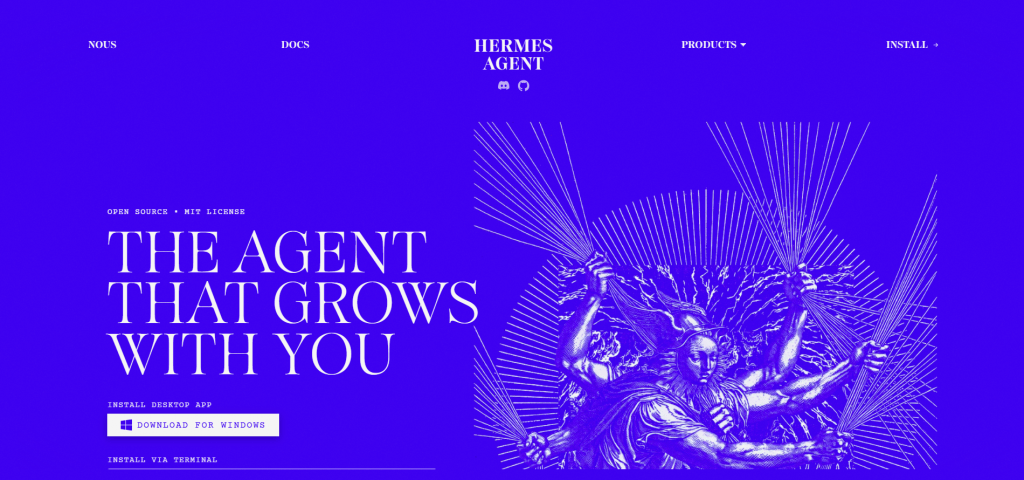
Hermes Agent is Nous Research’s self-hosted AI agent. One shell command installs it on Linux, macOS, WSL2, or native Windows. It runs as a persistent process you reach from a terminal or from Telegram, Discord, Slack, WhatsApp, and Signal. Its README calls it “not tied to your laptop.”
The learning loop sets it apart. After a complex task, Hermes writes a reusable skill and refines that skill each time it runs. It searches past conversations with an LLM summarizer, and its skills follow the open agentskills.io standard, so they can move between agents.
Hermes works with any model provider. Running hermes model switches between Nous Portal, OpenRouter, OpenAI, or your own endpoint with no code changes. Hermes also connects to any server that speaks the Model Context Protocol for extra tools, and MCP360 supplies that layer with 100+ tools through one integration.
The runtime is free under the MIT license. Nous Portal is the optional paid layer. Its free tier is limited to free models, and paid plans cost $20, $100, and $200 a month. Paid plans add monthly credits, 300+ models, and a Tool Gateway for web search, scraping, image generation, browser use, and speech. Portal also hosts Hermes in the cloud, so a server of your own is optional.
Where Hermes Agent Falls Short for Teams
Hermes Agent works well for personal automation, reusable skills, and messaging-based tasks. However, teams managing complex workflows may face a few limitations:
- Limited multi-agent coordination: Hermes can run subagents in parallel, but they cannot communicate directly or share state during a task. This makes workflows requiring agent-to-agent collaboration harder to manage.
- Extra setup for multi-user memory: Hermes uses
MEMORY.mdandUSER.mdfor built-in memory. Teams managing multiple users may need separate memory profiles or external providers like Mem0 to keep user data isolated. - Self-hosting and maintenance: Running Hermes on your own server means handling updates, security, and monitoring. Although Nous offers hosted Hermes, teams looking for less infrastructure management may prefer fully managed alternatives.
- No visual workflow builder: Hermes focuses on CLI tools, messaging integrations, and its desktop interface. Teams that want drag-and-drop automation and visual workflow management may find it less convenient.
Each alternative covered below addresses at least one of these limitations, whether it’s multi-agent collaboration, memory isolation, managed hosting, or visual workflow building.
The Best Hermes Alternatives in 2026
Each option below is evaluated on what pushes a team off Hermes: coordination model, hosting, and how much of an existing setup carries over.
1. OpenClaw
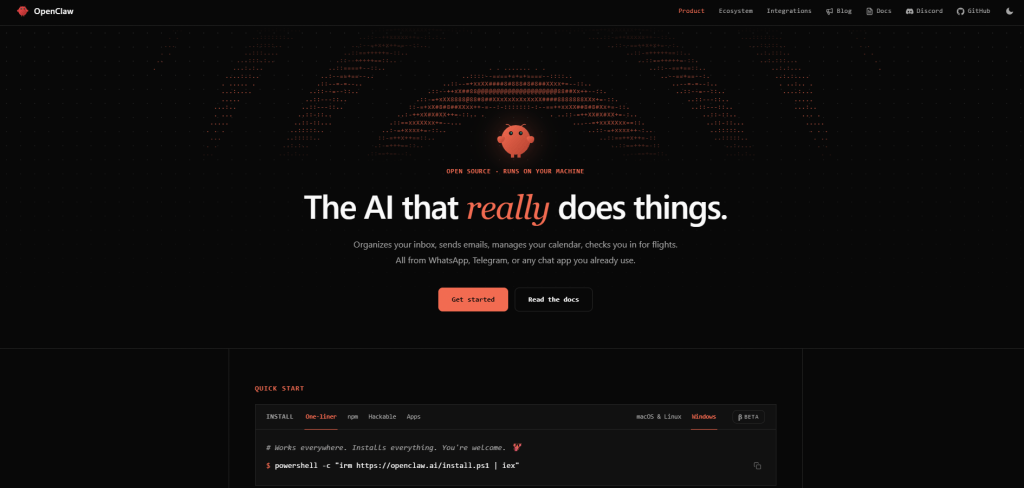
OpenClaw is an open-source assistant that runs on your own hardware and replies in the chat apps you already use. One Gateway process routes WhatsApp, Telegram, Discord, Slack, Signal, iMessage, and 20+ other channels to a single agent. The OpenClaw Foundation, an independent 501(c)(3), stewards the project. The repository has passed 390,000 GitHub stars and 82,000 forks. It is the closest peer to Hermes on this list, since Hermes Agent and OpenClaw both run a persistent gateway, support skills, and work with any model provider.
Features
- A single Gateway process that manages sessions, tools, events, and channel connections
- Hosted and local model providers, with Claude, Codex, and local models swappable as plugins
- Companion apps for macOS, iOS, Android, Windows, and Linux that add voice, Canvas, camera, screen, and device-local actions
- A plugin SDK and the ClawHub registry for community skills and channel integrations
- One Gateway that runs as a personal assistant or as a shared team deployment
Limitations
- Tools run on the host for the main session unless sandboxing is configured, which makes prompt injection a live risk for connected accounts
- The project’s security guidance asks operators to review pairing, sandboxing, and exposure settings before connecting other users or exposing the Gateway remotely
Pricing
- Free and open source under the MIT license, with no paid tier, hosted service, or token
- Costs are the machine that runs the Gateway and the model API you connect
Best For
Teams comfortable with Hermes’s messaging-first model that want a larger plugin catalog, native companion apps, and a team deployment mode. Security setup stays the operator’s job..
2. ZeroClaw
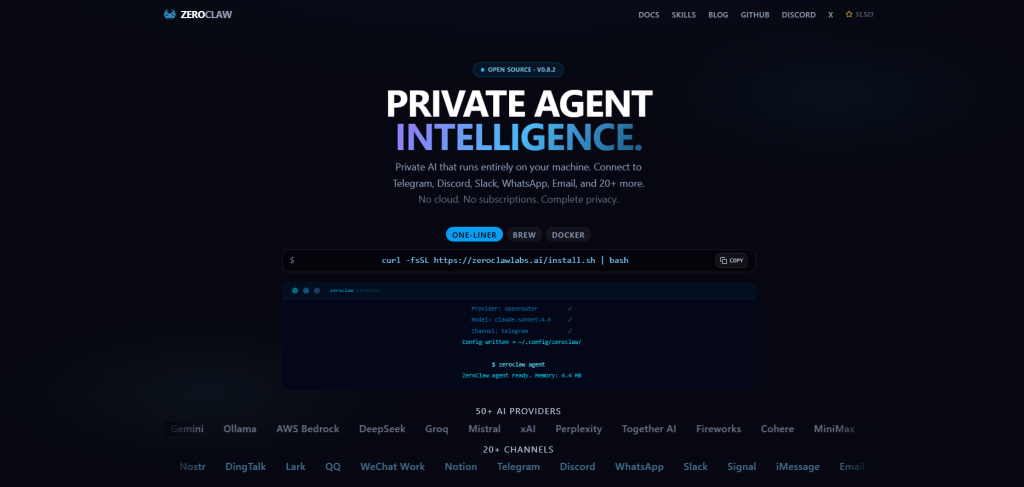
ZeroClaw is an agent runtime written in Rust and shipped as a single binary. It reaches users through 30+ channels, including Discord, Telegram, Matrix, and email, all feeding one agent loop. The project pitches itself as personal assistant infrastructure you can run anywhere and re-wire without touching the rest of the setup. The repository has passed 32,000 GitHub stars and is dual-licensed under MIT and Apache 2.0.
Features
- A single Rust binary. The project’s published benchmark lists under 5 MB of RAM at runtime and an 8.8 MB release binary
- Provider-agnostic across Anthropic, OpenAI, Ollama, and about 20 others, with fallback chains and routing that keep the agent running when a provider fails
- Supervised autonomy by default, where medium-risk actions need approval and high-risk ones are blocked, backed by OS-level sandboxes and cryptographic tool receipts
- A web dashboard for chat, memory browsing, config editing, cron jobs, and tool inspection
zeroclaw migrate openclawimports OpenClaw memory, workspace files, and configuration
Limitations
- The community is far smaller than OpenClaw’s, with about one-twelfth the GitHub stars
- The README warns that other repositories, domains, and packages using the ZeroClaw name are not affiliated with the project, so install only from the official repository
Pricing
- Free and open source, dual-licensed under MIT and Apache 2.0
- Costs are hosting and model API usage
Best For
Builders who want Hermes’s self-hosted, model-agnostic, messaging-first setup on small hardware, or who run many agent instances and count memory per instance.
3. Kimi Claw
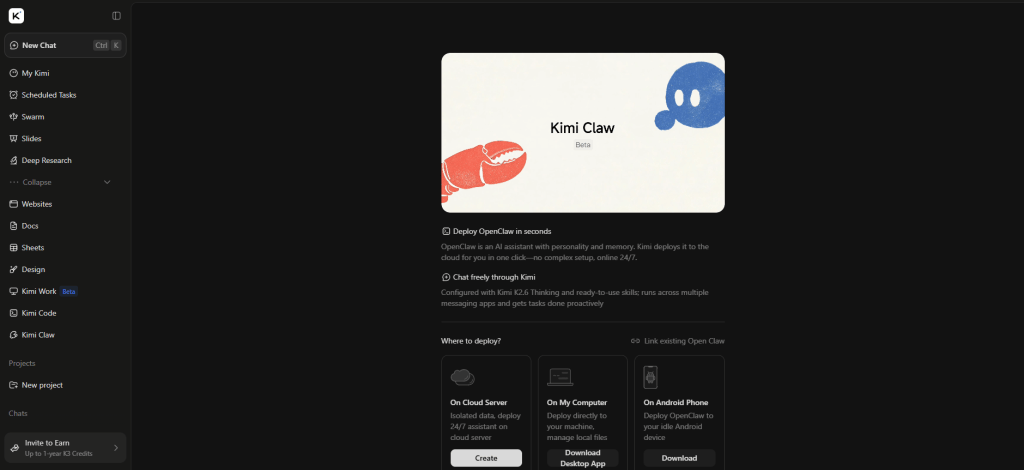
Kimi Claw takes the OpenClaw framework Hermes already gets compared to and removes the one thing self-hosting requires: infrastructure. Moonshot AI, the Beijing-based, Alibaba- and Tencent-backed lab behind the Kimi models, launched it on February 15, 2026, as a browser-native implementation of OpenClaw running entirely on kimi.com, powered by Moonshot’s own model stack. It sits inside the broader Kimi product as a paid agent tier layered on top of Moonshot’s existing chat assistant, rather than a standalone app of its own.
Features
- One-click hosted agent that stays online around the clock, with no VPS, Docker, or terminal to maintain
- 5,000+ ClawHub-compatible skills and 40GB of cloud storage
- Agent Swarm for running several subagents on one task, with monthly swarm uses rising from 50 on Allegretto to 240 on Vivace
- Bring Your Own Claw, which connects a self-hosted OpenClaw instance to the kimi.com interface
- Pro-Grade Search for pulling live data from external sources mid-task
Limitations
- Not available on Kimi’s free or entry-level paid tier. Kimi Claw only unlocks starting at the $39-a-month plan
- The Institute for AI Policy and Strategy has published specific data-exposure concerns around an always-on agent with file, app, and communication access, hosted by a Beijing-based company, a detail to weigh before connecting real accounts
Pricing
- Allegretto costs $39 a month, with 150 agent credits and 50 swarm uses
- Allegro costs $99 a month, with 360 agent credits and 120 swarm uses
- Vivace costs $199 a month, with 720 agent credits and 240 swarm uses
- Credits come from one pool shared with the rest of Kimi’s agent features, and annual billing brings the three tiers to $31, $79, and $159 a month
Best For
Anyone who wants OpenClaw’s always-on, skill-driven agent without owning a server, and has weighed the IAPS research above against having a Beijing-based company host the always-on session.
4. Paperclip

Paperclip is an open-source orchestration layer that sits above the agents a team already runs. It gives them an org chart, roles, reporting lines, budgets, and governance. Where Hermes grows one agent over time, Paperclip coordinates several. The repository was created on March 2, 2026 and has passed 80,000 GitHub stars and 14,000 forks. Nous Research maintains a Hermes adapter for it, and Paperclip now ships that adapter built in.
Features
- Bring your own agent, with any agent on any runtime, Hermes included, placed in one org chart
- Monthly budgets per agent, plus governance controls for approving hires and pausing or ending an agent
- Task checkout, so two agents cannot take the same ticket
- Delegation that flows up and down the org chart, with agent state that persists
- Pre-built company templates that ship org structures, agent configs, and skills, so a new team starts from a working layout
Limitations
- Built for coordinating multiple agents. Its own documentation says a team with one agent probably does not need it
- Runs as a self-hosted Node.js server with a React UI, so someone has to operate it
Pricing
- Free and open source under the MIT license
- Costs are server infrastructure plus whatever agents and model APIs you hire into the org
Best For
Teams already running two or more agents, Hermes included, who have lost track of what each one is doing and want a shared task board, budget caps, and an audit trail instead of a folder of terminal tabs.
5. Microsoft Agent Framework
Microsoft Agent Framework is Microsoft’s answer to running multiple specialized agents under one governed stack, and as of April 2026 it’s the supported path forward for anyone starting new work on Microsoft’s stack. It reached its 1.0 production release on April 3, 2026, unifying what used to be two separate projects, AutoGen’s multi-agent orchestration and Semantic Kernel’s enterprise plumbing, into a single MIT-licensed SDK for Python and .NET. Microsoft has since moved AutoGen itself into maintenance mode and points new builders here instead.
Features
- Support for MCP tools and A2A messaging, so agents can call the same external tools Hermes uses and exchange messages with agents built on other frameworks
- Multiple model providers, including Azure OpenAI, OpenAI, and local Ollama models
- Single-agent and multi-agent orchestration in Python and .NET, with AutoGen’s orchestration patterns built in
- Stable 1.0 APIs with a long-term support commitment, a firmer base for production code than a pre-1.0 SDK
- Hosted agents on Foundry Agent Service, a managed runtime billed by container compute hours
Limitations
- A framework and not a finished product. Reaching users on Telegram or WhatsApp means building that messaging layer yourself, a gap it shares with LangGraph and CrewAI
- Existing AutoGen and Semantic Kernel code must migrate, since both predecessors are in maintenance mode
Pricing
- The SDK is free and MIT licensed
- Hosted agents on Foundry Agent Service bill for the container compute they use, with model tokens billed separately on Foundry’s model pricing
Best For
Azure-native teams, and anyone moving off AutoGen or Semantic Kernel who wants one supported framework
6. LangGraph
LangGraph swaps Hermes’s message-and-respond loop for something a developer can inspect line by line. Built by the LangChain team as a production execution layer, LangGraph models an agent’s logic as an explicit graph. Nodes represent model calls, tool executions, or plain functions, and a developer wires them together in code instead of watching the structure emerge from a chat session. It reached its 1.0 stable release on October 22, 2025, with companies including Uber, LinkedIn, and Klarna already running it in production.
Features
- Durable execution with checkpointing, so a crashed run resumes from its last step instead of restarting
- Human-in-the-loop pauses where the graph waits for a person’s input, then resumes with that input folded into state
- Real-time streaming of intermediate steps and final output on deployments, so a UI can show progress while the graph runs
- Deployments that expose an agent as an MCP server, so other clients can reach the tools it wraps
- Cron scheduling on deployments, so recurring runs start on a schedule without an external trigger
Limitations
- No built-in messaging gateway
- Managed deployment requires a LangSmith Plus seat and is then metered by compute and memory hours, so production cost needs modeling before you commit
Pricing
- The framework is free and MIT licensed
- LangSmith Plus costs $39 per seat a month and includes one small serverless deployment
- Extra deployments are metered at $1.00 per LangSmith unit, under the LangSmith Deployment name.
Best For
Engineering teams that need explicit, auditable control over a long-running or branching process, and will write Python to get it.
7. CrewAI
CrewAI structures work as a crew of role-defined agents pursuing a shared goal. Where Hermes grows one agent’s skills over time, a CrewAI agent’s role is fixed at design time. The framework is an MIT-licensed Python library, and CrewAI AMP is the managed platform built around it. Agents hand work to each other through sequential or hierarchical processes that the developer defines up front.
Features
- Role-based agents, each defined by its own role, goal, and toolset
- Flows for deterministic, rule-based execution when a step must run the same way every time
- Sequential and hierarchical processes that define how agents hand work to each other and in what order
- AMP Cloud, the managed platform, with a visual editor and AI copilot for building and running crews
- AMP Factory for self-hosting the managed platform on AWS, Azure, or GCP, for teams that keep workloads in their own cloud
Limitations
- Same gap as the frameworks above: no built-in messaging gateway
- Context-window handling has a documented history of edge cases. CrewAI’s own docs still walk through manual workarounds, RAG tools or smaller task chunks, for when automatic summarization isn’t enough
Pricing
- Open source framework, free, MIT licensed
- CrewAI AMP Basic tier, free with a capped number of monthly workflow executions
- Enterprise, custom pricing
Best For
Python-fluent teams who want defined agent roles that hand tasks along in a fixed order and not one generalist improvising the whole job.
8. n8n
n8n wires an agent into the business apps a team already runs, through a visual canvas instead of a config file. Triggers, branches, and data transforms stay point-and-click around the agent step. The repository has more than 200,000 GitHub stars, and the self-hosted Community Edition is free. n8n pricing counts executions, so a workflow costs one execution no matter how many steps it has.
Features
- A node canvas with an AI Agent node, prebuilt integrations, and HTTP and GraphQL requests for apps without a native connector
- JavaScript or Python code steps wherever a built-in node falls short, so a workflow is never stuck on a missing node
- Unlimited users and workflows on every plan, with pricing based only on executions
- MCP Client and MCP Server Trigger nodes, so a workflow can connect n8n to MCP360 and reach its 100+ tools through one connection
- Human approval for tool calls, so an agent waits for a person before it runs the call
Limitations
- Debugging gets harder as branching grows, especially when the AI Agent node picks its path at runtime
- The Business plan, which adds SSO, queue mode, and Git version control, is self-hosted only, so teams that want those features managed look at n8n alternatives
Pricing
- Community Edition is free to self-host under n8n’s fair-code license
- Cloud Starter costs 20€ and Cloud Pro 50€ a month billed annually, with 2,500 and 10,000 executions
- Business costs 667€ a month billed annually, with 40,000 executions, and is self-hosted only
Best For
Wiring an agent into CRMs, spreadsheets, and ticketing systems through a visual AI agent builder. n8n fits that job far better than replicating Hermes’s messaging-first model
9. Manus
Manus sits at the far managed end of this list. Originally built by the startup Butterfly Effect, it reached roughly $100 million in annual recurring revenue within eight months of launch before Meta agreed to acquire it for more than $2 billion in late 2025. China’s National Development and Reform Commission blocked the deal in April 2026 and ordered it unwound. Manus has continued operating independently since, shipping updates through mid-2026 rather than folding into Meta.
Features
- A cloud sandbox with nothing to install. Describe a task and Manus researches, browses, writes files, and generates code or documents on its own
- A Desktop app with a My Computer feature that reads local files and runs terminal commands on macOS and Windows
- Pre-built connectors for common business apps, plus support for custom MCP servers
- Concurrent and scheduled tasks for background execution across multiple jobs at once
- Credit-based usage with no automatic overage billing, so spend has a hard ceiling instead of a surprise invoice
Limitations
- Model choice is limited to the Manus 1.6 family, with no way to use another provider or a local model
- Ownership was still being unwound as of June 2026, so check current status before building a workflow on it
Pricing
- Standard $20, Customizable $40, and Extended $200 a month, or about $17, $34, and $167 billed annually
- Team costs $20 per user a month with pooled credits and a two-member minimum
Best For
People who want a finished deliverable handed back, such as a report, a spreadsheet, or a working webpage. The free tier makes it cheap to test.
10. Claude Cowork
Claude Cowork is Anthropic’s agentic work surface inside Claude. It is generally available in Claude Desktop on macOS and Windows, and it runs as a beta on web and mobile for Pro, Max, and Team plans, with Enterprise access enabled by admins. Anthropic’s support pages say chat and Cowork are becoming one Claude, so expect the name to fold into the main product.
Features
- Reads and writes local files through the desktop app and runs multi-step plans that continue while you work on something else
- Scheduled recurring tasks that run on a cadence you set
- Plugins that bundle skills, connectors, and sub-agents into a role-specific setup
- Admin controls on Team and Enterprise, including OpenTelemetry event streaming and Compliance API capture
- Included in paid Claude plans, with no separate product or API key to manage
Limitations
- No self-hosting, and web and mobile sessions run in Anthropic’s cloud
- Cowork sessions use plan limits faster than ordinary chat, and local folders and connectors still depend on Claude Desktop running
Pricing
- Bundled into paid Claude plans, with Pro at $20 a month and Max at $100 or $200
- Team seats are priced per user, Enterprise is custom, and Cowork has no separate charge
Best For
Teams already paying for Claude that want an agent working while they are away, without standing up a server or vetting a skill marketplace.
Side-by-Side Comparison
This table puts the ten on the dimensions that decide most choices.
| Alternative | Hosting and Runtime | Model Support | Coordination Model | Starting Cost | Best For |
|---|---|---|---|---|---|
| OpenClaw | Self-hosted Gateway on Node.js | Hosted and local providers, swappable as plugins | One agent, personal or shared team deployment | Free (MIT) | Messaging-first agent with the largest plugin catalog |
| ZeroClaw | Self-hosted single Rust binary | Anthropic, OpenAI, Ollama, and about 20 more | One agent, supervised autonomy | Free (MIT or Apache 2.0) | Small hardware and low-memory deployments |
| Kimi Claw | Managed, runs on kimi.com | Moonshot’s Kimi models | One agent, cloud-hosted OpenClaw | From $39 a month | OpenClaw’s skills with no server to run |
| Paperclip | Self-hosted Node.js server and React UI | Any agent runtime, Hermes adapter built in | Org-chart multi-agent with budgets and governance | Free (MIT) | Coordinating several agents as a team |
| Microsoft Agent Framework | Self-hosted SDK, or Foundry Agent Service | Azure OpenAI, OpenAI, Ollama, and more | Multi-agent orchestration with MCP and A2A | Free SDK, hosted agents billed by compute hour | Azure-native teams standardizing on one framework |
| LangGraph | Self-hosted framework, or LangSmith Deployment | Any provider through LangChain | Code-defined graph with durable state | Free framework, Plus seat $39 a month for managed | Engineers building custom, auditable pipelines |
| CrewAI | Self-hosted Python framework, or CrewAI AMP | Any provider, bring your own key | Role-based crews, sequential or hierarchical | Free framework, AMP Basic free with a cap | Python teams building defined agent roles |
| n8n | Free self-hosted Community Edition, or n8n Cloud | Any provider through AI nodes or HTTP | Visual workflow where an AI Agent node picks its path | Free self-hosted, Cloud from 20€ a month billed annually | Wiring an agent into existing business apps |
| Manus | Managed cloud sandbox | Manus 1.6 family | One managed agent | Free, paid from $20 a month | Finished deliverables with no setup |
| Claude Cowork | Managed, in Claude Desktop, web, and mobile | Claude models | One managed agent | Included with paid Claude plans from Pro | Teams already on a Claude plan |
Shortlist two or three, then use the decision list below to choose between them.
How to Choose the Right Hermes Alternative
The right pick depends on which limit costs your team time, and star counts say little about that.
- Coordination need: One improving agent covers most personal automation. Once two or more agents run and nobody can see what each is doing, look at Paperclip or Microsoft Agent Framework.
- Who is building it: LangGraph, CrewAI, and Microsoft Agent Framework assume Python or .NET and reward it with explicit control. n8n’s canvas gets a non-technical operator further, faster, and gives up some control as logic grows. Manus and Claude Cowork need no engineering.
- Where the agent lives: OpenClaw and ZeroClaw reach users through chat apps the way Hermes does, and Kimi Claw can bridge to Telegram. The others live in a browser tab, a desktop app, a workflow trigger, or another agent.
- Hosting appetite: Six options run self-hosted at no software cost, and three of those add an optional managed tier. n8n offers a free self-hosted edition next to a separate cloud product. Kimi Claw, Manus, and Claude Cowork have nothing to self-host.
- Migration cost: Moving from OpenClaw is the easy case. ZeroClaw imports memory, workspace files, and configuration with one command, and Kimi Claw connects a self-hosted instance through Bring Your Own Claw. Paperclip can hire an existing Hermes profile without a rewrite. Every other move means rebuilding.
Frequently Asked Questions
What are the best Hermes Agent alternatives in 2026?
The best pick depends on what’s actually missing. OpenClaw and ZeroClaw match Hermes’s self-hosted, messaging-first setup most closely. Paperclip and Microsoft Agent Framework add real multi-agent coordination. LangGraph and CrewAI give engineers explicit code-level control. n8n, Manus, and Claude Cowork remove infrastructure entirely. MCP360 handles tool access underneath whichever one gets picked.
What is multi-agent orchestration?
Multi-agent orchestration is a setup where more than one AI agent works on a task together, coordinating through shared state, defined roles, or a managed hierarchy, instead of one generalist agent handling everything alone. It differs from simple task delegation, where a parent process hands off work and waits for a summary back, because true orchestration lets agents share progress and hand off mid-task. It’s become a bigger part of agent tooling as teams move past single-agent setups.
Is OpenClaw free to use?
Yes. OpenClaw is free and open source under the MIT license, maintained by the OpenClaw Foundation. There’s no subscription or paid tier for the software itself, only ordinary costs like hosting the gateway process and whatever model API gets connected to it, Claude, GPT-4o, Gemini, or a local model through Ollama. That makes cost comparisons against Hermes come down to infrastructure choices, not license fees.
Can AI agents talk to each other?
Not by default, and that’s a bigger limitation than most people expect. Hermes can spawn subagents, but they work alone and only report back once finished, they can’t share state mid-task. Platforms built specifically for coordination, like Paperclip’s org-chart model or Microsoft Agent Framework’s A2A support, solve this directly. Whichever runtime handles coordination, reaching outside tools is a separate problem. MCP360 gives any of them access to the same tool catalog through one integration.
Is Manus AI free to use?
Yes, Manus added a free tier, $0 a month with 300 daily refresh credits, enough to test the product but not to run real workloads. Paid plans start at Standard, roughly $17 a month billed annually, and scale up to Extended at roughly $167 a month for heavier use. Manus remains a fully managed, cloud-only agent, so there’s no self-hosted option even on the free tier.
What is LangGraph used for?
LangGraph is used for building AI agents as an explicit, code-defined graph instead of letting behavior emerge from a chat session. Developers wire together model calls, tool executions, and functions as nodes, with checkpointing at each one so a crash partway through a workflow resumes instead of restarting. It’s built by the LangChain team, reached its 1.0 release in October 2025, and runs in production at companies including Uber and LinkedIn.
What is MCP, and why does it matter when picking an AI agent?
MCP, the Model Context Protocol, is the standard that lets an AI agent connect to external tools, search, scraping, databases, whatever a task needs, without a developer wiring up each integration by hand. It matters because picking a runtime only decides how an agent thinks, not what it can reach. MCP360 sits underneath any of the runtimes in this guide, giving one connected agent access to over 100 tools through a single integration.
Why would a team move off Hermes Agent to something else?
Usually not because Hermes fails at its job, it doesn’t. Teams move on when they hit one of three walls: needing more than one agent to coordinate on a task, wanting explicit code-level control over a long process instead of a chat-driven one, or wanting to skip self-hosting entirely. Hermes’s own maintainers have acknowledged that spawned subagents can’t share state, which is exactly where alternatives built for coordination take over.
Conclusion
Whichever of the ten gets picked, one problem follows it. Memory and delegation stop at the edge of what one agent can see and touch, and reaching the outside world takes a tool layer no runtime ships with on its own. MCP360 sits underneath any of them, giving an agent access to 100+ tools through one integration. For teams staying on Hermes, connecting it to MCP360 covers that setup directly.
Hermes earned its install base doing one thing few agents attempt well, getting measurably better the longer it runs. Nothing here replaces that outright. A single self-hosted agent is no longer the only serious option for the problems that used to force people into one. Multi-agent coordination, explicit state control, and zero-infrastructure hosting all have mature answers now. The right pick comes down to whichever problem is real for the team today, and it’s worth revisiting as the team outgrows it.
Tags

Article by
RajniAI & Tech | Senior Content Writer
Rajni is a senior content writer covering AI agents, automation, and no-code tools. She writes across the AI space, from chatbots and customer support to MCP and agent workflows, focused on how businesses actually put these tools to work.