
The TL;DR
n8n is a popular starting point for AI agent workflows because of its visual canvas, AI agent node, and unlimited self-hosted community edition. However, teams often need an alternative as workflows become more complex and production requirements increase.
-
• Where n8n Falls Short
n8n lacks built-in persistent memory across sessions and native workflow testing. Debugging also becomes harder as workflows grow, while cloud plans cap executions and may stop workflows when usage limits are reached.
-
• Why Teams Consider Alternatives
Other platforms may offer stronger AI-agent infrastructure, better testing and debugging, persistent memory, easier collaboration, more predictable pricing, or tools designed for specific business workflows.
-
• What This Guide Covers
This guide compares nine n8n alternatives based on their features, limitations, pricing, and ideal use cases. It also includes a comparison table and a practical selection guide.
n8n earns its place as a starting point for two reasons. The AI Agent node lets an LLM choose its own execution path at runtime instead of following a fixed sequence, and the self-hosted Community Edition runs without execution limits. Most teams build their first AI agent workflow on n8n because of exactly these two things.
Production tests that setup differently. Memory doesn’t persist between sessions without an external database, debugging gets harder as node counts climb, and a maxed-out execution cap on the paid plan can halt every workflow until the next billing cycle. That’s usually when a team starts looking at what else is out there.
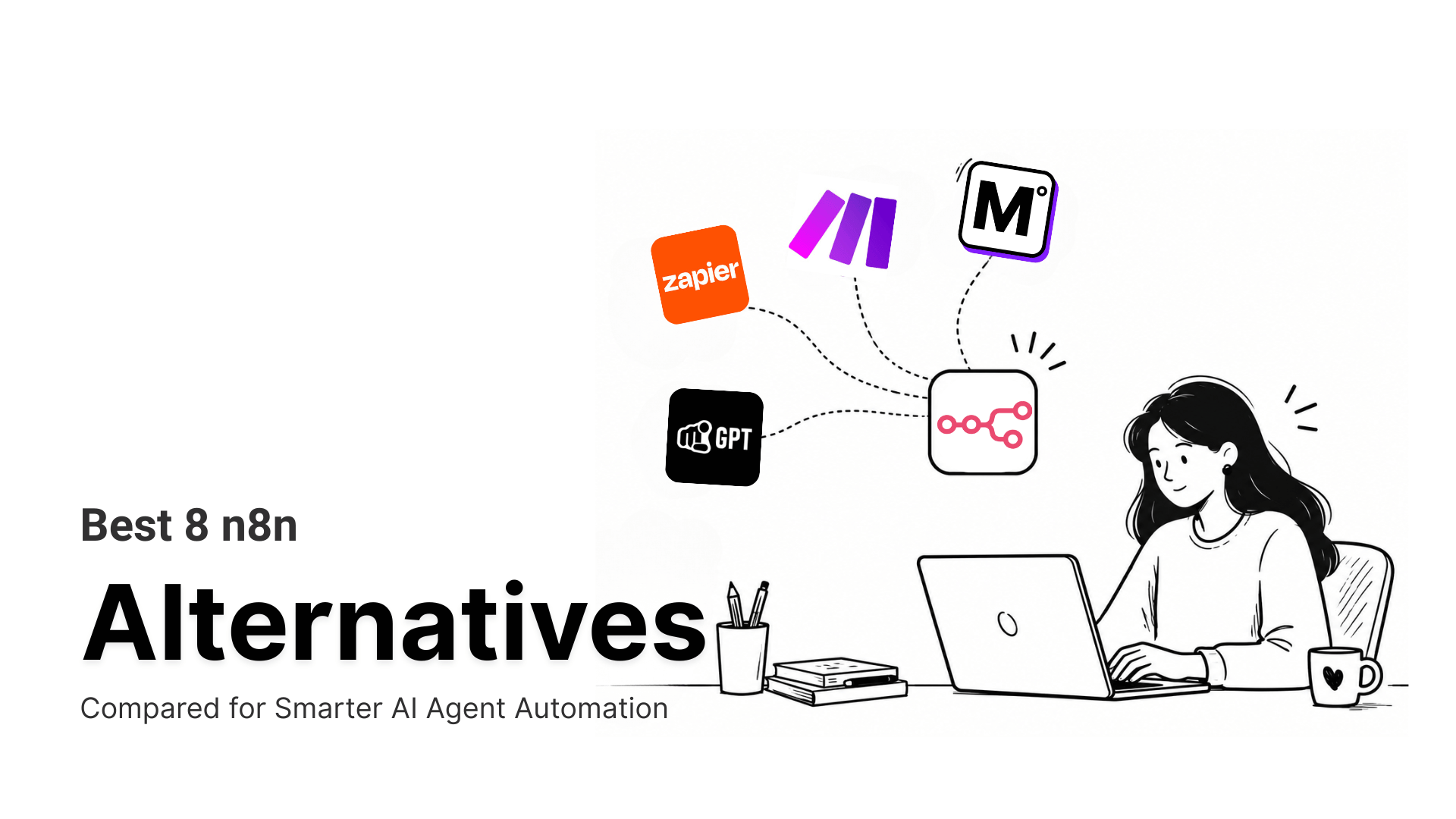
This blog compares best 8 alternatives of n8n, what each one actually solves, where it falls short, and what it costs right now.
Limitations of n8n
n8n is an open-source workflow automation platform built around a visual node canvas, with an AI agent node that lets an LLM drive its own execution path and custom code steps available wherever the built-in nodes fall short. That range covers a lot of ground, but teams running these workflows in production consistently run into the same handful of real constraints.
- No persistent memory across sessions: Cross-run context needs an external database added separately. An agent that needs to recall what happened in a customer’s last few conversations doesn’t get that natively.
- Debugging gets harder as workflows grow: High node counts and heavy branching make it difficult to trace exactly where a multi-step workflow broke, especially once an AI Agent node is choosing its own execution path at runtime.
- Execution caps stop workflows without warning: The Cloud plan dropped its permanent free tier, and hitting the monthly execution cap on a paid plan halts every workflow immediately, no grace period, until the next billing cycle resets.
- No built-in workflow testing: n8n has no native way to define expected outputs and check a workflow’s logic before deploying it. Version control fares little better outside the top tier: Git-based source control only ships on the Business plan, so teams on Starter or Pro fall back to manual export scripts and shared documents to track who changed what.
- A real learning curve for non-technical builders: The visual canvas hides real complexity once a workflow needs conditional logic, loops, or a JavaScript expression to reshape data between nodes. Teams without a developer on hand routinely spend hours getting a single non-trivial workflow working, well past the point-and-click pace of Zapier or Make.
None of these rule it out on their own. Together, they explain why teams evaluating AI agent workflows in 2026 test two or three platforms side by side instead of assuming n8n by default.
Best n8n Alternatives Compared
The platforms below range from managed automation tools to open-source developer frameworks, each solving a different part of what n8n handles today.
Each one is evaluated against the constraints that actually push teams off n8n. Persistent memory, debugging visibility, MCP support, and how the pricing model holds up once an agent is running in production all factor into where it lands on this list.
1. Zapier
Zapier is a cloud automation platform that connects apps through trigger-and-action sequences called Zaps, with Zapier MCP extending that same connector catalog to AI clients through the Model Context Protocol. It’s the broadest platform on this list by raw app count, and MCP is bundled into every plan rather than sold separately.
The underlying automation engine predates MCP by well over a decade, so an agent calling Zapier MCP runs through the same trigger-and-action logic a human building a Zap by hand would use. For a team already running dozens of Zaps, agent access through Zapier MCP feels immediately familiar and trusted.
Features
- 9,000+ app integrations with 30,000+ individual actions available through Zapier MCP
- MCP included on every plan, authenticated through the same credential infrastructure Zapier has run for over a decade
- Zapier Agents for building natural-language AI teammates without a node canvas
- Fine-grained action controls so admins can scope exactly which apps and actions an agent can reach
- SOC 2 Type II compliance with every action logged to a searchable history tab
Limitations
- Every MCP tool call consumes two tasks from the plan’s quota, so agent-heavy usage draws down faster than a comparable execution count elsewhere
- MCP does not currently support the app and action restrictions available on Enterprise accounts
Pricing
- Free: $0/month, 100 tasks
- Professional: From $19.99/month
- Team: From $69/month
- Enterprise: Custom pricing
Use Cases
Zapier fits teams that want the widest possible app coverage and are willing to trade per-step task billing for zero infrastructure and a setup flow a non-technical hire can complete alone.
2. Make
Make is a visual automation platform for teams that build multi-app workflows without code. Each automation is a scenario on a canvas, where modules represent app actions and connecting lines carry data between steps. An official Make MCP Server turns any finished scenario into a tool an AI agent can call. That’s a different starting point than most platforms on this list, which build the agent first and bolt tools on after.
Make instead lets a team keep the human-built automation as the source of truth and exposes it outward, so the exact scenario a person maintains by hand is what the agent ends up calling. For a team built around visual scenarios, extending that canvas to AI agents needs no new mental model.
Features
- Canvas-based scenario builder with branches, merges, conditional routes, and parallel module execution
- Official MCP server that turns Make scenarios into callable tools for Claude, ChatGPT, and other MCP clients
- Built-in data mapping and transformation layer for parsing, reformatting, and field manipulation between modules
- Routers, filters, iterators, and aggregators for multi-path logic without writing code
- 3,000+ prebuilt app integrations plus an HTTP module for any REST API without a native connector
Limitations
- Data mapping configuration inside modules has a steep learning curve for non-technical users
- Troubleshooting failures across multi-module chains is time-consuming when errors occur mid-flow
Pricing
- Free: $0/month, 1,000 credits
- Core: $12/month, 10,000 credits
- Pro: $21/month
- Teams: $38/month
- Enterprise: Custom pricing
Use Cases
Teams already running branching scenarios in Make get the most value here, since the MCP Server turns existing work into agent-callable tools without a rebuild.
3. MCP360
MCP360 is a unified MCP gateway that gives an AI agent access to 100+ external tools through a single integration instead of wiring up each service individually. It exposes two meta-tools, search and execute, so an agent discovers and calls only what a given task needs, keeping token use flat as the catalog grows. Where n8n bundles workflow logic and tool access into one platform, MCP360 treats tool access as its own separable layer that sits behind n8n, a code framework, or any other orchestrator.
That split means growing the tool catalog never means rebuilding the workflow that calls it. That separation also lets a team swap out the workflow engine without losing any tool integrations already built.
Features
- Single MCP connection covering 100+ tools across search, SEO, scraping, maps, and data API categories
- Unified search and execute model standardizing how different services are called from any MCP-compatible client
- Prebuilt marketplace of ready-to-use tools for keyword research, web data extraction, and external APIs
- No-code Custom MCP Builder for converting REST APIs into callable MCP tools within the same gateway, or writing your own Python or JavaScript logic when a wrapper isn’t enough
- SOC 2 Type II, GDPR, and ISO 27001 compliance
Limitations
- Shows its strongest value when an agent needs to work across many tools and systems. Simpler setups with only one or two integrations may not fully benefit from a unified gateway
- The tool catalog updates frequently, which means occasional adjustment as integrations change
Pricing
- Free: $0/month, 100 credits
- Starter: $16/month billed annually
- Professional: $83/month billed annually
- Advanced: $333/month billed annually
Use Cases
MCP360 fits agents pulling from many services in one session, like SEO research or data aggregation, and pairs directly with n8n as the orchestrator instead of replacing it.
4. Pipedream
Pipedream is an event-driven integration platform for developers who want agents to act across a wide app catalog without managing credentials by hand. It runs its own MCP server and supports custom code inside individual workflow steps, mixing prebuilt actions with a Node.js or Python snippet where the logic calls for it. Credentials stay server-side rather than reaching the model.
Pipedream exposes the implementation, so a team that hits a limitation in a prebuilt action can drop into actual code at that exact step instead of waiting on a vendor to add support. That mix of prebuilt actions and custom code keeps both speed and control fully available at every step.
Features
- MCP server covering 3,000+ apps with 10,000+ prebuilt tools and managed, server-side OAuth
- Custom Node.js, Python, Go, and Bash code execution available at any workflow step alongside prebuilt actions
- Credit-based billing tied to compute time rather than step count
- Serverless architecture with auto-scaling, concurrency controls, and throttling for third-party rate limits
- Step-level execution logs and debugging tools for inspecting data and failures at each stage
Limitations
- Only two environments exist, dev and prod, and dev caps out at 10 users, which limits how much a larger team can test in parallel
- Workflows with heavy custom logic across many steps become difficult to audit and maintain over time
Pricing
- Free: $0/month
- Basic: $29/month
- Advanced: $49/month
- Connect: $99/month
Use Cases
Developer-heavy teams get the most out of Pipedream. Nobody else on this list offers as deep an MCP tool surface right now, and writing code inline stops feeling like a workaround.
5. Workato
Workato is an enterprise iPaaS that extended into MCP infrastructure in early 2026, launching production-ready MCP servers for enterprise systems. It targets organizations that need agents to act on real business systems under security and compliance controls, where every action has to trace back to a user and a role. Any existing Workato workflow can be published as a custom MCP server.
Unlike most of this list, MCP access itself sits behind a paid upgrade rather than shipping in the base plan, reflecting Workato’s broader sales-led, enterprise-only positioning. Regulated teams are already paying for exactly that level of control with every single MCP tool call made.
Features
- Production-ready MCP servers across communication, productivity, sales, and IT operations, including Salesforce, Zendesk, Jira, Slack, and Google Workspace
- Role-based access control, rate limiting, and full audit logging applied to every MCP tool call
- Recipe-based workflow engine for multi-step orchestration with built-in error handling and retry management
- 99.9% uptime SLA with data residency options across multiple regional data centers, including the US and EU
- Compatible with Claude, ChatGPT, and Cursor through the MCP standard
Limitations
- Workflow execution timeouts cap at around 90 minutes, which interrupts long-running operations, not suited for large file transfers or high-volume data payload processing
- Systems outside the connector library require custom connector development before they can be exposed via MCP
Pricing
- No free tier and no public pricing
- Standard: Custom pricing
- Business MCP: Custom pricing
- Enterprise MCP: Custom pricing
- Workato ONE: Custom pricing
Use Cases
Workato fits enterprises that need AI agents to touch core operational systems with full audit trails and access controls, particularly in regulated industries where every action must be identity-aware
6. YourGPT
YourGPT is an AI-first platform for building and deploying AI agents across customer support, sales, and operations without writing code. It combines a no-code builder, AI Studio workflows, omnichannel deployment, and business-tool integrations in one environment. It’s built for teams that want production-ready agents without assembling their own orchestration and channel infrastructure.
YourGPT is built around agents that talk directly to customers across chat, email, and voice, making judgment calls in the conversation itself rather than executing a fixed sequence of steps. The channel coverage and in-conversation judgment clearly separates YourGPT from a scripted support bot.
Features
- No-code builder for AI agents handling customer conversations and routine workflows
- AI Studio for multi-step workflows where agents trigger actions across tools, systems, and APIs
- Omnichannel deployment across web chat, email, WhatsApp, SMS, social media, and voice channels
- Custom data training from documents, Google Drive, Notion, Dropbox, Confluence, and helpdesk articles
- Human-in-the-loop routing for escalating complex cases to a human agent with full context
Limitations
- Teams that need full code-level control over orchestration and runtime behavior may prefer a developer framework
- High-volume teams should review AI credits, usage limits, and channel costs before choosing a plan
Pricing
- Essential: $39/month, billed annually
- Professional: $79/month, billed annually
- Advanced: $349/month, billed annually
- Enterprise: Custom pricing
Use Cases
YourGPT fits teams building agents for customer support, sales automation, and internal operations where fast deployment and omnichannel coverage matter more than low-level engineering control.
7. CrewAI
CrewAI is an open-source Python framework for building multi-agent systems where individual agents are assigned specific roles and work together toward a shared objective. Workflows are structured as crews of role-defined agents that execute tasks sequentially or in parallel, passing outputs between them to complete a larger goal. There’s no canvas and managed hosting by default.
Everything is defined in code, which means the learning curve is steeper than any no-code tool on this list, but the payoff is full version control, testability, and the ability to run the exact same agent logic in any environment that runs Python.
Features
- Role-based multi-agent architecture where each agent is assigned a specific function in the workflow
- Flows for deterministic, rule-based execution that produces consistent behavior under production load
- Sequential and hierarchical process control for defining how agent steps are ordered and handed off
- Shared context handling so agents pass outputs between tasks without re-running earlier steps
- GitHub integration for version control and team collaboration on agent code
Limitations
- The built-in
respect_context_windowsafeguard doesn’t reliably prevent context-length errors, a still-open issue on CrewAI’s own GitHub tracker, so long-running crews can still hit a hard context-window error mid-run rather than being caught in advance - No native mechanism for validating individual agent outputs in isolation before deployment
Pricing
- Open-source framework: Free
- Self-hosted: Free, infrastructure costs depend on setup
- Model and API usage billed separately by providers
Use Cases
CrewAI fits development teams building custom multi-agent systems where workflow control, role separation, and execution logic need to be fully defined in code rather than a visual canvas.
8. LangGraph
LangGraph is an open-source framework for building stateful AI agent systems where workflows are structured as directed graphs, with nodes representing model calls, tool executions, or functions. Built as the production execution layer on top of LangChain, it targets agent systems that need durable state, explicit branching, and pause-and-resume execution.
It sits at the code-heavy end of this list, closer to CrewAI than to a no-code builder like Zapier or Make. LangGraph models an agent’s logic as an explicit graph a developer can inspect node by node, rather than a set of role-based agents handing tasks off to each other.
Features
- Graph-based orchestration with explicit, inspectable execution paths and full visibility into every decision point
- Stateful execution with persistent memory and checkpointing for pause-and-resume workflows at any intermediate state
- Time-travel debugging through LangSmith for stepping backward through execution history
- Native support for A2A, MCP, and Agent Protocol for cross-platform agent communication
- Agent registry for versioning, rollback, and managing deployed agents across environments
Limitations
- Memory usage and execution speed degrade as graph complexity grows, requiring deliberate optimization for high-frequency workflows
- Observability is tightly coupled to LangSmith, and moving to a different deployment target means rebuilding monitoring from scratch
Pricing
- Open Source: $0/month, unlimited, MIT licensed
- Developer: $0/month for the first 100,000 node executions, then $0.001/node
- Plus: $0.001/node executed, plus deployment standby time ($0.0007/minute dev, $0.0036/minute production), plus $39/seat/month for LangSmith Plus (10-seat maximum)
- Enterprise: Custom pricing
Use Cases
LangGraph fits engineering teams building complex agent systems that require explicit control over execution flow, state management, and human-in-the-loop checkpoints.
Side by Side Comparison
| Platform | Category | MCP Support | Custom Tool Builder | Best For |
|---|---|---|---|---|
| Zapier | Broad automation | Bundled add-on | No | Widest app catalog and non-technical setup |
| Make | Visual scenario builder | Server and client | No | Branching workflows exposed as MCP tools |
| MCP360 | MCP tool gateway | Core product | Yes, no-code Wrap REST APIs or write JavaScript and Python |
Adding broad tool access to any agent orchestrator |
| Pipedream | Developer-first automation | Deep native support | Code required | Code-first agent workflows across many apps |
| Workato | Enterprise iPaaS | Governed MCP layer on paid tiers | Developer support required | Regulated enterprises needing governance and audit trails |
| YourGPT | No-code support and sales agents | Not MCP-native | No | Customer-facing AI agents across chat, voice, and messaging channels |
| CrewAI | Multi-agent development framework | Not MCP-native | Code required | Code-defined multi-agent systems |
| LangGraph | Stateful agent framework | Native support | Code required | Complex agents needing explicit state and workflow control |
How to Choose the Right n8n Alternative
Start from the problem you’re solving, not the longest feature list. A few questions narrow the field quickly. Match the platform to the constraint actually costing you time.
- Count your memory needs: A single-session task doesn’t need persistent state, but an agent recalling prior conversations across separate runs does. Once memory becomes a real requirement, prioritize a platform with native checkpointing over one that expects an external database wired in by hand.
- Check who’s building it: A business team without engineering support needs a visual or no-code path, while a team comfortable in Python gets more control writing the logic directly. That gap is wide enough to settle before evaluating specific platforms.
- Decide your tool reach: A narrow, single-purpose agent doesn’t need a broad catalog, but an agent pulling from many services benefits from a gateway that handles routing and authentication in one place. MCP360 is built around exactly that job, worth checking whether a tool you need already exists in its catalog or can be wrapped through its no-code builder before settling on a narrower option.
- Confirm the audience: Automating a backend process is a different problem than an agent that talks directly to customers across channels. YourGPT is one of the few platforms here built specifically for the second case, deploying the same agent across chat, email, WhatsApp, and voice without separate integration work per channel.
- Weigh compliance against overhead: Regulated industries need role-based access and a full audit trail on every action, not just a working integration. Workato is built around that requirement specifically, at the cost of sales-led onboarding and no self-serve pricing.
If none of these maps cleanly to your case, the comparison table above breaks each platform down by category, MCP support, and tool-building flexibility so you can weigh them side by side.
Security and Compliance Considerations for n8n Alternatives
Compliance isn’t a checkbox to compare across homepages. It’s a decision input. What you’re actually choosing is who holds the keys once an agent starts touching real systems, and that changes what to check before switching off n8n.
- Self-hosted puts your team in control: n8n’s Community Edition, CrewAI, and LangGraph all run this way. Credential storage and access control sit entirely with whoever deploys the platform, and with no vendor in the loop, there’s nothing to audit on their end. The tradeoff is your team owns every control that would otherwise come built in.
- Managed platforms shift the question: MCP360, Zapier, Pipedream, and Workato handle this centrally. OAuth and token refresh happen server-side, so credentials never reach the model directly, which means less for your team to build. But it shifts the question from “did we configure this correctly” to “do we trust this vendor’s practices, and at what tier.”
- Check the tier, not the homepage: Long certification lists are common across vendors, but core controls like audit logging, SSO, and extended log retention often sit behind the most expensive plan, not the one most teams actually buy. MCP360 applies SOC 2 Type II, GDPR, and ISO 27001 across all its plans rather than reserving them for a top tier, which is worth checking against for comparison. Confirm what’s included at your tier before treating any compliance page as the final word.
- For regulated industries, audit trails are the requirement: An agent acting on customer or financial data needs role-based access and a full audit trail on every action, not just a working integration. Workato is built around that specifically, which is also why it’s sales-led with no self-serve pricing.
None of this rules a platform in or out on its own. It just determines what you’re responsible for once an agent is live, so it’s worth settling before you pick a tier, not after.
Frequently Asked Questions
What is Model Context Protocol (MCP)?
Model Context Protocol is an open standard that lets AI agents connect to external tools and data sources through one consistent interface, instead of a custom integration per service. MCP360 uses this standard to give an agent access to 100+ tools through a single connection.
Why do teams look for n8n alternatives?
n8n’s canvas and AI Agent node cover a lot, but production use exposes real gaps. There’s no persistent memory across sessions, debugging gets harder as workflows grow, and the Cloud plan’s execution caps halt every workflow the moment you hit the limit, with no grace period.
Is there a free n8n alternative?
Yes. MCP360, Zapier, Make, and Pipedream all offer a free tier to start with. CrewAI and LangGraph go further, since the frameworks themselves cost nothing at all to run.
Is there an open-source n8n alternative?
Yes. CrewAI and LangGraph are both open-source Python frameworks you self-host, with no cost for the framework itself. n8n’s own Community Edition is also free to self-host, so it comes down to which license terms and language you want to work in.
Which n8n alternative works best for agents pulling data from many external services in one session?
MCP360 is built exactly for this. One connection covers 100+ tools across search, SEO, scraping, and data APIs, which is why it works well for SEO research, market intelligence, and large-scale data aggregation where an agent needs several sources in a single session.
Which n8n alternative works best for AI agents that need to remember things across sessions?
LangGraph is built specifically for this, handling state and checkpointing natively so an agent can recall context from earlier in a run, without wiring in an external database the way n8n requires.
Does n8n get expensive at scale?
It can. n8n Cloud dropped its permanent free tier, and execution caps on paid plans can be hit quickly with automation-heavy workflows, halting everything until the next billing cycle. Self-hosting the Community Edition avoids the cap entirely, but then you’re paying for and managing the server yourself.
Can I connect n8n to more tools without replacing it entirely?
Yes. Instead of replacing n8n, you can connect it directly to MCP360 to extend what it can reach. n8n stays the orchestrator handling triggers and workflow logic, while MCP360 supplies broader tool access through one connection, so you’re not rebuilding the automation layer just to fix a tool-access gap.
Conclusion
The constraint worth solving for is rarely “which platform looks best.” It’s whether your agent can remember what happened last session, whether you can see why a workflow broke, and whether adding one more tool means rebuilding what already works. Match the platform to whichever of those is actually costing you time, not the one with the longest feature list.
Test one real workflow on your finalist before committing anything to production. Confirm current pricing directly with the vendor, since several of these tiers shift quarter to quarter and the numbers in this guide are worth double-checking by the time you read them.
MCP itself is becoming the default way agents reach tools rather than a feature vendors add later. That shift is worth watching regardless of which platform you pick, since it changes how much a future switch will cost you.
If tool access for an AI agent is the specific gap you’re solving, MCP360 is one option built around exactly that problem, worth testing its free plan alongside whichever other finalist you’re evaluating.
Tags

Article by
HarsheenMCP & AI Agents | Content Writer
Harsheen is a content writer covering AI agents, automation, and no-code tools. She writes across topics from chatbots and customer experience to MCP and enterprise workflows, showing how real teams adopt AI in everyday operations.