
AI tools have become a standard part of how work gets done in 2026. From writing and design to coding, marketing, sales, and daily planning, teams and individuals now rely on AI to move faster and stay organized.
As the ecosystem matures, AI tools are becoming more specialized. Instead of one tool doing everything, different platforms now focus on specific tasks like personal assistance, content creation, automation, video editing, search, and productivity. This makes it easier to build a workflow that fits your exact needs.
This blog presents a curated list of 60+ of the best AI tools in 2026, organized by category for quick reference. Each tool listed here is actively used, well-supported, and relevant to modern workflows.
If you are looking for a clear overview of the AI tools shaping how people work today, this list offers a practical starting point without unnecessary detail.
Why AI Tools Are Becoming Essential in 2026
AI in 2026 goes far beyond simple automation. It functions as a dependable work partner that supports daily tasks, improves decision-making, and keeps workflows moving without constant manual effort. Instead of replacing people, AI tools reduce friction in work and help individuals and teams work with better focus and clarity.
Modern AI tools are designed to understand context, follow patterns, and improve output over time. They fit naturally into existing workflows and support work across multiple roles without requiring deep technical skill.
AI tools today actively help by:
- Handling repetitive and operational work : Tasks like data entry, tagging, scheduling, follow-ups, and basic support no longer need constant human attention. AI manages these processes reliably and at scale.
- Creating and refining content : From writing drafts and social posts to generating visuals and presentations, AI assists with content creation while maintaining consistency in tone and structure.
- Supporting decisions using data : AI tools analyze information quickly, surface patterns, and help with prioritization, helping teams make informed decisions faster.
- Adapting to style, brand, and goals : Many AI tools learn preferences over time, allowing them to align with brand voice, formatting rules, and specific business objectives.
- Working continuously without delays : AI operates around the clock, ensuring work progresses without interruptions caused by time zones or availability.
Organizations actively using AI tools in 2026 report clear operational advantages:
✔ Faster execution across departments
✔ Reduced operational and staffing costs
✔ Higher productivity without increasing headcount
✔ More consistent output across teams
✔ Improved customer satisfaction and response quality
AI tools are no longer limited to experimentation or isolated use cases. In 2026, they are integrated into daily work routines, supporting scalable operations, better time management, and reliable execution across industries.
AI is no longer optional. It has become a practical foundation for how modern work functions every day.
Top AI tools at Glance in 2026
Here is a quick and structured overview of the best AI tools in 2026, helping you evaluate their capabilities and choose tools that align with your workflow.
| Category | Popular AI Tools |
|---|---|
| Personal Assistants | Gemini, Kindroid, Claude |
| Content Creation | Anyword, Lately AI, Predis AI, FeedHive |
| AI Agent Builders & Automation | YourGPT, LangChain, MCP360, n8n |
| Video Creation & Editing | Runway ML, Descript, Pictory AI |
| Image Generation | Midjourney, Adobe Firefly, Gemini Image, Ideogram, Leonardo AI |
| Vibe-Coding Tools | Cursor AI, Replit, Bolt.new |
| AI Search Engines | Brave Search, Phind, Komo AI, Perplexity, Andi |
| Grammar & Rewriting | LanguageTool, Wordtune, Trinka AI |
| Social Media Management | Buffer, Sprout Social, Loomly, ContentStudio |
| Marketing & Sales | Saleshandy, Albert AI, Apollo.io, Cognism |
| Voice & Music Generation | ElevenLabs, Murf.ai, Resemble AI |
| Email Outreach | Instantly, Reply.io, Lemlist, SmartWriter |
| Task & Project Management | Motion, ClickUp, Asana |
| Meetings & Transcription | Otter.ai, Fireflies, MeetGeek, Granola |
| Scheduling | Reclaim.ai, Sunsama, Morgen, Cal.ai |
| Presentations | Plus AI, Slidebean, Prezi |
| Resume Builders | Teal |
Best AI Tools in 2026
Below is a curated list of tools that stand out in real-world use. Each one earns its place by solving a specific problem and fitting into everyday workflows.
1.YourGPT
YourGPT is an AI-first platform for building and running AI agents across customer support, sales, and operations on websites, apps, and messaging channels. It goes beyond basic chatbots by allowing agents to execute real tasks using multi-step workflows.
Teams can create agents using a no-code builder for simple use cases or use the AI Studio to design advanced workflows involving APIs, validations, and data processing. No technical skills are required.
YourGPT supports text, image, and audio inputs, enabling agents to understand documents, screenshots, product images, and voice messages. A single agent can be deployed across websites, apps, messaging platforms, email, and voice channels, with updates syncing instantly.
Pros
- No-code builder allows teams to create AI agents quickly without developers.
- Advanced AI Studio enables real operational automation beyond chat.
- Multi-modal support lets agents understand text, images, documents, and audio.
- One agent can run across multiple channels with shared context.
- Strong integration ecosystem and custom API support.
- Built-in security and compliance features for sensitive data.
- Supports support, sales, and operations from a single platform.
Cons
- Advanced workflows take time to set up
- Full feature access requires higher-tier plans
Pricing
Essential at $59 per month, Professional at $129 per month, Advanced at $499 per month, and Enterprise plans available on demand.
2. Google Gemini
Google Gemini is an advanced AI platform designed to understand and generate text, images, audio, code, and video. It powers many of Google’s AI experiences, including chat assistants and productivity tools, helping users research, create content, write code, and complete tasks efficiently.
Gemini combines multiple AI models into a single system built for interactive and real-world use cases. It is deeply integrated with Google’s ecosystem, making it suitable for users who already rely on Google products for daily work.
Pros
- Supports multiple input types, including text, images, audio, video, and code.
- Produces context-aware responses that handle multi-step and complex queries effectively.
- Useful for content creation, research, and coding workflows.
- Integrates closely with Google tools, enabling smoother workflows across services.
- Regular updates improve capabilities and expand supported use cases over time.
Cons
- Heavy reliance on Google’s ecosystem limits flexibility for non-Google workflows.
- Performance can vary on highly specialized or niche topics.
Pricing
Free plan available with basic access using a Google account.Google AI Plus starts at ₹199/month for six months.Google AI Pro available with a limited free trial.Google AI Ultra priced at ₹24,500/month with full access and premium features.
3. Kindroid
Kindroid is a customizable AI companion platform designed to feel more personal and interactive than a standard chatbot. Users can create AI characters with defined personalities, memories, voices, and avatars that adapt and evolve over time based on conversations.
The platform supports text, voice, and video interactions, along with roleplay, learning support, and advice-based conversations. Features like group chats and long-term memory help make interactions feel more continuous and engaging rather than transactional.
Pros
- Highly customizable personalities, memories, voices, and avatars.
- Remembers past interactions, allowing conversations to develop naturally over time.
- Supports text, voice, and video communication.
- Can act as a tutor, mentor, or roleplay partner for learning or creative use cases.
- Group chat support expands interaction beyond one-on-one conversations.
- Maintains conversational context, creating a stronger sense of continuity and connection.
Cons
- Initial setup and memory tuning can take time to get right.
- Responses occasionally feel inconsistent in complex or long discussions.
Pricing
Free plan includes basic memory, up to two Kindroids, and limited voice and selfie features. Standard plan starts at $13.99 per month or $139.99 per year, offering full AI access, additional Kindroids, video calls, and expanded features.
4. Claude
Claude is an AI assistant developed by Anthropic, built to support thinking, writing, analysis, and problem-solving through natural conversation. It can understand and generate text, analyze long documents, assist with coding tasks, and support research-heavy workflows.
The platform is designed with a strong emphasis on reliability and responsible behavior, making it suitable for both personal productivity and professional environments where accuracy, clarity, and consistency matter.
Pros
- Maintains context across large inputs, making it effective for long documents and complex tasks.
- Interprets instructions and constraints accurately, producing well-structured outputs.
- Provides cautious and internally consistent responses, reducing the risk of unreliable output.
- Performs well on reasoning-heavy tasks that require logic and clarity.
- Scales effectively for sustained analysis rather than short, surface-level interactions.
Cons
- Conservative response style may limit creativity in exploratory tasks.
- Higher usage limits and advanced features require paid plans..
Pricing
Free plan includes chat and basic tools. Pro plan ranges from $17 to $20 per month, offering higher usage and advanced features. Max plan starts at $100 per month with priority access and increased limits.
5. Anyword
Anyword is an AI writing platform built specifically for marketing and copywriting teams. It helps generate content for ads, emails, social posts, landing pages, product descriptions, and blog titles, with each output tailored to its intended platform and goal.
What sets Anyword apart is its performance prediction capability. The platform uses historical data to estimate how different content versions may perform, helping marketers optimize for clicks, conversions, and engagement. It also supports brand voice customization and multilingual content creation for global campaigns.
Pros
- Predicts content performance using historical data, helping improve conversions and engagement.
- Supports multiple content formats, including ads, emails, social posts, landing pages, and product descriptions.
- Allows tone, style, and brand voice customization for consistent messaging.
- Generates content in over 25 languages, supporting global marketing efforts.
- Provides prebuilt templates backed by performance data for faster campaign setup.
- Enables audience-specific customization based on demographics or industries.
Cons
- AI-generated content requires human editing for precise brand alignment.
- Highly technical or niche topics can sometimes produce generic results.
Pricing
Starter plan starts at $49 per month or $39 per month (billed yearly), including one seat, unlimited copy generation, limited performance predictions, and marketing templates. Data-Driven plan starts at $99 per month or $79 per month (billed yearly), offering additional seats, higher prediction limits, and real-time performance scoring.
6. Lately AI
Lately is a content creation platform designed to repurposed long-form content into social media posts. It analyzes articles, videos, podcasts, and other content assets, then generates multiple short-form posts optimized for engagement.
Beyond content generation, Lately includes tools to schedule and publish posts across multiple social platforms from a single dashboard. It also helps maintain brand voice consistency and track post performance over time, making it suitable for individuals, marketing teams, and organizations managing multiple social accounts.
Pros
- Converts long-form content such as articles, videos, and podcasts into multiple social posts.
- Maintains consistent brand voice across generated content.
- Allows scheduling and publishing across multiple social platforms from one dashboard.
- Tracks performance to identify which posts resonate most with audiences.
- Enables review and editing before content goes live.
- Scales well for small teams and larger organizations managing multiple accounts.
Cons
- AI-generated posts may still require manual editing for tone and accuracy.
- Output quality depends on the clarity and strength of the source content.
Pricing
Starter plan starts at $99 per month (billed annually). Pro plan starts at $179 per month (billed annually).
7. Predis AI
Predis.ai is an AI-powered platform for creating social media content and ad creatives at scale. It generates visuals, short videos, captions, headlines, and hashtags from simple inputs, supporting formats like reels, carousel posts, and static images.
The platform also allows users to schedule and publish content across multiple social channels from a single dashboard. Brand elements like logos, colors, and fonts can be applied before posting, making Predis.ai useful for marketers, agencies, small businesses, and eCommerce brands looking to produce consistent content quickly.
Pros
- Includes a large library of stock images, video clips, and animations, reducing the need for manual asset sourcing.
- Supports multilingual content creation for international campaigns.
- Enables bulk content generation for running multiple campaigns efficiently.
- Provides analytics on content usage and credit consumption to help plan workflows.
- Offers ready-to-use templates for reels, carousel posts, and static creatives, suitable for non-designers.
Cons
- Some outputs may require manual editing to match precise brand tone or messaging.
- Higher usage limits and advanced features are limited to paid plans.
- New users may need time to learn all creative and scheduling features.
Pricing
Core plan starts at $19 per month or $230 per year, supporting one brand and up to 10 social channels. Rise plan costs $40 per month or $474 per year, covering four brands and up to 20 channels.
8. FeedHive
FeedHive is a social media management and content creation platform built to help teams plan, write, schedule, and optimize posts across multiple social networks. It combines AI-assisted writing with scheduling, collaboration, and analytics tools in a single dashboard.
The platform focuses on helping users maintain posting consistency and improve engagement through AI-generated captions, hashtag suggestions, and performance insights. FeedHive is commonly used by creators, startups, marketing teams, and agencies managing multiple social accounts.
Pros
- AI-assisted content creation helps generate captions, hashtags, and post variations quickly.
- Built-in scheduling and publishing across multiple social platforms from one dashboard.
- Content recycling and evergreen posting features help maintain consistent activity.
- Collaboration tools support team workflows, approvals, and shared calendars.
- Analytics provide insights into post performance and engagement trends over time.
Cons
- AI suggestions require manual editing for brand-specific tone.
- Advanced analytics and automation features are available on higher-tier plans.
- Limited value for users managing only one or two social profiles.
Pricing
FeedHive starts at $19 per month for small teams. Mid-tier plans range from $29 to $99 per month, while the agency plan costs $299 per month.
9. Langchain
LangChain is an open-source framework designed to help developers build applications powered by large language models. It provides tools for chaining prompts, managing memory, connecting external data sources, and integrating APIs, making it easier to create AI agents and LLM-driven workflows.
The framework is widely used for building chatbots, AI agents, retrieval-augmented generation (RAG) systems, and automation workflows. LangChain is primarily developer-focused and offers flexibility for teams that want full control over how AI logic, data, and tools interact.
Pros
- Strong framework for building LLM-powered applications and AI agents.
- Supports chaining prompts, memory, tools, and external data sources.
- Works well for RAG systems, document-based Q&A, and agent workflows.
- Open-source with an active developer community and frequent updates.
- Integrates with multiple LLM providers, vector databases, and APIs.
Cons
- Requires programming knowledge; not suitable for non-technical users.
- Setup and architecture can become complex for larger applications.
- Production deployments often need additional tooling and infrastructure.
Pricing
LangChain has a free plan, while the Plus plan costs $39 per seat per month with higher limits and team features. Enterprise pricing is custom for large organizations.
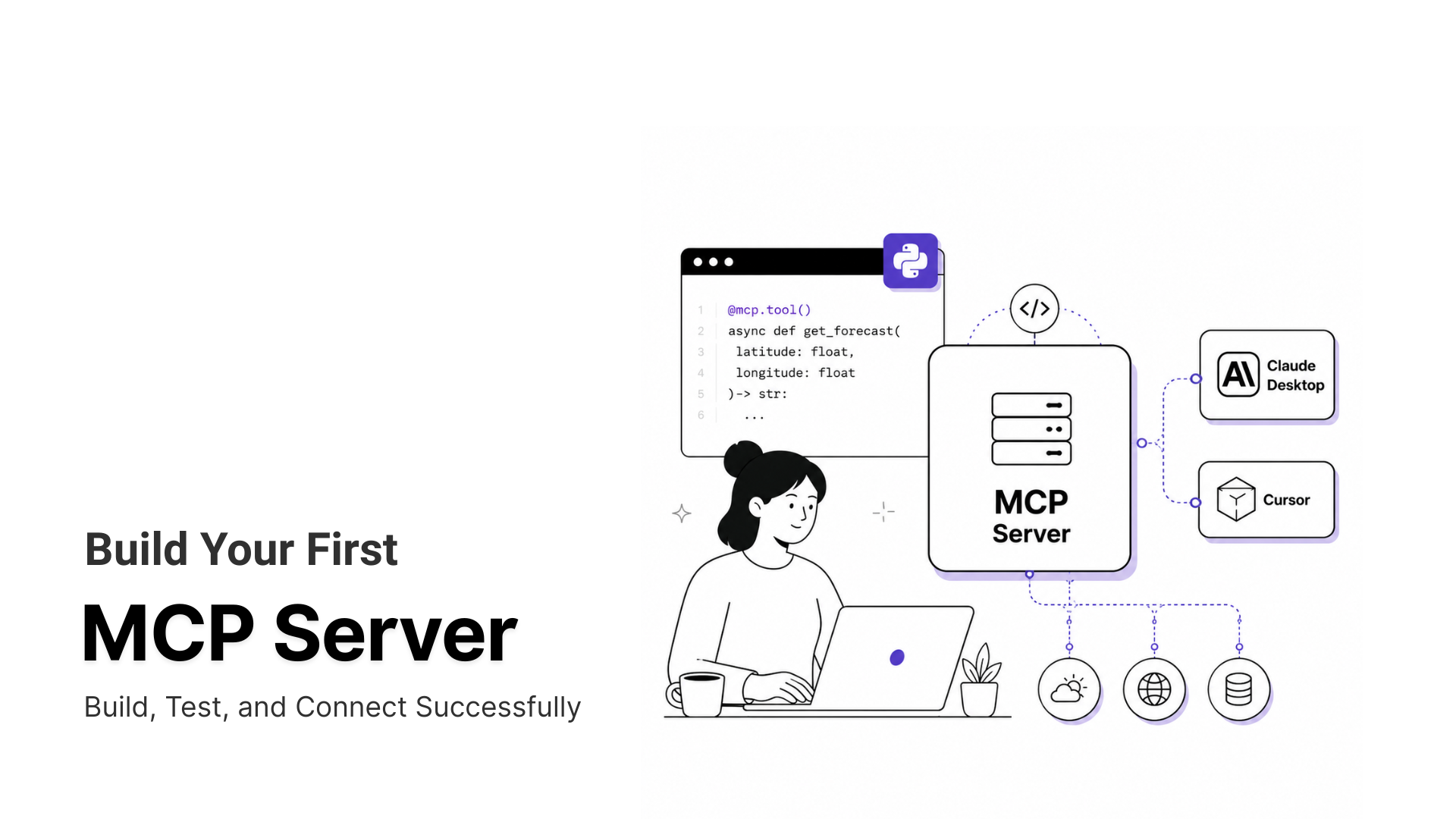
10. MCP360
MCP360 is a unified gateway platform that gives AI agents access to 100+ external tools and capabilities through a single integration. Instead of connecting each tool individually, MCP360 lets developers and teams connect once and instantly equip their agents with a broad set of functions and data sources. It works with systems that support the Model Context Protocol (MCP), a standardized way for AI models to communicate with real-world tools and services securely and reliably.
- Provides centralized access to a large ecosystem of tools through one integration
- Built on the Model Context Protocol for standardized and structured tool access
- Reduces engineering effort by avoiding custom API integrations for each tool
- Enables AI agents to perform real-world actions, not just generate responses
- Suitable for advanced AI agent architectures and tool-based workflows
Cons
- Setting up custom workflows or integrations can require technical expertise.
- Performance depends on the stability of connected external services.
Pricing
- MCP360 offers a Free plan at $0 with 1 project, 100 credits per month, basic MCP access, and community support.
- Paid plans start at $16 per month (billed annually) and scale to $83 and $333 per month, adding more projects, credits, advanced features, and dedicated support.
11. n8n
n8n is an open-source workflow automation platform that allows teams to connect apps, APIs, and services to automate processes using a visual, node-based editor. It is designed for building flexible, multi-step workflows that handle data movement, system integrations, and conditional logic.
The platform can be self-hosted for full control over data and infrastructure or used via n8n Cloud for managed deployments. n8n is widely used by technical teams and businesses that need customizable automation beyond simple trigger-based workflows.
Pros
- Visual, node-based workflow builder for creating complex automation logic
- Open-source and self-hostable, offering full control over data and infrastructure
- Supports advanced multi-step workflows and conditional branching
- Works well for AI-driven automation and API-based integrations
- Large ecosystem of integrations and active community support
Cons
- Steeper learning curve for non-technical users
- Self-hosting requires setup, maintenance, and monitoring
- Complex workflows may require debugging and technical expertise
Pricing
The n8n Starter plan costs €20/month with 2,500 executions and unlimited steps. Pro plan costs €50/month with 10,000 executions, unlimited steps, and better collaboration.
12. RunwayML
RunwayML is an AI-powered creative platform focused on video and visual content generation. It enables users to create, edit, and transform videos and images using generative AI models, without requiring advanced technical or editing skills.
The platform supports workflows like text-to-video, image-to-video, background removal, object replacement, and AI-assisted video editing. RunwayML is widely used by creators, filmmakers, marketing teams, and production studios to speed up visual content creation and experimentation.
Pros
- Generates high-quality video and visual content using advanced AI models
- Supports text-to-video, image-to-video, and AI-assisted video editing workflows
- Cloud-based platform removes the need for powerful local hardware
- Useful for creators, marketers, and production teams
- Enables rapid experimentation with visual concepts and effects
Cons
- Credit-based usage can make costs harder to predict for large projects
- High-volume or long-form video generation requires higher-tier plans
- Some advanced features and export options are locked behind paid plans
Pricing
RunwayML offers a free plan at $0 with 125 credits, 3 projects, and 5GB storage. Standard and Pro plans cost $12–$28 per user/month with more credits, advanced tools, and larger storage.
13. Descript
Descript is an AI-powered audio and video editing platform that lets you edit media the same way you edit text. When you upload a recording, Descript automatically generates a transcript. Any edits you make to the text are instantly reflected in the audio or video.
This approach makes cutting, trimming, and rearranging content far more intuitive than traditional timeline-based editors. In addition to text-based editing, Descript includes screen recording, multitrack editing, and AI tools to improve audio and video quality, making it popular with podcasters, content creators, marketers, and teams.
Pros
- You can edit audio and video by editing the transcript, which speeds up cutting and reordering content.
- Overdub allows you to generate or fix voiceovers without re-recording.
- Built-in screen recording and multitrack editing support presentations, demos, and discussions in one workflow.
- Features such as Studio Sound, green screen, eye contact correction, and automatic captions help improve production quality and accessibility.
- Real-time collaboration makes it easy for teams to edit together and leave feedback inside the platform.
Cons
- AI-generated voiceovers may not perfectly match every accent, tone, or speaking style.
- Transcription accuracy can require manual edits, especially for technical terms or strong accents.
Pricing
Descript offers plans starting with a free tier for basic editing. Paid plans range from around $12–$24 per month for individuals, while business plans cost about $40–$50 per user, with enterprise pricing available on request.
14. Pictory AI
Pictory AI is an AI-powered video creation platform that turns text, scripts, URLs, audio, images, or slides into videos within minutes. It automatically selects relevant visuals, adds voiceovers, generates captions, and structures scenes to create a smooth, natural video flow.
Designed for marketers, bloggers, educators, and social media creators, Pictory helps produce professional-quality videos faster by removing the complexity of manual video editing. You focus on the message while the platform handles the visuals.
Pros
- Converts long-form content into short, engaging videos, saving significant editing time.
- Built-in stock media library removes the need to source external visuals.
- Templates and branding tools help keep consistent visual identity across videos.
- Simple scene-based editor allows fine-tuning of timing, transitions, and visuals.
- Supports multiple aspect ratios for social media platforms, improving reach.
Cons
- Free and lower-tier plans limit video length, export quality, and access to premium assets.
- AI-selected visuals do not always fit highly niche or technical topics and need manual edits.
Pricing
Pictory plans start at around ₹1,599 per month for individual users, with professional plans at about ₹2,499 per month, team plans around ₹8,399 per month, and custom enterprise pricing for larger organizations.
15. Midjourney
Midjourney is an AI-powered image generation platform that turns written prompts into highly detailed, visually striking images. Instead of designing visuals manually, users describe their ideas in text, and Midjourney interprets them using advanced generative models.
It can produce everything from photorealistic scenes to highly stylized, imaginative artwork. This range makes it useful for designers, marketers, writers, and hobbyists who need high-quality visuals quickly without sacrificing creative control.
Pros
- Generates highly detailed, professional-quality images with minimal need for post-editing.
- Supports a wide variety of styles, from realistic to abstract and artistic.
- Includes refinement tools like upscaling and variations for better control over outputs.
- Speeds up experimentation by allowing rapid testing of multiple creative ideas.
- Suitable for both personal and commercial projects, enabling consistent visuals at scale.
Cons
- Requires precise and well-structured prompts; vague inputs often lead to weaker results.
- May struggle with very niche or highly specific concepts, sometimes missing subtle details.
Pricing
Midjourney plans start at $10/month (Basic), with Standard at $30/month, Pro at $60/month, and Mega at $120/month, each offering increasing fast GPU time, unlimited relaxed images, and advanced features like stealth mode on higher tiers.
16. Adobe Firefly
Adobe Firefly is an AI-powered creative platform that enables users to generate and edit images, graphics, vectors, and short video assets using natural language prompts. It removes the need for deep technical or design skills, making visual creation more accessible.
Built on Adobe’s proprietary generative AI models (and select partner models), Firefly integrates seamlessly with Adobe Creative Cloud apps such as Photoshop and Illustrator. It is available on web and mobile, helping creators ideate, iterate, and finalize visuals faster while retaining professional-level control.
Pros
- Quickly generates high-quality, professional visuals, reducing design time.
- Supports multiple formats including images, vectors, and video snippets for varied use cases.
- Helps maintain brand and style consistency across creative assets.
- Simplifies tasks such as background removal, color correction, and image enhancement using AI.
- Enables fast experimentation with multiple variations without restarting designs.
Cons
- Cloud-based processing means performance depends on internet speed and stability.
- Free or lower-tier plans limit resolution, downloads, and access to advanced features.
Pricing
Adobe Firefly plans start at $9.99/month, with higher tiers at $19.99/month and $199.99/month, offering increased AI credits and broader access to image, vector, video, and audio generation tools.
17. Nano Banana
Nano Banana is an AI image generation and editing tool powered by Google’s Gemini image models. It allows users to create images from text prompts and edit existing visuals using natural language instructions.
Built for speed, high resolution, and precise prompt interpretation, Nano Banana supports workflows from early concept art to production-ready visuals. It’s designed to help creators produce detailed, professional images without advanced design skills.
Pros
- Generates high-quality, detailed images quickly, reducing manual design effort.
- Supports both text-to-image creation and prompt-based image editing.
- Maintains consistency in characters and key elements across multiple edits.
- Includes prompt libraries and templates to help users experiment effectively.
- Produces high-resolution outputs suitable for professional and commercial use.
Cons
- Output quality depends heavily on clear and specific prompts.
- Free plan limits resolution and usage, which not suit frequent creators.
Pricing
Nano Banana offers a free plan for basic image generation. The Pro plan costs $9/month, providing unlimited images and 4K exports, with custom enterprise pricing available for high-volume needs.
18. Ideogram
Ideogram is an AI image generation platform designed to convert text prompts into visual designs. Users describe their ideas in words, and Ideogram generates images that closely align with the prompt, with a strong focus on combining visuals and readable text.
The platform supports structured prompts and iterative creation, making it well suited for design exploration, branding concepts, posters, and social graphics. Ideogram helps turn written ideas into usable visual assets with minimal manual effort.
Pros
- Text in generated images is more readable than in many other AI image tools, which is useful for posters and social visuals.
- Structured prompts are interpreted consistently, helping guide layout and visual hierarchy.
- Generates multiple variations in a single run, enabling faster concept exploration.
- Outputs can be refined or remixed without restarting the entire process.
- Well suited for early-stage design concepts where typography and imagery matter equally.
Cons
- Results depend heavily on prompt clarity and require multiple attempts for precise outcomes.
- Advanced design controls are limited, so final refinements still need traditional design tools.
Pricing
Ideogram offers a free plan with limited weekly image credits. Paid plans start at $8/month (Basic) and go up to $20/month (Plus), which includes private generation, image uploads, and higher monthly usage limits.
19. Leonardo AI
Leonardo AI is a generative AI platform that creates high-quality visuals from text or image prompts. It can generate images, illustrations, concept art, 3D textures, and short-form video content for creative and commercial use.
The platform includes tools for style control, visual editing, and output refinement. Features such as AI Canvas and customizable workflows help creators produce professional-grade assets for design, marketing, gaming, and other creative fields.
Pros
- Produces detailed, polished visuals from simple prompts, reducing creative turnaround time.
- Offers multiple specialized models for styles ranging from photorealistic to highly stylized art.
- Supports fast iteration and consistent quality across projects, making it useful for teams.
- Balances ease of use with advanced controls, suitable for beginners and professionals alike.
- Fits well into existing creative workflows, minimizing friction between idea and output.
Cons
- Cloud-based rendering depends on stable internet connectivity and may introduce latency.
- Free and lower-tier plans limit generation volume, which can restrict heavy or frequent use.
Pricing
Leonardo AI offers a free plan with limited daily tokens. Paid plans start at around $10/month for individuals, with higher tiers and team plans providing more tokens, collaboration features, and priority support.
20. Cursor
Cursor is an AI-powered code editor designed to help developers write, edit, and understand code more efficiently. It combines a familiar coding environment with AI that understands your entire codebase and can follow natural language instructions across multiple files.
Cursor can predict edits, answer questions about your code, and apply changes using full file and project context. This makes iteration faster, reduces repetitive work, and provides deeper AI assistance throughout the software development process.
Pros
- Handles large codebases effectively, making multi-file changes safer and more manageable.
- Reduces time spent on repetitive tasks such as refactoring, renaming, and updating related files.
- Helps developers understand complex logic by providing explanations and improvement suggestions.
- Assists with debugging by spotting patterns and potential issues across the codebase.
- Useful for both solo developers and teams needing faster feedback during coding and reviews.
Cons
- AI-generated changes still require careful review, especially in critical or complex code paths.
- Heavy reliance on AI suggestions may reduce deep code understanding if not validated manually.
Pricing
Cursor offers a free plan with limited AI usage. Paid plans include Pro at $20/month, Pro+ at $60/month, and Ultra at $200/month, with higher limits, advanced features, and priority access.
21. Replit
Replit is a cloud-based development environment that lets users write, run, and deploy code directly from a web browser. It supports a wide range of programming languages and removes the need for local setup, making it easy to start building immediately.
Replit’s AI features, including Replit Agent, can turn natural language instructions into working code or even complete applications. This helps both beginners and experienced developers move faster by assisting with coding, refactoring, and iteration throughout the development workflow.
Pros
- The AI agent can scaffold features, update multiple files, and adapt logic as projects evolve.
- Real-time collaboration allows multiple users to work together without setup or compatibility issues.
- Built-in deployment shortens the gap between writing code and running live applications.
- Works well for learning, rapid prototyping, and early-stage product development.
- Cloud-based access makes switching devices or sharing projects seamless.
Cons
- AI-generated code require review and manual fixes in more complex scenarios.
- Some advanced or specialized workflows still require local development environments.
Pricing
Replit offers a free plan with basic tools and limited daily AI credits. Paid plans include Core at $20/month with full AI Agent access and hosting, and Teams at $35 per user/month with private deployments, role-based access, and higher usage limits.
22. Bolt.new
Bolt AI is a platform for building full-stack web and mobile applications using natural language prompts. You describe what you want to build, and Bolt generates working frontend and backend code directly in the browser.
It includes a browser-based editor with file navigation, real-time previews, and deployment tools. Bolt understands project context across files, creates app structure, manages dependencies, and implements logic based on your instructions. It’s well suited for rapid prototyping, MVPs, and even production-ready apps without complex setup.
Pros
- Makes app creation accessible to non-developers and early-stage founders by reducing technical barriers.
- Supports APIs and third-party integrations, enabling real-world app functionality.
- Includes built-in version control and project management features to keep development organized.
- Live previews and instant feedback help identify and fix issues quickly.
- Generated code is visible and editable, supporting learning and customization.
Cons
- AI-generated code may require careful review for complex or edge-case scenarios.
- Performance can slow down for large or feature-heavy projects.
Pricing
Bolt AI offers a free plan with basic AI usage. Pro plans cost around $20–$25/month, while Team plans start at about $30 per user/month, adding collaboration features, higher limits, and centralized billing.
23. Brave Search
Brave Search is a privacy-focused search engine that delivers search results without tracking users or collecting personal data. Unlike most search engines, it relies on its own independent web index rather than Google or Bing, helping reduce SEO manipulation and result bias.
Additionally to traditional search results, Brave Search offers AI-powered summaries and answers displayed alongside source links. It can be accessed from any browser at search.brave.com or set as the default search engine in the Brave browser. The platform emphasizes privacy, transparency, and unbiased access to information.
Pros
- Uses an independent web index, offering more diverse results and reduced reliance on big tech.
- AI-powered summaries surface key information quickly, saving time during research.
- Clearly displays sources, allowing users to verify credibility and accuracy.
- Clean interface with minimal ads and distractions improves usability.
- Works across all major browsers, not limited to the Brave ecosystem.
Cons
- Smaller index than major search engines, so niche or very recent content is missing.
- AI summaries can sometimes oversimplify or miss important context.
Pricing
Brave Search is free to use with privacy-friendly ads. An ad-free premium plan costs $3/month, and developer API access starts at $3 per 1,000 requests, with higher-volume and enterprise plans available.
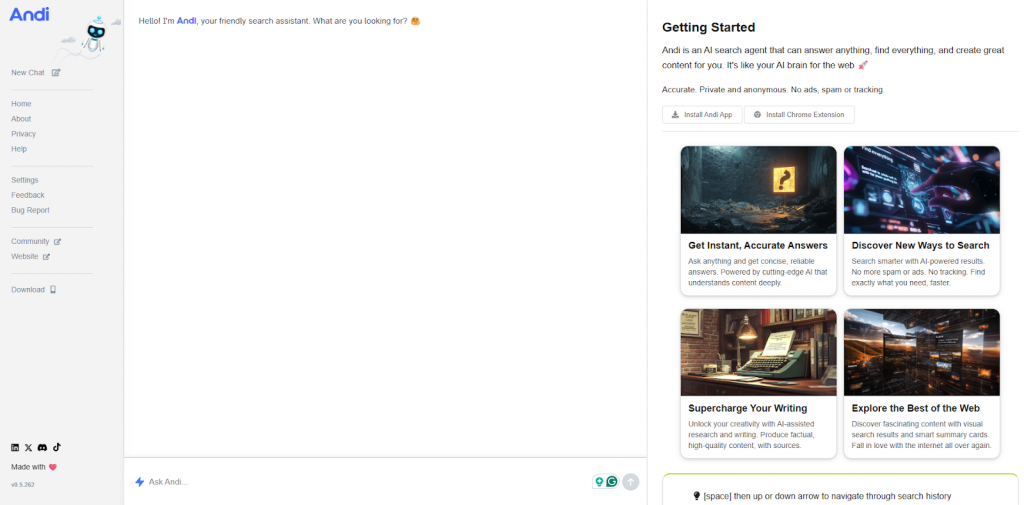
24. Andi
Andi Search is an AI-driven search engine designed to understand user intent rather than simply return a list of links. It uses generative AI and natural language processing to interpret context and deliver concise, conversational answers.
Positioned between a traditional search engine and an AI assistant, Andi emphasizes speed, clarity, and interaction. Results are summarized and prioritized to help users quickly grasp relevant information while still supporting follow-up exploration.
Pros
- Filters out noise and highlights contextually relevant insights for faster understanding.
- Synthesizes complex information into clear, actionable summaries.
- Supports better decision-making through AI-driven reasoning and prioritization.
- Enables iterative exploration with follow-up suggestions without restarting searches.
- Improves research efficiency by combining search breadth with AI interpretation.
Cons
- AI-generated responses may occasionally be inaccurate and require verification.
- Less effective for niche or highly technical topics where detailed human-curated sources are needed.
Pricing
Andi Search offers a free plan with unlimited searches and AI-powered summaries. Its Developer API uses pay-as-you-go pricing, providing advanced features, customization, and integrations for developers and teams.
25. Phind
Phind is an AI-powered search engine built specifically for developers and technical users. It combines traditional web search with generative AI to deliver concise, context-aware answers tailored to programming and engineering questions.
Phind analyzes queries and pulls information from documentation, developer forums, and trusted web sources. It often includes ready-to-use code examples and clear explanations, helping users find accurate technical answers faster without manually scanning multiple pages.
Pros
- Provides practical code examples and technical explanations for faster problem solving.
- Reduces time spent browsing multiple sources by summarizing relevant information.
- Supports natural language queries, making complex technical questions easier to ask.
- Maintains access to original sources alongside AI answers for verification.
- Useful for both individual developers and teams needing quick, reliable technical insights.
Cons
- AI-generated responses can occasionally misinterpret complex or edge-case queries.
- Primarily focused on technical topics, making it less suitable for general-purpose searches.
Pricing
Phind offers a free plan with basic search access. The Pro plan costs $20/month, while the Business plan is $40 per user/month, adding team management, centralized billing, and enhanced privacy controls.
26. Komo AI
Komo AI is an AI-powered search and research platform that blends traditional web search with generative AI. It interprets natural language queries and delivers concise answers supported by relevant sources.
The platform offers multiple modes, including quick answers for simple questions and a research mode for deeper exploration. Komo AI organizes information from various sources into structured results, highlighting context and references. Its clean, ad-light interface helps users stay focused on efficient research.
Pros
- Research mode gathers detailed information in one place, reducing time spent switching between sources.
- Clearly shows references for results, making it easier to verify credibility.
- Supports natural language queries without the need for precise keywords.
- Clean, ad-free interface minimizes distractions during research.
- Provides visibility into trending searches and community activity for broader context.
Cons
- Complex or very recent topics may still require cross-checking with additional sources.
- Advanced research features can take time to learn for new users.
Pricing
Komo AI plans start at $15/month (Basic), with Premium at $30/month offering higher limits and expanded AI features. A Business plan at $200/month adds team-focused tools such as structured credits, file uploads, and early enterprise features.
27. Perplexity
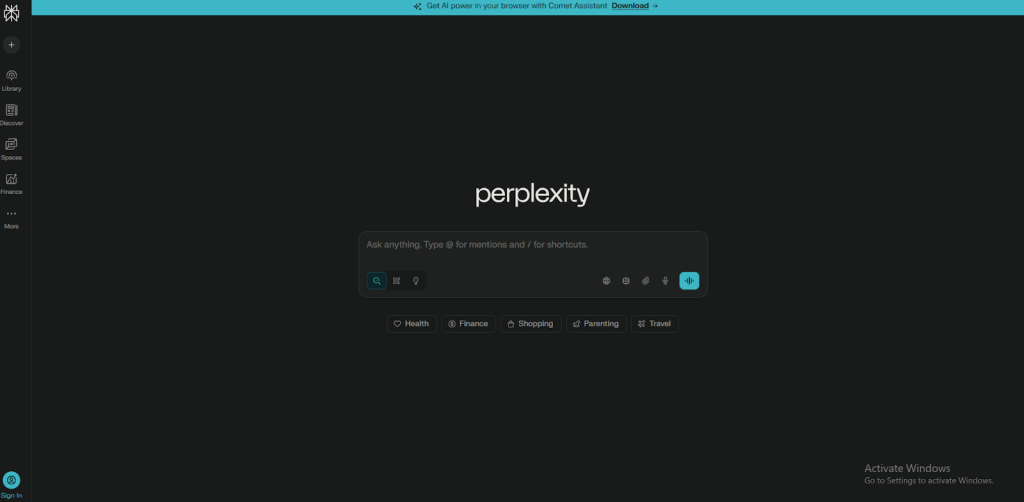
Perplexity is an AI-powered search engine that delivers answers in a conversational format rather than just listing links. It searches the web in real time and synthesizes information from multiple sources into clear, readable responses, with citations included for verification.
The platform offers multiple modes, from quick answers to deeper research for complex topics. Its combination of natural language responses and transparent sourcing makes it useful for both everyday questions and in-depth research.
Pros
- Provides concise, conversational answers that save time compared to browsing multiple pages.
- Clearly cites sources, allowing users to verify accuracy and build trust in results.
- Combines insights from multiple websites into a single, coherent response.
- Supports natural language queries, making complex questions easy to ask.
- Clean, minimal interface keeps focus on information rather than ads or clutter.
Cons
- May oversimplify complex topics, requiring users to review original sources for full context.
- Very new or niche information may be limited by available web sources.
Pricing
Perplexity offers a free plan with basic search features. Pro costs $20/month (or $200/year) with unlimited advanced searches, while the Enterprise plan is $40 per seat/month, adding team collaboration and admin controls.
28. LanguageTool
LanguageTool is an AI-enhanced writing assistant that checks and improves text quality by identifying grammar, spelling, punctuation, and style issues. It also catches subtle inconsistencies that basic spell-checkers often miss.
Supporting 30+ languages and dialects, LanguageTool works across browsers, word processors, and apps via extensions, making it easy to use in almost any writing workflow.
Pros
- Detects grammar, spelling, punctuation, and style issues for cleaner writing.
- Supports over 30 languages and dialects, ideal for multilingual users.
- Flags subtle errors and inconsistencies beyond basic spell-checking.
- Offers suggestions to improve clarity, tone, and readability.
- Useful for students, professionals, and content creators alike.
Cons
- The AI can miss context-specific errors or produce suggestions that don’t always fit the intended meaning.
- Premium-only features, such as advanced style checks and plagiarism detection, are locked behind a paid plan.
Pricing
LanguageTool offers a free plan with basic checks. Premium plans unlock advanced style suggestions and unlimited AI paraphrasing, while Team plans add user management, shared dictionaries, and custom style guides with per-user pricing.
29. Wordtune
Wordtune is an AI-powered writing assistant that helps improve clarity, tone, and flow. Instead of only correcting grammar, it suggests different phrasings and full sentence rewrites, allowing users to paraphrase, refine wording, or switch between casual, formal, and professional tones.
The tool also supports content generation, summarization, and text expansion. Wordtune works as a web editor and browser extension, making it easy to use across emails, documents, and online writing platforms.
Pros
- Adjusts tone to suit different audiences, from casual to formal communication.
- Allows users to shorten or expand text without changing the original meaning.
- Integrates directly into common tools via browser extensions.
- Considers context rather than only surface-level errors.
- Speeds up editing and rewriting, reducing manual effort.
Cons
- Some rewrite suggestions not fully match the writer’s intended meaning.
- Advanced features such as tone control and unlimited rewrites require a paid plan.
Pricing
Wordtune offers a free plan with basic rewriting. Paid plans include Advanced at $6.99/month and Unlimited at $9.99/month, which remove usage limits and unlock all features.
30. Trinka AI

Trinka AI is an AI-powered writing assistant built for formal, academic, technical, and professional writing. It goes beyond basic grammar checks by correcting complex language errors, improving sentence structure, refining word choice, and aligning text with US or UK English standards.
The platform also provides contextual spelling corrections and subject-specific dictionaries for technical domains, helping writers communicate clearly, precisely, and consistently.
Pros
- Fixes advanced grammar and style issues that basic tools often miss.
- Improves tone consistency and readability for academic and professional writing.
- Supports both US and UK English conventions.
- Offers multiple editing modes that speed up revision and support learning.
- Integrates with browsers and MS Word for in-context editing.
Cons
- Strong focus on formal and academic writing can feel excessive for casual use.
- Suggestions can sometimes feel overly strict, limiting stylistic flexibility.
Pricing
Trinka AI offers a free plan with basic checks. Premium plans start at ₹7,520/year, while Premium Plus at ₹11,750/year adds AI detection, citation formatting, translation, and optional confidential data support.
31. Buffer
Buffer is a social media management platform that helps individuals and teams plan, schedule, and publish content across multiple social networks from one dashboard. It supports platforms such as Instagram, Facebook, LinkedIn, TikTok, Pinterest, X (Twitter), YouTube Shorts, and more.
Users can organize content ideas, draft posts, and schedule them at optimal times. Buffer also offers analytics to track engagement and performance trends. For teams, it includes collaboration features like shared drafts, approvals, and role-based access to streamline social media workflows.
Pros
- Helps maintain consistent posting without manual daily publishing, ideal for managing multiple platforms.
- Separates drafting, scheduling, and publishing, reducing errors and last-minute changes.
- AI Assistant speeds up caption writing and adapts content for different social networks.
- Analytics focus on meaningful performance insights rather than surface-level metrics.
- Clean, lightweight interface keeps the tool easy to use with a low learning curve.
Cons
- Advanced analytics and reporting are limited compared to enterprise social media tools.
- Automation features feel basic for large agencies or complex workflows.
Pricing
Buffer offers a free plan with limited accounts. Paid plans start at $5 per channel/month (Essentials), while the Team plan costs $10 per channel/month, adding collaboration and approval features.
32. Sprout Social
Sprout Social is a social media management platform built for businesses and teams to manage publishing, engagement, and performance tracking from a single dashboard. It supports major networks including Facebook, Instagram, LinkedIn, TikTok, Pinterest, and X.
Its Smart Inbox centralizes messages and conversations so teams can respond quickly and consistently. Sprout also offers robust analytics and reporting to track engagement trends, content performance, and audience insights, helping teams refine their social strategy with data-backed decisions.
Pros
- Built-in approvals, ownership rules, and shared inboxes prevent overlap and improve team coordination.
- Reporting focuses on actionable insights, not just surface-level metrics.
- Clear access controls help preserve a consistent brand voice across channels.
- Social listening feeds into broader business insights rather than isolated metrics.
- Well suited for organizations where social media is a core operational role.
Cons
- Pricing can be high for small teams, especially when advanced analytics are required.
- Feature-rich interface can take time for new users to master.
- Some tools are designed for larger organizations and feel excessive for simple needs.
Pricing
Sprout Social plans start at $199 per user/month (Standard). Professional costs $299 per user/month, and Advanced is $399 per user/month, adding deeper analytics, sentiment analysis, API access, and enterprise-level reporting.
33. Loomly
Loomly is a social media management platform that helps brands, agencies, and individuals plan, create, schedule, and publish content across multiple social channels from a single dashboard. It enables teams to organize content calendars, collaborate on ideas, and track performance without switching between tools.
The platform includes built-in post editors, content inspiration, approval workflows, and analytics, making social media operations more structured and easier to manage.
Pros
- Provides post ideas and built-in editing tools, including access to royalty-free visuals, speeding up content creation.
- Custom approval workflows and feedback tracking improve collaboration between creators, managers, and clients.
- Analytics highlight follower growth, engagement trends, and top-performing posts for ongoing optimization.
- Unified inbox lets teams manage comments and messages across platforms in one place.
- Integrations with tools like Google Drive, Slack, and Unsplash streamline collaboration and asset management.
Cons
- Advanced analytics and reporting are limited to higher-tier plans.
- Managing many accounts with complex workflows can become overwhelming without clear organization.
Pricing
Loomly offers a free plan for basic use. Paid plans start at around $42/month, with higher tiers unlocking more users, social accounts, analytics, and advanced workflow features.
34. Content Studio
Content Studio is an all-in-one social media and content management platform designed for marketers, brands, and agencies. It allows users to plan, schedule, and publish content across multiple social networks from a single dashboard.
The platform helps teams visually organize content strategy, discover trending topics, and manage audience interactions in one place. Its AI-powered features help with caption writing, hashtag suggestions, and visual content creation, reducing the time and effort required to run consistent social media campaigns.
Pros
- Manages content planning, scheduling, and publishing for multiple channels in one platform.
- Visual content calendar makes it easier to spot gaps and plan campaigns ahead of time.
- AI tools help generate captions, hashtags, and post ideas, saving time on content creation.
- Combines publishing and performance tracking without switching between tools.
- Supports team collaboration with smoother review and approval workflows.
Cons
- Integration options are more limited compared to some enterprise-focused platforms.
- Feature-rich interface can feel overwhelming during initial setup.
Pricing
ContentStudio plans start at $19/month (Standard) for basic publishing and analytics. Advanced costs $49/month, while Agency Unlimited is $99/month, offering full team collaboration and unlimited social accounts.
35. Saleshandy
Saleshandy is a sales engagement platform that helps teams find leads, run personalized email outreach, and automate follow-ups at scale. It allows users to search verified B2B contacts, create email sequences, track opens and replies, manage conversations in a unified inbox, and analyze campaign performance.
The platform also includes email deliverability tools and CRM integrations, enabling sales and marketing teams to run reliable outbound campaigns while keeping workflows organized and efficient.
Pros
- Enables teams to scale outbound outreach without increasing manual effort.
- Keeps replies and conversations organized through a unified inbox.
- Helps prioritize leads that are more likely to respond, reducing wasted effort.
- Makes outreach performance easy to track and optimize over time.
- Integrates smoothly into existing sales workflows.
- Supports consistent and reliable cold email campaigns as volume grows.
Cons
- Advanced features such as A/B testing, lead scoring, and deeper analytics are limited to higher-tier plans.
- First setup of automated sequences and integrations is challenging for beginners.
Pricing
Saleshandy’s Starter plan costs $25/month, offering cold email outreach, 6,000 emails, unlimited prospects, AI sequences, and a unified inbox. Pro is $69/month, adding advanced follow-ups, AI variants, and unlimited team members. Scale at $139/month includes white-labeling, higher limits, and priority support.
36. Albert AI
Albert AI is an autonomous AI platform built to manage and improve digital marketing campaigns across channels. It connects directly to advertising accounts and uses machine learning to plan, execute, and continuously enhance campaigns with minimal human intervention.
The platform analyzes performance data in real time and automatically adjusts audience targeting, budget allocation, bids, and creatives. Albert AI is designed to reduce manual campaign management while improving efficiency across search, social, and programmatic advertising.
Pros
- Automates end-to-end campaign management, freeing marketers to focus on strategy.
- Continuously learns from data to improve performance over time.
- Optimizes budget allocation across channels to maximize return on ad spend.
- Identifies and scales high-performing audience segments efficiently.
- Supports multi-channel advertising, including search, social, and programmatic.
- Provides actionable insights and reporting for data-driven decision-making.
Cons
- Pricing can be high, making it less suitable for small businesses or early-stage startups.
- High level of automation may reduce hands-on control over specific campaign decisions.
- Initial setup and integration with multiple ad platforms can be complex.
Pricing
Albert AI uses custom pricing based on business requirements, campaign scale, and ad spend. Costs vary by use case rather than fixed monthly plans.
37. Apollo
Apollo AI is a sales and revenue intelligence platform designed to help teams find prospects, run outbound outreach, and close deals more efficiently. It combines lead discovery, engagement automation, and sales analytics into a single system.
The platform uses real-time data and AI-driven insights to personalize communication and guide decision-making across the entire sales cycle, from prospecting to conversion.
Pros
- Provides access to a large, verified B2B contact database for faster lead discovery.
- Automates email sequences and follow-ups to maintain consistent outreach.
- Analytics show which campaigns and messages perform best.
- AI-powered lead scoring helps teams focus on high-intent prospects.
- Integrates with popular CRMs and marketing tools for smoother workflows.
Cons
- Email tracking and deliverability accuracy can be inconsistent.
- Contact data occasionally is outdated depending on source refresh cycles.
Pricing
Apollo offers a free plan with limited credits. Paid plans start at $49 per user/month (Basic), with Professional and Enterprise plans ranging from $79 to $119 per user/month, offering higher limits and advanced sales workflows.
38. Cognism
Cognism is a sales intelligence and B2B data platform built for revenue, marketing, and sales teams. It provides access to a large, verified database of business contacts and decision-makers, helping teams recognize and reach the right prospects.
The platform enriches CRM records with up-to-date company and contact data, reducing data decay and manual cleanup. Cognism also offers real-time signals and intent data, allowing teams to spot buying behavior, personalize outreach, and drive pipeline growth more efficiently.
Pros
- Strong focus on compliant, high-quality data reduces effort spent on inaccurate contacts.
- Automatic contact enrichment keeps CRM records fresh and reliable.
- Advanced filters support precise segmentation using firmographic, technographic, and intent data.
- Built-in calling, email sequencing, and activity tracking minimize the need for additional tools.
- Reporting highlights meaningful engagement, helping leaders distinguish impact from activity.
Cons
- Interface can feel complex, with occasional performance slowdowns.
- Learning curve may be steep for teams new to sales intelligence platforms.
Pricing
Cognism uses custom pricing based on team size and feature requirements. Small teams typically pay $15,000–$25,000 per year, while larger and enterprise plans range from $30,000 to $100,000+ annually.
39. ElevenLabs
ElevenLabs is an AI voice generation platform that converts text into highly realistic, human-like speech. It’s commonly used for audiobooks, podcasts, voiceovers, games, and accessibility use cases. The platform also supports multilingual dubbing, allowing creators to translate and voice content while preserving the original speaker’s tone and style.
ElevenLabs includes advanced voice cloning tools that can replicate a real voice from a short sample. It also provides developer APIs, enabling businesses to embed natural-sounding voice capabilities into apps, products, and workflows.
Pros
- Produces highly realistic voices with natural emotion and nuance.
- Supports multilingual dubbing while preserving voice identity and tone.
- Developer-friendly APIs allow easy integration into apps and products.
- Controls for tone, pacing, and emphasis allow fine-tuning of speech output.
- Reduces reliance on voice actors for large-scale or repetitive audio content.
Cons
- Free and lower-tier plans can feel restrictive for frequent or high-volume use.
- Very fast speech or highly emotional delivery may sound less natural in some cases.
Pricing
ElevenLabs offers a free plan with 10,000 credits. Paid plans start with Starter at $5/month (30,000 credits and commercial use) and Creator at $11/month (100,000 credits, professional voice cloning, and higher audio quality), with higher tiers available for advanced needs.
40. Murf.ai
Murf AI is a text-to-speech platform that generates realistic, human-like voiceovers for videos, presentations, podcasts, training, and e-learning. It offers 200+ voices across 20+ languages and accents, with controls for pitch, speed, tone, and intonation to match specific styles.
The platform also supports voice cloning and AI dubbing, enabling localization while preserving a natural sound. Murf provides an end-to-end workflow for scripting, editing, and exporting high-quality voice content efficiently.
Pros
- Wide variety of natural-sounding voices across many languages and accents.
- Fine-grained controls for tone, pace, and emphasis improve delivery quality.
- Voice cloning and AI dubbing support scalable content localization.
- Easy-to-use editor suited for marketing, training, and e-learning teams.
- Reduces dependence on studio recordings and voice actors.
Cons
- AI voices may occasionally lack natural emphasis in highly emotional or expressive scripts.
- Large projects involving multiple voices or languages need planning to keep consistency and quality.
Pricing
Murf offers a free plan with up to 10 projects and 10 minutes of voice generation. Paid plans include Creator at $19/month and Business at $66/month, adding more projects, hours, voices, downloads, and advanced features.
41. Resemble AI
Resemble AI is a voice technology platform that enables users to generate and clone realistic, human-like speech. By uploading short audio samples, creators can build custom synthetic voices that closely match real speakers.
The platform supports text-to-speech, speech-to-speech voice conversion, and multilingual voice generation. With robust APIs, Resemble AI can be integrated into apps, games, videos, IVR systems, and interactive experiences, making it suitable for both creative and enterprise use cases.
Pros
- Creates highly realistic voice clones from short audio samples, reducing recording time.
- Captures tone, emotion, and cadence, resulting in more natural and expressive speech.
- Supports multiple languages, making it useful for global and localized projects.
- Developer-friendly APIs enable easy integration into apps, games, and automated systems.
- Includes audio editing tools and detection features to help maintain quality and security.
Cons
- High-quality voice cloning requires clean, well-recorded audio samples.
- Output quality depends heavily on input quality; poor recordings can reduce realism.
Pricing
Resemble AI offers a Pay-As-You-Go option with 150 free seconds of voice generation. Paid plans start with Creator at $19/month, with higher tiers providing more voice minutes, advanced features, and expanded API access.
42. Instantly
Instantly is Instantly is a cold email outreach and sales engagement platform built to automate personalized campaigns at scale. It lets teams connect multiple email accounts, warm them to protect deliverability, and run automated sequences with smart scheduling and personalization.
The platform centralizes replies in a unified inbox, tracks opens and responses, and provides tools to manage leads, optimize campaigns, and maintain sender reputation helping teams reach more prospects effectively.
Pros
- Built-in warm-up and deliverability tools improve inbox placement and protect sender reputation.
- Automated sequences support personalization, smart scheduling, and A/B testing to boost engagement.
- Unified inbox keeps replies from all campaigns and accounts organized in one place.
- Real-time analytics track opens, clicks, and replies for data-driven optimization.
- CRM and automation integrations fit smoothly into existing sales workflows.
Cons
- Pricing can feel high or inflexible for small teams, with fewer features on lower tiers.
- Analytics and inbox performance may feel less advanced or slower for larger volumes.
Pricing
Instantly plans start at $37/month (Growth) for up to 5,000 emails to 1,000 contacts. Higher tiers include Hypergrowth at $97/month and Light Speed at $358/month, offering increased limits and premium features for larger teams.
43. Reply.io
Reply is a sales engagement platform designed to help teams automate and scale multichannel outreach. It supports personalized sequences across email, LinkedIn, SMS, calls, and other channels to generate leads and drive revenue growth.
The platform combines AI-powered automation with prospect discovery, contact enrichment, meeting scheduling, a unified inbox, and deliverability tools. These capabilities help teams keep outreach organized, improve engagement, and convert conversations into meetings more efficiently.
Pros
- Built-in prospect discovery and real-time enrichment reduce the need for separate data tools.
- AI-powered personalization and conditional logic make outreach more relevant and engaging.
- Unified inbox brings replies from all channels into one place for easier conversation management.
- Integrated meeting scheduling helps turn engagement into booked calls faster.
- Deliverability tools such as email warm-up and health checks improve inbox placement.
Cons
- Managing multiple channels simultaneously can become complex, especially at scale.
- Advanced automation features require careful setup and may be challenging for new users.
Pricing
Reply’s Email Volume plan starts at $49 per user/month, offering unlimited mailboxes and emails. Multichannel plans start around $89–$99 per user/month, adding LinkedIn, SMS, and calling, with custom AI and team plans available for larger needs.
44. Lemlist
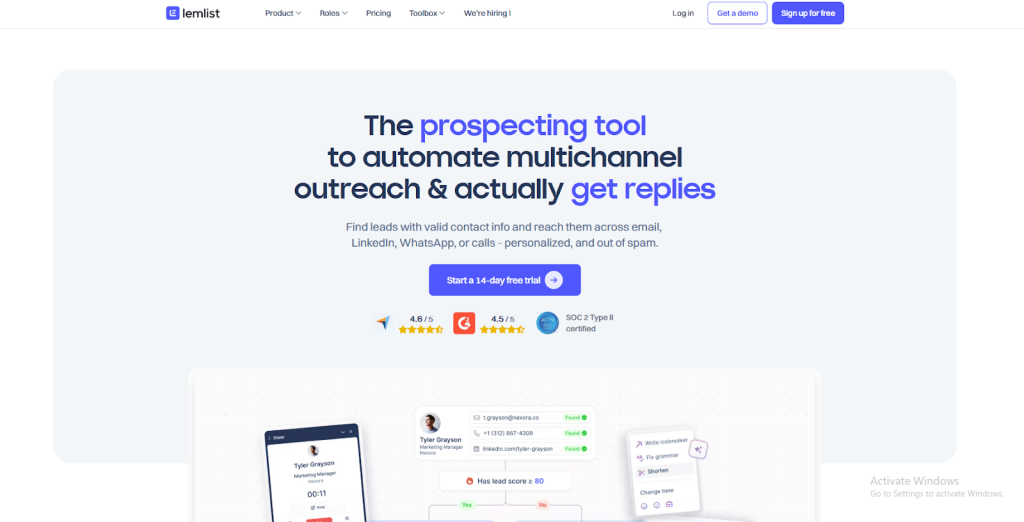
Lemlist is an outbound outreach platform built for creating, managing, and scaling personalized campaigns. Teams can upload or source leads, organize contacts, and run scheduled outreach sequences with automated follow-ups triggered by recipient actions.
The platform supports multi-step, multichannel workflows that combine email with other outreach actions. With engagement tracking and campaign performance insights, Lemlist is commonly used by sales and growth teams to reach and convert new prospects efficiently.
Pros
- Built-in lead sourcing and enrichment provide verified contact details without needing separate tools.
- Supports multichannel outreach, including email, LinkedIn, WhatsApp, and calls within a single sequence.
- Email warm-up and deliverability tools help improve inbox placement and reduce spam risk.
- Enables large-scale personalization using dynamic variables and tailored messaging.
- Integrates with CRMs like HubSpot and Salesforce to keep outreach aligned with sales workflows.
Cons
- Analytics and reporting are considered basic for teams needing deeper performance insights.
- Users report occasional issues such as slow performance or difficulty adding email accounts.
Pricing
Lemlist’s Email Pro plan starts at $69 per user/month. The Multichannel Expert plan costs $99 per user/month, adding LinkedIn, WhatsApp, and calling. Enterprise plans are available with custom pricing and advanced support.
45. SmartWriter
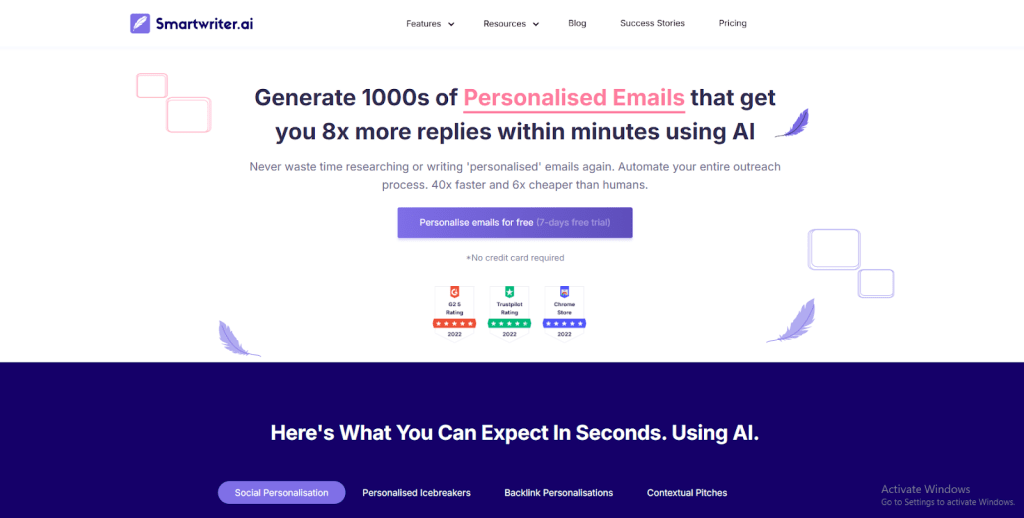
SmartWriter is an AI-powered outreach platform that helps users create highly personalized emails at scale. It automatically gathers publicly available information about prospects—like company details, achievements, blog posts, and social activity—and uses that data to generate tailored email copy.
The platform also automates prospect research and follow-up messaging, making it suitable for sales teams, link builders, and partnership managers who send large volumes of outreach without spending hours on manual research.
Pros
- Pulls real, publicly available data to create personalized and relevant outreach emails.
- Automates research tasks that normally require manual browsing of websites and social profiles.
- Supports structured campaigns with automated follow-up emails.
- Works well for multiple outreach types, including sales, partnerships, and backlink outreach.
- Helps improve reply rates by combining contextual insights with proven messaging patterns.
Cons
- Personalization depth depends on the amount of public information available about a prospect.
- Advanced customization may be limited for very niche or highly specific campaigns.
- AI-generated copy often needs human review to fine-tune tone and accuracy
Pricing
SmartWriter plans start at $59/month (Basic) with 400 lead credits and unlimited projects. Popular at $149/month and Pro at $359/month offer higher lead limits, larger campaigns, and full outreach tools for teams and heavy users.
46. Motion
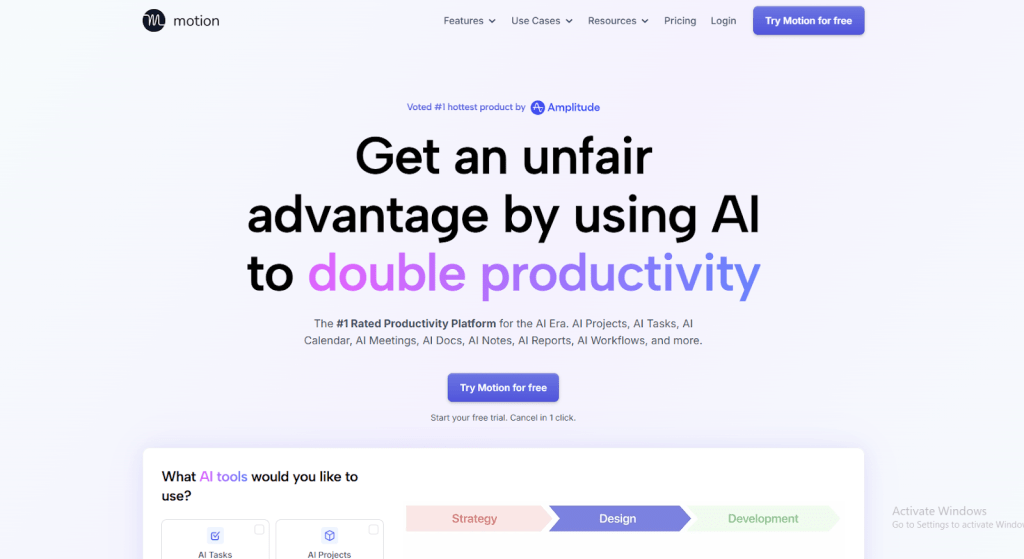
Motion is an AI-powered task and project management platform that brings tasks, projects, calendars, and documents into a single workspace. It automatically plans and adjusts schedules based on priorities, deadlines, and availability.
Instead of manually reorganizing work, Motion continuously recalculates plans as things change. This helps individuals and teams stay focused, keep projects on track, and reduce the mental overhead of managing multiple tools.
Pros
- Combines tasks, projects, calendar events, and notes into one unified view.
- Automatically schedules and reschedules work when priorities or deadlines change.
- Supports structured collaboration with task assignments, timelines, and progress tracking.
- Turns meeting notes and discussions into clear, actionable next steps.
- Allows reusable templates for recurring workflows and projects, reducing planning time.
Cons
- Motion’s interface and options can feel overwhelming at first, especially for users who prefer simpler task lists.
- The pricing pages and billing practices are confusing, particularly due to unexpected annual charges.
Pricing
Motion’s Individual plan at $19/month covers tasks, calendar, and notes. Business at $29 adds team tools and time tracking, while Enterprise offers custom pricing with advanced security and support.
47. ClickUp
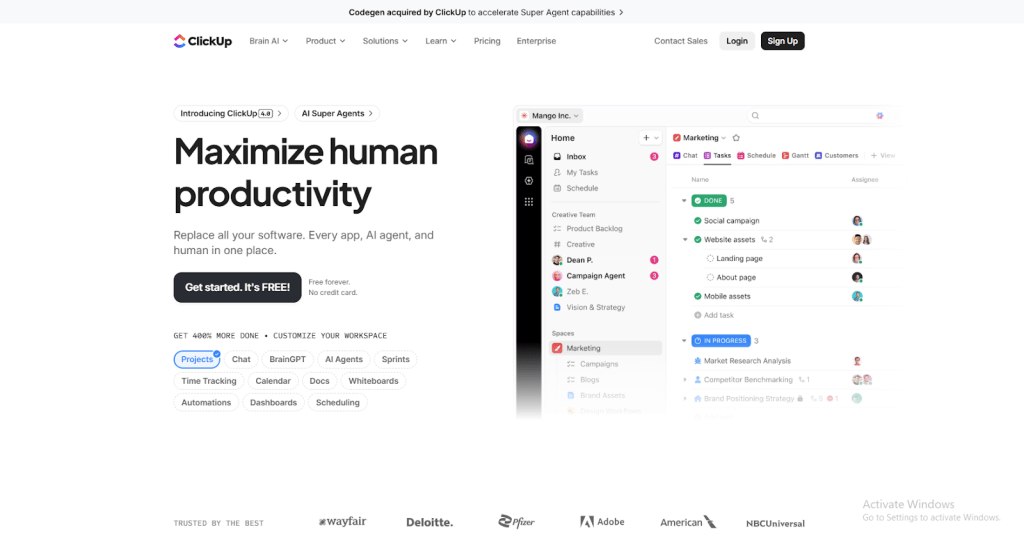
ClickUp is a project and task management platform designed to help teams plan, track, and complete work in one place. It combines tasks, documents, calendars, dashboards, and team communication into a single workspace, with multiple ways to view work such as lists, boards, calendars, and Gantt charts.
The platform supports complex project planning with features like time tracking, workflow automation, and resource management. ClickUp is widely used by teams across departments to keep work organized, visible, and aligned.
Pros
- Centralizes tasks, documents, deadlines, and communication, reducing the need for multiple tools.
- Flexible views (lists, boards, calendars, Gantt charts) adapt to different workflows and preferences.
- Built-in collaboration allows comments, document sharing, and task assignments in context.
- Automations handle repetitive actions, saving time and reducing manual effort.
- Dashboards and reports provide insights into progress, workload, and performance.
Cons
- Extensive features and customization can feel overwhelming for new users.
- Limited offline functionality can be a drawback for teams needing access without internet.
Pricing
ClickUp offers a free plan with unlimited tasks and basic collaboration. Paid plans start with Unlimited at $7 per user/month, adding dashboards and Gantt charts, while Business at $12 per user/month includes automation, advanced security, and priority support.
48. Asana
Asana is a work and project management platform that helps teams plan, organize, and execute tasks with clarity. Projects can be broken into tasks, assigned to owners, and scheduled with deadlines to ensure nothing falls through the cracks.
Teams can track progress using lists, boards, timelines, and calendars, making priorities and dependencies easy to follow. Asana also includes workflow automation, reporting, and integrations, helping teams reduce manual coordination and stay focused on daily execution as well as long-term goals.
Pros
- Pre-built templates help teams get started quickly without designing workflows from scratch.
- Goal tracking and milestones allow teams to measure progress beyond task completion.
- Custom dashboards let users focus on role-specific metrics and updates.
- Advanced reporting surfaces insights into productivity, workload, and bottlenecks.
- Workload limits help prevent burnout and support sustainable team performance.
Cons
- Large projects with many tasks can become cluttered and harder to prioritize.
- Lacks native time tracking, requiring third-party integrations for time-based reporting.
Pricing
Asana offers a free Personal plan for up to 2 users with basic task management. Paid plans include Starter at $10.99 per user/month and Advanced at $24.99 per user/month, which add goals, approvals, reporting, and enhanced security features.
49. Otter.ai
Otter.ai an AI-powered transcription platform that turns spoken conversations into searchable, shareable text. It can record and transcribe live meetings, interviews, lectures, and discussions in real time, as well as process imported audio and video files.
The platform organizes conversations for easy review, editing, and sharing. With integrations for Zoom, Google Meet, Microsoft Teams, and calendars, Otter.ai fits smoothly into everyday meeting workflows and helps teams stay aligned without manual note-taking.
Pros
- Transcribes live conversations and uploaded recordings, saving time on manual notes.
- Identifies different speakers and allows transcript editing for better clarity and accuracy.
- Powerful search by keyword, speaker, or date makes it easy to find specific moments.
- Integrates with major meeting tools and calendars for automatic capture.
- Sharing transcripts and summaries improves collaboration and information flow.
Cons
- Can struggle with technical or industry-specific terms, requiring manual corrections.
- Real-time transcription may lag during long meetings or large webinars.
Pricing
Otter.ai offers a free plan with 300 minutes per month and basic features. Pro costs $8.33/month with 1,200 minutes, while Business is $19.99 per user/month, adding higher limits, team features, and admin controls.
50. Fireflies.ai
Fireflies.ai is an AI-powered meeting assistant that records conversations and converts them into accurate transcripts and clear summaries. It works with live meetings on Zoom, Google Meet, and Microsoft Teams, as well as uploaded audio and video files.
The platform identifies speakers, highlights important moments, and extracts action items to help teams stay organized. With searchable transcripts and integrations across common workplace tools, Fireflies.ai makes it easy to revisit past discussions and keep meeting insights aligned with daily workflows.
Pros
- Automatically records meetings and generates structured transcripts and summaries.
- Speaker recognition and multi-language support improve clarity and accessibility.
- Powerful search lets users find specific topics across all past meetings quickly.
- Automatically extracts action items and key points, keeping teams focused on next steps.
- Integrates with CRMs, project management tools, Slack, and calendars for seamless sharing.
Cons
- Accuracy drop when participants talk over each other or use specialized terminology.
- AI-generated summaries can miss or mislabel details, requiring manual review.
Pricing
Fireflies.ai offers a free plan for basic use. The Pro plan starts at $10 per user/month, while the Business plan at $19 per user/month includes full storage, team analytics, API access, and priority support.
51. MeetGeek
MeetGeek is an AI meeting assistant that automatically records, transcribes, and summarizes meetings across platforms like Zoom, Google Meet, and Microsoft Teams. It captures conversations in real time and turns them into clear summaries, highlights, action items, and searchable transcripts.
The platform helps teams review meetings quickly without replaying full recordings. With integrations across common work tools, MeetGeek ensures meeting insights flow directly into daily workflows.
Pros
- Generates concise, context-aware summaries with key points, decisions, and action items.
- Stores transcripts and highlights in a searchable workspace for easy reference.
- Integrates with tools like Slack, Notion, HubSpot, and others to keep insights connected.
- Supports uploaded recordings and offline conversations via mobile apps.
- Includes AI chat to query past meetings and extract insights without rereading transcripts.
Cons
- Recording and processing meetings requires careful privacy and security configuration.
- Feature-rich dashboards and workflows take time for new users to learn.
Pricing
MeetGeek offers a free plan with 3 hours of transcription and basic AI summaries. Pro costs $9.99/month with 20 hours, templates, integrations, and AI chat. The Business plan at $17/month includes unlimited transcription, team spaces, and advanced AI features.
52. Granola
Granola is an AI-powered notepad built for people who spend their day in back-to-back meetings. It enhances the notes you write during meetings with automatic transcription, summaries, and key insights, helping turn raw notes into clear, actionable records.
Granola works directly with platforms like Zoom, Google Meet, Microsoft Teams, WebEx, and Slack—without using meeting bots. It also offers customizable templates for different meeting types, making notes easier to organize, share, and act on.
Pros
- Converts meeting notes into structured summaries that highlight decisions and next steps.
- Works natively with major meeting platforms, eliminating the need for bots or extra setup.
- Customizable templates keep note-taking consistent across different meeting formats.
- Notes can be shared instantly with teammates, improving collaboration and alignment.
- Automatically highlights key points, action items, and follow-ups to keep work moving.
Cons
- Does not automatically label speakers, which can reduce clarity in large meetings.
- Does not store or replay original audio, limiting the ability to verify exact wording.
Pricing
Granola offers a free plan with basic notes and templates. The Business plan costs $14 per user/month, adding unlimited notes and AI features, while the Enterprise plan at $35 per user/month includes advanced security and admin controls.
53. Reclaim AI
Reclaim.ai is a smart calendar and scheduling assistant that helps individuals and teams manage work and personal time more effectively. By connecting to Google or Outlook Calendar, it automatically schedules focus time, tasks, meetings, habits, and breaks based on priorities.
The platform adapts in real time as schedules change, rescheduling events and protecting deep-work blocks. With features like availability sharing, multi-calendar sync, and time-use analytics, Reclaim helps reduce calendar clutter and keep attention on what matters most.
Pros
- Automatically finds open time and schedules protected focus blocks for deep work.
- Reschedules tasks and meetings dynamically when conflicts arise.
- Intelligently schedules recurring habits and personal routines.
- Syncs multiple calendars to prevent double bookings across work and personal life.
- Provides analytics to understand time usage and improve productivity.
Cons
- Automatic scheduling can sometimes place tasks at inconvenient times, requiring review.
- Interface and scheduling logic may feel complex when making manual adjustments.
Pricing
Reclaim.ai offers free and Starter plans from $0–$10 per user/month with core scheduling features. Business and Enterprise plans range from $15–$22 per user/month, adding smart meetings, advanced analytics, delegated access, and enhanced security.
54. Sunsama AI

Sunsama is a daily planning and scheduling tool that helps individuals organize tasks, meetings, and goals in one focused workspace. It brings your to-dos and calendar together so you can plan each day intentionally and avoid overloading your schedule.
The platform syncs with popular task managers and calendars, making everything visible in a single workflow. Features like time-blocking, daily planning rituals, and focus tools help users stay balanced, productive, and realistic about what they can accomplish each day.
Pros
- Encourages intentional daily planning by aligning tasks directly with calendar time.
- Pulls tasks and meetings from tools like Asana, Trello, Notion, and Google Calendar into one view.
- Supports time-blocking and focus modes to reduce distractions and improve execution.
- Provides insights into how time is spent, helping users optimize productivity and energy.
- Integrates with Slack, Outlook, and Zapier to fit into existing workflows.
Cons
- Designed mainly for daily planning, not complex long-term project management.
- Structured planning flow feel restrictive for users who prefer flexible scheduling.
Pricing
Sunsama offers a 14-day free trial. After that, pricing is $20 per user/month, or $16 per user/month when billed annually.
55. Morgen
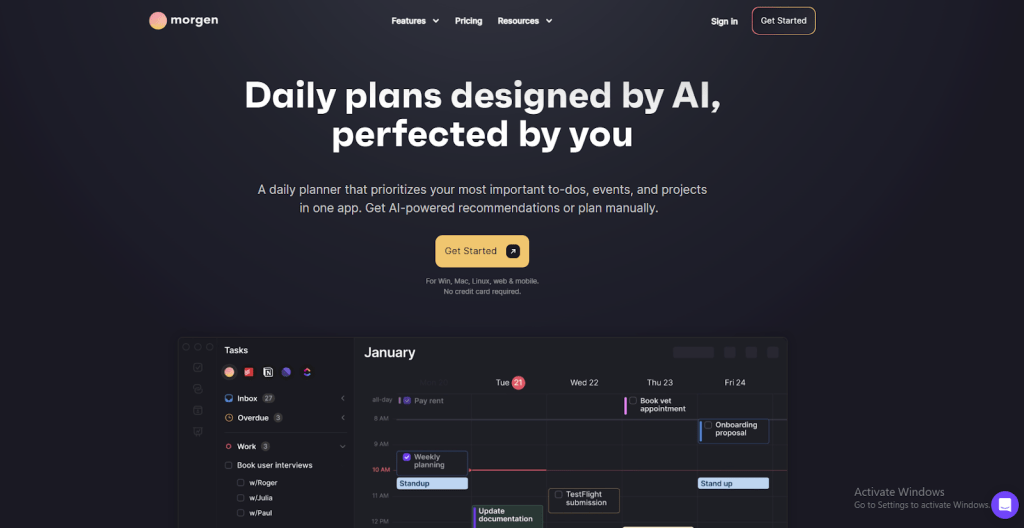
Morgen is a smart daily planning and scheduling app that brings calendars, tasks, and projects into one unified workspace. It helps users organize their days and weeks by suggesting where tasks and meetings should fit within their schedule.
The AI planner adapts when plans change, reschedules unfinished work, and keeps priorities visible. Morgen supports multiple calendar views, shared booking links, and task syncing from tools like Notion, Todoist, ClickUp, and Linear ensuring nothing gets missed.
Pros
- Automatically adjusts schedules when conflicts arise, keeping plans balanced.
- Pulls tasks from external tools into the calendar for a more cohesive planning view.
- Combines multiple personal and work calendars into a single interface.
- Shared booking links and availability views simplify meeting coordination.
- Buffer time and travel time features help protect focus periods and prevent overbooking.
Cons
- AI scheduling suggestions require manual review, especially with frequently shifting priorities.
- Limited team collaboration features compared to full project management platforms.
Pricing
Morgen offers a monthly plan at $30 with AI time blocking, unlimited integrations, automations, booking pages, and apps across desktop, mobile, and web. The yearly plan averages $15 per month, includes the same features, and comes with a free trial and 30-day money-back guarantee.
56. Clockwise
Clockwise is a smart calendar assistant that automatically optimizes your workday. It connects to Google Calendar or Outlook, analyzes events and preferences, and reorganizes schedules to create more focus time, better meeting placement, and balanced breaks.
The platform shifts flexible meetings, protects uninterrupted work blocks, and coordinates across teams and time zones. By learning how individuals and teams work best, Clockwise reduces conflicts and keeps schedules predictable with minimal manual effort.
Pros
- Automatically rearranges flexible meetings to create longer, uninterrupted focus blocks.
- Analyzes team-wide calendar constraints to prevent conflicts before they occur.
- Supports flexible meetings across time zones, moving them to less disruptive times.
- Scheduling links find optimal meeting slots while respecting working hours and preferences.
- Continuously updates schedules in real time as events change.
Cons
- Flexible meetings occasionally move into inconvenient personal time slots, requiring review.
- Advanced analytics and team insights are restricted to paid plans.
- Enterprise or multi-calendar setups can be complex and need IT involvement.
Pricing
Clockwise offers a free plan with basic scheduling and links. Teams costs $6.75 per user/month, adding focus time enhancement, while Business at $11.50 per user/month includes advanced controls, analytics, and security features.
57. Cal.ai

Cal.ai is an AI scheduling assistant built into Cal.com that automates meeting bookings and calendar management. It can schedule, reschedule, or cancel meetings, confirm details, and follow up with participants without manual intervention.
Designed to work directly within your existing Cal.com setup, Cal.ai integrates phone-based scheduling with email. It also integrates with automation workflows. This makes it a seamless extension of your calendar rather than a separate tool.
Pros
- Automatically makes and receives calls to confirm, reschedule, or cancel appointments, reducing manual work.
- Customizable conversation scripts let you match tone and messaging to your brand.
- Deep integration with Cal.com connects calls, email, and scheduling automations in one workflow.
- Call tracking and analytics provide insight into scheduling performance and bottlenecks.
- Phone-based confirmations can reduce no-shows and improve attendance compared to email alone.
Cons
- Automated calls may feel rigid or less natural for some participants.
- Advanced reporting and workflow automation require paid plans, limiting free usage.
Pricing
Cal.ai offers a free plan at $0. The Team plan costs $12 per user/month, while Enterprise pricing is custom and includes advanced features and support.
58. Plus AI
Plus AI is an AI-powered presentation tool that works inside Google Slides and PowerPoint to help users create clear, structured, and visually consistent slide decks. It can turn prompts, outlines, or existing documents into finished presentations within minutes.
The tool also helps rewrite slide content, improve structure, and apply consistent layouts, allowing individuals and teams to create and update presentations faster without changing their existing workflow.
Pros
- Quickly generates full slide decks from short prompts or source documents, reducing manual work.
- Improves clarity by rewriting text, reorganizing slides, and preserving brand consistency.
- Converts long-form content such as PDFs or text files into structured presentations.
- Provides templates and layout suggestions to maintain visual consistency.
- Makes it easy to update and adapt slides for different audiences or use cases.
Cons
- Requires Google Slides or PowerPoint and cannot be used as a standalone presentation tool.
- Complex visuals, charts, or custom designs still need manual refinement.
Pricing
Plus AI plans start at $10/month (billed annually) for basic use. The Pro plan costs $20/month (billed annually) with advanced AI features. Team and Enterprise plans start at $30/month. They are billed yearly.
59. Slidebean
Slidebean is an online presentation and pitch deck platform designed to help users create professional-looking slides quickly. Its AI-powered pitch deck builder automatically applies layouts and visual design based on your content, allowing you to focus more on messaging than formatting.
Beyond slide creation, Slidebean offers ready-made templates, collaboration features, viewer analytics, and fundraising resources. This makes it especially popular with startups, founders, and business teams preparing pitch decks, sales presentations, or investor updates.
Pros
- Large library of startup and business templates helps structure pitches and presentations effectively.
- Built-in analytics show how viewers interact with decks, including views and time spent per slide.
- Collaboration features allow multiple team members to work on the same presentation.
- Includes fundraising tools such as investor discovery and financial model templates.
- Web-based access makes it easy to edit and present from any device.
Cons
- Limited design flexibility can make it hard to fully customize layouts or match strict brand guidelines.
- Subscription pricing can feel high for occasional or light users.
Pricing
Slidebean offers a Starter plan at $7/month, which includes AI-powered pitch decks, templates, and basic analytics. The Accelerated plan costs $42/month and adds investor tools, financial templates, and expert guidance.
60. Prezi
Prezi is a cloud-based presentation platform that helps users create dynamic, visually engaging presentations using a zoomable canvas instead of traditional slide-by-slide layouts. Content is placed on an open workspace, allowing presenters to move freely between ideas and highlight relationships between topics.
This non-linear format is designed to keep audiences engaged and make complex ideas easier to understand. Prezi works both online and on desktop, with options to share presentations via links or export them for offline use.
Pros
- Zoomable, non-linear canvas makes presentations more engaging and visually connected.
- Ready-made templates and layouts help users create polished presentations quickly.
- Real-time collaboration allows teams to edit and refine presentations together.
- Presentations can be shared online or exported to formats like PDF and PowerPoint.
- Analytics provide insight into how audiences interact with content.
Cons
- The zoom-based interface can feel unfamiliar or difficult for users used to traditional slides.
- Full functionality relies on a stable internet connection; offline use is limited.
Pricing
Prezi offers a free plan with basic features and public presentations. Paid plans start with Plus at $15/month, Premium at $25/month with analytics and training, and a Team plan at $39 per user/month that adds collaboration tools, secure access, and brand controls.
61. Teal
Teal is an AI-powered career platform designed to help job seekers create ATS-friendly resumes and manage their job search more effectively. It allows users to upload an existing resume or start from scratch, then tailor each version to specific job descriptions using AI-driven keyword matching and content suggestions.
Beyond resumes, Teal includes tools for job tracking, cover letter creation, and application insights. The platform helps keep everything organized in one place, making it easier to apply consistently and strategically.
Pros
- Offers multiple resume templates and unlimited resume creation, even on the free plan.
- Built-in job tracker and browser extension help organize applications across job boards.
- AI suggestions improve bullet points, summaries, skills, and overall resume structure.
- Includes additional career tools such as cover letter generation and job match scoring.
- Clean, simple interface makes managing resumes and applications efficient.
Cons
- Resume templates and design options are limited, which can feel restrictive for creative roles.
- Some resumes require manual tweaks to ensure perfect ATS parsing.
Pricing
Teal offers a free plan with unlimited resumes, job tracking, basic templates, and keyword suggestions. The Teal+ plan starts at $29/month and unlocks unlimited AI edits, advanced templates, full keyword matching, and additional career tools.
How to Choose the Right AI Tools
Choosing the right AI tool begins with clarity around your goals and limitations. With so many tools available, a structured evaluation helps you avoid poor fits and select something that genuinely supports your workflow.
Clarify the Task You Want to Improve: Start by identifying the exact problem you want the tool to solve. This is content creation, image design, research, analytics, scheduling, or sales outreach. AI tools are usually specialized, so clarity here narrows your options quickly.
Set Clear Budget Expectations: Decide upfront whether a free tool is sufficient or if a paid plan makes sense. Free and freemium plans are useful for testing, but advanced features, higher limits, and reliability often require a subscription. Evaluate cost against time saved and output quality.
Confirm Compatibility With Your Stack: A tool delivers more value when it works alongside what you already use. Check for integrations with platforms such as email, calendars, CRMs, document tools, and automation systems. Better integration means less manual work.
Match the Tool to Your Skill Level: Some AI tools are built for immediate use, while others require setup or technical knowledge. Choose something your team can adopt comfortably. A tool that feels complicated will struggle with long-term adoption.
Review Data Security and Privacy Practices: If the tool handles internal files, customer data, or strategic content, review how data is stored and processed. Look for clear privacy policies, encryption standards, and compliance where applicable.
Think About Growth and Longevity: Select a tool that can scale with increased usage, more users, or more complex workflows. A solution that works only at a small scale become a bottleneck later.
Check Output Accuracy and Reliability: Fast results are not always useful results. Test whether the tool produces consistent, trustworthy outputs. Features such as source validation, factual accuracy checks, or bias awareness can be important for brand-facing or professional use.
Choosing the right AI tool is about fit, not popularity. When a tool aligns with your goals, budget, workflow, and future needs, it becomes an asset rather than another system to manage.
Frequently Asked Questions
I feel overwhelmed by the number of AI tools. Where should I realistically start?
Start by identifying one task in your daily workflow that takes time or causes frustration. Choose a single AI tool that solves that problem and use it consistently for a few weeks. This builds confidence and creates space for adding more tools gradually.
Do I really need AI tools if my current workflow already works?
Even if your workflow works, AI can reduce friction, automate repetitive tasks, and speed up execution. It enhances what already works by making it more efficient and freeing up time for higher-value activities.
Is it better to use one all-in-one AI tool or multiple specialized tools?
Most users get better results with a few specialized tools tailored to specific needs. These tools are often more focused, easier to use, and provide better results for tasks like writing, meetings, or scheduling.
How do I know if an AI tool is actually saving me time?
Use the tool for two weeks in real work scenarios. Ask yourself if your work feels lighter, more structured, or more productive. If you wouldn’t miss it if it disappeared, it may not be delivering enough value.
Are free AI tools enough for daily professional use?
Free tools are great for learning, but they often have limits like caps, reduced accuracy, or fewer features. Many professionals start free, then upgrade when the tool becomes critical to daily workflow.
Will using AI tools make my work look generic or automated?
Only if used without input. When guided properly and reviewed, AI adapts to your style and enhances consistency. Think of it as a draft generator, not a replacement for your voice.
Can non-technical users really benefit from AI tools?
Absolutely. Most popular AI tools in 2026 are built for non-technical users, using natural language interfaces and simple prompts instead of code. They’re widely used by marketers, job seekers, and founders.
How do I avoid wasting money on too many AI subscriptions?
Adopt tools gradually. Use one consistently, evaluate its impact, and only add another when it’s clearly needed. Review subscriptions regularly and cancel those that aren’t delivering daily value.
Are AI tools safe to use for work or client data?
It depends on the tool. Look for platforms with strong security practices, encryption, compliance, and clear privacy policies. Avoid tools that store or share your data without transparency.
How often should I re-evaluate the AI tools I use?
Review your AI stack every few months. Tools evolve quickly, and better options may emerge. Don’t switch constantly, but do check if each tool is still saving time or improving workflow.
Conclusion
AI tools deliver the most value when they simplify work, not when they add more decisions to make. Choosing the right tool helps you save time, reduce manual effort, and stay focused on outcomes that matter. When a tool fits your workflow, it becomes part of how you work rather than something you have to manage.
Platforms such as YourGPT, Cursor, and MCP360 are in demand because they solve practical problems. They help teams automate real tasks, work inside familiar environments, and connect AI with structured data and systems. This leads to clearer outputs, fewer errors, and better use of time across daily work.
For users, the biggest value comes from starting small and being intentional. Pick one clear use case, test the tool in real scenarios, and measure the impact on speed, quality, and coordination. Over time, the right AI tools help you work with more confidence, make better decisions, and scale your efforts without adding complexity.
Tags

Article by
RajniAI & Tech | Senior Content Writer
Rajni is a senior content writer covering AI agents, automation, and no-code tools. She writes across the AI space, from chatbots and customer support to MCP and agent workflows, focused on how businesses actually put these tools to work.