
The TL;DR
Apideck is a unified API platform that connects B2B SaaS teams to 200+ connectors across accounting, CRM, HRIS, and more through one integration.
-
• The 2026 Addition
A hosted MCP server puts the same catalog in front of Claude, Cursor, and other AI agents, with on-demand tool discovery instead of loading every tool upfront.
-
• What It Is
One real-time API in front of 200+ connectors, so a team builds once instead of per provider.
-
• What It Costs
Launch starts at $599/mo, Scale at $1,299/mo, and Enterprise is custom-quoted on an annual contract. The MCP server is included on every plan.
Integrations get expensive long before teams notice. The first QuickBooks connector takes weeks and feels manageable. The second breaks on an undocumented field mapping. By the fifth provider, an engineer is maintaining five different auth flows and webhook quirks instead of building anything new.
Apideck exists to collapse that sprawl into one integration. A team builds against Apideck’s normalized schema once per category, and QuickBooks, Xero, and Sage all answer to the same Accounting API call. Apideck owns the authentication and the maintenance as providers change their APIs underneath.
Every figure below comes from Apideck’s own pricing, docs, and comparison pages as of October 2026, with no hands-on testing behind it. Competitor figures are flagged where they rely on Apideck’s own comparison matrix.
What Is Apideck?

Apideck is a unified API platform founded in 2019 in Antwerp, Belgium, with offices in San Francisco and Antwerp. Gertjan De Wilde and Tom Schouteden started the company, which raised $7.5M in Series A funding in November 2024, led by Airbridge Equity Partners.
How Unify Works
The core product, Unify, normalizes seven categories of business software behind a single schema per category. Instead of learning QuickBooks’ API, then Xero’s, then Sage’s, a developer writes one integration against Apideck’s Accounting API and reaches all three, plus dozens more, without separate integration work for each.
Apideck’s architecture avoids persistent data storage. Requests pull live from the downstream provider rather than syncing to a cache, which the company positions as both a security posture (less customer data at rest) and a freshness guarantee against the sync delays that come with cache-based competitors. The connector list is actively maintained. Apideck’s public changelog shows new Visma eAccounting and Wafeq connectors, plus a later change adding an optional subsidiary field so transaction reads carry legal-entity attribution.
Apideck Pricing (2026)
Apideck prices per active consumer, meaning a customer whose connected account made at least one API call or webhook event that month, with unlimited API calls inside every tier. Figures below are confirmed against Apideck’s live pricing page as of October 2026, with 10 percent off on annual billing. Per Apideck’s FAQ, API-call-based pricing is available on request for teams with high connection counts and variable activity.
| Plan | Price | Consumers | Categories | Notable Inclusions |
|---|---|---|---|---|
| Launch | $599/mo | 25 to 50 | 1 Unified API category | Webhooks, Proxy API, real-time data, SDKs, MCP server, 30-day free trial |
| Scale | $1,299/mo | 100 to 500 | 3 Unified API categories | Everything in Launch, plus Custom Field Mapping and Data Scopes |
| Enterprise | Custom, billed annually | Any volume | Unlimited | Everything in Scale, plus SSO, Whitelabel Vault, configurable log retention, sandboxes, premium support, a dedicated CSM, and an uptime SLA |
The per-consumer price falls as volume grows, which makes the entry tiers the expensive ones per customer.
| Consumers | Plan | Monthly Price | Per Consumer |
|---|---|---|---|
| 25 | Launch | $599 | $23.96 |
| 50 | Launch | $999 | $19.98 |
| 100 | Scale | $1,299 | $12.99 |
| 200 | Scale | $2,199 | $11.00 |
The gap between Launch and Scale is worth planning around before committing. Custom Field Mapping, the feature that lets an end customer map a provider-specific field into your unified schema, isn’t available on Launch. A team that signs up on Launch and later lands an enterprise customer with non-standard fields has to move to Scale, at $1,299 a month or more than double Launch’s entry price, to support that one account. Single sign-on and a whitelabeled Vault interface are Enterprise-only, so teams planning to resell the integration experience under their own brand should budget for that tier from the start.
Key Apideck Features
Three components sit underneath the category APIs and do most of the practical work.
Vault for Authentication Handled End to End
Vault manages the OAuth flow and token refresh for every connected provider, so a customer clicks through a hosted consent screen and the credential lifecycle is Apideck’s problem from that point forward, not the integrating team’s.
- Handles OAuth and token refresh across every connected provider at once
- Powers a customizable integrations UI, so a SaaS product can show its own customers a “connect your accounting software” screen without building that screen from scratch
- Removes credential storage and rotation from the integrating team’s own infrastructure
Proxy API as the Escape Hatch
Proxy covers whatever a unified endpoint doesn’t. It passes a request straight through to the provider’s own API with the same authentication already handled. The pattern mirrors a traditional REST API call, and the MCP server exposes Proxy as 6 tools alongside 23 Vault tools.
- Gives direct, raw access to a provider’s native API when the normalized schema doesn’t expose a field a team needs
- Keeps the same authentication and logging Apideck already manages, so nothing extra needs to be built
- Means a team isn’t blocked waiting for Apideck to add a new normalized field before it can ship
Integrations Marketplace
The Integrations Marketplace is a directory a SaaS company can expose to its own customers, showcasing which integrations are available and letting the customer self-serve a connection rather than filing a support ticket.
- Lets end customers browse and connect available integrations themselves, cutting support tickets
- Doubles as a marketing surface, showing prospects the integration breadth before they sign up
- Appears as a feature for Apideck alone in Apideck’s own comparison matrix of 13 competing platforms. The claim is vendor-reported, though it is a binary yes or no rather than a subjective score.
Apideck MCP Server
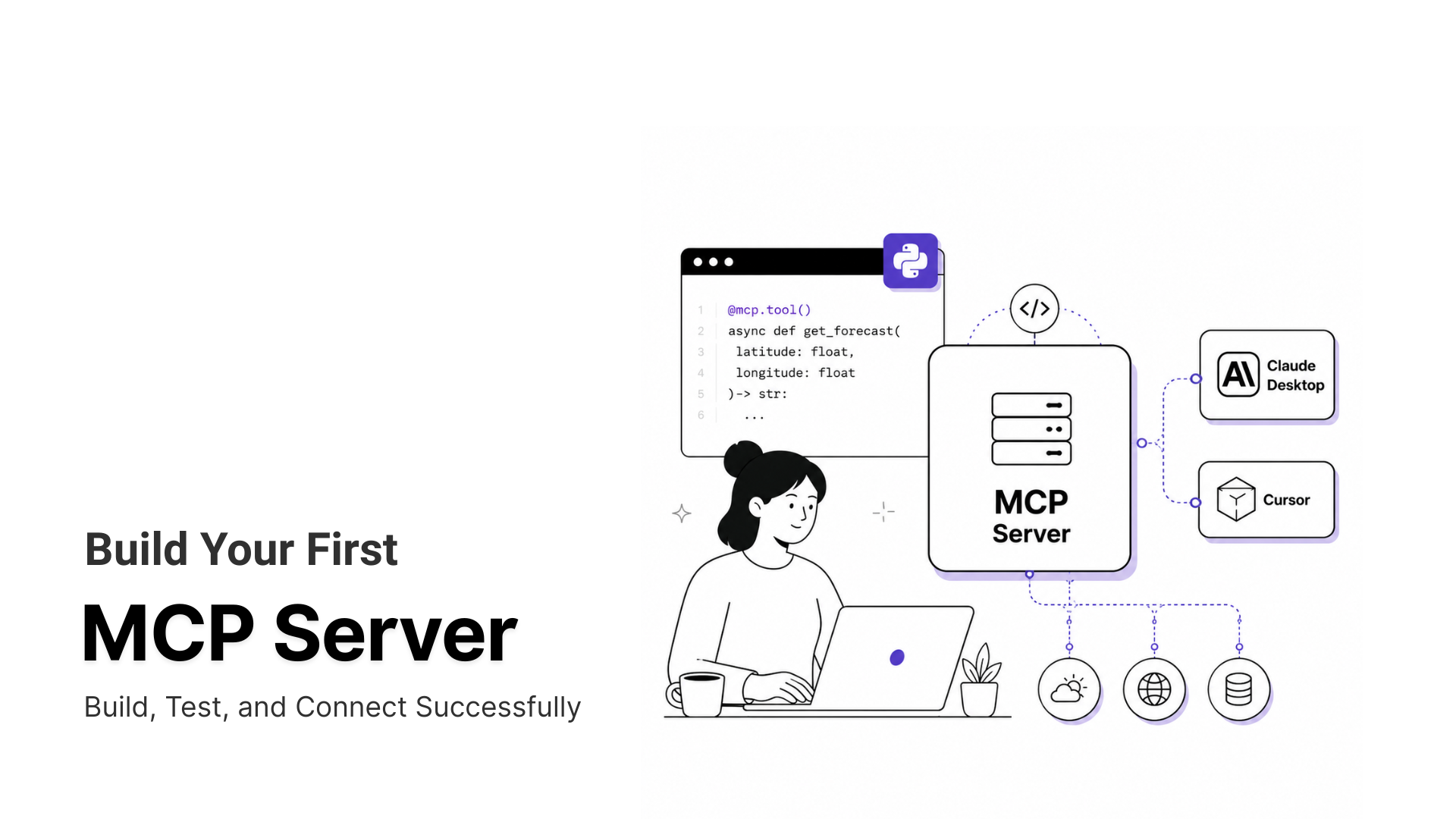
Apideck added a second route to the same 200+ connectors in 2026, part of MCP’s broader evolution. The hosted MCP server at mcp.apideck.dev is built on the Model Context Protocol and aimed at AI agents rather than application code. It is included on every plan.
How Tool Discovery Works
The server exposes 375 tools across seven Unified APIs, split into two discovery modes. Static mode loads every tool definition upfront, the way most early MCP servers work. Dynamic mode, the default, loads only 4 meta-tools (list_tools, describe_tool, execute_tool, list_scopes) and pulls up the exact tool an agent needs on demand. That keeps the footprint near 1,300 tokens instead of 375 full tool definitions.
The pattern is not specific to Apideck. Any server with a large catalog needs it to protect an agent’s context usage, a problem that spans the wider MCP marketplace.
Setup, Client Support, and Permissions
Setup is a single config block pointing an MCP client at the hosted endpoint with an API key, app ID, and consumer ID. On the coding side, the server works with Claude Desktop and Claude Code, Cursor, Codex, and Windsurf.
On the agent side, it reaches OpenClaw and Hermes, plus Google’s Agent Development Kit, the Vercel AI SDK, CrewAI, and Cloudflare’s Agents SDK. LangChain is covered as well, which spans most agent builder platforms already in use.
Scoped permissions sit at the MCP layer itself, so a read-only agent can’t even discover write or delete operations. Data Scopes add field-level filtering on top, so agents never see fields they shouldn’t, a layer that fits the guidance in MCP security hardening.
Getting Started with Apideck
This is the documented setup flow from Apideck’s own onboarding guide and signup page, not a step-by-step from hands-on testing.
- Create a free account at Apideck’s signup page. The 30-day trial needs no credit card. Choose an application name and subdomain, which redirects to the dashboard.
- Enable Unified API categories and connectors from the Configuration page. Pick the categories a product needs (Accounting, CRM, and so on) and select which specific connectors within each category to turn on.
- Grab the API key and application ID from the API Keys page. Every request authenticates with these, and the key can be regenerated from the same page if it’s ever compromised.
- Connect a first integration through Hosted Vault by launching the demo from the Vault page, which opens a test consumer. Add a connector under Integrations and click Authorize. Sandbox OAuth apps are enabled by default, so no production credentials are needed yet, and a “Needs configuration” badge marks connectors whose settings still need filling in.
- Make a first API call by sending a GET request to
unify.apideck.com/crm/companieswith the Authorization,x-apideck-app-id,x-apideck-consumer-id(usetest-consumerfor Hosted Vault), andx-apideck-service-idheaders. The service ID is the connector name in kebab-case. Keep calls server-side to prevent token leakage. - Move to production by registering the team’s own OAuth client credentials per connector, so users see the team’s brand instead of Apideck’s. For real customers, create a consumer through a server-side Vault session using a unique ID from your own data model, then send the returned Vault URL to the customer.
Reaching a first successful API call is the fastest way to judge fit before committing to a paid tier, since the trial covers the same setup a paid account uses.
What Apideck Does Well
Apideck’s main strength is reducing the work needed to build and maintain integrations across different business systems. Beyond its unified API, it offers tools that help SaaS teams manage customer connections, access provider-specific data, and build AI workflows without maintaining separate integrations for every service.
- Real-time access to provider data: Apideck retrieves data directly from connected providers rather than relying on a separately synchronized database. This is particularly useful for accounting and finance workflows, where outdated balances, missing invoices, or delayed transaction updates can affect reconciliation. Finance automation teams benefit from access to the latest data available through each provider’s API.
- Self-serve Integrations Marketplace: Apideck’s Integrations Marketplace lets SaaS companies offer customers a central place to find, connect, and manage supported integrations. Customers can set up connections without contacting support for every request, reducing manual onboarding work. It also helps sales teams demonstrate integration coverage to prospects. This is especially valuable for SaaS products serving SMBs, where self-service setup matters.
- Proxy API for provider-specific requirements: A unified API makes common operations consistent, but it cannot expose every field or feature available in a provider’s native API. Apideck’s Proxy API addresses this limitation by allowing authenticated requests to provider-specific endpoints. Developers can access functionality outside the unified schema without building a completely separate authentication flow. This is useful when a customer needs a specialized field or operation that Apideck has not standardized.
- Hosted MCP server for AI agents: Apideck extends its integration catalog to AI agents through a hosted Model Context Protocol (MCP) server. Instead of developing and maintaining separate tools for each accounting, CRM, or HR platform, teams can give compatible AI clients a common connection point. On-demand tool discovery also helps agents find relevant capabilities without loading the entire tool catalog into context. This is particularly useful for teams building AI workflows that need to retrieve information or perform actions across business applications.
- Developer tools and SDKs: Apideck supports development through SDKs for Node.js, TypeScript, Python, PHP, .NET, Java, and Go, along with a CLI, API Explorer, and public OpenAPI specifications. These resources help developers inspect endpoints, test requests, and evaluate integration requirements before committing to implementation. Engineering-led SaaS teams benefit because they can validate technical fit early and reduce the amount of custom integration code they need to maintain.
Apideck Limitations
Apideck Unify holds 4.9 out of 5 across 61 reviews on G2 as of the listing’s September 28, 2026 update. That is a small sample for a company this size, encouraging as a signal but not a large-scale verdict.
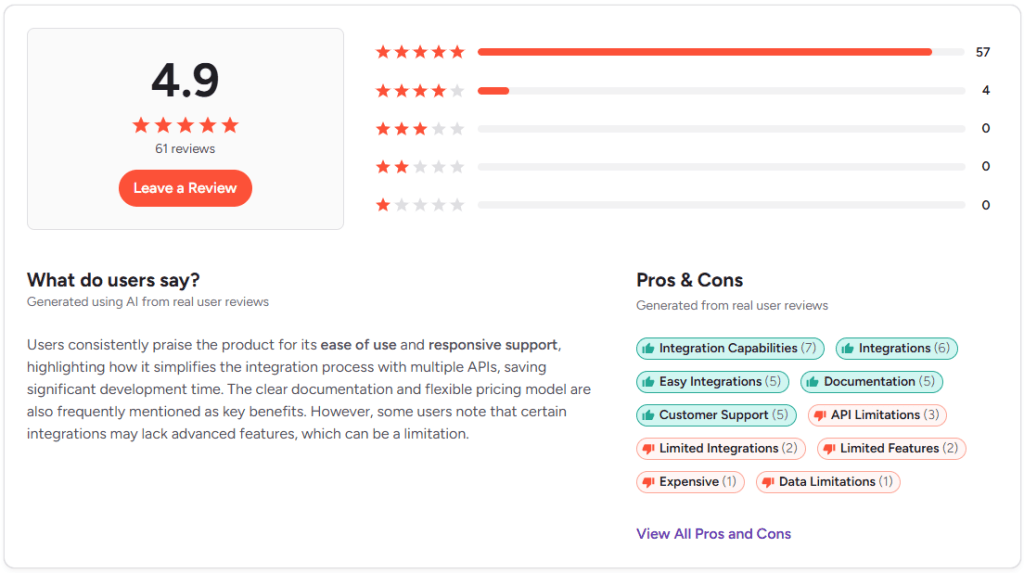
The gaps that show up consistently, sourced against Apideck’s own tier structure and comparison pages, are structural rather than incidental.
- Feature gating jumps steeply between tiers: Custom Field Mapping and Data Scopes require Scale, with no middle ground from Launch. Budget for Scale early if an enterprise customer is even plausible in year one.
- Virtual webhooks poll instead of pushing: Providers without native webhook support deliver changes on a polling interval, so freshness depends on the connector. Check which of the providers you need fire native webhooks before assuming real-time updates.
- Hosting sits in the EU: Apideck’s comparison page lists EU hosting with no region selection or VPC option, and its zero data retention page says the platform is EU-hosted by default. Teams with a hard US or APAC residency requirement should look at Merge (US, EU, APAC) or Unified.to (US, EU, AU), or confirm options with Apideck sales first.
- Connector count trails the largest players: At 200+, Apideck covers less ground than Merge (220+), Kombo (250+), Unified.to (1,116+), or Nango (1,000+ APIs, unnormalized). Check your specific providers before assuming coverage.
- No published free tier: Every plan starts at $599/mo once the 30-day trial ends. Use the full trial to build and validate a real integration before committing.
- Premium support is Enterprise-only: Launch and Scale include standard email support, while the private Slack channel, dedicated CSM, and uptime SLA come only with Enterprise. Smaller teams that expect a shared Slack channel should plan around email.
None of these is a dealbreaker alone, but they compound for a team already close to a tier boundary or a hosting requirement.

“Don’t dump the whole tool catalog into context; namespace + fetch-on-demand (or route by intent) and cache short summaries. Past ~50 tools you need a router, not prompt magic.”
Who Should Use Apideck?
Fit depends more on company stage and team structure than industry.
- Startups: The 30-day trial validates fit, but $599/mo after that is a real cost for pre-revenue teams. Confirm a customer is actually waiting before committing.
- Small and mid-market SaaS: Apideck’s clearest fit. Launch-to-Scale covers 25 to 500 consumers across one to three categories, matching how most mid-market products grow.
- Enterprise: Covers SSO, configurable log retention, and whitelabeling, but EU hosting blocks any buyer needing US or APAC residency. Confirm hosting fit before procurement, not after.
- Developers and engineering-led teams: SDKs for Node.js, Python, PHP, and .NET, plus a CLI and the Proxy API, give direct control when the normalized schema falls short. Fits teams wanting less plumbing than Nango and no enterprise sales cycle like Merge.
Hosting region and the Launch-to-Scale feature gap decide fit more often than company size does.
Best Apideck Alternatives
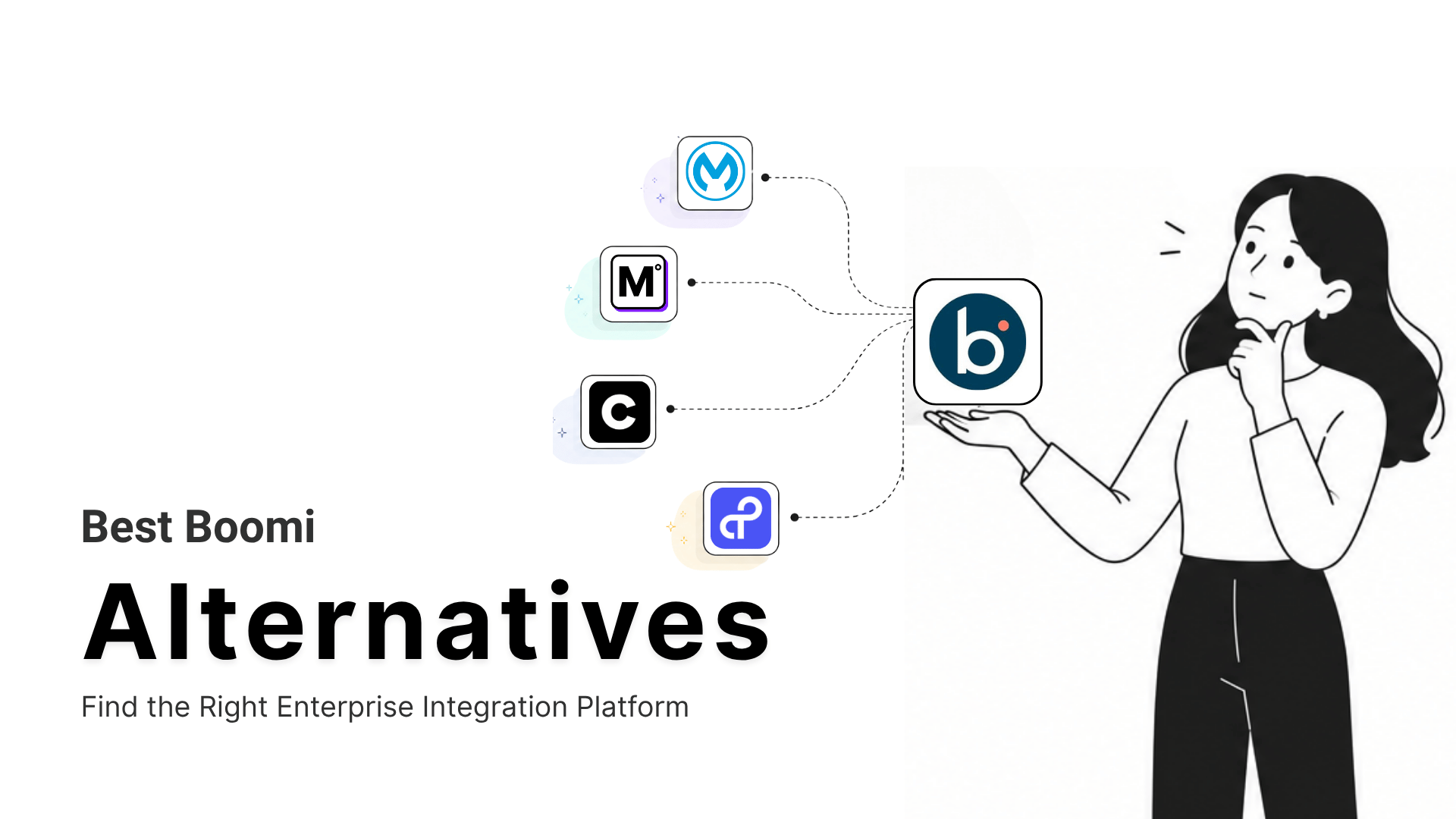
Four platforms come up most often as genuine Apideck alternatives, each solving the same core problem with a different tradeoff.
- Merge covers 220+ connectors and offers single-tenant hosting and multi-region support (US, EU, APAC) that Apideck doesn’t. Launch is free for 3 Linked Accounts and $650/month for up to 10, while Professional and Enterprise are contract-based. Its data model relies on configurable sync rather than Apideck’s real-time approach.
- Unified.to lists 1,116+ integrations across 33+ Unified APIs on every plan, starting at $750+/month and billed on API calls instead of consumers. Apideck’s matrix labels its architecture real-time with no persistence, though Unified.to’s own plans also list Database Sync.
- Nango takes a code-first approach with 1,000+ APIs and no pre-normalized data models, so teams build and own their schema. A free plan exists, and pay-as-you-go pricing starts at $50/month with $50 in credits. Nango’s pricing FAQ says it has no EU cloud today, with self-hosting available on Enterprise.
- MCP360 belongs here for a different reason. It’s not a swap-in Apideck alternative, since MCP360 covers web search, SEO tooling, e-commerce research, and general-purpose AI agent data APIs, not Accounting, CRM, or HRIS. An agent reconciling transactions through Apideck’s MCP server and researching a vendor’s pricing page in the same session would reasonably run both, side by side. Left out of the table below since its categories don’t overlap with the other four.
None of these four publish a turnkey migration path away from Apideck. Switching means re-mapping to a new unified schema by hand, close to the same lift as the original integration.
Frequently Asked Questions
What is a unified API?
A unified API is one interface placed in front of many third-party apps in the same category, such as accounting or CRM software, returning data in a single format. A team writes one integration against the shared schema instead of one per provider. Apideck’s Accounting API works this way, so QuickBooks and Xero answer to the same call.
What’s the difference between a unified API and an embedded iPaaS?
A unified API normalizes one category of apps into a single data model, while an embedded iPaaS adds a visual workflow layer for building automation between apps. Apideck and Merge follow the unified model and suit teams shipping code-level integrations. An embedded iPaaS, the approach Paragon takes, suits teams that want their customers building automations.
Which Apideck plan should I start on?
Start on Launch at $599 a month if the product needs one category and 25 to 50 consumers. Move to Scale at $1,299 a month for 100 to 500 consumers, three categories, Custom Field Mapping, and Data Scopes. Per-consumer cost falls from $23.96 at 25 consumers to $8.50 at 500. MCP360 prices agent tool access in credits with a free tier, a different model for a different job.
Does Apideck store my customers’ data?
Mostly no. Apideck pulls data live from the downstream provider instead of syncing to a cache. A few exceptions exist. Vault stores OAuth tokens encrypted, optional API Logs keep request metadata, and the QuickBooks Desktop connector may need temporary storage to finish a sync. Apideck’s zero data retention page lists these cases.
How many tokens does the Apideck MCP server use?
About 1,300 tokens in the default dynamic mode. The server exposes 375 tools across seven Unified APIs, but dynamic mode loads only four meta-tools and pulls the exact tool an agent needs on demand. Static mode loads every definition upfront. MCP360 uses the same on-demand pattern, with search_tools and execute_tool meta-tools across 100+ tools.
Can I stop an AI agent from deleting data through Apideck’s MCP server?
Yes. Scoped permissions sit at the MCP layer, so a read-only agent cannot even discover write or delete operations. Data Scopes add field-level filtering on top, so agents never see fields they should not. Data Scopes start at the Scale plan, so teams exposing customer records to agents should budget for that tier.
Apideck vs Merge, what’s the real difference?
Apideck pulls data in real time, while Merge syncs on a configurable schedule and covers more connectors and regions. Merge lists 220+ connectors and US, EU, and APAC hosting against Apideck’s 200+ and EU only. Merge Launch is free for 3 Linked Accounts and $650 a month for 10. The Merge review goes deeper.
Can Apideck’s MCP server do web search or SEO research?
No. Apideck’s MCP server covers the business systems a team has connected, such as accounting and CRM, and nothing outside them. Web search, SEO data, and general-purpose APIs need another source. MCP360 supplies those through one integration with 100+ tools, so an agent can reconcile transactions through Apideck and research a vendor’s pricing page in the same session.
Tags

Article by
MitaliAI & Automation | Content Writer
Mitali is a content writer covering AI agents, automation, and no-code tools. Her writing spans the AI landscape, from support and sales automation to MCP integrations and agent workflows, with a focus on practical business use.