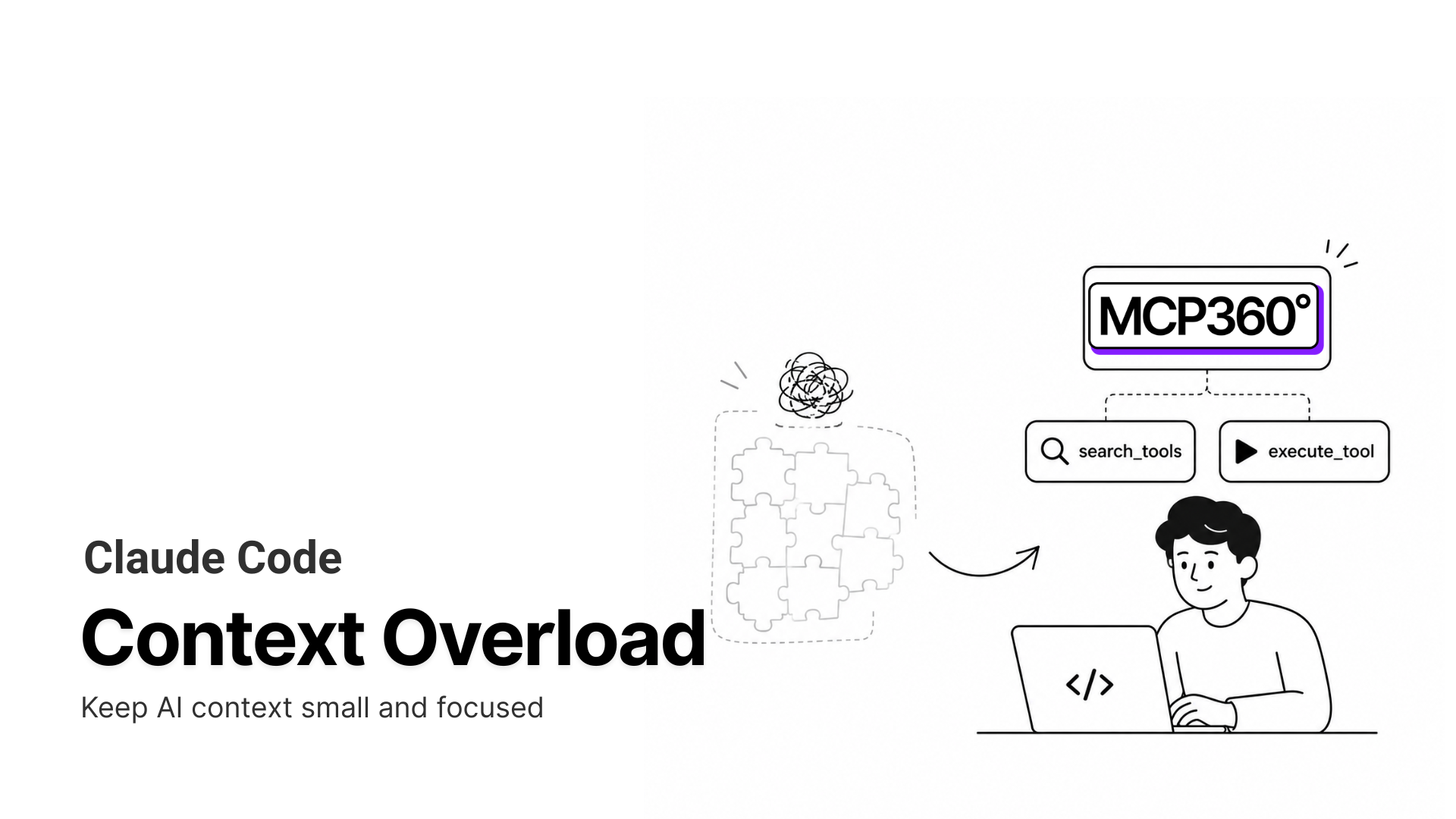


The TL;DR
Hermes AI Agent executes multi-step workflows using planning, memory, and tool-based actions, and becomes significantly more powerful when connected to MCP360’s unified tool gateway.
-
• What This Guide Explains
How to connect Hermes AI Agent with MCP360 to run real tool-based workflows using search, scraping, SEO, and product data.
-
• How It Works
Hermes handles planning and execution, while MCP360 provides a single interface for accessing and managing external tools.
-
• What Changes After Integration
All tool calls follow one MCP format. MCP360 handles connectivity, authentication, and response handling, while Hermes focuses on execution logic.
Hermes AI Agent can plan tasks, maintain context, and execute multi-step workflows. The challenge begins when those workflows need external tools.
A research workflow might need search data, web scraping, SEO metrics, and product information from multiple sources. Each tool has its own authentication, API structure, and failure modes. Managing those integrations often becomes more work than building the workflow itself.
MCP360 solves that problem by providing Hermes with a single MCP interface for accessing external tools. Instead of managing dozens of individual integrations, Hermes interacts with one standardized tool layer while MCP360 handles connectivity and tool access behind the scenes.
In this guide, you’ll learn how to connect Hermes AI Agent with MCP360, how the architecture works, and what practical workflows become possible after the integration.
What is Hermes AI Agent?
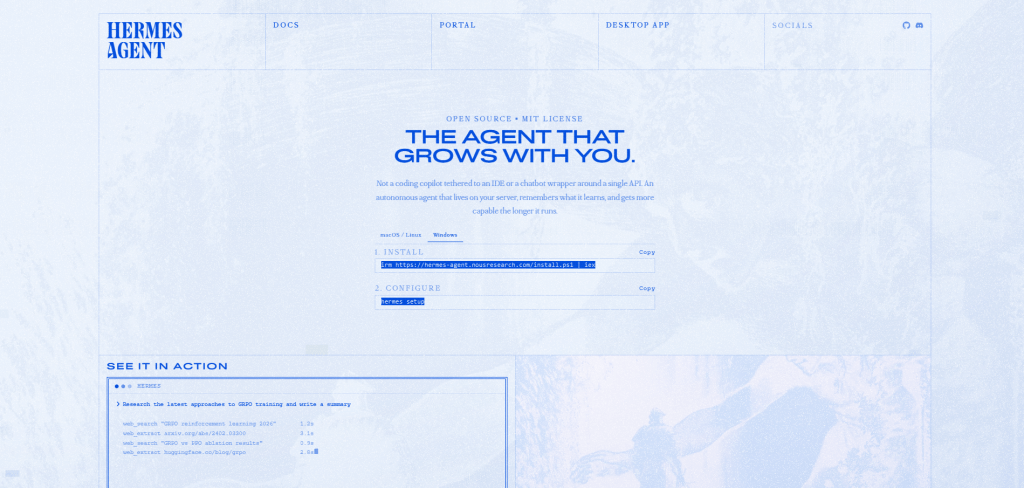
Hermes AI Agent is an open-source, self-hosted autonomous agent runtime from Nous Research, released in February 2026 under the MIT license. It runs persistently on your own infrastructure (local machine, VPS, Docker, SSH, or serverless) and executes goals as structured, stateful workflows rather than single-turn responses. Its defining characteristic is a closed learning loop. After completing a complex task, Hermes writes a reusable skill document that captures the procedure, known failure points, and verification steps, so it does not re-derive the same solution the next time. To understand why MCP360 fits naturally into this setup, it helps to look at exactly how Hermes executes tasks internally.
The Architecture Layer of Hermes
Hermes works through four execution layers: planning, execution, memory, and skills.
The planning layer breaks a goal into ordered steps and adjusts the plan as new results come in. The execution layer runs those steps and calls tools when the task needs external data or action. The memory layer stores task state, intermediate outputs, and session history in SQLite with full-text search, so Hermes can continue work across sessions instead of starting from zero every time.
The skills layer is what makes Hermes different from a simple tool-calling agent. After completing a workflow, Hermes can turn what it learned into a reusable skill document. That skill can include the procedure, known failure points, verification steps, and repeatable patterns. When a similar task appears later, Hermes can retrieve the skill and reuse the process instead of rediscovering it.
This creates a practical improvement loop: Hermes observes the task, executes the steps, reflects on the result, stores the working procedure as a skill, and reuses it in future runs. Over time, the agent becomes more useful for the specific workflows it repeatedly handles.
Tool calls sit inside this runtime loop. A step can request external data, receive structured output, pass that output back into the plan, and continue the workflow. Hermes does not need every external capability built directly into the agent. It needs a reliable way to access tools.
That is where MCP360 fits. MCP360 provides the MCP-based tool layer Hermes can call during execution, while Hermes keeps responsibility for planning, memory, and workflow control.
What is MCP360?
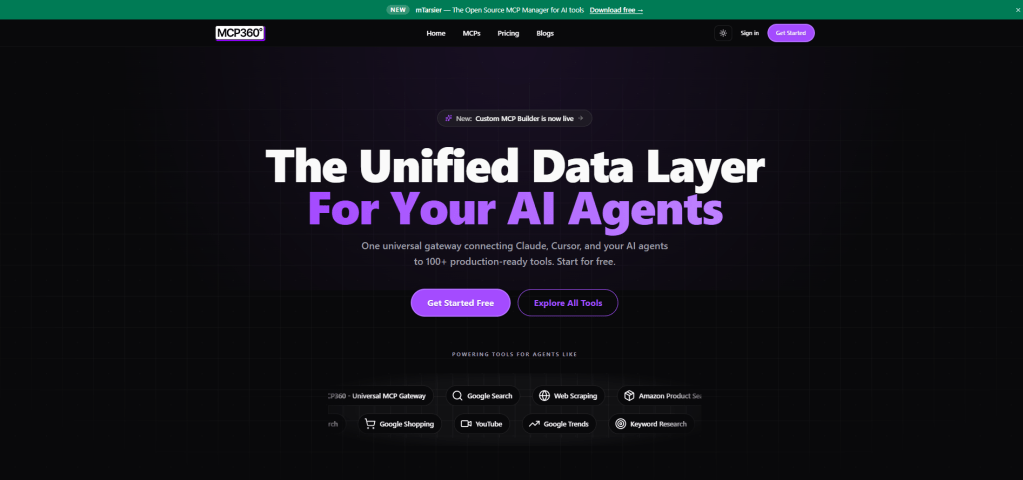
MCP360 is a unified gateway that connects AI agents to external tools and data sources through a single integration point. It covers over 100 tools across search, web scraping, keyword research, SERP analysis, and e-commerce data, and automatically routes requests to the right tool based on what each task requires, without manual configuration or context window bloat. Teams can also convert any REST API into an MCP server without writing MCP server code, so custom tools plug into the same interface as everything else.
The Tool Layer Architecture
In a standard MCP setup, each client connects one-to-one with a specific MCP server. That model works at small scale. Once you need a dozen or more tools, it becomes unmanageable because each server brings its own authentication setup, request schema, response format, and error behavior. Keeping all of those consistent across a multi-step workflow is an infrastructure problem, not an agent problem. MCP360 solves it by sitting between the agent and all those servers, managing every connection through one endpoint.
Authentication, request formatting, rate limit handling, automatic failover, and response normalization all happen inside MCP360. This means every tool response the agent receives comes back in a consistent structure, regardless of which underlying service produced it.
MCP360 works with Claude, Cursor, n8n, and any MCP-compatible client out of the box, including Hermes. Teams can also build and deploy custom MCP servers through it in JavaScript or Python, converting any REST API into an MCP-accessible tool without writing MCP server boilerplate. With both systems defined, the next step is understanding where Hermes runs into specific problems in production and why a gateway layer is the right place to address them.
Where Hermes AI Agent Falls Short in Production Systems
Hermes executes structured workflows reliably in isolated setups. In production environments, the friction is not in the reasoning or planning. It shows up at the boundaries between the agent and the external systems those workflows depend on, and it compounds as the number of tools increases.
- Fragmented external integrations: A single task often spans a web search, a product API, and a SERP scraper. Without a shared interface, each external dependency introduces its own authentication pattern and response structure. The workflow execution path forks into disconnected integration paths, and maintaining each one is a separate ongoing task.
- Inconsistent output structure across tools: Hermes passes intermediate outputs from one step to the next. When each tool returns data in a different shape (one returns JSON, another CSV, another unstructured HTML), those outputs need to be parsed and reshaped before the next step can consume them. That parsing logic ends up embedded in the workflow itself, making it brittle to any upstream API change.
- Execution depends on integration behavior: Planning and memory in Hermes are stable. Step reliability is not. It depends on external factors like API rate limits, expired credentials, changed endpoints, and inconsistent error formats. These sit outside the agent’s control but directly determine whether a workflow completes.
- Integration overhead grows with scale: Each additional tool adds another integration surface to maintain. Past a certain point, more engineering time goes into keeping integrations working than into improving the workflows they support.
- Debugging becomes harder across steps: When a workflow fails and each step depends on a different integration pattern, the failure point could sit in the workflow logic or in any one of the tool connections underneath it. Without a shared layer, isolating the problem takes longer than fixing it.
Each of these problems is a consequence of handling integration at the agent level. Moving it into a dedicated gateway layer is what changes when MCP360 enters the picture.
What Changes in Hermes After MCP Integration
With MCP360 connected, Hermes routes every external tool call through a single MCP endpoint. The internal execution loop (planning, memory, skills, step sequencing) stays exactly the same. What changes is how external tool calls behave during execution, and the difference is significant at each failure point identified above.
- Single execution format for all tool calls: Hermes sends tool requests in one standardized MCP format. Whether the step involves a web search, a Walmart product lookup, or a SERP analysis, the call structure is identical at the agent level. Hermes does not need to know what is behind the MCP endpoint.
- Consistent response shape across tools: All tool outputs come back through MCP360 in a normalized structure. Intermediate results move between steps without per-tool parsing logic. A product search result and a keyword research result arrive in the same format, so the planning layer passes one into the next step without transformation.
- External failure handling moves out of workflow logic: Retries, rate limit backoff, credential rotation, and API error formatting are handled at the MCP layer. Hermes receives structured responses rather than raw HTTP failures. The workflow does not need to account for the failure behavior of individual APIs.
- Workflow execution becomes independent of integrations: Hermes runs the same planning and step sequencing loop. It no longer depends on how each external system is implemented, what API conventions it uses, or what happens when one of those APIs changes.
- Tool expansion does not affect existing workflows: New tools added to MCP360 become available through the same interface without changes to agent logic. Existing workflows keep running without modification.
Hermes handles execution logic. MCP360 handles external connectivity. Keeping those responsibilities separated is also what makes debugging clean. When a workflow breaks, the failure is either in the agent’s execution logic or inside the MCP layer. It is not spread across a web of individually managed integrations. That clarity alone changes how long diagnosis takes in production. The next section covers how to set this up from scratch.
How to Connect MCP360 with Hermes AI Agent
Connecting MCP360 to Hermes is a five-step process. Steps 1 through 3 cover initial setup and configuration. Steps 4 and 5 confirm the connection is working correctly before you run any real workflow through it.
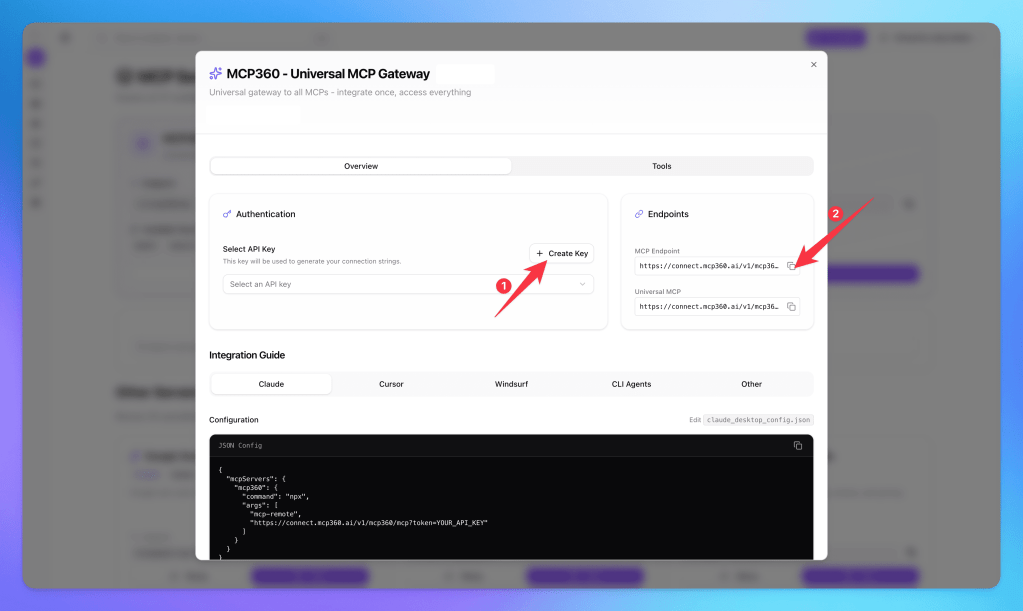
Step 1. Copy Your MCP360 Gateway URL
- Log in to your MCP360 dashboard and open an existing project or create a new one.
- From the left navigation menu, open MCP Servers.

- You can either select a specific MCP server or use the Universal MCP Gateway, which provides access to all tools available in your MCP360 workspace.
- Copy the MCP Gateway URL. You will use this endpoint when configuring tool access inside Hermes AI Agent.
Step 2. Install Hermes AI Agent
- Open Windows PowerShell as Administrator and run:

- For Linux, macOS, or WSL2, run the following command:

- Instead of manually running commands, you can also use an AI coding assistant like Codex, Claude code or Cursor AI to execute the setup for you. In Codex, enter the following prompt to install Hermes AI Agent:
Install Hermes AI Agent on this Windows machine using the official installation method.
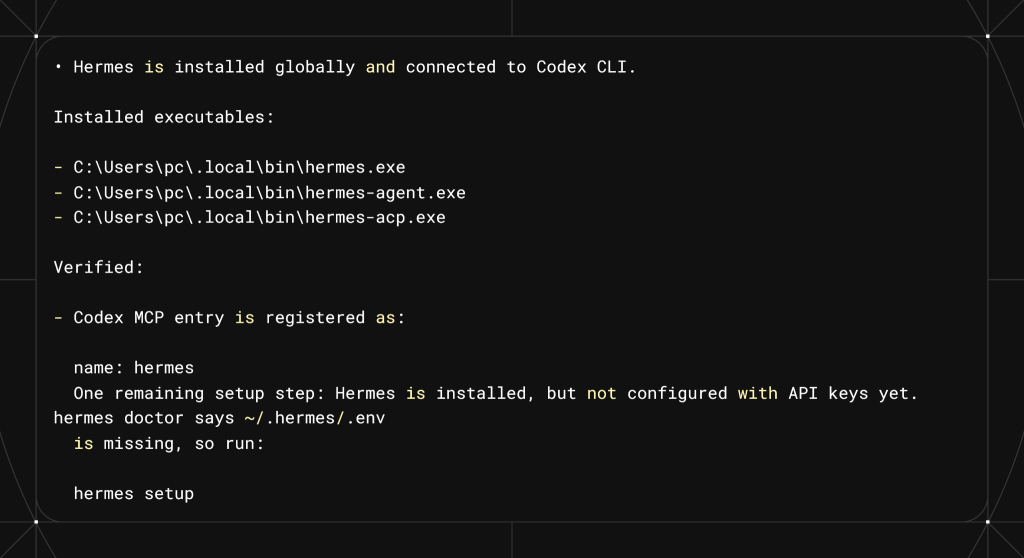
After confirming the installation, the next step is to connect Hermes to the MCP360 Gateway URL copied earlier.
Step 3. Start Hermes Chat and Connect MCP360
- Open a new terminal window in Windows PowerShell and start the Hermes chat interface:
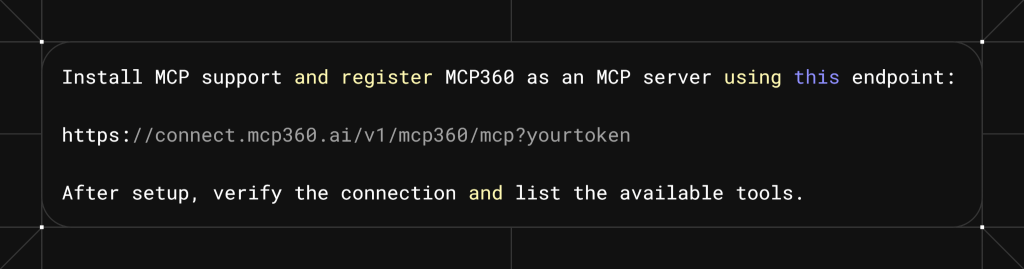
- After adding the MCP360 Gateway URL and token, Hermes confirms that the MCP connection is active and tools are loaded.
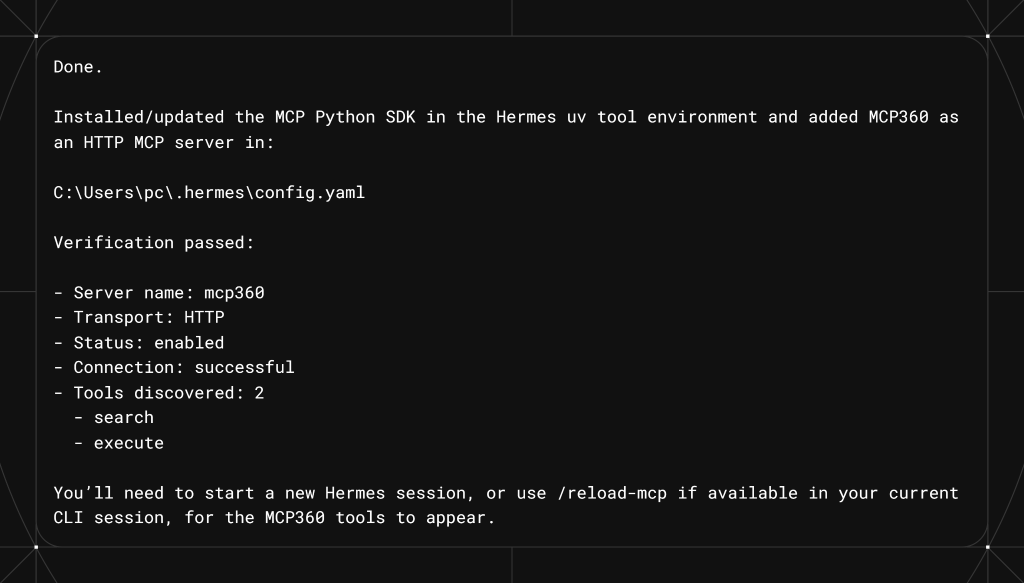
Step 4. Verify MCP360 Connection
- Confirm that Hermes is correctly connected to MCP360.
hermes mcp test mcp360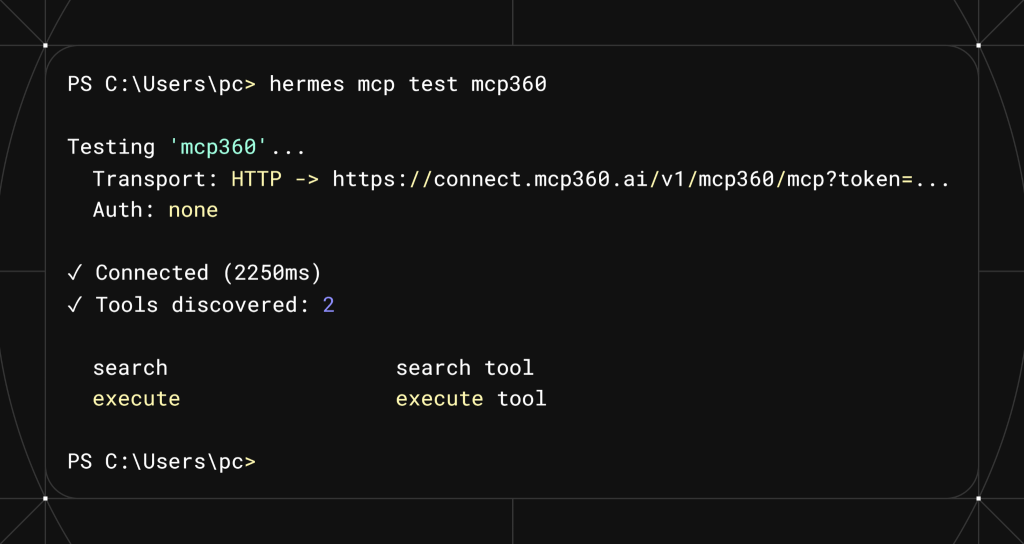
- If MCP360 appears in the list, the integration is active.
- To confirm all connected MCP servers are registered correctly, run:
hermes mcp list

Step 5. Test Hermes AI Agent with MCP360 in a Real Workflow
- Now validate that Hermes is actually using MCP360 tools during execution.
- Inside Hermes chat, run a tool-dependent request:
Use MCP360'S Walmart Product Search Tools and give me details of Electric-Pressure-Washer
- Hermes should route this request through MCP360 and return structured product data.
- To validate correctness, cross-check results with a direct Walmart search.
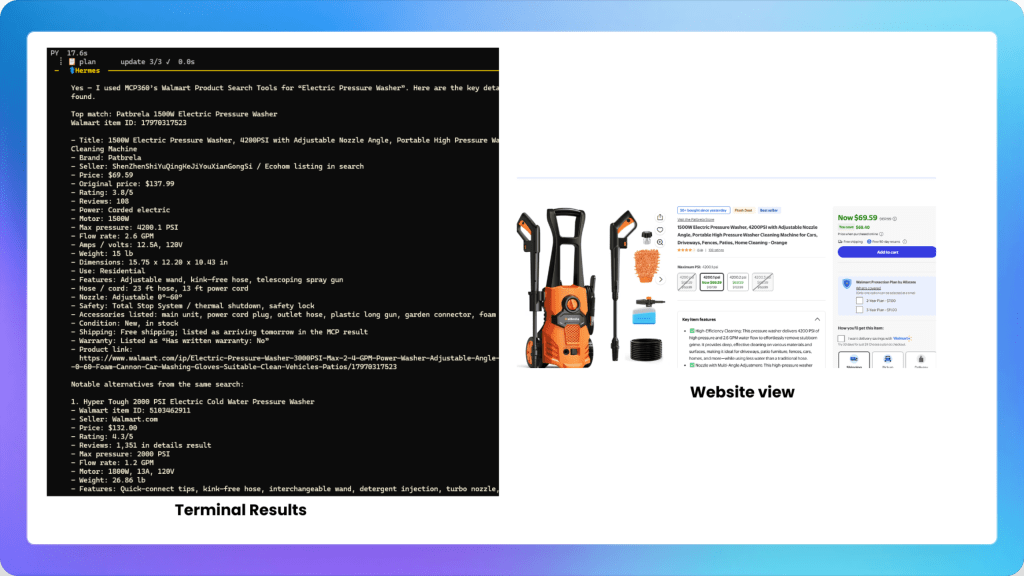
If both results align in key details, it confirms that Hermes is successfully using MCP360 for real external tool-based workflows.
Once Hermes is installed and running, MCP tools can be managed directly from the CLI using built-in commands.
Useful MCP Commands in Hermes AI Agent
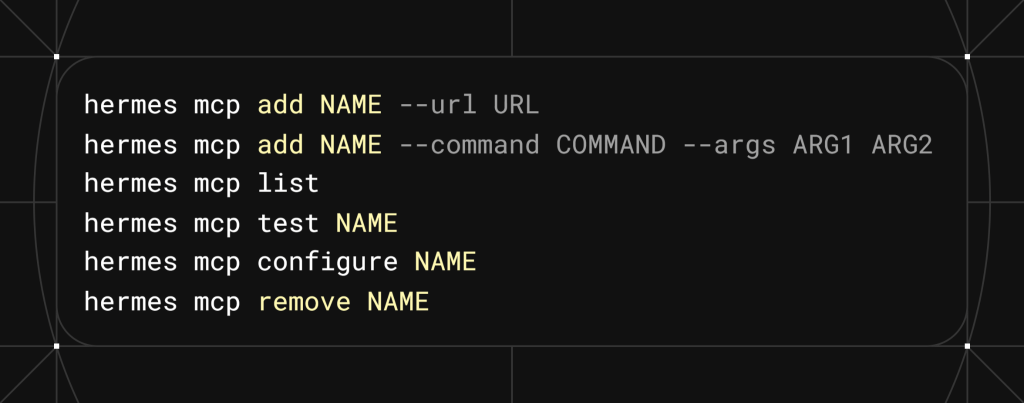
Once configured, Hermes no longer connects to tools individually. Instead, every external interaction flows through MCP360 as a single gateway, which standardizes how tools are accessed and how responses are returned during execution.
Workflows possible with Hermes AI Agent and MCP360
Each workflow below spans more than one external source. The use cases show what becomes viable when tool access is no longer the bottleneck.
- SEO Research Without Platform Switching
Content research spans keyword tools, Google Trends, SERP data, and competitor pages. Done manually, that is four tools, four exports, and a stitch job before a brief exists. Hermes runs the full sequence in order and outputs a single research brief. The same workflow covers one article or a full content quarter.
- Competitor Monitoring Across Search and Content
Competitor tracking means catching new content, visibility shifts, topic changes, and page updates, on a recurring schedule, not just when someone remembers to check. Hermes runs this as a scheduled workflow, pulling search visibility data, crawling competitor URLs for changes, and compiling findings into a structured diff report automatically. No manual re-runs required.
- Product Monitoring on Walmart and Amazon
Marketplace pricing and positioning can change faster than any team checks manually. A Hermes workflow queries Walmart and Amazon listings, compares products on price and positioning, and flags what changed since the last run. MCP360 covers both marketplaces through the same tool layer, so no separate credentials or parsing logic are needed per platform.
- Company Research Before Sales Outreach
Pre-call research across domain records, DNS data, website metadata, and search visibility takes 20 to 30 minutes per account manually. A Hermes workflow pulls all of it in sequence from MCP360 tools and compiles a single briefing document per company, ready before the call.
- Market Research Reports From Multiple Sources
Market research done right draws from search data, trend signals, competitor content, and public web sources together. Hermes works through them in stages, starting broad, narrowing into specific sources, then synthesizing across all of them in one session. The output is a structured draft ready for review, not a pile of tabs to consolidate.
Different domains, same structure. Hermes sequences the steps, MCP360 handles the tools underneath, and the workflow runs the same way every time regardless of how many sources it touches.
Frequently Asked Questions
Who builds Hermes AI Agent?
Hermes AI Agent is built by Nous Research, the team behind the Hermes language models. Released in February 2026 under the MIT license, it is an open-source, self-hosted autonomous agent that runs on your own infrastructure and executes structured, stateful workflows instead of single-turn interactions.
What makes Hermes different from a basic tool-calling agent?
Hermes includes a skills layer that learns from completed work. After finishing a complex task, it creates a reusable skill document containing the process, verification steps, and common failure points. When a similar task appears later, Hermes can reuse that skill instead of solving the workflow from scratch.
Where can you run Hermes AI Agent?
Hermes is self-hosted and can run on a local machine, VPS, Docker deployment, SSH-connected environment, or serverless infrastructure. Because it runs persistently rather than per session, it can continue long-running workflows in the background while keeping control of data within your own environment.
How do you connect MCP360 to Hermes AI Agent?
Copy your MCP360 Gateway URL from the dashboard and add both the URL and authentication token inside the Hermes chat interface. Hermes validates the connection, loads the available tools, and lets you verify the setup using commands such as hermes mcp test mcp360 and hermes mcp list.
Does Hermes keep memory between sessions?
Yes. Hermes stores task state, intermediate outputs, and session history in SQLite with full-text search support. This allows the agent to continue work across sessions while carrying forward context, progress, and previously learned skills.
Can Hermes connect to custom or internal tools through MCP360?
Yes. MCP360 can expose internal systems and third-party REST APIs as MCP-compatible tools using JavaScript or Python. Hermes accesses those custom tools through the same gateway it uses for standard MCP servers.
How do you install Hermes AI Agent?
Hermes can be installed using the official one-line installer on Linux, macOS, or WSL2, while Windows users can use the PowerShell installer. AI coding assistants such as Codex, Claude Code, or Cursor can also assist with setup before launching the Hermes chat interface.
What workflows can you run with Hermes and MCP360 connected?
Hermes and MCP360 can power multi-step workflows such as SEO research, competitor monitoring, e-commerce product comparisons, sales prospect research, and market intelligence reporting. MCP360 provides access to the tools while Hermes coordinates and executes the workflow.
Conclusion
Hermes provides a strong foundation for autonomous, multi-step agent workflows. Persistent memory, stateful planning, and self-improving skills hold up well across complex task sequences. Where production setups run into trouble is the tool layer, when workflows depend on multiple external systems that each behave differently.
MCP360 handles that by standardizing how external tools are accessed, how responses come back, and how failures are managed, without touching the agent’s execution logic. Hermes sends one type of request and receives one type of response across every tool it calls. When something breaks, the failure sits clearly in either the agent logic or the integration layer, which makes diagnosis faster.
For teams running production workflows across more than one external system, start with this separation in place. It is easier to maintain than embedding integration handling inside the agent, and it holds up as the number of tools grows.
Tags

Article by
MitaliAI & Automation | Content Writer
Mitali is a content writer covering AI agents, automation, and no-code tools. Her writing spans the AI landscape, from support and sales automation to MCP integrations and agent workflows, with a focus on practical business use.