
The TL;DR
Workato offers real MCP support, but its billing model and execution limits were designed for scheduled automation rather than agents making dozens of small tool calls in a single session.
-
• Workato’s MCP Support
The MCP functionality is real and usable. However, it sits on top of platform limits and commercial structures that may not fit frequent, agent-driven tool execution.
-
• Where the Friction Shows Up
Task-based billing, a roughly 90-minute recipe timeout, and sales-only pricing all work against the way AI agents repeatedly call tools throughout a session.
-
• What Separates the Alternatives
Each of the six alternatives below is evaluated based on MCP maturity, practical limitations, and current pricing rather than vendor claims alone.
An AI agent that checks inventory, updates a CRM record, and drafts a follow-up email in one session fires off a dozen small actions in seconds. On Workato, each one of those actions is a billable task. The meter runs faster the harder the agent works, and most teams don’t notice until the invoice does the explaining.
Workato has added support for the Model Context Protocol to keep pace with that shift. The recipes and billing underneath are the same ones the platform has run for over a decade. Whether that foundation was actually built for how agents call tools, or just adapted to look like it was, is worth checking before it’s your budget on the line.
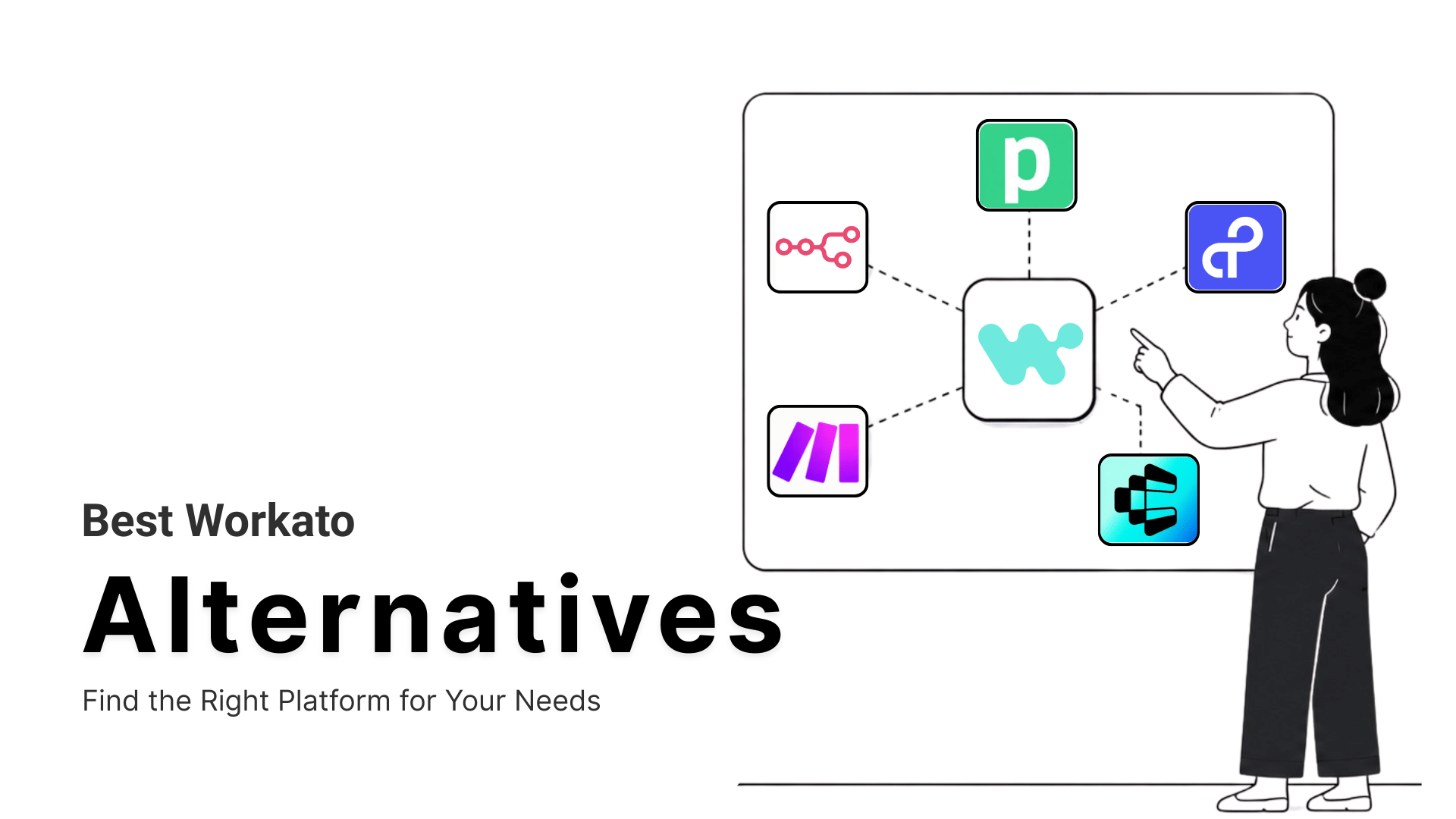
Six platforms built for agent access from the start make the sharper comparison. Some replace Workato’s billing model outright, others just fix the one thing that was actually causing the friction. The breakdown below shows which is which, and where Workato still wins.
Limitations of Workato
Workato remains a strong pick for IT-governed, cross-department automation at large enterprises. The gaps below show up specifically where agent-driven workloads meet a platform built around scheduled, human-initiated recipes.
- Task-based billing scales with agent call volume: A recipe step, a processed record, and a rerun job all count as tasks. An agent probing a CRM for the right record before acting can generate more tasks in one session than a scheduled recipe runs in a week.
- Execution timeouts cap long agent sessions: Recipe jobs time out at around 90 minutes by default, which interrupts long-running or multi-step agent work that has to wait on slower upstream systems.
- MCP sits on top of the platform, not inside it: Enterprise MCP exposes existing recipes as MCP servers, so every new agent capability still gets built inside the recipe builder’s linear structure first.
- Pricing stays behind a sales call: Workato’s own documentation confirms pricing runs through a platform edition fee plus a usage fee, with no published rate card.
- Enterprise contracts start high: Independent pricing analyses put annual Workato contracts anywhere from $25,000 to over $500,000, depending on recipe volume, connected apps, and transaction throughput.
None of this makes Workato a weak platform. It makes it a specific one, built for governed, scheduled automation first. Much of the friction traces back to the same root cause. MCP layered onto an existing API integration model behaves differently than MCP built in from the start. The alternatives below start from the opposite direction.
Best Workato Alternatives
Two things had to be true to make this list. Each platform already ships MCP support in production, and every price below came from the vendor’s current live pricing page.
From there, the order moves from platforms closest to a pure MCP gateway toward alternatives built around one specific strength, whether that’s enterprise governance, self-hosted infrastructure, visual workflows, or custom code.
1. MCP360
MCP360 is a unified MCP gateway that gives an AI agent access to 100+ external tools through a single integration instead of wiring up each service individually. Two meta-tools handle discovery and execution, so an agent calls only what a given task needs and token use stays flat as the catalog grows. A no-code Custom MCP Builder wraps any existing REST API under the same key.
Where n8n bundles workflow logic and tool access into one platform, MCP360 treats tool access as its own separable layer. It sits behind n8n, a code framework, or any other orchestrator, with built-in failover when an API breaks.
Features
- On-demand tool discovery through two meta-tools, so an agent’s context window doesn’t fill up as the catalog grows
- No-code Custom MCP Builder for wrapping any REST API, or running custom JavaScript or Python, under the same key and billing
- Works with Claude, Cursor, n8n, and any MCP-compatible client without per-tool setup
- Prebuilt marketplace covering keyword research, web scraping, SEO audits, and external data APIs
- Automatic failover when an upstream API breaks or changes, so a single vendor outage doesn’t take the whole toolset down
Limitations
- Setup overhead makes it a poor fit for lightweight or single-tool use cases
- The tool catalog updates frequently, which means occasional adjustment as integrations change
Pricing
- Free: $0/mo, 100 credits
- Starter: $16/mo billed annually, 2,000 credits
- Professional: $83/mo billed annually, 10,000 credits
- Advanced: $333/mo billed annually, 100,000 credits
Best for
Teams consolidating agent-driven research, SEO work, or data work that currently runs through a dozen separate Workato recipes into one connection and one bill.
2. Composio
Composio is an integration platform built specifically for AI agents, where a managed tool layer handles execution so an agent calls a pre-built action instead of hitting a raw API endpoint directly. Composio was designed from day one around a single agent picking a single tool from a catalog spanning more than 1,000 apps and calling it directly, unlike a workflow platform that added agent support after the fact.
That design shows up in how the platform prices. Billing runs by tool call rather than by workflow step. Managed OAuth handles token refresh, which makes Composio read closer to a connector layer built for developers.
Features
- Pre-built tool integrations across 1,000+ apps covering CRMs, developer tools, communication apps, and productivity platforms
- Managed OAuth and token lifecycle handling, including automatic refresh, across every connected service
- Custom scoped MCP servers that expose only a subset of tools, reducing how much context an LLM has to load
- SDK support for Node.js and Python, plus compatibility with LangChain, LlamaIndex, and other agent frameworks
- Triggers that fire on external events, like a new email or a Slack message, so an agent can react instead of only being called on demand
Limitations
- Pre-built tools are closed source, and full request and response logs aren’t accessible. When one breaks in production, there’s no way to see exactly why or to rebuild it yourself
- Covers tool calls only. Data sync and webhook patterns need separate infrastructure
Pricing
- Totally Free: $0/mo, 20,000 tool calls
- Ridiculously Cheap: $29/mo, 200,000 tool calls, $0.299 per 1,000 additional
- Serious Business: $229/mo, 2,000,000 tool calls, $0.249 per 1,000 additional
- Enterprise: custom pricing
Best for
Developer teams building agents that need managed authentication across mainstream SaaS without owning the OAuth maintenance themselves.
3. Tray.ai
Tray.ai is an enterprise orchestration platform that combines workflow automation, API management, and agent deployment inside one system, aimed at the same IT-governed buyer Workato has always sold to. It didn’t pivot into agents from a consumer automation tool. It grew up selling centralized control to large IT teams, and its Agent Gateway inherits that same governance-first posture, with audit trails tied to a specific identity for every action.
Where a lighter gateway optimizes for how fast a developer connects a tool, Tray.ai optimizes for how confidently an IT team approves one. It bundles several API calls into single composite tools that cut token use with each interaction.
Features
- Agent Gateway for MCP with governed creation and management of MCP servers and tools
- Access to 700+ connectors across SaaS, databases, cloud services, and enterprise platforms
- Composite tools that bundle several API calls into one agent-callable action, reducing token use per interaction
- Audit trails across every agent action, MCP tool call, and workflow run, tied to a specific user identity
- Merlin Agent Builder, a no-code tool for building the agents themselves, with guardrails and human-in-the-loop approval built in
Limitations
- All three plans are custom-quoted, so a real cost estimate still requires a sales conversation
- Governance and connector configuration typically need dedicated technical resources to implement correctly
Pricing
- Pro: Custom pricing, up to 3 workspaces
- Team: Custom pricing, 20 workspaces
- Enterprise: Custom pricing, unlimited workspaces, regional hosting, on-premise connectivity
Best for
Regulated enterprises that need Workato-level governance with MCP built into the core platform, not added as a separate product line.
4. n8n
n8n is an open-source workflow automation platform where automations are built by connecting nodes on a visual canvas, shipping as both a free self-hosted release and a managed cloud product. The open-source license is the real dividing line here. Teams can read the code, modify it, or run it on their own infrastructure, with a native MCP Client Tool node built directly into the same standard library.
That ownership shows up in the price too. The self-hosted version carries no seat limit and no workflow cap, and queue mode splits execution across workers so cost never scales with usage the way it does elsewhere.
Features
- MCP Client Tool node built into the standard library for calling MCP servers directly from a workflow
- Execution-based cloud billing, where one workflow run counts once regardless of step count
- Custom JavaScript and Python code nodes alongside 400+ prebuilt integrations
- Docker self-hosting for teams with data residency requirements in healthcare, fintech, or government
- Queue mode for horizontal scaling, splitting execution across worker processes with Redis so high-volume workflows don’t bottleneck on a single instance
Limitations
- No native persistent memory across sessions. Cross-run context needs an external database added separately
- Debugging gets harder as workflows grow. High node counts and branching make it difficult to trace what went wrong
Pricing
- Starter: €20/mo billed annually, 2,500 executions
- Pro: €50/mo billed annually, 10,000 executions
- Business: €667/mo billed annually, self-hosted, 40,000 executions
- Enterprise: Custom pricing
Best for
Technical teams trading Workato’s task meter for a flat infrastructure cost. Teams already weighing n8n alternatives for lighter workflow needs can run agent tool calls through n8n and MCP360 together.
5. Make
Make is a visual automation platform where each automation is built as a scenario on a canvas, with modules representing app actions connected by data-carrying lines. It occupies the middle ground between a fully no-code tool and something like n8n, approachable enough for a marketing team to build in, yet capable of branching logic simpler platforms can’t handle, with an official MCP server turning scenarios into callable tools.
That approachability has been Make’s main selling point since well before agents entered the picture, and it still shows in how AI support got added, with instant triggers firing the moment new data arrives instead of scheduled polling.
Features
- Make AI Agents (beta), built and managed inside a scenario using Make’s own AI Provider or a connected LLM key
- Official MCP server that turns finished scenarios into callable tools for Claude, ChatGPT, and other MCP clients
- Routers, filters, iterators, and aggregators for multi-path logic without writing code
- 3,000+ prebuilt app integrations plus an HTTP module for any REST API without a native connector
- Instant triggers via webhooks that fire a scenario the moment new data arrives, instead of waiting on the next scheduled poll
Limitations
- Large scenarios with many modules become hard to read and debug as complexity grows
- Data mapping configuration inside modules has a steep learning curve for non-technical users
Pricing
- Free: $0/mo, 1,000 credits
- Core: Starts at $12/mo, 10,000 credits
- Pro: Starts at $21/mo, 10,000 credits
- Teams: Starts at $38/mo, 10,000 credits
- Enterprise: custom pricing
Best for
Teams that liked Workato’s visual, trigger-and-action logic and want a lower entry price with a direct path to exposing scenarios as MCP tools, the same evaluation many teams run against Zapier alternatives.
6. Pipedream
Pipedream is an event-driven integration platform built for developers, where workflows trigger off webhooks, schedules, or direct API calls, and custom code can run at any single step. It leans further into code than anything else on this list, treating the visual canvas as a starting point rather than the primary way most teams build, with managed OAuth keeping every credential server-side and away from the AI model.
That developer-first posture carries straight into its MCP implementation too, running on the same event-driven execution model the platform has always used, billed through compute-based credits at roughly one credit for every thirty seconds of actual runtime consumed.
Features
- MCP server covering 2,500+ apps including Slack, Gmail, Salesforce, HubSpot, GitHub, and Notion
- Managed OAuth with credentials kept server-side and never exposed to the AI model
- Compute-based credits, roughly one credit per 30 seconds of execution, instead of per-step billing
- Serverless architecture with auto-scaling and throttling for third-party API rate limits
- Pipedream Connect for embedding the same integrations inside your own product or AI agent, with managed auth exposed through a REST API or SDK
Limitations
- Only two environments available, dev and prod, with a hard cap of 10 users on dev, which limits testing scope
- Workflows with heavy custom logic across many steps become difficult to audit and maintain over time
Pricing
- Free: $0/mo, 100 credits, 3 active workflows
- Basic: $29/mo, 2,000 credits, 10 workflows
- Advanced: $49/mo, 2,000 credits, unlimited workflows
- Connect: $99/mo, 10,000 credits, auth for 100 external users, then $2 per additional user
- Business: custom pricing
Best for
Developer-led teams replacing code-heavy Workato recipes, where compute-based pricing rewards complex logic instead of billing for every step of it.
Side-by-Side Comparison
This table covers the operational side of each platform. It lines up how each one is deployed, how new tools actually get added, which AI clients it plugs into, and how much technical lift the setup takes before you commit to one.
| Platform | Deployment | Adding New Tools | MCP Client Support | Technical Skill Needed | Free Tier / Entry Price |
|---|---|---|---|---|---|
| MCP360 | Cloud-hosted, nothing to manage | Added to the catalog automatically each month, with no per-tool setup | Claude, Cursor, Windsurf, n8n, and any MCP client | No-code, with optional JavaScript or Python for custom tools | 100 credits free, then $16/mo |
| Composio | Cloud, with VPC or on-premises deployment on Enterprise | Each app must be connected and authenticated individually | Claude, Cursor, Codex, and other agent frameworks | Developer-first and SDK-based | 20,000 tool calls free, then $29/mo |
| Tray.ai | Cloud, with on-premises connectivity on Enterprise | New connectors are configured through Merlin Agent Builder | Claude Code, Codex, and any AI IDE | Low-code, with a headless or code-based option | No free tier, custom quote from Pro |
| n8n | Self-hosted for free or available as a managed cloud service | Each integration needs its own node installed and configured | Any MCP client through the MCP Client Tool node | Low-code, with custom JavaScript or Python nodes | Free self-hosted plan with unlimited workflows, or €20/mo for cloud |
| Make | Cloud-hosted only | Each app is added and authenticated as its own module | Claude, ChatGPT, and other MCP clients | No-code visual canvas | 1,000 credits free, then $12/mo |
| Pipedream | Cloud-hosted, primarily in US regions | Each app must be connected individually before use | Any MCP client through Pipedream’s MCP server | Developer-first and code-first | Free tier available, then $29/mo |
How to Choose the Right Alternative
Match the decision to what’s actually forcing the evaluation. Here’s how you can evaluate:
- Task-based billing is the core problem: MCP360 or n8n both replace per-task pricing with a model that doesn’t charge more just because an agent double-checked something before acting.
- Enterprise governance can’t be optional: Tray.ai keeps the audit trails and role controls, with MCP built in from the start instead of added later.
- Managed auth matters more than raw tool count: Composio’s managed OAuth removes the token-refresh maintenance an in-house build would otherwise carry, which matters most for customer-facing agents.
- A cheaper version of Workato’s visual, trigger-and-action logic is the goal: Make maps closest to that pattern and lets you expose finished scenarios as MCP tools directly.
- Custom code is already how the team builds: Pipedream’s compute-based pricing rewards multi-step logic instead of billing it by step count.
These criteria aren’t mutually exclusive, and it’s common for two or three to apply at once. So, prioritize whichever one is actively costing time or money today over whichever one might matter eventually.
Frequently Asked Questions
What are the best Workato alternatives for AI agents?
MCP360, Composio, Tray.ai, n8n, Make, and Pipedream are the six strongest options, each suited to a different priority. The right pick depends on whether billing, governance, self-hosting, or developer control matters most to your team.
What is MCP (Model Context Protocol)?
MCP is an open standard that lets AI agents connect to external tools and data sources through a single, consistent interface instead of custom code for every integration. Anthropic introduced it in late 2024, and it’s now supported by Claude, ChatGPT, Cursor, and most major AI coding and automation platforms.
Does Workato support MCP?
Yes. Workato added Enterprise MCP in October 2025, turning existing recipes into MCP servers that tools like Claude and Cursor can call. It runs on the same task-based billing and recipe engine Workato has used since 2013, so every new agent action still gets billed and built like a scheduled workflow step.
Why is Workato considered expensive for AI agent workflows?
Workato bills by task, and a task can be a recipe step, a processed record, or a rerun job. An AI agent that checks a record before acting can rack up several tasks in one session. Pricing also isn’t public, so real cost only comes after a sales call.
What’s the cheapest Workato alternative for a small team?
MCP360 and Make both have free tiers to start, and n8n is free if self-hosted. For a small team testing AI agent workflows before committing budget, any of the three works without a sales call.
Which Workato alternative is best for enterprise governance and compliance?
Tray.ai is built for that case. It sells into the same IT-governed buyer Workato does, with audit trails, role controls, and approval workflows built into its MCP layer rather than added on top. The tradeoff is pricing. Every plan is custom-quoted, so getting a real number still means a sales conversation, same as Workato.
Can I self-host a Workato alternative instead of using a cloud platform?
Yes, n8n is the main option. It ships as a free, open-source release you can run on your own infrastructure, with no seat limit or workflow cap once it’s self-hosted.
How is MCP360 different from other Workato alternatives like Composio or Pipedream?
Composio and Pipedream are both built for developers, with SDK-based setup and billing tied to tool calls or compute time. MCP360 is built for broader tool access, 100+ tools through one integration, with a no-code builder for wrapping custom APIs. It fits teams that want breadth without writing SDK integration code for each service.
Conclusion
Feature lists make every platform on this list look similar. The real difference shows up in the bill after using them, once the agent has fired thousands of small actions and someone has to explain why the invoice tripled.
That gap between task-based and connection-based pricing won’t close as fast as the MCP maturity gap will. Every platform here will have solid MCP support within a year. Few will have rebuilt their pricing model to match how agents actually call tools.
So test that before signing anything. Point one real workflow, the kind that fires a dozen small tool calls in a single session, at your current platform and the alternative you’re weighing. Watch what happens to the bill, not just whether the workflow runs. If you’d rather run that test on one gateway, start free on MCP360 and connect an agent to 100+ tools in a single session.

Article by
HarsheenMCP & AI Agents | Content Writer
Harsheen is a content writer covering AI agents, automation, and no-code tools. She writes across topics from chatbots and customer experience to MCP and enterprise workflows, showing how real teams adopt AI in everyday operations.