The TL;DR
OpenClaw helped make self-hosted AI agents mainstream, but its permissive defaults, broad system access, and security record have pushed many builders to look for safer alternatives.
-
• Why OpenClaw Alternatives Matter
OpenClaw gives teams an always-on agent, but it can also introduce serious operational risk through broad permissions, a heavy runtime footprint, and past security concerns.
-
• What Teams Want Instead
Builders want the same agentic power with tighter defaults, safer execution, clearer permission boundaries, easier deployment, and less infrastructure overhead.
-
• What This Guide Compares
This blog compares six OpenClaw alternatives worth evaluating in 2026, covering both self-hosted runtimes and managed cloud agents, including strengths, limitations, pricing, and best-fit use cases.
OpenClaw proved that a personal AI agent could live on your own machine, reach you on Telegram or WhatsApp, remember context across sessions, and run tasks on a schedule. That idea spread fast. The project crossed 380,000 GitHub stars within months.
The problem shows up once you connect real accounts to it. OpenClaw treats local trust, stored credentials, and third-party skills casually, and that design has produced one of the larger security stories in open-source AI this year. Cost, resource use, and the difficulty of trusting an agent you cannot fully audit have done the rest.
This blog compares six alternatives that do the OpenClaw job with different bets on security, footprint, and control. Four are self-hosted runtimes you own end to end. Two are managed agents you never have to host.
What Is OpenClaw?
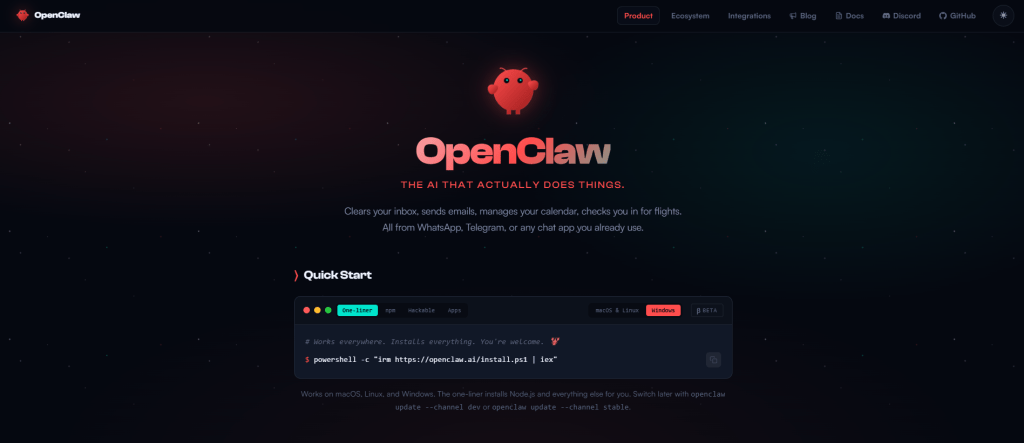
OpenClaw is an open-source, self-hosted AI agent runtime. You install it on your own machine or server, where it runs as a persistent background process and executes tools on your behalf.
It runs as a single Node.js process called the Gateway, which routes messages from channels like Telegram, WhatsApp, Discord, and Slack to the agent and back. The project has been renamed twice on the way to its current name, from Clawdbot to Moltbot to OpenClaw.
Architecturally, OpenClaw separates the agent logic that decides what to do, the runtime that manages state and lifecycle, and the tools that reach the outside world. That separation is part of why it became popular for long-running personal agents rather than one-off chat sessions.
Why Teams Look for OpenClaw Alternatives
The reasons are practical, and most of them have nothing to do with whether OpenClaw works.
- Resource footprint: The Node.js runtime makes a long-running instance memory-heavy, often consuming hundreds of megabytes to over a gigabyte of RAM, which is a poor fit for small or edge hardware.
- Auditability: The core codebase runs to hundreds of thousands of lines across many files, so reviewing what the agent actually does before trusting it with accounts is not realistic for one person.
- Single-user design: OpenClaw was built for one operator. Teams that need shared access or multi-user controls hit limits without custom engineering.
- Subscription billing changes: In early 2026, Anthropic moved to block third-party agentic tools from using Claude Pro and Max subscriptions, so OpenClaw users running on Claude had to move to metered API billing, which raised costs.
- Security: OpenClaw runs with deep access to your files and credentials. In 2026 a critical gateway flaw exposed tens of thousands of instances, and over 300 malicious skills were caught stealing credentials. Safe use means sandboxing it and vetting every skill yourself, defaults most alternatives below build in.
OpenClaw Alternatives at a Glance
| Alternative | Hosting and Runtime | Model Support | Security Model | Best For |
|---|---|---|---|---|
| Hermes Agent | Self-hosted, Node.js | Any provider, local or cloud | Coordinated disclosure, Docker or OpenShell isolation | A near drop-in, safer OpenClaw swap |
| ZeroClaw | Self-hosted, single Rust binary, under 5MB RAM | Any OpenAI-compatible or local model | Supervised autonomy with approval gates | Edge and low-resource deployments |
| NanoClaw | Self-hosted TypeScript on Claude Agent SDK | Claude only | Mandatory per-agent OS container isolation | Security-first regulated teams |
| NVIDIA NemoClaw | Self-hosted wrapper, OpenShell sandbox, Linux plus NVIDIA GPU | Local open models or routed cloud | Kernel-enforced network, file, and syscall limits | A hard boundary around OpenClaw or Hermes |
| Claude Cowork | Managed cloud, Claude Desktop | Claude models | Vendor-managed | Non-technical users and teams |
| Manus | Managed cloud sandbox | External models, such as Anthropic’s | Vendor-managed, proprietary | Hands-off finished deliverables |
The Best OpenClaw Alternatives in 2026
The options below cover the realistic ways to replace or contain OpenClaw, from open-source runtimes you self-host to managed agents you do not. Each one is evaluated on what matters in production: security model, model support, hosting, and how much effort it takes to switch.
1. Hermes Agent
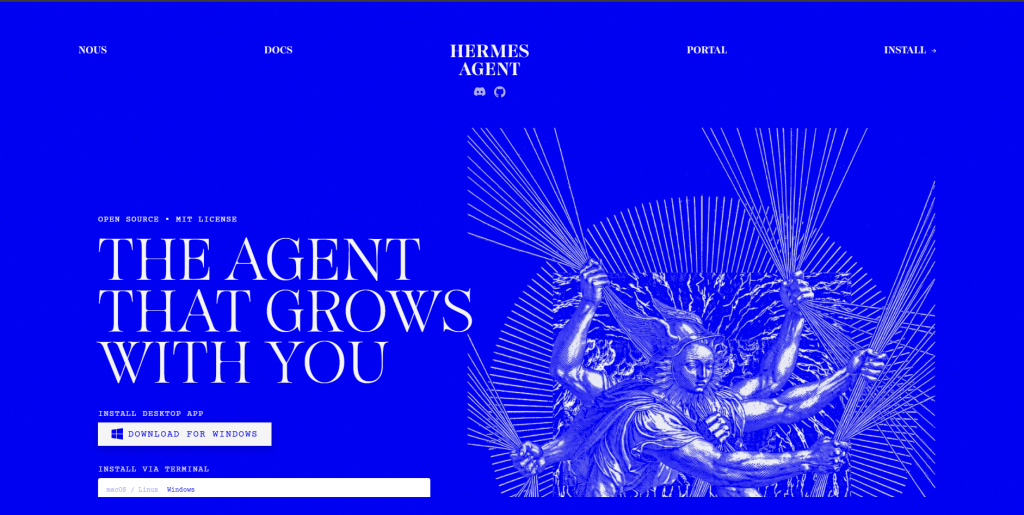
Hermes Agent is an open-source agent from Nous Research, the lab behind the Hermes family of open models. It installs as a native app for macOS, Windows, and Linux or straight from the terminal, and its guiding idea sits in its tagline, the agent that grows with you. Rather than treating each session as a clean slate, Hermes is built to run continuously and accumulate context and capability over time. Of every option here, it lines up most closely with what OpenClaw set out to be.
Features
- Multi-channel access from one gateway across Telegram, Discord, Slack, WhatsApp, Signal, email, and a CLI
- Provider and model agnostic, working with Nous Portal, OpenRouter, NVIDIA NIM, OpenAI, or local Ollama and LM Studio models, switchable without code changes
- Built-in migration from an existing OpenClaw install, including memories, skills, and API keys
- Multiple isolation backends, from terminal sandboxing to whole-process containment via Docker or NVIDIA OpenShell
- A documented security policy with a coordinated disclosure window and a private reporting channel
Limitations
- The community and skill ecosystem are smaller than OpenClaw’s ClawHub.
- Some advanced configuration assumes comfort with a terminal and config files.
Pricing
- Free: $0/month
- Plus: $20/month
- Super: $100/month
- Ultra: $200/month
Best For
Teams already running OpenClaw on Telegram, Discord, or Slack who want Docker or OpenShell-level isolation and a same-week migration, without losing existing memory, skills, or API keys.
2. ZeroClaw
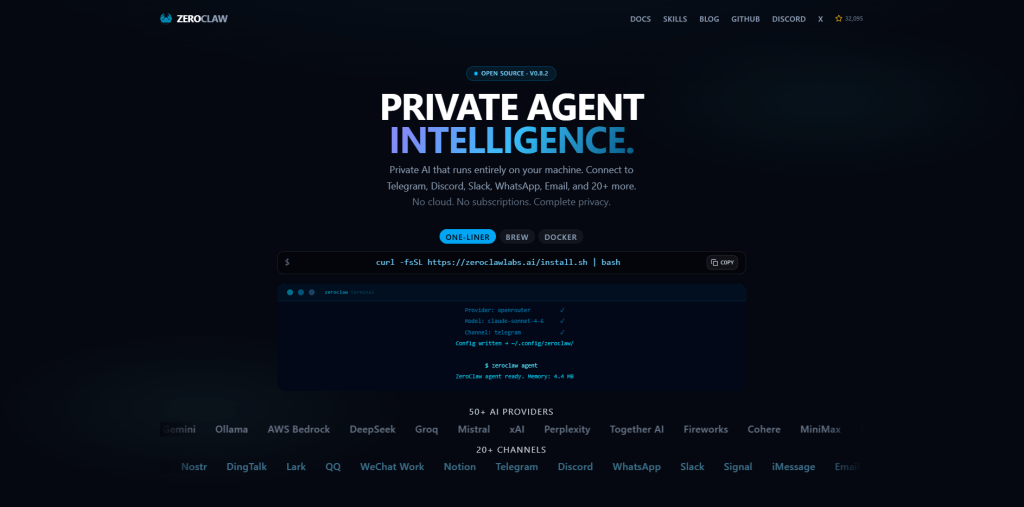
ZeroClaw is an open-source personal AI assistant written from scratch in Rust and described by its makers as fast, small, and fully autonomous. It grew out of the open-source community rather than a single vendor, built by contributors who wanted OpenClaw-style automation without a heavy runtime underneath it. The project treats an agent as portable infrastructure you can place on almost any machine and own outright, which is the thinking behind its performance-first, deploy-anywhere design.
Features
- Runs on hardware as small as a $10 single-board computer, an old laptop, or the cheapest VPS tier.
- Provider-agnostic across Anthropic, OpenAI, Ollama, OpenRouter, and any OpenAI-compatible endpoint, with fallback chains when a provider flakes.
- Reaches you across 30 or more channels, from Telegram, Discord, and Slack to email and a CLI, all feeding one agent loop.
- Supervised autonomy by default, where medium-risk actions need approval and high-risk ones are blocked, backed by OS-level sandboxing and cryptographic tool receipts.
- One-command migration from an existing OpenClaw install that carries over identity files and memory
Limitations
- Observability is minimal compared with a dashboard-first product.
- The skill ecosystem is far smaller than ClawHub, so you build or port more yourself.
Pricing
- Free and open source, dual-licensed under MIT and Apache 2.0
- Costs are limited to hosting and model API usage
Best For
Builders running several agents at once who need ZeroClaw’s under-5MB footprint instead of OpenClaw’s 300MB-plus per instance, on hardware as small as a $10 board or a $5 VPS.
3. NanoClaw

NanoClaw is an open-source agent presented as a lightweight alternative to OpenClaw that runs in containers. Its design philosophy runs opposite to a feature race. Where comparable runtimes sprawl across thousands of files, NanoClaw stays small by design and treats isolation as a starting assumption rather than something bolted on later. The aim is an agent compact enough to understand in full, a deliberate answer to how large and opaque personal-agent runtimes have become.
Features
- Mandatory container isolation, Apple Containers on macOS, Docker on Linux, so a compromised agent stays sandboxed.
- Reasoning loop runs on Anthropic’s Claude Agent SDK rather than custom logic.
- Persistent memory and scheduled tasks, the agent picks up where it left off.
- WhatsApp-only by design, a single channel to secure instead of several.
- Plain-file and SQLite state, open and inspect it with standard tools, no proprietary format.
Limitations
- It is Claude-only by design, with no choice of model provider.
- It leans toward a single channel and ships with fewer built-in tools.
Pricing
- Free and open source under an MIT license
- You pay for Claude API usage and hosting
Best For
Security engineers and regulated teams who need to review the whole agent before deployment and want a real kernel boundary as the default, not an option.
4. NVIDIA NemoClaw
NVIDIA NemoClaw is an open-source stack from NVIDIA that adds policy-based privacy and security guardrails to OpenClaw and can be deployed in a single command. It helps to be clear about its category. NemoClaw is not a standalone agent competing with the others on this list, it is a hardened way to run one. It takes an agent you already use, OpenClaw or Hermes, and gives it a governed runtime with the option to run open models locally, so a familiar agent gains a boundary it did not ship with.
Features
- OpenShell enforces network egress, filesystem writes, and syscall limits out of process, so even a compromised agent cannot override them
- Runs either OpenClaw or Hermes inside the sandbox with guided onboarding
- Routed inference with local open models such as Nemotron and Qwen, or cloud models, under defined privacy controls
- Lifecycle management with snapshot, restore, and teardown for the sandbox
- Support for WSL2 and for running on DGX Spark and RTX hardware
Limitations
- It requires Linux and NVIDIA hardware, and it is an alpha project.
- A sandbox hardens the runtime but does not change OpenClaw’s default habit of wiring many services to one agent.
Pricing
- Free and open source
- Costs are NVIDIA hardware plus model and inference usage
Best For
Teams that want OpenClaw’s or Hermes’s capabilities with a trust boundary they can rely on, especially organizations already running on NVIDIA GPUs.
5. Claude Cowork
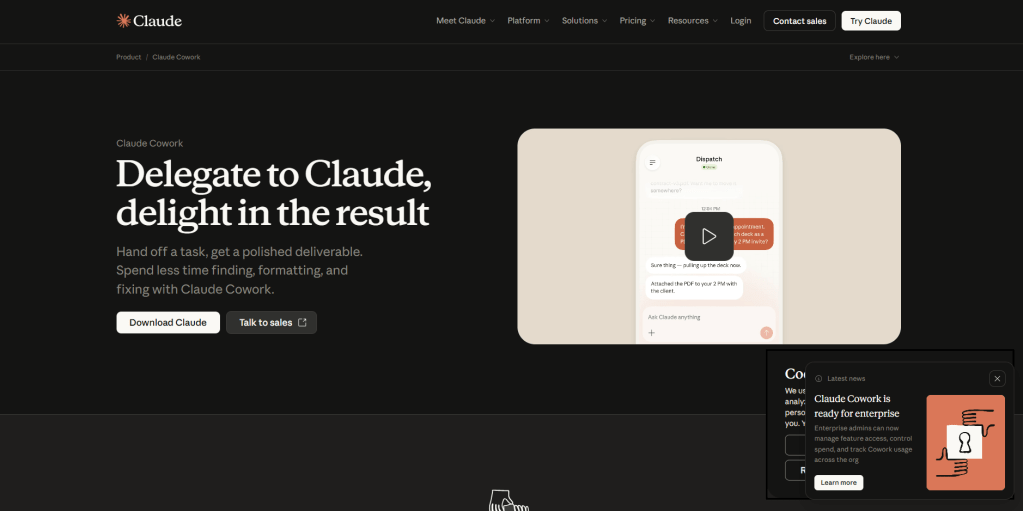
Claude Cowork is Anthropic’s own agentic capability, built directly into the Claude app rather than offered as a separate runtime to install and run. It sits at the managed end of this comparison, where the company that makes the model also operates the agent. The premise is delegation rather than conversation. You describe an outcome and Claude carries the task through on your behalf. For anyone drawn to an always-on agent but wary of the setup and upkeep, it is the lowest-friction way in..
Features
- Hands off multi-step tasks, file edits, app actions, research, that would otherwise mean manually switching between tools yourself
- Runs inside Claude Desktop on macOS, Windows, or Linux, no separate install or daemon to maintain
- Reasoning runs on Claude Opus or Sonnet, so model quality scales with whichever plan you’re on
- Bundled into the Claude subscription, one bill, no separate product or API key to wire up
- Built for non-technical users, point-and-describe instead of a terminal, config files, or flags
Limitations
- There is no self-hosting and limited deep local customization.
- Data and prompts run through Anthropic’s platform, and you cannot install arbitrary third-party skills.
Pricing
- Included with paid Claude plans, not the free tier
- Pro is $17/month and Max starts from $100/month for an individual
- For enterprises, the Team plan starts from $20 per seat, and custom Enterprise pricing is available
Best For
Teams already on Claude Pro, Max, or Team who want an always-on agent without a server or skill marketplace to maintain, extendable with external tools via MCP360.
6. Manus

Manus is a general-purpose AI agent, originally built by the startup Butterfly Effect. Meta acquired it for roughly $2 billion in late 2025, though Chinese regulators ordered the deal unwound in April 2026 and Meta began sunsetting Manus behind a data firewall in June while its founders pursue a buyback. Where the self-hosted options here are infrastructure you assemble and operate, Manus is a finished cloud product that runs on frontier models from providers such as Anthropic. It represents the most hands-off end of this comparison.
Features
- A cloud sandbox with nothing to install for the core product
- A Desktop app with a My Computer feature that reads local files and runs terminal commands on macOS and Windows
- Pre-built connectors for common business apps, plus support for custom MCP servers
- Concurrent and scheduled tasks for background execution
- Credit-based usage with no automatic overage billing, so spend has a hard ceiling
Limitations
- Credit costs are hard to predict, and monthly credits do not roll over.
- The platform’s future is uncertain. After China’s regulator blocked Meta’s acquisition in April 2026, Meta began sunsetting Manus behind a data firewall as of June 2026 while its founders pursue a buyback.
Pricing
- Standard: $17/month (billed annually)
- Customizable: $34/month (billed annually)
- Extended: $167/month (billed annually)
- Teams & Businesses: Custom pricing
Best For
Users who want a finished output handed back, a report, a webpage, a spreadsheet, rather than a chat transcript, though its ownership is still being sorted out post-acquisition.
How to Choose the Right OpenClaw Alternative
The best choice depends on how your agent will run and how much responsibility you want to hold, not on which project has the most stars.
- Hosting model: Self-hosted runtimes give you full control of the data and the runtime. Managed agents trade that control for zero setup and a vendor that handles security and uptime.
- Security model: Some options enforce container or kernel isolation by default. Others rely on hardening you apply yourself, which is where OpenClaw setups tend to go wrong.
- Footprint and hardware: A small compiled binary fits edge devices and cheap servers. A heavier runtime needs more memory but often brings a larger ecosystem.
- Provider flexibility: A few options run on any model or a local one. Others lock you to a single provider, which affects cost and data residency.
- Migration cost: Check whether the option can import an existing OpenClaw setup, since rebuilding every skill and integration from scratch is the slowest part of switching.
The right pick matches your operating model. Solo builders on small hardware, regulated teams that need isolation, and non-technical users who want a managed product all land in different places, and the answer can change as your workload, team size, or token bill grows.
The Tool Layer Every Runtime Needs
Choosing a runtime settles where your agent runs and how tightly it is isolated. It does not settle how that agent reaches the outside world, and that gap is where the OpenClaw skills problem began. An agent is only as safe as the tools it can call, and wiring each integration in by hand tends to leave credentials spread across config files and connections that quietly break.
MCP360 works on that layer, alongside whichever runtime you pick rather than in place of it. It is a unified gateway that gives an agent access to 100+ external tools through a single integration, built on the Model Context Protocol so every tool connects the same way. It loads only the tools a task needs, so adding servers never bloats the context window, and access runs through one governed endpoint backed by SOC 2 Type II, GDPR, and ISO 27001 compliance.
The path is the same whether you self-host or go managed. If you stay on OpenClaw, our OpenClaw and MCP setup guide covers routing every tool call through one endpoint and verifying it before any agent depends on it, and the same approach works when connecting Hermes with MCP360.
Frequently Asked Questions
What is OpenClaw, and what does it do?
OpenClaw is an open-source, self-hosted AI agent that runs on your own machine. It connects to apps such as Telegram and WhatsApp, remembers context across sessions, runs scheduled tasks, and executes tools through a single Node.js Gateway process.
Why are people moving away from OpenClaw?
Security and trust are the main reasons. OpenClaw runs with broad system permissions and trusts third-party skills by default. In 2026, a critical remote code execution vulnerability and a wave of malicious skills raised concerns, while its heavy resource usage, single-user design, and higher costs after Anthropic’s subscription changes led many teams to evaluate alternatives.
Is OpenClaw safe to use?
It can be, but not with the default configuration. A critical remote code execution flaw and malicious marketplace skills highlighted the need for additional safeguards. Best practices include binding the gateway to localhost, running it inside a container, reviewing third-party skills carefully, and rotating credentials after any suspected exposure.
Which OpenClaw alternative is best for most users?
Hermes Agent is the closest replacement for most users, offering similar capabilities with safer defaults and support for importing existing setups. ZeroClaw suits low-resource devices, NanoClaw focuses on strong isolation, and Claude Cowork is a good choice if you prefer a managed service. MCP360 can be used alongside any of them to handle external tool integrations.
Can I run a self-hosted AI agent on cheap or low-power hardware?
Yes. ZeroClaw is designed for low-resource environments. It runs as a single Rust binary, uses under 5 MB of RAM, and can operate on inexpensive boards, older laptops, or low-cost VPS instances that cannot comfortably run heavier AI agent frameworks.
How is NVIDIA NemoClaw different from OpenClaw?
NemoClaw is not a replacement for OpenClaw but a more secure way to run it. NVIDIA’s open-source stack runs OpenClaw or Hermes inside an OpenShell sandbox, enforcing kernel-level limits on network, file system, and system access. It is designed for Linux systems with an NVIDIA GPU.
How do I connect external tools to a self-hosted agent?
Using an MCP gateway is usually the simplest approach. Instead of maintaining separate integrations and credentials for every service, a unified gateway provides a single connection. MCP360 connects AI agents to more than 100 tools through one integration and loads only the tools needed for each task, helping reduce context window usage.
How can I control what tools and skills an AI agent can reach?
Follow the principle of least privilege. Give every tool only the permissions it requires instead of granting unrestricted access. A centralized gateway such as MCP360 makes this easier by letting you manage, review, and limit tool permissions as your AI agent gains access to more integrations.
Conclusion
OpenClaw set the template for the always-on personal agent. The reason builders now compare alternatives is that the template arrived without the security model the category needs, and the rest of the field has spent 2026 fixing that.
For a near drop-in move, Hermes Agent carries OpenClaw’s capabilities with safer defaults and can import your existing setup. ZeroClaw wins on a tiny footprint, NanoClaw wins when isolation has to be the default, and NemoClaw lets you keep OpenClaw behind a real boundary. For people who would rather not host anything, Claude Cowork is the steadier managed option while Manus works through its ownership questions. Match the choice to how much access you are willing to hand an agent and who you want holding the security responsibility, then revisit it when your workload, team size, or token bill changes.

Article by
HarsheenMCP & AI Agents | Content Writer
Harsheen is a content writer covering AI agents, automation, and no-code tools. She writes across topics from chatbots and customer experience to MCP and enterprise workflows, showing how real teams adopt AI in everyday operations.