The TL;DR
Most “best AI tools” roundups list whatever the writer has an affiliate link for. This one starts from a different question: which tools produce a measurable time difference in a normal week, and works backward from there.
-
• Real Numbers First
Government survey data puts average time savings from generative AI at a specific, unglamorous figure, and it’s lower than most vendor pitches imply.
-
• A Stricter Bar
Eighteen tools made this list, spanning writing, scheduling, voice, coding, design, resumes, social media, and the infrastructure that connects the rest, because each one removes a specific, recurring task, not because each one is popular.
AI tools that promise to save hours are easy to find. AI productivity tools that actually do it in a normal week, without adding a new layer of checking and fixing, are harder to identify with confidence.
The Federal Reserve Bank of St. Louis found workers save an average of 5.4% of their work hours, roughly 2.2 hours in a 40-hour week, well below the number most marketing pages promise. A separate June 2026 study from Glean’s Work AI Institute found a related pattern from a different angle. Surveyed workers reported saving around 11 hours a week using AI tools, but spent close to 6 of those hours on what the report calls “botsitting,” feeding AI tools missing context, checking their output, and cleaning up mistakes. The two studies measure different things, but they point the same direction. The time an AI tool claims to save and the time it actually hands back to you aren’t the same number.
This list holds every tool to that standard before including it. Eighteen tools made the cut, and the category breakdown below shows where each one fits. These AI tools help you automate your workflows with efficiency.
How We Chose These AI Productivity Tools
Here’s how selection actually worked. A tool earned a place on this list only if it replaced a task you’d otherwise do by hand, not if it just made an existing task feel faster to start. That single test eliminated far more tools than it let through. The result is eighteen picks instead of a generic AI tools directory.
- Replace the task, not just the first draft of it: Many AI productivity tools optimize for the wrong moment, shaving ten seconds off a first draft, then handing back something subtly wrong that costs fifteen minutes to fix. Every tool here cleared a higher bar. The task it replaces, transcribing a meeting, building a slide deck, rewriting a function, produces comparable quality to doing it by hand, just genuinely faster.
- Let specialists sit next to generalists: A single-purpose tool that does its one job well often beats a generalist trying to do everything. General-purpose chat tools still made the cut, but alongside narrower, single-job tools rather than in place of them, since neither category alone covers a full week of work.
- Weigh price against time actually saved: A $20 monthly tool that removes an hour of weekly work pays for itself in the first session. A $200 tool that removes twenty minutes does not, no matter how impressive the demo looks. Cost only counts against the hours it actually gives back.
That’s the bar all eighteen tools cleared, and it’s a higher one than most best-of lists bother setting.
Best AI Productivity Tools by Category
| Category | Tools |
|---|---|
| General Assistant | ChatGPT, Claude |
| Workflow Automation | MCP360, YourGPT |
| Research | Perplexity |
| Workspace | Notion AI |
| Writing | Grammarly |
| Voice | Wispr Flow, ElevenLabs |
| Coding | Cursor, Bolt.new |
| Scheduling & Meetings | Motion, Reclaim.ai, Fireflies.ai |
| Presentations | Gamma |
| Design | Adobe Firefly |
| Resume Building | Teal |
| Social Media | Buffer |
18 Best AI Tools for Productivity
1. ChatGPT
ChatGPT is OpenAI’s general-purpose AI assistant, built on the GPT model family and accessed through a chat interface on the web, desktop, and mobile apps. It handles writing, research, coding, and voice conversation inside one product, rather than splitting those into separate specialized apps.
It gives most value in tasks where switching between apps costs more time than a slightly-less-specialized answer in one place. ChatGPT also supports custom MCP connectors on paid plans, so you can reach external tools the same way Claude and Cursor do elsewhere on this list.
Features
- Persistent memory carries details across every conversation, not just within a single Project, so it recalls preferences and context from months back
- Projects carries memory and files across sessions instead of resetting each time
- Deep Research produces a citable report instead of a pile of open tabs
- Built-in web search pulls current results into an answer without leaving the chat window
- Generates images and runs data analysis in the same chat via DALL-E and Code Interpreter
Limitations
- Confidently answers niche technical questions it should hedge on, which means the answers you should double-check are the ones that feel most convincing
- Long threads drift, and instructions from early in a conversation get dropped as it goes on
Pricing
- Free: $0 per month.
- Plus: $20 per month, billed monthly only, no annual option.
- Pro: $100 per month for 5x the usage of Plus, or $200 per month for 20x.
Best For
Best for someone who wants one AI subscription that reasonably covers writing, research, and coding instead of paying for three specialized tools.
2. Claude
Anthropic built Claude as an AI assistant for long-context reasoning across documents, codebases, and multi-step writing or analysis. It ships as a chat product on the web, a coding tool called Claude Code, and an API, all built on the same underlying models, with Claude Sonnet 5 as the current default for most everyday conversations.
Reach for Claude specifically when a document or codebase is too long or too consequential to hand to a tool that starts guessing once it runs low on context. You’ll notice the difference most on a final draft or a production codebase, less on a quick, throwaway answer.
Features
- Holds context across long documents and large codebases without losing the thread
- Projects creates a persistent workspace with its own instructions and reference files for an ongoing piece of work
- Extended thinking mode shows its reasoning step by step before answering, useful for checking the logic behind a complex or high-stakes answer
- Artifacts pulls generated code, documents, or diagrams into a separate editable panel instead of burying them in chat
- Connects directly to MCP servers through the Model Context Protocol, so external tools reach the assistant without custom integration code
Limitations
- No native image generation and fewer multimodal extras than ChatGPT or Gemini
- Declines or hedges more often than some users want on requests near a gray area
Pricing
- Free: $0 per month, everyday chat with usage limits.
- Pro: $17 per month, at least five times the usage of Free.
- Max: $100 per month (5x Pro usage) or $200 per month (20x Pro usage).
Best For
Best for long documents, large codebases, or any task where losing context partway through would actually cost you the work.
3. MCP360
MCP360 is a unified gateway that gives AI agents access to 100+ external tools through a single Model Context Protocol connection. It works with any MCP-compatible client, including Claude and Cursor, both covered elsewhere on this list.
You won’t use MCP360 directly for a single task the way you would the other seventeen tools here. Instead, it’s the layer that lets an agent you’re already using, like Claude or Cursor, reach categories of external data (live search, scraping, maps, and similar) that the rest of this list doesn’t touch.
Features
- One integration replaces separate setup for each external data source a workflow needs
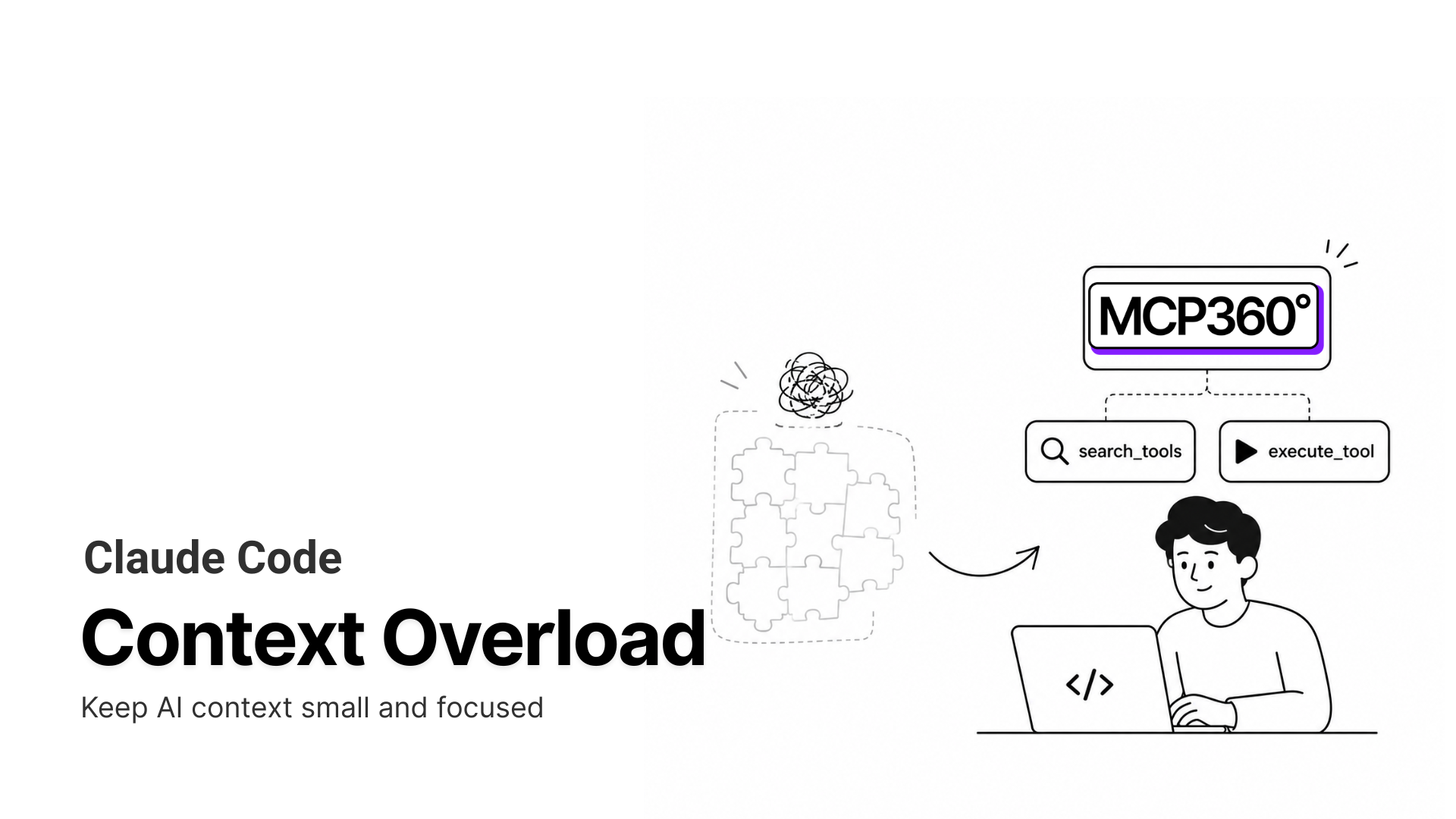
- Tools load on demand through meta-tools, so adding more of the catalog doesn’t bloat the context window
- The Custom MCP Builder turns an internal API into a callable tool without hosting a separate server
- Automatic failover keeps a workflow running when an upstream API changes or breaks
- Chat Playground lets you test a tool call before wiring it into a live agent workflow
Limitations
- Not worth the setup if your workflow only relies on one or two external tools.
- Large tool catalogs can require occasional updates as APIs, integrations, or MCP servers evolve.
Pricing
- Free: $0 per month, 100 credits.
- Starter: $16 per month billed annually ($19 monthly), 2,000 credits.
- Professional: $83 per month billed annually ($99 monthly), 10,000 credits.
- Advanced: $333 per month billed annually ($399 monthly), 100,000 credits.
Best For
Best for a Claude or Cursor workflow that needs live external data, search, SEO, maps, and similar, without wiring up each source by hand.
4. Perplexity
Powered by its own Sonar model family, Perplexity works as an AI-powered answer engine that searches the live web and returns a synthesized response with citations instead of a list of links to click through. Comet, its companion browser, extends the same search-and-cite approach to acting on web pages directly.
Open Perplexity when you need a current, verifiable answer rather than a model’s memorized best guess. You’ll feel that distinction most on anything time-sensitive, where a chatbot’s training data is already out of date by definition.
Features
- Every answer carries citations you can actually check
- Synthesizes several sources into one coherent response instead of a list of links
- Focus modes narrow a search to a specific source type, like academic papers or Reddit discussions, instead of the general web
- Model picker lets you choose which underlying AI model synthesizes the answer
- Spaces organize ongoing research by project, keeping files and context together across sessions
Limitations
- Can oversimplify a genuinely complex topic, so the summary sometimes needs a follow-up read of the source
- Very recent or niche topics are limited by what’s actually indexed on the web that week
Pricing
- Free. $0 per month.
- Pro: $200 per year on annual billing.
- Max: $200 per month, for the heaviest individual users.
- Enterprise Pro: Around $40 per seat per month, adding admin controls.
Best For
Best for research and fact-checking where the answer needs to be current and verifiable, not just plausible.
5. Notion AI
Notion AI is the AI layer built into the Notion workspace, adding chat, writing assistance, and an autonomous Notion Agent on top of the docs, wikis, and databases teams already keep there. It isn’t a standalone product, it only exists inside a Notion workspace.
You’ll notice its edge over a general chatbot specifically on workspace-bound questions, not general writing or reasoning tasks. Most teams pair it with a broader assistant rather than replace one entirely.
Features
- Answers pull from your team’s actual workspace instead of general training data
- AI Meeting Notes converts a transcript into action items automatically
- Notion Agent completes multi-step tasks on its own, like updating a project tracker or drafting a status report, not just answering questions
- Enterprise Search pulls answers from connected apps like Slack and GitHub, not just Notion pages
- AI Autofill tags and summarizes large databases automatically instead of row by row by hand
Limitations
- General writing and reasoning quality trail purpose-built tools like ChatGPT or Claude on anything outside your workspace
- Accuracy drops once a question needs synthesizing across many pages instead of one, since the answer is grounded in what’s already written rather than reasoned independently
Pricing
- Free: $0 per member per month, limited one-time AI trial only.
- Plus: $10 per member per month billed annually, same limited AI trial as Free.
- Business: $20 per member per month, full Notion Agent, AI Meeting Notes, and Enterprise Search.
- Enterprise: Custom pricing, adds zero data retention with LLM providers.
Best For
Best for a team already living inside Notion that wants answers pulled from its own docs instead of a separate search step.
6. YourGPT
YourGPT gives teams a no-code way to build AI agents for customer support, sales conversations, and routine operational requests. It’s aimed at teams that want a working agent live without hiring a developer to build one from scratch.
If you’re setting this up, you’re building a support and operations tool rather than a personal productivity assistant, since you likely aren’t the one benefiting from the hours it saves day to day. That makes it the odd one out on this list, useful precisely because it automates other people’s repetitive work.
Features
- Lead generation captures and qualifies prospects directly inside a conversation, not just answers support questions
- AI Studio adds real workflow logic, API calls, validations, data processing, for cases a simple FAQ bot can’t cover
- One agent carries context across website, app, and messaging channels instead of resetting per channel
- Escalates to a human agent automatically rather than stalling a customer in an unresolved loop
- Trains directly from a website URL, sitemap, Notion pages, YouTube video, or uploaded files like PDF and DOCX
Limitations
- Advanced workflows in AI Studio take real setup time before they start paying off
- Retraining after a website or document changes requires manually clicking reindex in the dashboard rather than updating in real time
Pricing
- Essential: $39 per month billed annually.
- Professional: $79 per month billed annually.
- Advanced: $349 per month billed annually.
- Enterprise: Custom pricing.
Best For
Best for a support or sales team that wants a no-code agent handling repetitive tickets before they reach a human.
7. Grammarly
Grammarly checks grammar, spelling, tone, and clarity as you type, running as a browser extension and app integration rather than a separate destination. It layers AI rewriting and detection tools on top of the traditional grammar-check core it built its name on.
You get the most value from it catching what you miss under deadline pressure, not from generating original content from scratch. Think of it as a proofreading and tone layer, not a replacement for a chat-based writing tool.
Features
- Style Guide lets a team define and enforce a consistent brand voice, terminology, and tone across everyone’s writing
- Tone detection catches a message that reads curt or blunt before it goes out
- Grammarly Authorship flags whether a piece of text was typed, pasted, or AI-generated, useful for academic integrity or content-authenticity checks
- Full-sentence rewrites adjust tone between casual, formal, and confident without retyping from scratch
- Plagiarism and AI-text detection run inside the same editor as the grammar check
Limitations
- Suggestions occasionally flip the intended meaning of a sentence, and losing a word like “not” is a documented, real failure mode rather than a rare edge case
- Gets noticeably slower on long documents, especially inside a browser-based editor
Pricing
- Free: $0 per month.
- Pro: $12 per month billed annually.
- Enterprise: Custom pricing.
Best For
Best for anyone who writes across many apps and wants tone and clarity caught before hitting send, not a primary writing tool.
8. Wispr Flow
Wispr Flow is a voice dictation tool that turns spoken words into polished, formatted text inside whatever app you’re already using, rather than a separate notes app of its own. It runs in the background and activates with a keyboard shortcut across the desktop and supported mobile apps.
The pitch is you speak naturally and get clean text back, reportedly around four times faster than typing for most people. That only pays off if dictation actually fits how you work, since it changes the physical act of writing rather than what you write about.
Features
- Cleans up spoken words into polished text automatically, correcting filler words and false starts without a manual edit pass
- Works inside any app that accepts typed text, not just a dedicated notes or email client
- Custom dictionary learns names, acronyms, and terms specific to your work
- Supports 100+ languages within the same dictation flow
- Privacy Mode processes dictation without using it to train the underlying model
Limitations
- Requires an internet connection for processing, so dictation stops the moment connectivity drops
- Multiple independent review trackers report inconsistent performance after the trial period ends, with some users describing rougher output after purchase than during evaluation
Pricing
- Basic: $0 per month.
- Pro: $12 per month billed annually.
- Teams: $10 per user annually.
- Enterprise: Custom pricing.
Best For
Best for anyone who thinks faster than they type and wants that speed to show up as clean text in whatever app they’re already working in.
9. ElevenLabs
ElevenLabs converts text into realistic speech and can clone a voice from a short audio sample, an AI voice generation platform built for narration, dubbing, and voice agents rather than personal dictation.
Don’t confuse this with a tool like Wispr Flow. Wispr Flow turns your own speech into text, while ElevenLabs turns text into someone else’s voice, real or synthetic, so you’d likely use both rather than choose between them.
Features
- Generates custom sound effects, like footsteps or ambient noise, directly from a text description
- Multilingual dubbing preserves the original speaker’s tone and pacing across languages
- Two model tiers trade speed for quality, a fast model for drafts and a higher-fidelity model for final renders
- Conversational voice agents respond in real time with sub-second latency on the fast model
- API access lets developers embed generated speech directly into an app or product
Limitations
- Voice cloning quality depends heavily on the cleanliness of the source audio sample, so a noisy or low-quality recording produces a noticeably worse clone
- Highly emotional or very fast speech can still sound slightly synthetic despite the realism of standard narration
Pricing
- Free: $0 per month.
- Starter: $6 per month.
- Creator: Around $11 per month.
- Pro: $99 per month.
- Scale and Business: $299 to $990 per month.
- Enterprise: Custom pricing.
Best For
Best for narration, voiceover, or dubbing work where the output needs to sound like a real person, not for turning your own speech into typed text.
10. Cursor
Built as a fork of VS Code, Cursor adds a chat interface, an autonomous Agent mode, and codebase-aware suggestions on top of a familiar editing environment. It’s aimed specifically at developers working in a real codebase, not general writing or research.
The distinction from a plugin like GitHub Copilot is scope. Cursor reasons across your entire project instead of just completing the current line, which changes what kind of task you’d actually reach for it to do.
Features
- Handles large codebases well enough to make multi-file changes safer to hand off
- Reduces time on repetitive work like renaming, updating imports, and cross-file refactors
- Connects to MCP servers directly, so external tools and data sources reach the agent without custom glue code
- Background Agents keep a long task running in the cloud while you switch to something else
- Bugbot reviews a pull request and flags issues before a human reviewer looks at it
Limitations
- AI-suggested changes still need review in complex or critical code paths
- Auto mode silently routes a request to whichever model is most cost-efficient at that moment, so output quality can shift between requests without you choosing which model answered
Pricing
- Hobby: $0 per month, limited agent requests, and tab completions.
- Pro: $16 per month, includes a usage-credit pool.
- Teams: $32 per month, a larger credit pool.
- Enterprise: Custom pricing
Best For
Best for developers doing multi-file work across a real codebase, not someone who just wants inline autocomplete.
11. Bolt.new
StackBlitz built Bolt.new as a browser-based AI app builder that turns a text prompt into a working full-stack application, generating frontend and backend code together in real time. Everything happens inside the browser, including a live preview as the app takes shape.
The category is often called vibe coding, describing a prompt-and-iterate workflow rather than writing code line by line yourself. It suits early prototypes and MVPs more than the long-term maintenance you’d do on a mature codebase.
Features
- Imports a Figma design file directly and turns it into working frontend code instead of starting from a text description alone
- Live preview updates as the app is built, so changes are visible immediately
- Supports third-party API integrations directly inside a generated app
- Built-in version control and project management keep iterations organized
- Generated code stays visible and editable rather than hidden behind the prompt interface
Limitations
- Token usage scales with project size and complexity, so a large or heavily-iterated project consumes its allotment faster than a small one
- Complex, feature-heavy projects can slow down as they grow, since everything runs inside the browser
Pricing
- Free: $0 per month, 1 million tokens with a daily cap.
- Pro: $18 per month, annually billed.
- Teams: $27 per member, annually billed.
- Enterprise: Custom pricing.
Best For
Best for turning an idea into a working prototype fast, before deciding whether it’s worth building out properly.
12. Motion
Motion is an AI scheduling and task-management platform that folds a to-do list, calendar, and meeting notes into one continuously updated plan, rather than three separate tools a person checks throughout the day.
It suits you if you want a single system to own your calendar entirely, not if you’re layering AI scheduling on top of a task manager you already like. That full-ownership model is both its strength and the main adjustment it asks of you.
Features
- Rebuilds the schedule automatically when something new and unplanned shows up
- Turns meeting notes into scheduled tasks without a separate step after the call ends
- AI Task Manager scores deadlines, priorities, and dependencies to flag which tasks are actually at risk of slipping
- AI Project Creation scaffolds phases, tasks, and dependencies from a plain-language description of the work
- A one-click email assistant drafts replies and turns emails into scheduled tasks without leaving the inbox
Limitations
- The same auto-rescheduling that makes it useful is also the top complaint, since it moves the day around without asking first
- Works best when it fully controls the calendar, so running it alongside another task manager or calendar app creates conflicting schedules
Pricing
- Pro AI: $19 per month, 7,500 AI credits, individual use.
- Business AI: $29 per seat per month, 15,000 AI credits, team dashboards.
Best For
Best for someone willing to hand their entire calendar to one system in exchange for not managing it by hand.
13. Reclaim.ai
Reclaim.ai automatically schedules tasks, habits, and focus time around existing meetings on Google Calendar or Outlook, working as a layer on top of the calendar you already use rather than replacing it.
Reclaim and Motion differ mainly in scope. Reclaim focuses specifically on protecting your calendar time, while Motion bundles calendar, tasks, and notes into one broader system, so your choice often comes down to whether you want a focused tool or an all-in-one one.
Features
- Automatically schedules recurring habits like exercise or deep work as protected time blocks
- Smart one-on-one meeting scheduling finds times that work across multiple calendars
- Task integrations with tools like Asana, Todoist, and Jira pull deadlines directly into the calendar
- Reschedules automatically when a new meeting conflicts with already-planned time
- Calendar analytics show how time actually splits across meetings, focus work, and habits over a week or month
Limitations
- No native mobile app as of this writing, so calendar changes on the go go through a mobile browser instead of a dedicated app
- All data is hosted in the United States with no EU data residency option, which matters for teams under GDPR data-residency requirements
Pricing
- Free: $0 per month, 1 calendar connection, up to 3 scheduling links.
- Starter: $10 per user per month billed annually, 2 calendar connections, task management, time tracking.
- Business: $15 per user per month billed annually, team analytics and advanced integrations.
- Enterprise: $22 per seat, per month.
Best For
Best for protecting focus time and habits automatically on a calendar you already use, without adopting a full task-management system.
14. Gamma
Gamma builds presentations, documents, and simple webpages from a single prompt-driven engine, running on a mix of underlying AI models, including Claude and GPT, rather than one in-house system. It has grown past 70 million users since launch, making it one of the more widely adopted AI presentation tools.
You’ll get the most from Gamma at the first-draft stage, turning a rough idea into a structured, shareable artifact quickly. Polishing that draft for a client-facing deliverable is usually still a separate step you’ll do yourself.
Features
- Gamma Agent researches the web with citations and can restyle an entire deck through natural-language chat
- Card-based layout expands to fit content instead of forcing everything into a fixed slide shape
- The same output can publish as a webpage as well as export to PowerPoint or PDF
- Generates documents, social posts, and simple websites from the same engine, not just slide decks
- Engagement analytics show views, scroll depth, and time spent once a deck is shared
Limitations
- PowerPoint export sometimes needs manual cleanup before it matches what the in-app editor showed
- The card-based format doesn’t map cleanly onto strict corporate templates that require fixed slide layouts and locked brand elements
Pricing
- Free: $0 per month, 400 one-time AI credits that don’t refill.
- Plus: Around $9 to $10 per month.
- Pro: Around $18 to $20 per month, larger credit pool and custom branding.
- Ultra: Around $90 per month, for heavy individual use.
Best For
Best for turning a rough outline into a presentable first draft fast, before a final round of manual polish.
15. Adobe Firefly
Adobe Firefly is Adobe’s generative AI engine for images, video, vectors, and audio, built into Photoshop, Illustrator, and Premiere Pro as well as a standalone web app. It trains exclusively on licensed and public domain content, Adobe’s main differentiator against models trained on scraped web images.
You’ll get the most value from Firefly if you’re already working inside Adobe’s other apps, since its tools sit inside what you’re editing rather than requiring a separate export. The safety guarantee counts most for a business that can’t risk an IP dispute over an AI asset, less for a solo creator on a personal project.
Features
- Generative Fill extends, removes, or adds objects inside Photoshop using a plain-language prompt instead of manual retouching
- Text to Vector generates fully editable vector graphics that open directly in Illustrator, not just raster images
- The Firefly Video Model turns a text prompt or still image into a short video clip
- Partner model access routes the same prompt through Google, OpenAI, or other third-party models from one interface
- Firefly Boards turns a single prompt into a full moodboard of visual directions for early-stage brainstorming
Limitations
- Best results depend on pairing it with other Adobe apps like Photoshop or Illustrator, so a workflow entirely outside Adobe’s other tools gets a narrower slice of what Firefly can do
- Firefly generates images, video, and vectors from a prompt, but it isn’t a template-based layout tool, so building a finished social post or slide deck from a blank canvas still needs a separate design app
Pricing
- Free: $0 per month, 25 generative credits, watermarked output.
- Standard: $9.99 per month, 2,000 premium credits with unlimited standard image generation.
- Pro: $19.99 per month, 4,000 premium credits.
- Pro Plus: $49.99 per month, 10,000 premium credits.
- Premium: $199.99 per month, 50,000 premium credits.
Best For
Best for a business or creator already working inside Photoshop or Illustrator who needs commercially safe, IP-indemnified generative images or video without leaving that workflow.
16. Teal
Teal centers on an AI resume builder, a job tracker, and a cover letter generator, used by more than 4 million job seekers for organizing and tailoring applications rather than submitting them automatically.
Teal works as an organizer first and a writing tool second, built around the reality that you’re likely managing dozens of applications at once rather than perfecting one resume. The AI layer exists to speed up tailoring each application to its specific posting, not to write your resume from a blank page.
Features
- Scores a resume against a specific job description and highlights missing keywords
- Generates metric-focused resume bullet points from a plain description of the work done
- Job tracker organizes applications by stage on a kanban-style board
- Chrome extension saves job postings directly from job boards into the tracker
- LinkedIn Resume Builder converts an existing LinkedIn profile into a formatted resume
Limitations
- Does not submit applications on your behalf, every application still needs a manual click
- AI-generated bullet points and summaries need a human pass, since the output can read generic or occasionally overstate an accomplishment
Pricing
- Free Forever: $0 per month, unlimited resumes and job tracking, 10 AI credits for resume bullets.
- Teal+: $13 per week, $29 per month, or $79 per quarter.
Best For
Best for someone actively job hunting who wants every application tailored to the specific posting without starting each resume from scratch.
17. Buffer
Buffer is a social media scheduling platform that plans, queues, and publishes posts across multiple networks from one content calendar. It’s built around simplicity, covering scheduling and basic analytics rather than the deeper listening and reporting tools aimed at larger teams.
Buffer stays deliberately narrow in scope, covering the scheduling and light analytics loop without expanding into social listening or competitor tracking. It’s often the first tool you’ll reach for on a small team, before you outgrow it into something with more depth.
Features
- Analytics highlight which post format and posting time perform best, not just raw engagement totals
- AI assistant helps draft captions and repurpose ideas into platform-specific posts
- Landing page builder creates a simple link-in-bio page without a separate tool
- First-comment scheduling and hashtag management ship as built-in features, not add-ons
- Native automation integrations with Zapier, Make, and n8n connect Buffer to other tools without custom code
Limitations
- Free plan caps scheduled posts at 10 per channel, which fills up fast for anyone posting daily
- Does not include AI image or video generation, so visual assets still need to come from another tool
Pricing
- Free: $0 per month, up to 3 channels, 10 scheduled posts per channel.
- Essentials: $5 per channel per month billed annually.
- Team: $10 per channel per month billed annually, unlimited team members and approval workflows.
Best For
Best for a solo creator or small team managing a handful of channels who wants simple scheduling without paying for enterprise listening tools.
18. Fireflies.ai
Fireflies.ai joins a video call as a visible bot participant, records and transcribes the conversation in real time, and generates a searchable summary once the call ends. It works across Zoom, Google Meet, and Microsoft Teams rather than being tied to one video conferencing tool.
Its purpose is narrow by design, capturing and organizing what happened in a meeting rather than managing tasks or calendars. You’ll likely pair it with a broader task or project tool rather than expect it to replace one.
Features
- Supports transcription and summaries across 100+ languages in the same workspace
- Speaker recognition and searchable transcripts make it easy to find a specific moment later
- Integrates with CRMs, Slack, and calendars so meeting output lands where the rest of the work already happens
- AskFred answers questions about past meetings in natural language instead of rereading transcripts
- Automatically extracts action items and highlights so a team doesn’t have to scan the full transcript for next steps
Limitations
- Accuracy drops when participants talk over each other or use heavy jargon
- AI-generated summaries can miss or mislabel details, so anything decision-critical still needs a manual check against the transcript
Pricing
- Free: $0 per month, basic use.
- Pro: $10 per user per month billed annually.
- Business: $19 per user per month billed annually.
- Enterprise: $39 per user per month.
Best For
Best for anyone who wants meetings captured and searchable without a person dedicated to taking notes.
AI Productivity Tools Compared
| Tool | Category | Best For | Entry Paid Price | Free Tier |
|---|---|---|---|---|
| ChatGPT | General assistant | Writing, coding, and research in one place | $20/mo (Plus) | Yes |
| Claude | General assistant | Long documents and codebases that need to stay coherent | $17/mo (Pro, annual) | Yes |
| MCP360 | Agent infrastructure | Connecting an agent to 100+ external tools in one setup | $16/mo (Starter) | Yes, 100 credits |
| Perplexity | Research | Cited, real-time research | $17/mo (Pro, annual) | Yes |
| Notion AI | Workspace | Answers pulled from your team’s own docs | $20/seat/mo (Business) | Limited trial only |
| YourGPT | Customer support | No-code support agents that escalate to a human when needed | $39/mo (Essential) | No, trial only |
| Grammarly | Writing | Catching tone and clarity issues before you hit send | $12/mo (Pro) | Yes |
| Wispr Flow | Voice dictation | Speaking instead of typing across any app | $12/mo (Pro, annual) | Yes |
| ElevenLabs | Voice generation | Realistic narration and voice cloning | ~$5–6/mo (Starter) | Yes, no commercial rights |
| Cursor | Coding | Multi-file coding and refactors | $16/mo (Pro, annual) | Yes |
| Bolt.new | Vibe coding | Prompt-to-prototype full-stack apps | $18/mo (Pro, annual) | Yes |
| Motion | Scheduling | Auto-rebuilding your calendar around real priorities | ~$13/mo (Pro AI, annual) | No |
| Reclaim.ai | Scheduling | Protecting habits and focus time on your existing calendar | $10/seat/mo (Starter) | Yes |
| Gamma | Presentations | Prompt-to-deck instead of a blank canvas | ~$8–18/mo (Plus/Pro, annual) | Yes |
| Adobe Firefly | Design | Commercially safe generative images, video, and vectors | $9.99/mo | Yes, 25 credits |
| Teal | Resume building | Tailoring a resume to each job posting | $29/mo (Teal+) | Yes |
| Buffer | Social media | Simple scheduling for a small team’s channels | $5/channel/mo (Essentials) | Yes |
| Fireflies.ai | Meetings | Meeting transcripts and action items | $10/seat/mo (Pro) | Yes |
The $15-to-$20-a-month entry point shows up often enough that it’s less a coincidence than the going rate for a serious individual AI subscription in 2026. Which tool costs less matters far less than which recurring task you’re actually paying to remove.
How to Choose the Right AI Productivity Tool
Eighteen tools is a lot to weigh at once, so narrow the decision to a few questions before subscribing to anything.
- Start with the task that actually eats your week: Writing, scheduling, meetings, coding, design, and connecting other tools together are different jobs with different bottlenecks. A tool that’s excellent at one of them rarely helps much with another, so pick the category tied to where your hours actually go, not the one with the flashiest demo.
- Match the category before you compare price: Two tools at the same $20-a-month price point can solve completely different problems. Cursor and Grammarly cost the same and share almost nothing else. Decide the job first, then compare options within that job.
- Check whether it plays well with what you already use: A tool that works inside Gmail, Slack, or your existing calendar tends to get adopted. A tool that requires a new tab, a new login, and a new habit tends to get abandoned within a month, no matter how capable it is.
- Test on the free tier before committing to a year: Most of the tools here have a genuine free plan or a short trial. Run your actual weekly task through it for a week or two before paying annually. If the tool would go unmissed the moment it disappeared, it isn’t earning its subscription.
- Resist the urge to buy the whole stack at once: Adopting one tool, using it consistently, and confirming it saves real time before adding the next one keeps the eighteen-tool sprawl from becoming its own time sink. Growing a stack slowly makes the individual hours saved add up instead of canceling each other out.
Answer those five in order and the shortlist narrows itself, usually down to one or two tools worth an actual trial instead of eighteen tabs open at once.
Frequently Asked Questions
What are the best AI tools for productivity in 2026?
The strongest picks in 2026 replace a task outright instead of just producing a faster first draft. ChatGPT and Claude cover general writing, research, and reasoning. Cursor and Bolt.new handle coding. Grammarly, Wispr Flow, and ElevenLabs cover writing and voice. Motion, Reclaim.ai, and Fireflies.ai manage scheduling and meetings. The right one depends on which task actually eats your week, not which tool has the most features.
How much time do AI tools actually save?
The Federal Reserve Bank of St. Louis found that workers using generative AI save an average of 5.4% of their work hours, roughly 2.2 hours in a 40-hour week. That is real, but smaller than most marketing pages promise, and a separate 2026 workplace analysis found workers lose a comparable chunk of that time to “botsitting,” re-pasting context and checking AI output. The net figure, after that cleanup, is what actually matters.
What’s the difference between Claude and ChatGPT for productivity?
Claude holds up better on long documents and large codebases, staying coherent instead of guessing once it runs low on context, which matters most for a final draft or production code. ChatGPT covers writing, coding, and research well enough in one place that switching tools rarely pays off, and it adds voice conversation and built-in web search. Both connect to external tools through the Model Context Protocol on paid plans.
Are there any free AI productivity tools worth using?
Most tools on a well-chosen list offer a genuine free tier, not just a demo. ChatGPT, Claude, Perplexity, Grammarly, Cursor, and Buffer all have usable free plans, and MCP360’s free tier includes 100 credits a month to test its tool gateway before paying for anything. A few tools, like Motion and YourGPT, skip a free tier entirely and rely on a trial instead, so check before assuming one exists.
Do I need multiple AI tools, or is one general assistant enough?
A single assistant like ChatGPT or Claude covers a lot, but a single-purpose tool built for one job, like Cursor for coding or Fireflies.ai for meetings, usually beats a generalist at that specific task. The better approach is adopting one tool at a time and confirming it saves real time before adding another. Tools like MCP360 exist specifically to connect several of these once your stack grows, so switching between them stops requiring manual copy and paste.
What is vibe coding, and which AI tools do it?
Vibe coding describes a prompt-and-iterate workflow where you describe what you want in plain language and the tool generates working code, instead of writing it line by line yourself. Bolt.new is a browser-based example, turning a text prompt or an imported Figma file into a working full-stack app with a live preview. It suits early prototypes and MVPs more than the long-term maintenance of a mature, already-built codebase.
How does MCP360 connect an AI agent to external tools?
MCP360 is a gateway that gives an MCP-compatible client, like Claude or Cursor, access to 100+ external tools such as search, SEO research, scraping, and maps, through one connection instead of a separate setup for each source. Tools load on demand through meta-tools, so adding more of the catalog does not bloat the context window. A Custom MCP Builder can also turn an internal API into a callable tool without hosting a separate server.
Which AI tool is best for automating customer support?
YourGPT is built specifically for this, letting you build a no-code AI agent that resolves routine tickets, FAQs, and simple sales questions without a developer. It carries context across a website, app, and messaging channels like WhatsApp, and escalates to a human agent automatically instead of stalling a customer in an unresolved loop. It suits a support or sales team more than an individual’s personal workflow.
Conclusion
AI productivity tools are heading toward less choosing and more connecting. The next real gain isn’t a nineteenth app added to this list, it’s the tools you already run talking to each other without you sitting in the middle as the human relay between them. Model Context Protocol is the clearest evidence that shift is already underway, letting an assistant like Claude or Cursor reach a calendar, a CRM, or a search engine mid-task instead of waiting for you to open another tab.
That changes what counts as a smart pick from here. A tool that does one job brilliantly in isolation will keep losing ground to one built to hand work off, and MCP360 exists specifically for that handoff, giving an agent access to the search, data, and automation layers no single product covers alone. The stack worth building over the next year won’t be the biggest one. It’ll be the most connected one.
Pick the one tool that removes a task you actually repeat every week, not the one with the loudest launch. Everything else on this list can wait until that first pick earns its place.
Tags

Article by
MitaliAI & Automation | Content Writer
Mitali is a content writer covering AI agents, automation, and no-code tools. Her writing spans the AI landscape, from support and sales automation to MCP integrations and agent workflows, with a focus on practical business use.