The TL;DR
OpenCode and Codex CLI both read a repo, edit files, and run shell commands from a terminal, and both are genuinely open source. The real differences are model choice, sandboxing, and where the money goes once the free tier runs out.
-
• Model Freedom vs One Vendor
OpenCode connects to 75+ model providers through Models.dev. Codex CLI runs only OpenAI’s GPT-5.6 family.
-
• Sandbox By Default vs Permission Prompts
Codex sandboxes every session automatically. OpenCode asks first, but that is a workflow safeguard rather than a security boundary.
-
• Free Software, Different Bills
Both are free to install. OpenCode bills through your model provider or its own Go/Zen plans. Codex bills through a ChatGPT plan, from $0 to $200 a month, or through a metered API key.
Being open source didn’t protect OpenCode from losing access to Claude. Anthropic began blocking consumer Claude Pro and Max subscriptions from routing through unofficial third-party tools in January 2026, and OpenCode was one of the products caught in the change. A project built on the promise of picking any model lost one of its most popular options within six weeks.
The block arrived in stages. Server-side checks began rejecting OpenCode’s OAuth tokens on January 9. Anthropic’s terms of service formally prohibited third-party subscription use by February 19.
OpenCode’s maintainers stripped the project’s Claude OAuth code that same day and added other subscription paths, evidence that open source and vendor independence are not the same claim.
Both tools are free, terminal-first, and genuinely open source, but they solve different problems.
OpenCode treats the model as a swappable choice. Codex CLI is OpenAI’s agent, sandboxed by default and built for one model family.
Developers comparing open source AI coding agents typically start with one of these two. The right pick depends less on raw capability than on which tradeoff a team can live with.
What Is OpenCode?
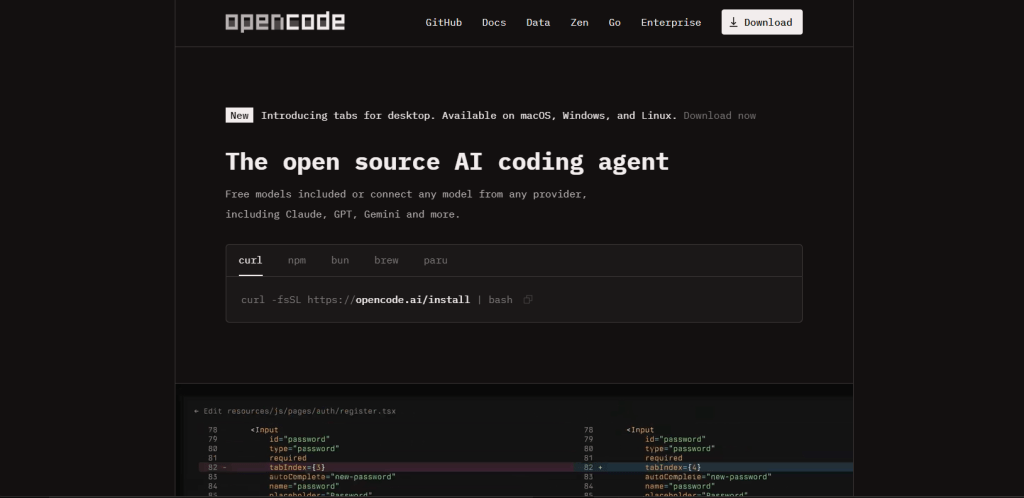
OpenCode is an open-source coding agent built by Anomaly, the team formerly behind the Serverless Stack framework, released under the MIT license.
The tool runs as a terminal interface, a beta desktop app for macOS, Windows, and Linux, and extensions for editors including VS Code. A local server sits behind every client, so the terminal UI, the desktop app, and an SDK script can all attach to the same session.
Quick facts:
- Install with
curl -fsSL https://opencode.ai/install | bash, or via npm, Homebrew, Scoop, or Nix - MIT licensed, written in TypeScript on Bun, over 195,000 GitHub stars as of this writing
- Connects to 75+ providers through the Models.dev registry, plus GitHub Copilot and ChatGPT Plus/Pro login as alternatives to a raw API key
- Two built-in agents ship by default, Build for full-access work and Plan for read-only exploration, switched with the Tab key
- OpenCode Go costs $5 for the first month then $10 a month for a curated set of open-weight models. OpenCode Zen is pay-per-request with no markup on top
What Is Codex?
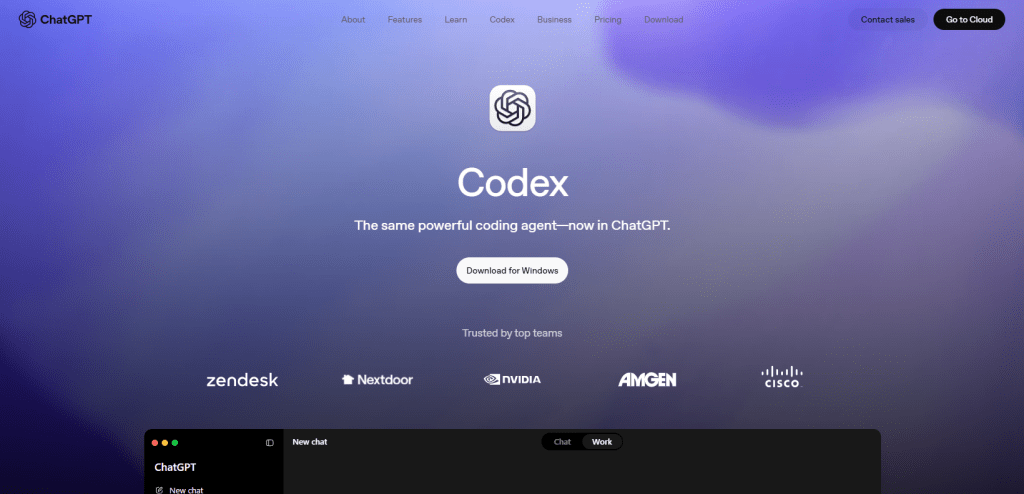
Codex is OpenAI’s coding agent, available as a command-line tool, an IDE extension, and a desktop app. Codex CLI is the terminal-specific version, open source under the Apache-2.0 license and written in Rust. It reads a codebase, proposes patches through its apply_patch tool, and runs them inside a sandbox you review before anything ships.
This Codex shares nothing but a name with the old code-davinci-002 model that once powered early GitHub Copilot completions. It launched as a standalone CLI product in 2025 and has shipped new releases at a steady clip since.
Quick facts:
- Install with
npm install -g @openai/codexorbrew install --cask codex - Apache-2.0 licensed, past 100,000 GitHub stars as of August 2026, though third-party trackers vary by tens of thousands depending on when they last synced
- Runs GPT-5.6 in three tiers, Sol for hard reasoning, Terra for everyday work, Luna for fast high-volume tasks, with GPT-5.5 still selectable
- Signs in with a ChatGPT Free, Go, Plus, Pro, Business, or Enterprise plan, or authenticates with a metered OpenAI API key
- Sandboxes every local session automatically on macOS, Linux, and Windows, no configuration required for baseline isolation
OpenCode vs Codex Benchmarks Compared
A clean scoreboard doesn’t quite exist for this pair. Codex CLI ships with a default model, so a benchmark score describes the tool. OpenCode ships without one, so any score describes whatever model you plugged in that day.
| Benchmark | What It Measures | Codex CLI’s Position | Date |
|---|---|---|---|
| Terminal-Bench 2.1 | Real command-line work across builds, package management, and multi-step shell tasks | GPT-5.6 Sol scores 89.5% per one industry tracker, the current default model | Aug 2026 |
| SWE-bench Verified | 500 curated GitHub issues, contamination risk noted at high scores | GPT-5.5 self-reported at 88.7%, GPT-5.6 not yet independently verified on this suite | Jul 2026 |
| Same-model agent loop test | Identical model run through each tool’s agent loop | Codex CLI finished 13% to 22% faster than OpenCode with statistically tied accuracy | Jan 2026 |
The 89.5% figure comes from a single industry tracker, not Terminal-Bench’s own published leaderboard, so treat it as directional. Some of that speed comes from hardware rather than the model alone. Sol’s Cerebras-backed inference runs well past 700 tokens per second, which shortens every agent loop that leans on it, Codex CLI’s included.
Of the three rows above, the same-model test deserves the most weight. It’s also the oldest data point here.
When both tools ran GPT-5.1 Codex Mini and GPT-5.2 Codex under identical conditions, accuracy came out tied. Codex CLI’s agent loop finished faster, by roughly 13% on the larger model and 22% on the smaller one.
That test is now over six months old, against a market that ships new model tiers monthly. Treat the exact percentages as directional, not current.
The pattern it confirms still holds. Codex CLI’s tool-calling loop carries a real speed edge when the model is held constant.
OpenCode’s advantage sits elsewhere, in the choice of model itself. Point OpenCode at GPT-5.6 Sol and it should approach Codex CLI’s own numbers, since the model is doing most of the work either way.
Point OpenCode at a free local model through Ollama, though, and neither number applies. Picking the right model for agentic coding work is most of the OpenCode decision, since Codex CLI users never have to make that call.
OpenCode vs Codex: Pricing and Costs
| Plan Tier | OpenCode | Codex CLI |
|---|---|---|
| Software Cost | Free, MIT licensed | Free, Apache-2.0 licensed |
| Entry Model Access | BYOK to 75+ providers, or free models included out of the box | ChatGPT Free plan, $0/month, limited usage |
| Light Paid Tier | OpenCode Go, $5 first month then $10/month | ChatGPT Go, $8/month |
| Mid Tier | OpenCode Zen, pay-per-request, $20 minimum balance | ChatGPT Plus, $20/month |
| Power Tier | Model provider’s own top-tier pricing, billed separately | ChatGPT Pro, $100/month for 5x usage or $200/month for 20x |
| Team Tier | Enterprise support available, priced by provider and seat count | ChatGPT Business, $20/user/month billed annually or $25/month |
| API-Only Path | Any provider’s standard token pricing | OpenAI API key, usage-based , no cloud features |
Neither tool has one number that captures real monthly cost, since both push the bill onto a model chosen separately.
OpenCode’s floor is whatever the cheapest usable model costs, which can be $0 with a local model or Go’s flat $10. Codex CLI’s floor is the ChatGPT plan a developer already has, and that number climbs fast on GPT-5.6 Sol at Plus-tier limits.
A team already paying for ChatGPT Plus gets Codex CLI at close to zero added cost. A team running a free local model, or standardized on one vendor, gets more from OpenCode’s pay-for-what-you-use structure.
Falling per-token pricing across the industry is pushing both paths cheaper regardless of which tool sends the bill. Confirm current numbers before budgeting, since OpenAI has changed its ChatGPT lineup more than once in 2026.
Choosing Models in OpenCode vs Codex CLI
The model question is the single biggest practical difference between these two tools. OpenCode was built around the idea that model quality and pricing shift constantly, so tying an agent to one vendor is a decision a developer will eventually regret. Codex CLI was built around the opposite bet, that an agent loop tuned for one model family beats a generic one tuned for none.
How OpenCode Handles Model Choice
Every session starts with a provider decision. A developer can supply an Anthropic, OpenAI, Google, or DeepSeek API key directly, log in with an existing GitHub Copilot or ChatGPT Plus account, run a local model through Ollama, or use OpenCode’s own Go or Zen add-ons.
Static API keys sitting in a config file are the weakest link in that setup. The industry is already moving toward federated credentials that don’t sit on disk waiting to leak.
Switching models mid-project doesn’t mean switching tools, and the January 2026 Anthropic dispute proved it. When one provider closed a door, OpenCode’s users still had other rooms to walk into.
How Codex CLI Handles Model Choice
Codex CLI doesn’t ask. It runs GPT-5.6, chosen and tuned by OpenAI, with system prompts and tool schemas built specifically around how that model family behaves.
The upside shows up in the benchmark numbers above. A tool built for exactly one model tends to extract more from it than a generic one has to work harder to match.
Which Model Strategy Fits You?
A developer with strong opinions about which model does their best work, or one who needs code on a specific vendor for compliance reasons, gets more from OpenCode. A developer who wants the strongest coding model OpenAI currently ships, with zero setup deciding which provider to trust, gets more from Codex CLI.
Neither is the wrong default. They’re built for different worries.
OpenCode vs Codex Security
Both tools grant an AI agent real shell access on a developer’s machine, and the two took opposite positions on what happens by default. That’s before counting whatever MCP servers either agent connects to, and MCP’s own security model has been tightening for exactly this reason, separate from anything either coding agent does on its own.
| Security Aspect | OpenCode | Codex CLI |
|---|---|---|
| Default Posture | Asks for permission before editing files or running commands | Applies a sandbox automatically , no setup required |
| Sandbox Technology | None built in, the permission layer is a workflow safeguard | Seatbelt on macOS, Landlock plus seccomp on Linux, restricted tokens on Windows |
| Coverage |
Applies to file edits and bash commands through project-level rules in opencode.json
|
Applies across the entire local session by default |
| Network Server Mode |
opencode serve needs OPENCODE_SERVER_PASSWORD and should bind to localhost only
|
Network access stays off by default even in workspace-write mode |
| Escalation Model | Approve, deny, or ask-every-time rules per command pattern | Three sandbox modes: read-only, workspace-write (default), and danger-full-access |
OpenCode Permissions and Security
OpenCode’s permission checks fire when a tool is called. A project can allow, block, or require approval for specific commands, which stops a careless rm -rf from running silently. That system was never designed as a hardened boundary the way a kernel-level sandbox is.
An earlier GitHub Security Advisory documents this exact gap: CVE-2026-22812 rates the unauthenticated server as an 8.8 CVSS remote-code-execution risk. OpenCode’s own security policy treats the behavior as intended, not a bug to patch, since server mode is opt-in and the password is the user’s responsibility. Running opencode serve on a network without a password is a real risk either way, whichever side of that argument the maintainers land on.
Codex CLI’s Built-In Sandbox
Codex CLI enforces its sandbox at the OS level, not inside the agent’s own logic, so a compromised session can’t talk its way past the restriction. The default workspace-write mode allows edits and routine commands inside the project folder, with network access off unless a developer turns it on in config.toml.
Administrators can also lock settings fleet-wide through a managed configuration file. That detail changes little for a solo developer and a lot for whoever secures a whole engineering org’s Codex install.
Which Security Model Is Safer?
For a developer reviewing code from a contributor they don’t fully trust, Codex CLI’s automatic sandbox is the safer starting point.
A developer who wants tighter control over exactly which providers and commands get access gets more from OpenCode, provided server mode never ships without a password.
Either way, running either tool unattended in CI against production systems calls for a container or VM boundary on top. Neither tool’s default was built to stand alone there.
OpenCode vs Codex: MCP and Subagents
Both tools support the Model Context Protocol, and both can hand work off to subagents rather than running everything in one long session.
OpenCode ships a general subagent for multistep searches and codebase scanning, invoked with @general in a message. It can also run multiple sessions in parallel on the same project. Custom agents carry their own model, prompt, and permission set, so a team can point a cheaper model at routine searches while a stronger one handles the edit.
OpenCode’s approach to packaging repeatable setups into reusable commands is covered in more depth in our skills guide.
MCP servers are declared in opencode.json, with the same permission checks applying to whatever a connected server adds. Connection failures are a common friction point once a server is added, regardless of which agent is calling it.
Codex CLI supports MCP servers through a shared TOML configuration read by the CLI, the IDE extension, and the desktop app alike, so one server definition covers every surface. MCP tool calls run one at a time by default, with parallel execution available for servers that opt in.
A /goal command tracks persistent, multi-day work across sessions, and Codex CLI’s own subagent system spawns worker threads for larger tasks. Codex CLI has its own system for packaging repeatable tasks into reusable commands too, covered in our Codex skills guide.
Once a task grows past one agent, the coordination overhead of parallel subagents and shared MCP tool access starts looking similar across both tools, even though the implementation differs. Neither tool’s MCP support is the real differentiator.
What changes the day-to-day experience is running both agents on the same machine, which means maintaining two separate MCP configurations for the same external tools. A desktop MCP server manager like mTarsier exists to keep that kind of multi-client setup from drifting out of sync.
Side-by-Side Comparison
Every figure below traces back to the sections above it. Cells hold data, not verdicts.
| Category | OpenCode | Codex CLI |
|---|---|---|
| License | MIT | Apache-2.0 |
| Model Access | 75+ providers via Models.dev, plus local models | OpenAI’s GPT-5.6 family, GPT-5.5 selectable |
| Entry Price | Free software, model cost billed separately | $0 Free tier, $8/month Go tier |
| Security Default | Asks before acting, no built-in sandbox | Kernel-level sandbox applied automatically |
| Sandboxed Platforms | Not applicable, relies on the permission layer | Linux, macOS, and Windows |
| Interfaces | Terminal, beta desktop app, VS Code extension | Terminal, desktop app, IDE extension, cloud tasks |
| MCP Support |
Yes, via opencode.json
|
Yes, shared config across CLI, IDE, and desktop |
| Best Same-Model Speed | Baseline in the Jan 2026 sigmabench test | 13% to 22% faster in that same test |
| GitHub Stars | Over 195,000 | Past 100,000 |
Which Coding Agent Should You Choose?
Use OpenCode for provider freedom, local models, and control over exactly which commands get approved. Choose Codex CLI for a sandbox that works without setup and the strongest model OpenAI currently ships.
Best for Solo Developers
- Start with whichever entry tier is cheaper for actual usage, OpenCode’s free-model path or Codex CLI’s $0 to $8 tiers.
- A developer testing multiple coding agents for the first time gets the fastest yes-or-no answer from Codex CLI’s Free tier, since it needs no setup at all.
- A developer who wants to try five different models before picking a favorite should start with OpenCode.
Best for Reviewing Untrusted Code
- Codex CLI’s automatic, kernel-level sandbox is the safer default here, since nothing needs configuring first.
- Sticking with OpenCode means writing explicit permission rules in
opencode.jsonrather than relying on the prompt alone.
Best for Teams and Compliance
- OpenCode fits naturally here, since it can be pinned to a single approved provider without losing the rest of its tooling.
- Codex CLI works too, provided GPT-5.6 clears the same compliance review the rest of the stack already went through.
Running Both Tools Together
- Some teams use Codex CLI for a fast first pass on unfamiliar code, leaning on its sandbox for anything from outside the org.
- OpenCode then handles the deeper refactor, often on a model the team already trusts for that repository.
- The main friction in this pattern is keeping MCP configuration in sync across both agents, a problem best solved once rather than reconfigured per project.
Frequently Asked Questions
What is OpenCode?
OpenCode is an open-source coding agent built by Anomaly, released under the MIT license. It runs as a terminal interface, a beta desktop app for macOS, Windows, and Linux, and editor extensions including VS Code. Rather than shipping with one model, it connects to more than 75 providers through the Models.dev registry, including Anthropic, OpenAI, Google, and local models through Ollama.
What is Codex CLI?
Codex CLI is OpenAI’s own terminal coding agent, open source under the Apache-2.0 license and written in Rust. It reads a codebase, proposes patches through its apply_patch tool, and runs them inside an OS-level sandbox you review before anything ships. It runs GPT-5.6 in three tiers, Sol, Terra, and Luna, with GPT-5.5 still selectable.
Is OpenCode free to use?
OpenCode itself is free and MIT licensed, but the model you connect to isn’t automatically free. You can bring your own API key to any of 75+ providers, run a local model through Ollama at no cost, or subscribe to OpenCode Go for $10 a month after a $5 first month, or pay per request through OpenCode Zen.
Is Codex CLI free to use?
The Codex CLI software itself is free and open source under Apache-2.0. Using it still requires a ChatGPT plan or an API key. The Free plan gives limited access at $0 a month, Go starts at $8, Plus is $20, and Pro runs $100 to $200 depending on usage tier. A metered OpenAI API key is billed separately by token.
Which is more secure, OpenCode or Codex CLI?
Codex CLI is the safer default out of the box. It applies a kernel-level sandbox automatically on macOS, Linux, and Windows, no configuration needed. OpenCode asks for permission before editing files or running commands, but that permission system was built as a workflow safeguard rather than a security boundary, so a password-protected setup matters more if you ever run its server mode.
Do OpenCode and Codex CLI support MCP servers?
Yes, both connect to external tools through the Model Context Protocol. OpenCode declares MCP servers in its opencode.json file, while Codex CLI reads a shared TOML configuration across its CLI, IDE extension, and desktop app. Each agent still needs that connection configured separately. MCP360 solves this by putting both agents’ tool access behind one integration instead of two separate setups.
Is Codex CLI actually open source?
Yes. Codex CLI is licensed under Apache-2.0 and the source is public on GitHub, distinct from the earlier code-davinci-002 model that powered early GitHub Copilot. Being open source doesn’t make it vendor-neutral, though. It only runs OpenAI’s own GPT-5.6 model family, and using it beyond the Free tier still requires a ChatGPT plan or a metered API key.
Can I use OpenCode and Codex CLI together on the same project?
Yes, and it’s a common pattern. Some teams run Codex CLI for a fast first pass on unfamiliar or external code, leaning on its automatic sandbox, then hand the result to OpenCode for a deeper refactor on a trusted model. The main friction is keeping two separate MCP configurations in sync for the same tools. MCP360 solves that by putting tool access behind one shared integration both agents can use.
What happens if I switch from Codex CLI to OpenCode, or the other way around?
The workflow itself carries over. Both are terminal-first agents that read a codebase, edit files, and run shell commands the same basic way. What changes is which model you trust and which security model you rely on, OpenCode’s permission prompts or Codex CLI’s automatic sandbox. If your tool access already runs through MCP360 instead of being wired into one agent’s configuration, switching agents doesn’t mean rebuilding that part at all.
Conclusion
OpenCode kept adding new model providers on a near-weekly cadence, and Codex CLI kept pace by shipping GPT-5.6 across three tiers within months of GPT-5.5’s launch. Neither project is close to settling into a final shape. A comparison written today is a snapshot, not a permanent verdict.
The choice worth making is whether provider freedom or an automatic sandbox solves your actual problem right now, not which tool wins a benchmark this quarter.
Pin down that answer, test it against a real task this week, and revisit it only when either tool changes something that mattered to your original pick, not when a leaderboard shuffles by half a point.
Tags

Article by
RajniAI & Tech | Senior Content Writer
Rajni is a senior content writer covering AI agents, automation, and no-code tools. She writes across the AI space, from chatbots and customer support to MCP and agent workflows, focused on how businesses actually put these tools to work.