
The TL;DR
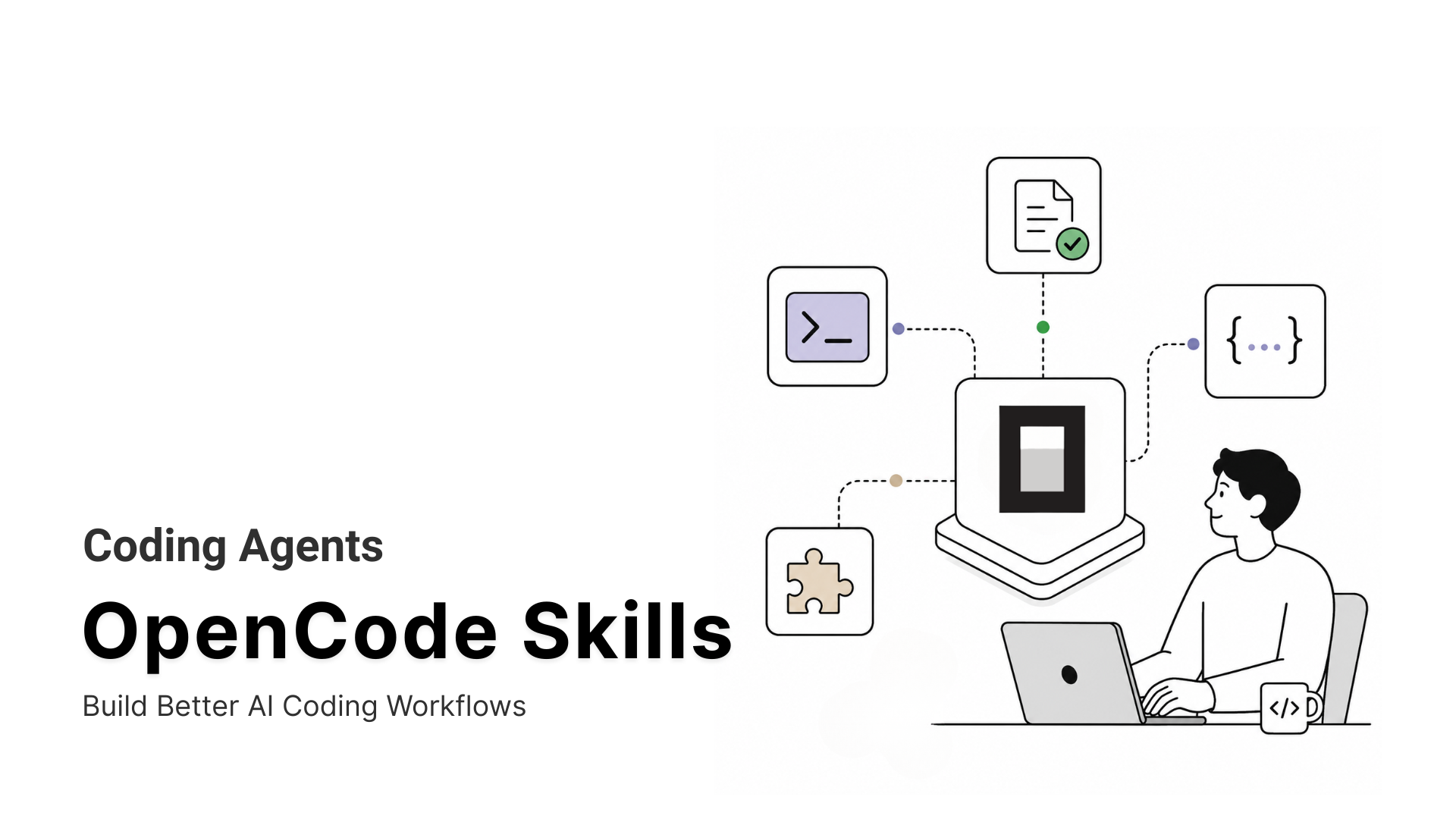
OpenCode ships as a capable but generic coding agent. Agent Skills teach it specific, repeatable workflows instead of forcing it to start from scratch in every session.
-
• What Is an OpenCode Skill?
An OpenCode Skill is a folder containing a
SKILL.mdfile. OpenCode discovers it automatically and loads its instructions on demand through the built-in skill tool, so the content does not occupy the context window until it is needed. -
• Which Skills Are Worth Installing?
This guide highlights eight skills chosen for active maintenance, useful coverage of recurring development tasks, and portability across coding agents. They range from complete development methodologies to platform-specific rules and workflows.
-
• What Else Does This Guide Cover?
You will also find exact installation commands, an explanation of how OpenCode permissions control skill access, and practical security checks to perform before adding third-party skills to a project.
OpenCode can read a repository, edit files, and run commands, but it does not automatically know your team’s release process, testing rules, coding standards, or deployment checks. Without reusable instructions, that context has to be repeated in every session.
Agent Skills solve this by packaging recurring workflows inside a folder with a SKILL.md file. OpenCode discovers the skill automatically and loads it only when the task requires it, keeping the context focused while producing more consistent results.
Anthropic created the format and published it as an open standard. Around 40 platforms have adopted it so far, including OpenCode, Claude Code, Codex, and Cursor, which means a skill written once can often be reused across multiple coding agents.
This guide covers eight actively maintained skills built for real development tasks. You will learn what each one does, when to use it, how to install it, and what security checks to perform before adding third-party skills to a project.
Why OpenCode Needs Skills

Every OpenCodesession begins without the project-specific knowledge needed to complete specialized work correctly. It can write code, but it may not know your testing process, release workflow, design standards, or the exact steps required for domain-specific tasks.
SkillsBench found that when models are expected to invent procedural knowledge themselves, they often:
- Produce vague guidance instead of precise, usable steps
- Fail to recognize when specialist knowledge is required
- Rebuild workflows that an existing skill already covers
- Fall back on generic patterns learned from training data
For example, one developer spent two sessions building PDF-processing workflows with pypdf, ReportLab, and PyMuPDF before discovering that a dedicated PDF skill already handled the task. The agent had incorrectly said that no such skill existed.
The same problem appears in design work. Without clear instructions, agents often repeat familiar patterns such as gradient heroes, centered cards, and rounded panels, even when they do not fit the project.
A skill closes this gap by giving OpenCode tested instructions at the moment they are needed. Instead of rediscovering the process every session, the agent can follow a consistent workflow from the start.
How to Selected the Best OpenCode Skills
Installing a poorly written skill can make OpenCode slower, less accurate, and more likely to follow conflicting instructions. The strongest skills are focused, well maintained, and built around a task developers perform repeatedly.
What the Research Shows
SkillsBench, a peer-reviewed benchmark published in February 2026 and updated through June 2026, analyzed 47,150 publicly available skills and found:
- The average skill scored only 6.2 out of 12 for quality.
- Curated skills increased agent pass rates from 33.9% to 50.5%.
- Large, overloaded skills often performed worse than two or three focused skills.
The takeaway is straightforward. More instructions do not automatically produce better results. Skills work best when they are narrow, structured, and designed for a clear workflow.
The Selection Criteria
Every skill on this list had to meet three requirements:
Credible expertise: Preference was given to skills maintained by the team behind the platform or workflow they teach, including Cloudflare, Anthropic, MCP360, and VoltAgent.
Active maintenance: Each repository shows meaningful development activity in 2026 rather than relying on an outdated implementation with a polished README.
Practical repeat use: Every skill addresses a task developers are likely to perform regularly, such as testing, deployment, research, design, or platform integration.
Deep-Research Skills is the only exception to the vendor-maintained rule. It is included because it explicitly supports OpenCode and covers a useful recurring research workflow.
Niche experiments and highly personal workflows were excluded, even when technically interesting, because they are unlikely to help most OpenCode users.
The Best OpenCode Skills to Install in 2026
The skills below were selected for practical, repeatable developer workflows. Each entry explains what the skill does, when it is useful, and the exact command needed to install it.
Seven of the eight use the standard Agent Skills format and install as a SKILL.md folder inside .opencode/skills/, .claude/skills/, or .agents/skills/, all of which OpenCode can discover automatically.
MCP360 is the exception. It connects to OpenCode as an MCP server rather than a local skill folder, so its setup is covered separately in its own entry.
| Skill | Category | Best For | Install |
|---|---|---|---|
| Superpowers | Development methodology | Teams that want planning, test-driven development, and code review enforced automatically | Plugin install, see entry |
| MCP360 | Tool access gateway | Accessing search, SEO, e-commerce, data, and other external tools from one OpenCode session | MCP configuration, see entry |
| Deep-Research Skills | Structured research workflow | Turning a research question into an outline, organized findings, and a final report | git clone + copy into .claude/skills/See entry for full steps |
| Frontend Design | UI aesthetic direction | Creating more distinctive interfaces instead of repeating the generic AI dashboard look | npx skills add anthropics/skills --skill frontend-design |
| Webapp Testing | Browser testing | Testing local application changes without writing Playwright workflows from scratch | npx skills add anthropics/skills --skill webapp-testing |
| Skill Creator | Skill authoring | Turning a repeated team workflow into a structured, evaluated, and reusable Agent Skill | npx skills add anthropics/skills --skill skill-creator |
| Cloudflare Skills | Platform-specific development | Teams building and deploying applications with Workers, D1, R2, and the wider Cloudflare Developer Platform | npx skills add https://github.com/cloudflare/skills |
| Awesome Agent Skills | Multi-vendor skill collection | Finding and installing specific official skills from vendors such as MongoDB, Apollo, and others | npx skills add VoltAgent/awesome-agent-skills --list |
1. Superpowers
Superpowers is less a single skill than a full development methodology, a set of composable skills that trigger on their own. Instead of jumping straight into code, it works through a real spec, an implementation plan, red-green-refactor TDD, and a two-stage subagent review before handing back a clean, mergeable branch. The project has 246k GitHub stars, an MIT license, and shipped its latest release, v6.1.1, on July 2, 2026.
Features
- Auto-triggers from a “1% rule,” meaning that if there’s even a slim chance a skill applies, the agent is instructed to use it rather than leaving that judgment call to chance.
- Covers brainstorming, writing-plans, subagent-driven-development, test-driven-development, systematic-debugging, using-git-worktrees, and finishing-a-development-branch as separate, chainable skills.
- Updates independently of OpenCode itself, since the skills library and the bootstrap plugin live in their own repository.
- Runs parallel work through git worktrees, so subagents on different tasks don’t collide over the same uncommitted files in one directory.
Installation
Tell OpenCode:Fetch and follow instructions from https://raw.githubusercontent.com/obra/superpowers/refs/heads/main/.opencode/INSTALL.md
Best for
Teams who want planning, red-green-refactor testing, and two-stage code review enforced automatically by the agent itself, not left to whatever mood a session started in.
2. MCP360
MCP360 is a unified MCP gateway. Instead of teaching OpenCode a new behavior, it gives OpenCode one connection to 37 MCP servers and 100+ external tools, covering search, SEO, e-commerce, maps, and finance data, so a task that touches several different tools doesn’t need a separate skill installed for each one. See our roundup of 10 essential MCP servers for a sense of what’s available individually, or our guide to Model Context Protocol for background on what an MCP server actually does.
Features
- Tools load on demand through two meta-tools,
search_toolsandexecute_tool, so none of the 100+ tools sit in context until a task actually calls one. - A Custom MCP Builder lets a team wrap an internal API or write Python or JS logic into its own callable tool alongside the marketplace catalog, without hosting a separate server.
- Automatic failover keeps a session running if one upstream API changes or breaks, and a free tier is available for testing before committing to anything.
- Authenticates over Streamable HTTP or stdio with either an API key or OAuth 2.0, matching whatever transport OpenCode’s MCP client already expects.
Installation
{ "mcp": { "mcp360": { "type": "remote", "url": "https://connect.mcp360.ai/v1/mcp360/mcp?token=YOUR_API_KEY" } }}
A ready-to-use .md skill file is also available for a narrower need, useful for pointing OpenCode at one specific, focused task without standing up the full gateway connection.
Best for
Teams that need OpenCode reaching many different external tools, search, SEO, e-commerce, maps, and more, in a single session without installing a separate skill for each service.
3. Deep-Research Skills
Deep-Research Skills gives OpenCode a structured, two-phase research workflow instead of one ad hoc web search per question. Phase one generates a research outline, a list of items to investigate plus which fields to collect for each, phase two runs deep research per item with parallel search agents, and a third step compiles everything into a single markdown report with a table of contents. The project sits at 365 GitHub stars and 35 forks, MIT licensed, with OpenCode listed as a first-class target alongside Claude Code and Codex.
Features
- Human-in-the-loop by design, the outline can be edited (
/research-add-items,/research-add-fields) before the expensive deep-research phase runs, rather than committing to a bad initial scope. - Ships slash commands (
/research,/research-deep,/research-report) instead of relying purely on natural-language triggering. - Covers four use cases out of the box, academic literature reviews, technology comparisons, market and competitor research, and due diligence.
- Runs parallel search agents during the deep-research phase, then compiles the results into one markdown report with a table of contents instead of scattered notes.
Installation
git clone https://github.com/Weizhena/deep-research-skills.gitcd deep-research-skillscp -r skills/research-en/* ~/.claude/skills/cp agents/web-search-opencode.md ~/.config/opencode/agents/web-search.mdcp -r agents/web-search-modules ~/.config/opencode/agents/pip install pyyamlexport OPENCODE_ENABLE_EXA=1
The last line matters. OpenCode’s web search, on any model, requires OPENCODE_ENABLE_EXA=1 to be set. Without it, the skill falls back to plain web fetch, which is weaker for the deep-research phase.
Best for
Producing a structured research report, a competitor analysis or technology comparison, instead of a scattered set of separate searches.
4. Frontend Design
Anthropic’s frontend-design skill, part of the anthropics/skills repository (149k stars), forces the agent to commit to a specific aesthetic direction before it writes a line of UI code. Left alone, most coding agents default to the same handful of visual patterns: centered card, gradient hero, generic sans-serif stack. This skill interrupts that by making typography, color, motion, and layout an explicit decision first, then implementing it in React, Vue, HTML, CSS, or plain JS.
Features
- Requires naming a design direction before implementation starts, rather than letting the agent default to whatever pattern shows up most in its training data.
- Works across frameworks instead of being locked to one.
- Same skill Claude itself uses for design tasks, so behavior is consistent between OpenCode and Claude Code sessions.
- Consistently ranks near the top of Claude’s own plugin directory by install count, a sign of real day-to-day use rather than a skill nobody installs.
Installation
npx skills add anthropics/skills --skill frontend-design -a opencode
Best for
Teams whose default agent output keeps producing the same generic dashboard or landing page look, centered card, gradient hero, rounded corners, every single time.
5. Webapp Testing
OpenCode picks up webapp-testing from the same anthropics/skills repository as frontend-design. Where that skill handles the visual direction, this one handles verification, giving OpenCode a repeatable Python Playwright workflow for checking a local web app instead of hand-writing a new test script for every change. It follows a reconnaissance-then-action pattern: load the page, inspect what’s actually rendered and wait for network idle, then act on the selectors it found rather than guessing at ones that might exist.
Features
- Bundles a server lifecycle helper (
with_server.py) so the agent can start and stop one or more local servers as part of the same run. - Captures screenshots and browser console logs alongside the pass/fail result.
- Removes the step of re-explaining “check the checkout form still works” from scratch every session.
- Drives the browser through Playwright directly, so it works against any local dev server rather than being locked to one framework’s own test runner.
Installation
npx skills add anthropics/skills --skill webapp-testing -a opencode
Best for
Teams that want to verify a UI or flow change actually works locally, end to end, before it ever goes into a pull request for review.
6. Skill Creator
Skill Creator, Anthropic’s own skill for building other skills, is the practical answer to “how do I turn what I just did into something reusable.” It drafts the SKILL.md frontmatter and instructions, generates realistic trigger and task evaluations, and aggregates pass rate, timing, and token data so a new skill’s description can be tuned until the agent actually picks it up at the right moment.
Features
- Runs skill-versus-baseline comparisons instead of just producing a file and hoping it triggers correctly.
- Optimizes the
descriptionfield specifically, which is what OpenCode’s semantic matching actually reads to decide when to load a skill. - Useful the moment a team notices it’s copy-pasting the same instructions into a prompt for the third time.
- Generates realistic trigger and non-trigger test cases, catching a description that’s vague enough to fire on unrelated tasks before that ships.
Installation
npx skills add anthropics/skills --skill skill-creator -a opencode
Best for
Turning a workflow a team already repeats by hand into a properly tested, reusable skill instead of a one-off prompt.
7. Cloudflare Skills
Cloudflare’s own skills repository (1.8k stars, Apache-2.0) is one of the few in this list that documents an OpenCode install path directly in its own README, rather than leaving cross-agent support implied. It covers the Cloudflare Developer Platform broadly: Workers, Pages, storage (KV, D1, R2), Workers AI and Vectorize, the Agents SDK, networking (Tunnel, Spectrum), security (WAF, DDoS), and infrastructure-as-code through Terraform or Pulumi, plus a separate pair of Cloudflare One skills for Access, Gateway, WARP, and SASE migration work.
Features
- The core
cloudflareskill alone spans eight product areas, so one install covers most day-to-day Workers development instead of needing a skill per product. - Ships alongside Cloudflare’s own remote MCP servers (API, docs, bindings, builds, observability) for teams that want live account access on top of static guidance.
- Cloudflare states plainly that the skill directory for OpenCode is
~/.config/opencode/skills/, removing the guesswork other third-party skills leave to the reader. - Ships a separate pair of Cloudflare One skills for Access, Gateway, WARP, and SASE migration, for teams whose Cloudflare footprint is networking and zero trust rather than Workers.
Installation
npx skills add https://github.com/cloudflare/skills
Best for
Teams building on Workers, D1, R2, or the Agents SDK who want the agent working from current platform patterns instead of stale training data.
8. Awesome Agent Skills
VoltAgent’s awesome-agent-skills is a curated collection of 1,000+ skills pulled from official dev teams, rather than one skill teaching a single behavior. MongoDB, Apollo GraphQL, and Google Labs each contribute their own official skills to the repository, attributed back to the team that wrote them. VoltAgent, the org behind it, also maintains a few sibling collections (Claude Code subagents, Codex subagents, OpenClaw skills), so this one keeps getting updated instead of sitting still.
Features
- Skills are grouped and attributed by source organization, so it’s possible to install only MongoDB’s or only Apollo’s skills instead of pulling in everything unrelated.
- A companion MCP server (shadowrootdev/awesome-agent-skills-mcp) auto-syncs from the same repository and exposes skills live to any MCP-compatible client, OpenCode included, rather than requiring a manual re-clone for every update.
- Covers ground none of the other entries in this list do: database-specific, GraphQL-specific, and design-handoff skills sourced directly from the teams that built those tools.
- Lists 1,000+ skills across dozens of organizations, so searching for a specific vendor name usually turns up something instead of coming up empty.
Installation
npx skills add VoltAgent/awesome-agent-skills --list -a opencode
Browse the list, then reinstall with --skill <name> for the specific skill needed, mongodb-schema-design or apollo-federation for example, rather than pulling in the full 1,000-plus at once.
Best for
Teams that need one specific official skill, a MongoDB workflow or an Apollo Federation pattern, without maintaining a second repository per vendor.
How to Install and Manage OpenCode Skills
OpenCode discovers skills automatically, so installing one usually means placing its folder in the correct directory. It supports six locations:
.opencode/skills/<name>/SKILL.md~/.config/opencode/skills/<name>/SKILL.md.claude/skills/<name>/SKILL.md~/.claude/skills/<name>/SKILL.md.agents/skills/<name>/SKILL.md~/.agents/skills/<name>/SKILL.md
Project-level skills apply only to the current repository, while global skills are available across projects. When OpenCode starts inside a repository, it searches upward from the current directory to the Git worktree root, loading matching skills it finds along the way.
Every skill must contain a SKILL.md file with valid YAML frontmatter. The required fields are name and description. The name must match the skill folder, while the description should clearly explain when OpenCode should load it.
Install Skills with the npx skills CLI
For most skills in this guide, the fastest installation method is the open-source skills CLI:
npx skills add owner/repo
The command accepts GitHub repositories, direct repository paths, GitLab URLs, other Git URLs, and local folders. When a repository contains several skills, the CLI lets you select which ones to install. You can also target OpenCode directly:
npx skills add owner/repo --agent opencode
Project installation is the default. Add --global to make a skill available across all projects:
npx skills add owner/repo --agent opencode --global
The CLI can list available skills, install a specific one non-interactively, update installed skills, or remove skills you no longer use.
npx skills add owner/repo --listnpx skills add owner/repo --skill skill-name --agent opencode -ynpx skills updatenpx skills remove skill-name
For team projects, keep project-scoped skill files under version control or document the exact installation commands in the repository. This makes it easier for developers and CI environments to use the same skill set instead of relying on manually configured global installations.
Security Checks to Run Before Installing an OpenCode Skill
OpenCode skills can influence how the agent reads files, runs commands, and connects to external services. Before installing one, review it with the same care you would apply to any third-party dependency that can execute inside your development environment.
What You’re Actually Installing
A skill isn’t a passive text file. Once loaded, its instructions run with whatever file, shell, and network access the agent session already has, and many skills bundle scripts that execute directly rather than only describing what to do. Install one from an unfamiliar source and it can read your files, run commands, or send data out with the same permissions your agent session already has.
What the ToxicSkills Audit Found
That combination is exactly what Snyk’s ToxicSkills research measured in February 2026. Scanning 3,984 publicly listed skills across two registries, the audit found:
- 36% (1,467 skills) contained at least one security flaw.
- 13.4% (534 skills) carried a critical-level issue.
- 76 skills were confirmed malicious after human review, 91% of which combined a prompt-injection instruction with an executable script rather than relying on one technique alone.
OWASP’s Agentic Skills Top 10, published two months later, cites this research directly and recommends registry-level scanning and cryptographic signing as the baseline fix, neither of which most free skill directories currently run by default.
None of the eight skills in this guide showed up in that audit, and all eight have a named, traceable maintainer and public commit history rather than being an anonymous single upload. That’s a reasonable baseline, not a guarantee.
A Checklist Before You Install Anything
- Read the
SKILL.mdand any bundledscripts/before installing, the same way you’d review a new dependency’s source rather than trusting its description. - Use OpenCode’s
permission.skillconfiguration to set unfamiliar or third-party skills toaskinstead ofallowuntil you’ve reviewed them. - Commit
skills-lock.jsonand pin to a specific commit rather thanlatest, so an update to a trusted skill does not silently change what runs in your project.
- Treat any skill that asks for credentials, an external webhook, or a
curl | bashinstallation step as a reason to slow down and inspect every instruction first.
Frequently Asked Questions
What are OpenCode skills?
OpenCode skills are folders with a SKILL.md file that OpenCode discovers and loads automatically through its built-in skill tool. Each one packages instructions, sometimes scripts, that teach OpenCode a specific repeatable task, anything from enforcing test-driven development to building a Word document. They follow the same open standard Claude Code and Codex use, so a skill written for one usually works in the other unchanged.
What's the difference between agent skills and MCP?
They solve different problems. MCP gives an agent access to external tools and data, a database, a search API, a file system, through a standardized connection. Skills teach the agent what to do with those tools, the actual steps for a task. A gateway like MCP360 supplies the tool access, a skill like Superpowers supplies the behavior on top of it.
Do OpenCode skills work the same as Claude Code skills?
Yes. OpenCode reads the same SKILL.md format Claude Code uses, and checks compatible folders like .claude/skills/ and .agents/skills/ alongside its own .opencode/skills/. A skill written for Claude Code, Cloudflare's own skills repository, for example, typically works in OpenCode with no changes. That's why most skills in this guide list one install command covering both agents.
Which OpenCode skill should I install first?
Start with Superpowers for better default behavior across almost any task, since it covers planning, testing, and review rather than one narrow job. For something more specific, a testing gap points to Webapp Testing, a research bottleneck points to Deep-Research Skills, and needing many external tools in one session points to MCP360 instead of a single skill. Install one, confirm it helps, then add a second.
Is it safe to install a third-party OpenCode skill?
Not automatically. A skill's instructions run with whatever file, shell, and network access the agent already has, and many bundle scripts that execute directly. Snyk's ToxicSkills audit found 36% of 3,984 scanned skills carried at least one security flaw. Read the SKILL.md and scripts before installing, set permission.skill to ask for anything unreviewed, and pin installs with a lock file instead of latest.
How is MCP360 different from an OpenCode skill?
A skill teaches OpenCode a new behavior, MCP360 gives it access to tools instead. Rather than installing a separate skill per SaaS app or search API, MCP360 connects OpenCode to 37 MCP servers and 100+ external tools, search, SEO, e-commerce, maps, finance, through one connection. The two work together well, since a skill can tell OpenCode how to use the tools MCP360 gives it access to.
Where does OpenCode store installed skills?
OpenCode checks six locations automatically: project-level .opencode/skills/ and its Claude- and Agents-compatible equivalents, plus the same three paths at the global level under ~/.config/opencode/skills/, ~/.claude/skills/, and ~/.agents/skills/. Project-level skills take priority over global ones with the same name. The npx skills CLI installs to whichever path OpenCode expects, so manual placement is rarely necessary.
Do I need to restart OpenCode after installing a new skill?
Yes, in most setups. Skills load when an OpenCode session starts, so one installed mid-session usually isn't picked up until the next session begins. Quit and reopen OpenCode, or start a fresh session, then confirm it loaded by asking OpenCode what skills are available. If it still doesn't show up, check that SKILL.md is spelled correctly and the frontmatter has a name and description.
Conclusion
killsBench and similar benchmarks are turning “does this skill help” into a measurable question instead of a guess, and that’s already reshaping the ecosystem. Expect more official vendor skills the way MongoDB, Apollo, and Cloudflare already have, and less patience for vague, unmaintained ones. Security scanning is heading the same way, from optional to expected, as more registries follow Anthropic’s own model instead of leaving developers to judge a skill by its star count.
For OpenCode, that means today’s setup is worth revisiting every few months, not treated as permanent. Start with the one skill that matches whatever’s actually slowing the current project down, set permission.skill to ask for anything unreviewed, and commit the lock file so the team inherits the same setup. Add the next skill once the first one is paying off.
One well-chosen skill beats five installed on faith. Pick one from this list and run it against a real task this week.
Tags

Article by
HarsheenMCP & AI Agents | Content Writer
Harsheen is a content writer covering AI agents, automation, and no-code tools. She writes across topics from chatbots and customer experience to MCP and enterprise workflows, showing how real teams adopt AI in everyday operations.