
The TL;DR
Company discovery, contact research, and email verification usually happen across separate tools. That gap creates outdated contacts, invalid email addresses, and lead lists that require manual cleanup.
-
• How the AI Lead Generation Agent Works
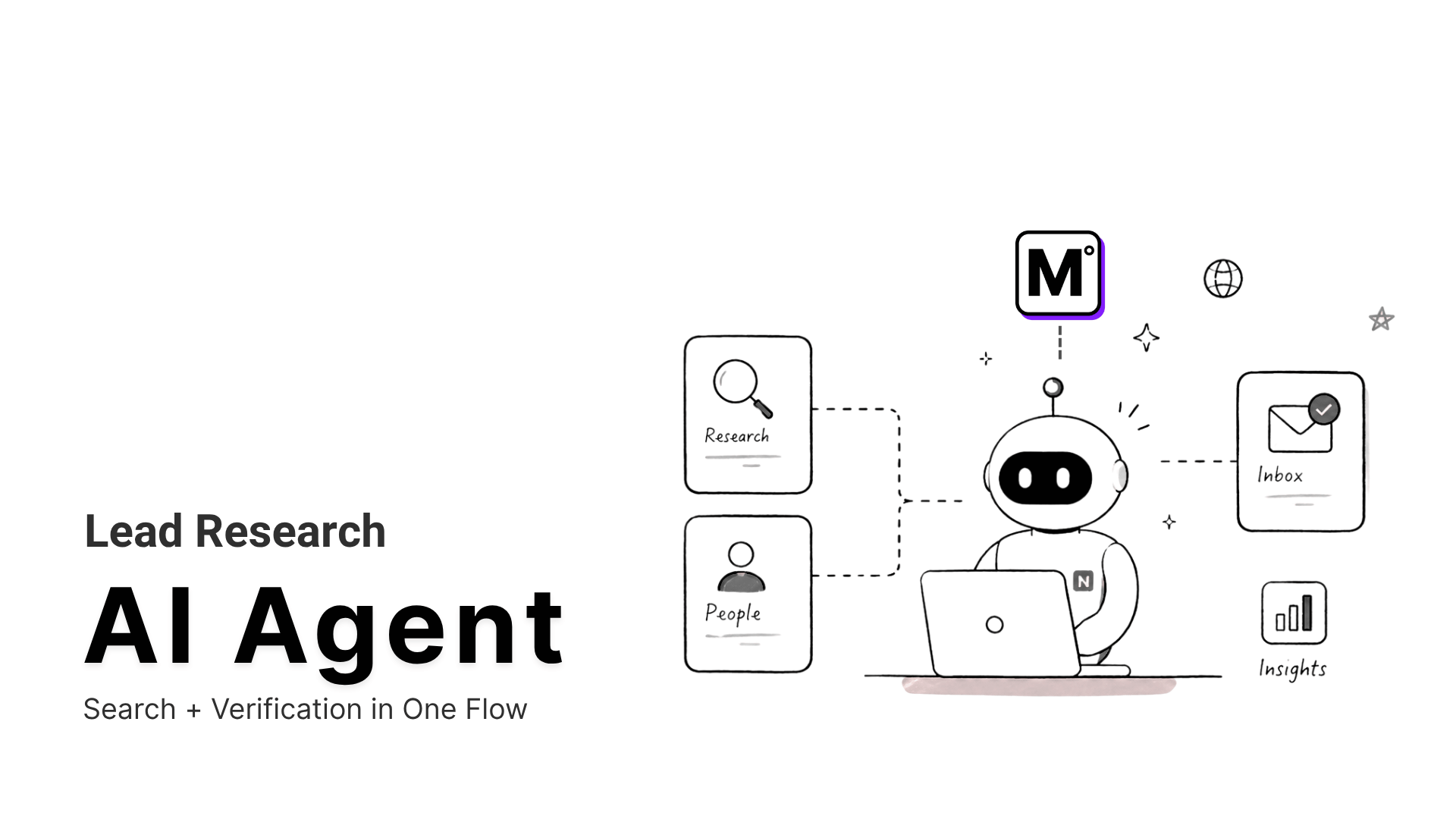
The agent uses MCP360’s company search, contact research, and email verification tools to find relevant businesses, identify decision-makers, and validate every email address within a single session.
-
• What Changes During Setup
Hermes AI Agent manages the planning and execution, while MCP360 provides the connected tool layer. A single Gateway URL replaces multiple individual integrations and keeps the workflow easier to configure.
-
• What You Get
Every lead included in the final output has already passed an email deliverability check, making the list ready for a CRM or outreach sequence without an additional cleanup pass.
Manual lead research rarely fails at finding companies. It fails at everything that comes next.
Identifying target accounts may take only a few minutes, but finding the right decision-maker, confirming their role, locating a valid business email, and organizing the data across an entire list takes much longer. Most of that time is spent copying information between disconnected tools. By the time the list is ready for outreach, some of the data may already be outdated.
An AI lead generation agent turns this fragmented process into a single workflow. Starting from one Ideal Customer Profile, it can discover relevant companies, research contacts, verify business emails, and return a clean lead list that is ready to use without a separate cleanup step.
In this guide, we will use Hermes AI Agent to run the workflow and MCP360 to provide the company search, contact research, and email verification tools. We will begin with the installation and finish with a real query that tests the complete lead generation pipeline from start to finish.
Why Traditional Lead Research Breaks Down
Lead research involves more than finding company names and contact details. Teams need to identify the right prospects, verify information, and keep data quality consistent as lead lists grow. As research scales, those tasks get harder to manage across multiple tools and data sources.
- Lead data goes stale fast: People change jobs, companies reorganize, and corporate emails stop working once someone leaves. A contact who was reachable when you found them may not be by the time outreach runs.
- Too many tools, no single source of truth: Most research workflows move between search engines, professional networks, directories, spreadsheets, and a verification tool, with manual handoffs at every step. The more tools in the chain, the more places data can go wrong.
- Verification happens too late: Contacts get found first and checked later, sometimes only after a campaign launches and bounce rates surface the problem. By then, sender reputation has already taken a hit.
- Qualification is inconsistent across researchers: Without a fixed process, two people working from the same brief produce different results. That inconsistency rarely gets caught at the list stage. It shows up later in pipeline quality, where it is harder to trace back to the source.
- Bad data carries a real cost: Time spent chasing contacts who have moved on does not show up as a line item. It shows up in missed quota, wasted outreach, and campaigns that underperform without a clear reason.
These problems come from running research, verification, and qualification in separate tools with no shared logic between them. An AI lead generation agent addresses that by bringing all three into one workflow.
How an AI Lead Agent Works

An AI lead generation agent finds, qualifies, and verifies prospects against a defined Ideal Customer Profile. It handles company discovery, contact research, and email verification inside one session and returns lead data ready for a CRM or outreach sequence without a cleanup step in between. The verification stage is where this overlaps with lead enrichment, since every record is checked and structured before it is kept.
What separates this from standard automation is how the tools connect. Before MCP, each external integration needed its own format, error handling, and maintenance. MCP gives AI agents a single interface to call any connected tool through the same protocol, replacing the custom wiring that direct API integrations require.
- Company discovery: The agent reads the ICP and uses filters like industry, geography, and company size to pull matching companies from available public sources, using tools like Google Search and Web Scraping. Anything outside the criteria is dropped before contact work begins.
- Contact and decision-maker identification: The agent looks for relevant people inside each company based on the objective. A sales ICP targets founders or revenue leaders. A recruitment ICP targets department heads or hiring managers. Contacts outside scope are excluded at this stage. The names and addresses it can surface depend on what is publicly available, which is why the verification step matters.
- Email verification and qualification: Each email address the agent surfaces is checked for domain validity, MX record health, and deliverability risk inside the same session. MCP360’s email verification step removes any address that fails those checks before the final list is assembled.
- Clean, ready-to-use output: Verified leads come back in a normalized format with company name, contact role, email address, and verification status included. There is no handoff between systems and no format mismatch to fix before use.
Each stage feeds the next without leaving the session, which is what keeps the output clean. That sequence depends on the agent reaching search and verification through one connection, so the setup is where it starts.
How to Build a Lead Research Agent with MCP360
The setup below uses Hermes AI Agent as the execution layer and MCP360 as the tool layer. The same approach works with any MCP-compatible agent, including Claude, OpenClaw, or any framework that supports remote MCP server connections.
Step 1: Install Hermes AI Agent
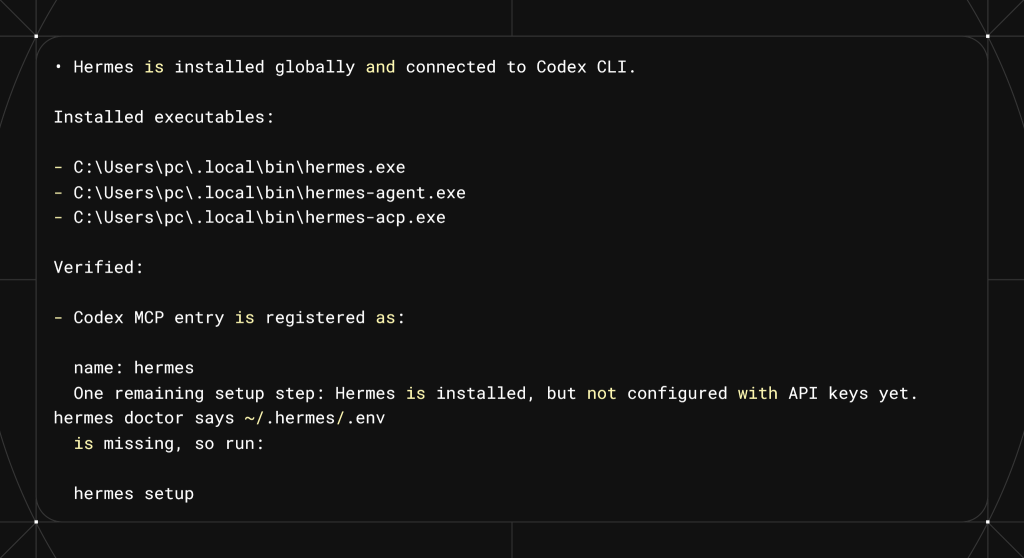
Install Hermes using the official method for your operating system. Windows users run the PowerShell installer. macOS, Linux, and WSL2 users run the one-line terminal installer from the official Hermes documentation.
- For Windows, use PowerShell.

- For macOS or Linux, use the terminal and follow the official Hermes installation commands.

Run: Install Hermes AI Agent on this Windows machine using the official installation method.
- Once installed, Hermes runs locally and provides a command-line interface to execute agent workflows and connect MCP tools.
Step 2: Copy MCP360 Gateway URL
Open MCP360 and navigate to your project dashboard. From the left panel, open MCP Servers.

- You can use either the Universal MCP Gateway or select a specific MCP server such as the Email Verification MCP server inside MCP360.
- Copy the Gateway URL. This will be used to connect Hermes to MCP360.

Step 3: Connect MCP360 to Hermes
- Start Hermes from the terminal and provide the MCP360 Gateway URL along with the required authentication token.

- After successful connection, Hermes loads available MCP tools such as search and email verification from MCP360.
- At this stage, the agent is connected to external tools.

Step 4: Verify MCP Connection
- Run the following command to confirm MCP is active:
hermes mcp test mcp360

- If MCP360 appears in the list, the connection is active.
- To view all connected MCP servers, run:
hermes mcp list

For a deeper walkthrough of this connection, see Integrating MCP360 with Hermes AI Agent. If the test call fails instead of returning a result, MCP Server Connection Issues covers the common causes.
Step 5: Run a Lead Research Test
Test the setup using a real lead research query:
Find B2B SaaS companies in Delhi with 50–200 employees and identify decision-makers with verified business emails.
The agent will:
- Search for companies
- Identify relevant contacts
- Verify email addresses
- Return structured results
If verified emails and correct company data appear, the setup is working correctly.

The agent will search for companies, identify relevant contacts, verify the email addresses it finds, and return structured results. If companies and contacts return and the surfaced emails come back with a verification status, the setup is working. Where an email cannot be found in public sources, the agent reports the contact without a verified address rather than inventing one.
Once this is working, MCP tools operate as a single layer between the agent and external systems, handling both search and email verification inside one workflow.
Agent-Driven Lead Research
Connecting search and email verification through one MCP gateway has a practical effect. Every record that reaches output has passed the same checks, applied in the same order, every time.
- Unverified contacts stay out of outreach lists: The agent does not move a contact to output until domain health, MX records, and deliverability signals have been checked. Contacts that fail are dropped before the final list is assembled, not flagged for manual review later.
- Qualification runs before contact work: Companies that do not match ICP criteria are removed at the discovery stage, so the agent does not spend verification calls on leads that would not qualify anyway.
- One session holds the whole trail: Because search and verification run through the same gateway, there is no data handoff between tools and no format mismatch to reconcile. The agent’s context holds the full picture from company to verified contact.
- Output is structured from the start: The returned data includes company name, contact role, email address, and verification status in a normalized format, ready for a CRM or outreach tool without a cleaning step.
Lead research has usually required someone to manage data quality at each step by hand. Running the full sequence through one agent session moves that work into the pipeline, where it runs the same way regardless of who starts the query or how many records are processed.
Security and Compliance Considerations
A lead generation agent touches credentials and live external services, so a few controls matter before you run it at scale.
- Protect the gateway token: The Gateway URL carries an authentication token. Store it as an environment variable or secret, keep it out of shared scripts and version control, and rotate it if it is ever exposed.
- Limit tool scope: If the agent only needs search and email verification, connect a single-server endpoint or scope the gateway to those tools rather than exposing the full catalog to an autonomous agent.
- Verify before sending, not after: The reason to verify inside the workflow is deliverability. Google’s sender guidelines tell senders to keep user-reported spam rates below 0.10% and never reach 0.30%, and invalid addresses drive the hard bounces that push that rate up.
Checking addresses at the list stage keeps bad ones out of the send. - Respect data and consent rules: Pulling business contact data for outreach falls under regulations such as GDPR and the CAN-SPAM Act. Verifying an address confirms it is deliverable, not that you have a lawful basis to email it, so keep sourcing and consent inside your own policy.
These are guardrails, not blockers. With them in place, the same agent setup adapts to a range of research goals without changing the underlying pipeline.
Real-World Use Cases You Can Build with This Setup
The same agent handles different research goals by changing the ICP input. The verification and qualification logic stays fixed.
- Sales prospecting: Target roles such as founders, heads of revenue, or procurement leads inside companies that match your ICP. The agent returns a contact list with verified emails, sorted by company match instead of a raw dump of names.
- Agency lead generation: Agencies running campaigns for several clients can set a separate ICP per campaign. Results come back segmented and already verified, with no reformatting per client.
- Recruitment research: The agent maps companies and pulls contacts tied to specific departments rather than generating general employee lists. Email verification helps recruiter messages reach real inboxes instead of bouncing.
- Partnership discovery: The agent finds companies adjacent to your product or market, pulls relevant decision-makers, and verifies contact routes before inclusion. Useful when partner directories are outdated or incomplete.
- Market expansion: For a new region or vertical, the agent compiles active companies, groups them by segment signals, and verifies key contacts within each. The output is a mapped, contact-verified view of the target market instead of a list of names to research by hand.
Each of these runs on the same pipeline because the architecture keeps the ICP input separate from the verification logic. Changing what you look for does not mean rebuilding how search and verification work.
Frequently Asked Questions
What should I look for in an email verification tool?
A good email verification tool checks more than email syntax. It verifies that the domain has valid mail servers, tests whether the mailbox actually exists, and identifies disposable, role-based, and catch-all addresses that a basic syntax check would miss. For large email lists, speed matters, but accurate verification is what helps reduce bounces and protect your sender reputation.
What is an AI SDR agent?
An AI SDR agent automates many of the tasks handled by a sales development representative, including researching prospects, drafting outreach messages, and managing follow-ups with minimal manual effort. It covers a wide range of sales automation tools, while an AI lead generation agent focuses specifically on finding and verifying the companies and contacts that an SDR agent uses for outreach.
How do I stop my MCP server from failing to connect?
Most MCP connection failures are caused by an incorrect API key, gateway URL, or client configuration rather than a server outage. After adding the server, run hermes mcp test mcp360 to quickly verify the connection. If the test fails, double-check your API token and gateway URL before troubleshooting anything else.
Can an email verification tool tell the difference between a real inbox and a catch-all domain?
Not with a basic syntax or MX record check alone. Catch-all domains accept emails sent to almost any address, including ones that do not actually exist, so a domain-level check cannot reliably confirm a real inbox. Accurate verification requires testing mailbox-level deliverability instead of relying only on domain validation.
Do I need to code anything to connect Hermes AI Agent to MCP360?
No. Connecting Hermes AI Agent to MCP360 is done through terminal commands and setup prompts rather than custom code. You only need to provide your MCP360 gateway URL and API key. Coding is only required if you use the MCP360 Custom MCP Builder to integrate a service that is not already available.
Why did my agent return a contact with no verified email?
This is expected behavior. If the agent cannot find a publicly available email address through MCP360’s search tools, it returns the company and contact details without guessing an email address. Leaving the verification status blank is safer than generating an incorrect address that could lead to bounced emails.
Is it legal to email a business contact I found through an AI agent?
Not automatically. Verifying that an email address exists does not by itself make outreach legally compliant. In the United States, the CAN-SPAM Act sets rules for commercial email, including sender identification, truthful messaging, and honoring opt-out requests. Email verification confirms deliverability, while legal compliance depends on how the email is sent and the applicable regulations.
What’s the difference between an AI lead generation agent and a normal AI sales chatbot?
An AI sales chatbot responds to users during a conversation by answering questions or providing assistance. An AI lead generation agent works independently in the background, searching for companies, identifying contacts, and verifying email addresses based on a target profile. Chatbots focus on customer engagement, while lead generation agents focus on building qualified prospect lists for sales teams.
Conclusion
An AI lead generation agent should improve lead quality, not just research speed.
The MCP360 gateway keeps company search, contact discovery, and email verification inside one workflow. Domain health, MX records, and deliverability signals decide whether a contact reaches the final list, rather than being added after the lead has already been accepted.
The result is a cleaner outreach list with fewer invalid emails, less manual checking, and more reliable CRM data. Start with a narrow ICP, test the workflow on a small batch, and expand once the agent consistently returns relevant, verified leads.

Article by
MitaliAI & Automation | Content Writer
Mitali is a content writer covering AI agents, automation, and no-code tools. Her writing spans the AI landscape, from support and sales automation to MCP integrations and agent workflows, with a focus on practical business use.