The TL;DR
Tray.ai rebuilt itself in 2026 around AI orchestration and governed MCP access, and the sales-only pricing that comes with it is the first wall most evaluators hit.
-
• What Changed at Tray.ai
The company formerly known as Tray.io now sells itself as an AI Orchestration Platform, bundling iPaaS, a no-code agent builder, and an MCP governance layer called Agent Gateway for MCP into one quote-based contract.
-
• Where Teams Get Stuck
Every plan routes through sales, cost is hard to estimate before that call, and the platform’s overhead assumes a multi-department rollout even when the actual need is narrower.
-
• What This Guide Compares
Eight Tray.ai alternatives, ranked on verified features, honest limitations, current pricing, and the specific workload each one fits, plus a comparison table and a selection guide.
Tray.ai connects a company’s systems into one workflow engine and governs every agent action against them under a single identity, the job Tray.io did for over a decade before its 2024 rebrand into an AI Orchestration Platform, with a no-code builder called Merlin and an MCP governance layer called Agent Gateway for MCP. None of it comes with a number, pricing has never been published, and every tier routes through sales before a workflow runs.
For a large IT org running agents across a dozen systems, that setup solves a real problem, one governance model instead of five vendor dashboards. For a five-person team that just needs an agent to reach three or four systems, the same sales-gated pricing shows up regardless of how small the job is, and that’s usually when a team starts looking elsewhere.
This guide covers eight Tray.ai alternatives for 2026. Each entry gets a plain description, five core features, two honest limitations, current pricing, and the team it actually fits, so the comparison runs on your workload instead of whichever platform has the loudest homepage.
Limitations of Tray.ai
Tray.ai’s platform holds up at the layer it’s built for. The friction shows up before a workflow ever runs.
- No published pricing anywhere in the funnel: Pro, Team, and Enterprise tiers are all custom-quoted. There’s no way to model monthly cost against a specific workflow volume without a sales conversation first.
- Agent Builder and Agent Gateway for MCP sit on top of an already-custom base price: Budgeting for AI agent work means estimating two moving costs at once, not one.
- The architecture assumes governance overhead a small team doesn’t need: Role-based access, audit trails, and multi-workspace controls are the point for a regulated enterprise. For a team shipping one or two agents, that’s setup work with no immediate payoff.
- The MCP tool catalog is newer than the platforms built around tool access from day one: Composite tools and governed MCP publishing work as advertised, but they’re recent additions layered onto an existing iPaaS, not the platform’s original design center.
- Task-based billing means cost scales with workflow complexity, not raw usage. A single loop can turn a five-connector workflow into nine or more billed tasks, and AI agent connectors add a second cost layer on top, tokens convert to tasks at a ratio only customer support can quote.
None of this makes Tray.ai a bad platform. It defines who it’s for, organizations that need governed orchestration across many systems and have the budget and sales bandwidth to get there. Everyone else has options that get to a working agent faster.
Alternatives at a Glance
Here’s how the eight compare before the full write-up on each.
| Platform | MCP Support | Deployment | Custom Tool Builder | Entry Price | Best For |
|---|---|---|---|---|---|
| Workato | Enterprise MCP, 12,000+ apps, identity-aware, paid tier only | Cloud, enterprise iPaaS | Code required (Connector SDK) | No free tier, custom quote only | Regulated enterprises replacing Tray.ai like-for-like |
| Zapier | Bundled on every plan, 9,000+ apps | Cloud only | Code required (Developer Platform) | Free, 100 tasks/month | Widest app catalog, no sales cycle |
| Make | Official server + client, scenarios as tools | Cloud only | Code required (Code app) | Free, 1,000 credits/month | Visual builders who want published pricing |
| MCP360 | Entire product, 100+ tools via search_tools/execute_tool |
Cloud, hosted gateway | No-code, wraps any REST API (or write custom JS/Python) | Free, 100 credits/month | Teams keeping their orchestrator but needing broader tool reach |
| n8n | Native AI Agent + MCP tool nodes | Free self-hosted, or managed Cloud | Code required (custom nodes) | Free self-hosted, $20/month Cloud | Technical teams avoiding platform fees |
| Boomi | MCP Registry, Boomi Connect, 1,000+ tools | Cloud, enterprise iPaaS | Code required (custom connector SDK) | $99/month Pay-As-You-Go, no contract | Enterprises wanting governance with a transparent entry tier |
| Composio | MCP Gateway, 1,000+ toolkits | Cloud, VPC/on-prem on Enterprise | Code required (SDK-based by design) | Free, 20,000 tool calls/month | Code-first agent builders |
| Pipedream | MCP server, 3,000+ apps | Cloud only, managed SaaS | Code required (inline Node/Python/Go/Bash) | Free tier available | Developers wanting code-level control |
Best Tray.ai Alternatives Compared
Each option below solves a different piece of what Tray.ai bundles together. Some replace the orchestration layer outright. Others focus on tool access alone, and one is built to extend whichever orchestrator you already run, Tray.ai included.
Every entry below is evaluated on the same constraints that push a team off Tray.ai in the first place, published pricing, MCP support, governance depth, and how much setup stands between signup and a working agent.
1. Workato
Workato is an enterprise integration platform (iPaaS) built around a recipe-based workflow engine, the same category of tool operations and IT teams have used for years to connect Salesforce, NetSuite, and dozens of other business systems without custom code. In 2026 the company extended that engine into agentic AI under the Workato One banner, wrapping agent access to it in a new governance layer called Enterprise MCP.
Every action an agent takes through Enterprise MCP inherits the calling user’s own permissions, so an agent can’t reach anything the human running it couldn’t already touch, no separate policy layer bolted on afterward.
Features
- Enterprise MCP exposes 12,000+ connected apps as governed, agent-callable tools, with actions inheriting the calling user’s identity and role
- Works with Claude Desktop, ChatGPT, Cursor, and Workato’s own Genies agents through one managed console
- Existing recipes convert into MCP servers with no rebuild required
- Genies can act as both MCP client and server, so agents reach external servers and expose Workato workflows back out
- AgentX Apps ship prebuilt, cross-functional agents for IT and sales use cases
Limitations
- Pricing isn’t published anywhere. Every plan, regardless of team size, routes to a sales conversation
- The prebuilt MCP server catalog was still expanding through 2026, so gaps exist for less common systems
Pricing
- No free tier and no public pricing
- Standard, Business MCP, Enterprise MCP, and Workato ONE are all custom quotes
Use Case
Enterprises replacing Tray.ai for the same reason they considered it will find the closest match here, wide connector reach with identity-aware governance, backed by a decade-older workflow engine.
2. Zapier
Zapier is a cloud automation platform built around trigger-and-action sequences called Zaps, connecting one app’s event to another app’s action without writing any code. It’s the platform most people evaluating Tray.ai have already used somewhere in their career, which makes Zapier MCP, its layer for extending that same connector catalog to an AI agent, the most immediately familiar option on this entire list.
The underlying automation engine predates MCP by well over a decade, so an agent calling Zapier MCP today runs through the exact same trigger-and-action logic a person building a Zap by hand would use.
Features
- Zapier MCP included on every plan, exposing 9,000+ apps and 30,000+ actions through a single Streamable HTTP endpoint
- Officially supported by Claude, ChatGPT, Cursor, VS Code, Windsurf, and Microsoft Copilot Studio, with Python and TypeScript SDKs
- Zapier Agents run no-code agents inside Zapier’s own interface for teams that don’t need an external AI client
- Fine-grained action controls let admins scope exactly which apps and actions an agent can reach
- SOC 2 Type II certified, with every action logged to a searchable history tab
Limitations
- Every MCP tool call consumes two tasks from the plan’s quota, so agent-heavy usage draws down faster than simple two-step Zaps
- MCP does not currently support the app and action restrictions available on Enterprise accounts
Pricing
- Free – $0/month, 100 tasks
- Professional – from $19.99/month
- Team – from $69/month
- Enterprise – custom
Use Case
Teams chasing the widest possible app coverage and a same-day setup get the most from Zapier, trading per-step task billing for zero infrastructure to manage.
3. Make
Make, formerly Integromat, is a visual automation platform where workflows are built as scenarios on a canvas, modules represent app actions, and connecting lines carry data between steps. Maia, its AI builder, can draft a scenario from a plain-language prompt instead of placing every module by hand, and an MCP layer extends the result to AI agents once a scenario is finished.
That’s a different starting point than most platforms here, which build the agent first and bolt tools on after. Make keeps the human-built automation as the source of truth and exposes it outward instead.
Features
- Canvas-based scenario builder with branches, routers, filters, and parallel module execution
- Official Make MCP Server exposes finished scenarios to Claude, ChatGPT, and other MCP clients
- Make Grid generates a real-time visual map of how scenarios and agents connect across an organization
- 3,000+ prebuilt app integrations plus an HTTP module for any REST API without a native connector
- SOC 3, SOC 2 Type II, and ISO 27001 certified, with credit pricing published at every tier
Limitations
- Large scenarios with many modules become hard to read and debug as complexity grows
- Credit consumption varies by module type, so cost per workflow takes some modeling to predict accurately
Pricing
- Free – $0/month, 1,000 credits
- Make Plan – $16/month, 10,000 credits
- Company (Enterprise) – custom
Use Case
Teams that already think in visual scenarios can put that same canvas in front of an agent, no Tray.ai sales process required.
4. MCP360
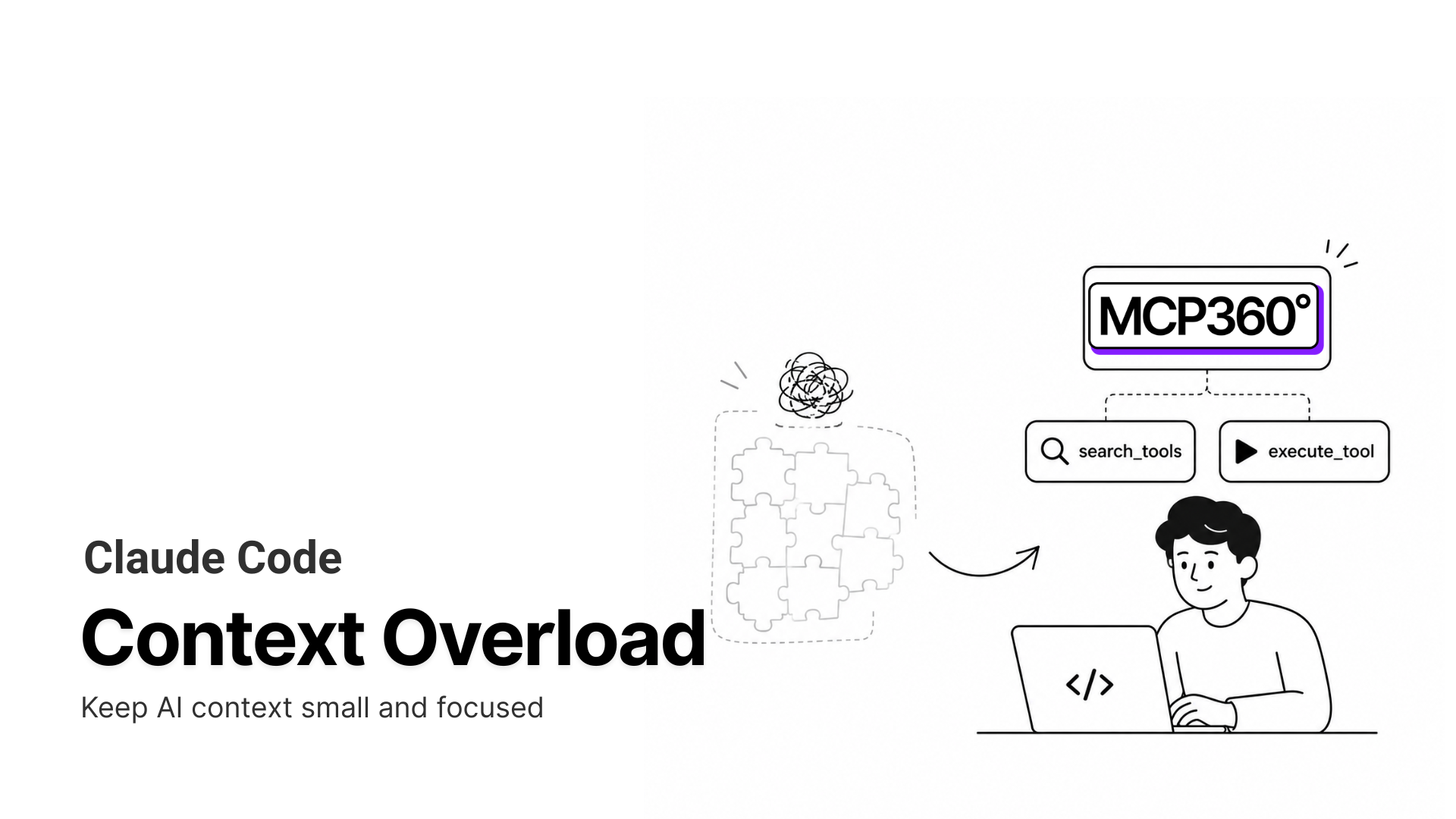
MCP360 is a unified MCP gateway built to give an AI agent access to external tools through one integration, instead of a separate connector built and maintained for each service it needs to reach. Rather than loading every available tool into context up front, it discovers and calls in only what a given task actually needs, which matters more as an agent’s tool list grows into the dozens.
Where Tray.ai bundles workflow orchestration and tool access into one governed platform, MCP360 treats tool access as its own separable layer, sitting behind Tray.ai, n8n, a code framework, or any other orchestrator already in place.
Features
- Single MCP connection covering 100+ tools across search, SEO, e-commerce, maps, and data API categories
search_toolsandexecute_toolmeta-tools standardize how different services get called, keeping token use flat as the catalog grows- No-code Custom MCP Builder wraps any REST API as a callable tool, or runs custom Python or JavaScript logic when a wrapper isn’t enough
- Prebuilt marketplace of production-ready tools for keyword research, web data extraction, and external APIs
- SOC 2 Type II, GDPR, and ISO 27001 compliance published at every plan tier, not gated to Enterprise
Limitations
- No workflow canvas or orchestration logic of its own, an agent still needs Tray.ai, n8n, or a framework to decide what happens next
- Shows its strongest value on multi-tool workloads. A single-integration use case may not need a full gateway
Pricing
- Free – $0/month, 100 credits
- Starter – $16/month billed annually
- Professional – $83/month billed annually
- Advanced – $333/month billed annually
Use Case
The natural fit is a team already committed to Tray.ai or another orchestrator that needs broader tool reach without rebuilding the workflow layer it has.
5. n8n
n8n is an open-source workflow automation platform built around a visual node canvas, where an AI Agent node lets an LLM choose its own execution path at runtime instead of a fixed sequence. It’s the only platform on this list a team can run entirely on its own servers, often described as the closest thing to Tray.ai’s own workflow logic without the recurring platform fee.
That’s the same core pitch Tray.ai makes at a much higher price, an agent that decides its own path through a workflow instead of following a fixed script written in advance.
Features
- Free self-hosted Community Edition with unlimited workflows and executions on infrastructure you control
- Native AI Agent node with MCP tool integration for both calling external servers and exposing workflows as tools
- 400+ integrations plus code nodes for JavaScript and Python when a prebuilt node doesn’t cover the case
- Full data residency by design, since a self-hosted instance never sends workflow data to n8n’s servers
- Git-based version control and multiple environments on the Business and Enterprise tiers
Limitations
- Self-hosting means your team owns uptime, upgrades, and patching, overhead a managed platform like Tray.ai absorbs instead
- No persistent memory across sessions without wiring in an external database, and no governance layer as deep as Workato’s or Boomi’s
Pricing
- Starter: €20/mo billed annually, 2,500 executions
- Pro: €50/mo billed annually, 10,000 executions
- Business: €667/mo billed annually, self-hosted, 40,000 executions
- Enterprise: Custom pricing
Use Case
Developer-heavy teams save the recurring platform bill here while keeping Tray.ai-style workflow logic and MCP access.
6. Boomi
Boomi is an enterprise integration platform (iPaaS) built around a low-code process designer for connecting and orchestrating data across business applications. Boomi Connect extends that same connected-systems layer outward, giving AI agents governed access to the apps a company has already wired into Boomi, instead of requiring a separate integration built for each one.
That governance runs through the same policy layer Boomi already applies to human-triggered integrations, an agent’s access to a system is scoped and audited the same way a scheduled data sync would be, not bolted on as a separate AI-only permission model.
Features
- Boomi Connect provides governed MCP access for Claude, Gemini, ChatGPT Enterprise, and Copilot through one authenticated service
- MCP Registry inside Agentstudio catalogs Boomi-built and third-party MCP servers so admins curate what agents can reach
- Boomi AI Gateway layers policy enforcement, cost controls, and observability on top of the MCP connections
- Multi-region Agent Runtime Clouds in the UK, ANZ, and JP for data residency requirements
- A published Pay-As-You-Go entry point, a level of pricing transparency Tray.ai doesn’t offer at any tier
Limitations
- The committed subscription editions remain quote-based, so the transparent tier only covers lighter usage
- The MCP push is new for 2026, with far less field-tested history than Boomi’s two-decade-old integration engine
Pricing
- Pay-As-You-Go – $99/month
- Professional, Enterprise, Enterprise Plus – custom quote
- 30-day free trial available
Use Case
Enterprises already running Boomi, or teams evaluating Tray.ai for governed MCP access at scale, gain a transparent entry point Tray.ai doesn’t offer.
7. Composio
Composio is a developer-first MCP infrastructure platform, built to be called from an agent’s own codebase rather than assembled on a visual canvas. It exists specifically to remove the integration work a team would otherwise write by hand for every app an agent needs to reach, from Gmail and Slack to Salesforce, GitHub, and dozens of other everyday business tools.
That scoped-server model is deliberate. Composio lets a team wire up only the toolkits a given agent needs, so a support agent calling Zendesk and Slack isn’t carrying tool definitions for Salesforce or GitHub it will never touch.
Features
- MCP Gateway with managed OAuth, automatic token refresh, and sandboxed execution across 1,000+ toolkits
- SDKs for Node.js and Python plus a CLI, built for an agent’s own codebase rather than a no-code canvas
- Scoped, toolkit-specific MCP servers that keep context small by exposing only the tools a task needs
- Works out of the box with Claude, Cursor, Codex, and other agent frameworks
- A free tier generous enough to test a real workflow before committing to a paid plan
Limitations
- No visual workflow builder. Every integration is written or configured as code, which shuts out non-technical teams
- Composio’s pricing is scheduled to change on August 15, 2026, so current tier numbers may shift shortly after publication
Pricing
- Totally Free: $0/mo, 20,000 tool calls
- Ridiculously Cheap: $29/mo, 200,000 tool calls
- Serious Business: $229/mo, 2,000,000 tool calls
- Enterprise: custom pricing
Use Case
Developer teams building agents entirely in code skip the visual orchestration layer altogether and get managed auth instead.
8. Pipedream
Pipedream is an integration platform built for developers who want more control than a pure no-code tool offers. Its MCP server extends the same integration catalog to AI agents, prebuilt actions and inline code sit side by side in the same step, with those same building blocks doubling as tools an agent can call through Pipedream Connect, without the agent’s own code ever handling raw credentials directly.
That combination puts Pipedream closer to Composio than to Make on the spectrum, more code than a typical no-code builder, but still built around a visual step sequence rather than a pure SDK.
Features
- MCP server covering 3,000+ apps with 10,000+ prebuilt tools and managed, server-side OAuth
- Custom Node.js, Python, Go, and Bash code execution available at any workflow step alongside prebuilt actions
- Pipedream Connect lets product teams embed the “connect your apps” flow inside their own product
- Serverless architecture with auto-scaling, concurrency controls, and throttling for third-party rate limits
- SOC 2 Type II and HIPAA certified, GDPR-compliant per the vendor
Limitations
- No self-hosted option. It’s managed SaaS only, unlike n8n
- Roadmap direction is unsettled post-acquisition, with Workday’s stated focus on enterprise HR and finance-adjacent use cases
Pricing
- Free – $0/month
- Basic – $29/month
- Advanced – $49/month
- Connect – $99/month
- Business/Enterprise – custom
Use Case
Code-level control at Tray.ai-style breadth is the draw, provided the team is comfortable with a platform now owned by a much larger acquirer.
How to Choose the Right Alternative
The eight above solve different problems, so the fastest way to choose is to name the one actually blocking you, not to compare feature counts.
- Compliance needs set the floor fast: A regulated team answering to compliance needs every agent action tied back to a person and logged for review, that’s a higher bar than just getting a connection working. Workato and Boomi both clear it by design, and the trade is a longer, sales-driven path before anything runs.
- Team’s technical depth decides the format: If nobody on the team writes code, the platform has to carry that weight through a visual interface instead. Zapier and Make both do, Zapier for the broadest reach with the least setup, Make once the logic gets more conditional than a simple trigger-and-action chain.
- The gap might be tools, not the engine: Plenty of teams keep whatever workflow engine they already run and just need it to reach more external services. MCP360 solves that narrower problem specifically, adding tool access without asking anyone to rebuild an orchestration layer that already works.
- Free only if someone owns the server: n8n is the one option here where the platform itself costs nothing, the trade is that your team now owns uptime, patching, and everything else a managed vendor would normally handle.
- Comfort with code changes the calculus: A team comfortable shipping code gets more precision working directly in an SDK than any visual builder allows. Composio fits that when the job is strictly agent tool-calling, Pipedream when it’s closer to a full workflow with code dropped into individual steps.
The right answer here comes down to your own constraints, not a universal winner. Pick whichever point above actually matches what’s slowing your team down, then run a real workflow through the closest match or two before committing to anything longer than a month.
Frequently Asked Questions
What is an MCP gateway?
An MCP gateway is a single connection point that lets an AI agent reach many external tools and services through the Model Context Protocol, instead of a separate integration built for each one. MCP360 works this way, exposing 100+ tools through one integration so an agent can call whichever one a task needs.
What’s the difference between MCP and a regular API?
A regular API has its own request format, authentication method, and documentation, so a developer learns each one separately. MCP standardizes that layer, every tool speaks the same protocol, so an agent’s code doesn’t change no matter which service it’s calling.
Why doesn’t Tray.ai publish its pricing?
Tray.ai has never published pricing, even before its 2024 rebrand from Tray.io. Every plan, Pro, Team, and Enterprise, routes through a sales conversation instead, which makes it hard to estimate cost before committing to a call.
What are the best alternatives to Tray.ai for AI agent workflows?
The strongest options depend on what’s actually missing. Workato and Boomi match Tray.ai’s governance depth, Zapier and Make offer faster no-code setup, n8n is the only free self-hosted option, Composio and Pipedream fit teams building agents directly in code, and MCP360 fits teams that need broader tool access, not a full orchestration replacement.
Is n8n really free to self-host?
Yes. n8n’s Community Edition is free under a fair-code license, with no execution limits when it runs on infrastructure you manage yourself. The only ongoing cost is your own hosting, since n8n’s paid Cloud plans are a separate, optional tier starting around $20 a month.
What’s the difference between an MCP gateway and a workflow orchestrator like Tray.ai?
A workflow orchestrator like Tray.ai owns the process, deciding what step runs next and under what conditions. An MCP gateway like MCP360 doesn’t make those decisions, it just gets an agent whatever tool the orchestrator asks for. They solve different layers of the same problem, not competing approaches to it.
Which Tray.ai alternative is best for regulated or enterprise teams?
Workato and Boomi both match Tray.ai’s governance model most closely, with role-based access and full audit trails on every agent action. Both also require a sales conversation to see pricing, the same trade-off regulated teams already accept with Tray.ai itself.
Can I add more tools to an AI agent without replacing my existing platform?
Yes, if the actual gap is tool access rather than the orchestration layer itself. Then a gateway like MCP360 connects on top of whatever’s already running, Tray.ai, n8n, or a custom framework, so a team can reach more tools without rebuilding the workflow engine it already has.
Conclusion
Every platform here except Workato gets you to a working agent today, a free tier, a published entry price, or infrastructure you already control. That’s the real dividing line in this list, not features, not app counts, just whether you can start without a phone call first. It’s unlikely to close soon, either. The deepest governance features in this list, Workato’s full platform, Boomi’s advanced editions, Composio’s VPC option, still sit behind a sales conversation, even on platforms that publish a starting price for everything else.
The tool-access case above is the one this solves most directly. MCP360’s free tier plugs into whatever’s already running with one URL and one token, no separate integration work, and it costs nothing to find out before committing to anything bigger.

Article by
HarsheenMCP & AI Agents | Content Writer
Harsheen is a content writer covering AI agents, automation, and no-code tools. She writes across topics from chatbots and customer experience to MCP and enterprise workflows, showing how real teams adopt AI in everyday operations.