


The TL;DR
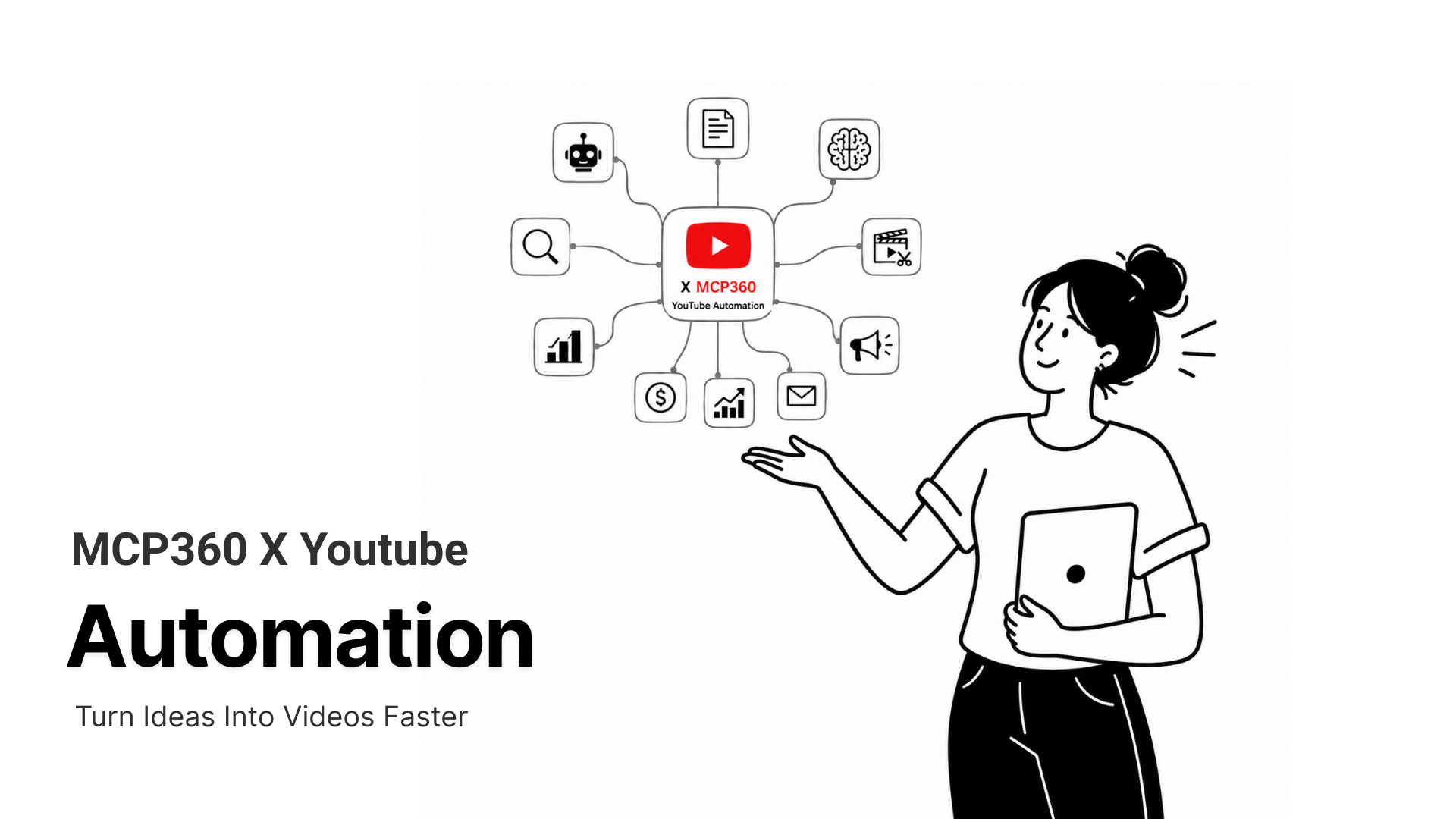
YouTube automation helps teams research topics, analyze competitors, generate content ideas, optimize metadata, track rankings, review comments, and improve publishing workflows with less manual work.
-
• What It Solves
YouTube growth often requires repeated manual work across research, scripting, keyword analysis, comment review, competitor tracking, and performance monitoring. Automation reduces that workload by turning scattered tasks into repeatable workflows.
-
• What It Covers
A complete YouTube automation workflow can support video research, topic discovery, transcript analysis, title and description planning, comment extraction, channel monitoring, trend tracking, and rank checking.
-
• Who It Is For
It is useful for creators, content teams, SEO specialists, agencies, researchers, and developers building systems that need to collect, analyze, and act on YouTube data at scale.
YouTube hosts more than 800 million videos. For teams doing content research, competitive analysis, or SEO work, that volume means hours spent manually searching, switching tabs, copying metadata, and running the same lookups repeatedly. The actual thinking that drives decisions takes a fraction of that time. The rest is retrieval.
AI agents can handle retrieval. The problem is that most AI agents, including Claude, have no direct access to YouTube. They cannot search for videos, check a channel’s subscriber growth, pull a transcript, or find where a video ranks for a keyword. They work entirely within the context you provide. If you want YouTube data in the conversation, you have to fetch it yourself and paste it in.
The MCP360 YouTube MCP Server removes that dependency. Once connected, your AI agent can query YouTube directly as part of any task. You describe what you need, and the agent handles the lookup, retrieval, and reasoning in the same session. No tab switching. No manual copying. No intermediary steps.
This post covers what the server offers, how each tool works, the workflows it enables, and how to connect it to Claude or any other MCP-compatible client in a few steps.
Limitations of AI Agents Without MCP Tools
Most AI agents, including Claude, can reason well. They can analyse data, identify patterns, summarise content, and structure useful recommendations. The limitation is not reasoning. The limitation is access. By default, they cannot retrieve live information from outside the conversation on their own.
That becomes a problem for YouTube workflows because most tasks need more than one lookup. Finding a video is only the first step. A proper workflow may also require checking view counts, reading transcripts, reviewing comments, analysing keyword rankings, comparing competitor videos, and generating thumbnails.
Without MCP, the user becomes the data layer. They have to collect the information manually, switch between tabs, copy details, and paste everything back into the conversation before the agent can continue.
MCP changes this by giving AI agents direct access to external tools during a session. The Model Context Protocol defines how agents connect with outside systems, and MCP360 turns this into a unified gateway with 100+ production-ready servers, including a YouTube server built for video research and automation workflows.
What a Complete YouTube Automation Workflow Includes
YouTube automation is not only about pulling data from YouTube. A useful workflow needs to understand what people are searching for, which videos are already winning attention, what competitors are publishing, how audiences are reacting, and what assets are needed to publish better content.
That is where MCP360 becomes useful. Instead of relying on one YouTube MCP server, teams can combine multiple MCP servers to build a complete research and content workflow. YouTube data can be connected with Google Trends, Google Search, keyword research, SERP tracking, web scraping, and image generation to move from raw research to publish-ready content decisions.
1. Topic Research and Demand Validation
The workflow usually starts with topic discovery. An agent can use YouTube search tools to find videos around a keyword, niche, product, or competitor. This helps identify what already exists on YouTube, which formats are performing, and which creators or brands are consistently getting attention.
But YouTube search alone does not tell the full story. Google Trends can help validate whether a topic is rising, seasonal, declining, or stronger in specific regions. Google Search and keyword research tools can add another layer by showing related queries, search demand, and content gaps outside YouTube.
This helps teams avoid creating videos based only on guesswork. Before scripting anything, the agent can check whether the topic has audience demand, whether the timing is right, and which angle has the best chance of being useful.
2. Competitor and Channel Analysis
After a topic is validated, the workflow can move into competitor research. YouTube channel tools can help identify which creators, brands, or publishers already own visibility in a category. The agent can review channel size, publishing frequency, video catalog, audience response, and top-performing content patterns.
This is useful for understanding what works in a niche without manually opening dozens of videos. The agent can compare titles, upload cadence, video length, Shorts strategy, recurring themes, and topic clusters.
For deeper research, web scraping and Google Search tools can also inspect competitor websites, blogs, product pages, or public resources. This gives the agent a wider view of how competitors position the same topic across search, website content, and YouTube.
3. Video Intelligence and Transcript Analysis
Once the agent finds relevant videos, it can inspect them in detail. Video metadata tools can pull descriptions, tags, categories, upload dates, duration, and engagement signals. Transcript extraction can turn long videos into structured text that can be summarized, compared, and repurposed.
This is where automation becomes more valuable than a simple YouTube search. The agent can analyze what top videos actually cover, which points they repeat, which sections are missing, and where a new video can be more useful.
For example, a content team can ask the agent to review the top videos for a topic, extract their common talking points, identify weak explanations, and create a better brief. That brief can then guide the script, outline, chapters, title direction, and supporting content.
4. Audience Research from Comments
Comments are one of the most useful but underused parts of YouTube research. They show what viewers are confused about, what they disagree with, what they want next, and which parts of a video created the strongest reaction.
With YouTube comment tools, an agent can extract audience questions and repeated themes from relevant videos. This helps content teams find pain points that keyword tools may not show directly.
The result is better content planning. Instead of writing a generic video script, the team can answer real viewer questions, address objections, and build sections around the language the audience already uses.
5. Creative Planning and Asset Generation
A complete YouTube workflow also needs creative direction. After the agent understands the topic, competitors, keywords, and audience questions, it can help generate titles, descriptions, hooks, chapters, pinned comments, and thumbnail concepts.
Image generation tools can support the visual side of the workflow. The agent can create thumbnail directions, visual concepts, or draft creative ideas based on the research. This does not replace a designer, but it gives the team a faster starting point for creative testing.
For content teams publishing regularly, this can reduce the gap between research and production. The same research base can support the video outline, SEO metadata, thumbnail concept, social repurposing, and follow-up content ideas.
6. Ranking and Performance Tracking
After publishing, automation can continue through rank tracking and performance monitoring. YouTube rank tracking tools can check where a video appears for target keywords and compare it with competing videos in the same result set.
SERP tracking can add another layer for videos that are also expected to appear in Google results. This is useful for SEO-led YouTube strategies where the goal is not only YouTube discovery but also visibility across search engines.
Over time, the agent can track which topics, titles, formats, and keyword angles are improving. This turns YouTube automation into a feedback loop instead of a one-time research task.
Why This Matters
The value of MCP360 is not that it gives an agent one YouTube tool. The value is that it lets teams connect multiple tools into one repeatable workflow.
A complete YouTube automation workflow can research topics, validate demand, analyze competitors, study transcripts, extract audience questions, generate creative ideas, prepare metadata, and monitor rankings after publishing.
That is far more useful than asking an AI model to write a video idea from a blank prompt. The agent works with real data from YouTube, search, trends, comments, websites, and ranking signals. This gives content teams a stronger base for decisions and helps them move from scattered manual research to structured content operations.
MCP360 YouTube MCP vs. Manual YouTube Research
| Workflow | Manual Approach | With MCP360 YouTube MCP |
|---|---|---|
| Video research | Open YouTube, search manually, copy metadata one by one | Agent calls search_videos, returns structured results instantly |
| Transcript access | Open video, enable captions, copy text, paste into prompt | Agent calls get_video_transcripts with the video ID |
| Rank tracking | Search keyword, scroll through results, note position manually | Agent calls find_video_position or bulk_find_video_position |
| Trend monitoring | Check trending tab by region manually | Agent calls get_youtube_trends filtered by country and category |
| Channel analysis | Visit channel page, note stats, cross-reference with content | Agent calls get_channel_details and get_channel_videos |
| Comment analysis | Scroll comments, copy and paste into prompt | Agent calls get_video_comments with sort and count controls |
| Multi-step research | Hours across multiple tabs and tools | Single agent session with sequential tool calls |
5 YouTube Automation Workflows MCP360 Can Power
The clearest way to understand MCP360 is to look at the workflows it can support. Each example below combines multiple MCP servers so the agent can research, compare, analyze, generate, and track work without relying on manual copy-paste between tools.
1. Find Video Ideas Backed by Demand
A strong YouTube idea should be supported by more than intuition. With MCP360, an agent can start by checking Google Trends to see whether a topic is rising, seasonal, or losing interest. It can then search YouTube to find competing videos, inspect top-performing examples, compare titles, and analyze transcripts to understand what those videos actually cover.
Keyword research adds search intent, while Google Search helps surface related questions people are asking outside YouTube.
Workflow: Google Trends → YouTube Search → Video Details → Transcript Analysis → Keyword Research → Content Brief
Demand-backed video ideation
Output: A validated list of video ideas with target keyword, topic angle, competitor examples, title direction, and recommended talking points.
2. Audit Competitor Channels
Competitor research is usually slow because the useful signals are spread across channels, videos, comments, upload patterns, and audience reactions.
MCP360 can help an agent find relevant channels, review their channel details, inspect their most popular or recent videos, and identify recurring formats. It can also analyze comments to understand what viewers liked, questioned, or wanted next.
This gives the team a clearer view of the strategy behind a channel, not just its subscriber count.
Competitor channel audit
Output: A competitor audit with publishing frequency, strongest topics, audience questions, content gaps, and positioning opportunities.
3. Turn Videos into Reusable Content
A single YouTube video can support more than one upload. MCP360 can help turn existing videos into blogs, newsletters, social posts, short-form captions, and follow-up ideas.
The agent can extract the transcript, summarize the main points, identify reusable sections, and reshape the content for other channels. Keyword research can guide the blog angle, while image generation can support thumbnail or social visual concepts.
This helps content teams get more value from every video they already publish.
Workflow: Video Transcript → Summary → Keyword Research → Blog Outline → Social Posts → Image Concepts
Video repurposing system
Output: A repurposing pack with a blog outline, LinkedIn post, short-form captions, newsletter angle, thumbnail direction, and follow-up video ideas.
4. Build a YouTube SEO Package Before Publishing
Metadata matters, but it should not be written in isolation. Before publishing, an agent can use keyword research to find target terms, inspect YouTube results for those terms, and analyze the videos already ranking.
From there, the agent can prepare title options, description structure, chapters, hashtags, pinned comment ideas, and thumbnail concepts. After publishing, rank tracking can monitor where the video appears for target keywords.
YouTube SEO package
Output: A YouTube SEO package with target keywords, title options, optimized description draft, chapter structure, thumbnail concept, and ranking baseline.
5. Respond Faster to Emerging Trends
Fast-moving topics lose value when teams discover them too late. MCP360 can help an agent monitor Google Trends, YouTube trends, Google Search, and competitor channels to spot topics gaining momentum.
Once a trend appears, the agent can inspect top videos, review comments, extract transcripts, and prepare a fast content brief. This gives the team enough context to publish while the topic is still active.
Fast trend response
Output: A trend-response brief with the topic, reason for momentum, competing videos, audience questions, recommended angle, title ideas, and publishing priority.
How to Connect the MCP360 With AI Client
Connecting MCP360 to an AI client is a short and simple setup process. MCP360 gives you an unified MCP endpoint, and that endpoint your AI client uses to access external tools such as YouTube, Google Trends, Google Search, keyword research, scraping, and image generation.
Instead of adding every tool separately, you connect the AI client to MCP360 once. After that, the client can call the available tools when a task requires live data, research, analysis, or automation.
1. Create an MCP360 Account
Start by creating an MCP360 account and opening the dashboard. This is where you manage your available MCP servers, and connection settings.
Once inside the dashboard, choose the MCP server or gateway you want to connect. For a broad YouTube automation workflow, the universal gateway is usually the better option because it can expose multiple tools through one connection.
2. Choose the MCP Server or Universal Gateway
MCP360 gives you two practical connection paths.
The first is the universal gateway. This is useful when you want one AI client to access multiple MCP360 tools from the same connection. For example, a YouTube automation workflow may need YouTube data, Google Trends, Google Search, keyword research, transcript analysis, and image generation in the same workflow.
The second option is a specialized MCP server. This is useful when you only want to connect one focused capability, such as YouTube, Google Trends, keyword research, or scraping.
For most content automation workflows, the universal gateway is easier to manage because the AI client does not need a separate setup for every tool.
3. Copy the MCP Configuration
After choosing the server or gateway, copy the MCP configuration from MCP360. This usually includes the server URL or endpoint your AI client needs to connect with MCP360.
This configuration is what tells the AI client where to send tool requests. Once added, the client can communicate with MCP360 through the Model Context Protocol instead of relying only on pasted data inside the chat.
4. Add MCP360 to Your AI Client
Open the settings area inside your AI client and look for the option to add an MCP server, custom connector, or external tool connection.
The exact label depends on the client. In Claude, this may appear as a custom connector or MCP setup. In developer tools like Cursor or Windsurf, it may appear inside MCP server configuration. In automation tools like n8n or agent builders, it may be added as part of an agent or workflow connection.
Paste the MCP360 configuration into the client, save it, and restart the client if required.
5. Test the Connection
After connecting MCP360, test it with a simple request before building a full workflow.
For example, you can ask the AI client to search for YouTube videos around a topic, check a trend, retrieve keyword data, or analyze a video transcript. If the connection is active, the client should be able to call the relevant MCP360 tool instead of asking you to paste the data manually.
A good first test for a YouTube automation setup could be:
“Find trending YouTube topics around AI agents, compare them with Google Trends, and suggest five video ideas with search intent.”
This confirms that the AI client can use MCP360 as a live tool layer, not just as a static knowledge source.
6. Build the Workflow Around Tool Access
Once the connection works, the next step is to design the workflow.
For YouTube automation, the AI client can now move through a sequence such as topic research, trend validation, competitor analysis, transcript review, comment analysis, metadata planning, thumbnail ideation, and rank tracking.
The important point is that MCP360 becomes the tool gateway. The AI client provides the reasoning layer, while MCP360 provides access to the external systems and data needed to complete the workflow.
Common Mistakes and Limitations
YouTube automation works best when the workflow is designed like a research system, not a content shortcut. MCP360 gives AI clients access to external tools such as YouTube data, Google Trends, Google Search, keyword research, transcripts, comments, scraping, and image generation. But the quality of the result depends on the client’s ability to use those tools reliably, the scope of the request, and the review process around the output.
The biggest failures usually happen before the content brief is written: the client skips tool calls, the prompt is too broad, the workflow pulls too much context at once, or the final output goes live without editorial review.
1. Choosing an AI Client That Does Not Reliably Use Tools
MCP360 can expose the right tools, but the AI client still has to call them at the right time. If the client does not reliably use tools across a multi-step workflow, the automation breaks down.
This is where hallucination enters the process. The agent may claim a topic is trending without checking Google Trends, describe top videos without searching YouTube, invent audience signals without reading comments, or build a keyword angle without using keyword data.
Before building a YouTube automation workflow, test the client with small tool-based tasks. Ask it to retrieve current YouTube results, check a trend, pull a transcript, compare keyword data, and summarize the evidence it used. If it cannot consistently show where its answer came from, it is not ready for research-heavy automation.
2. Trying to Run Deep Research in One Prompt
A serious YouTube workflow is not one prompt and done. The agent may need to discover topics, validate demand, search YouTube, inspect top videos, pull transcripts, analyze comments, compare keywords, and then prepare a content brief.
When all of that is forced into one broad request, the result usually becomes shallow. The agent compresses the process, skips evidence, or moves too quickly from discovery to recommendation.
A stronger workflow runs in stages:
- Find candidate topics.
- Validate demand with search and trend signals.
- Analyze competing videos and channels.
- Extract transcript and comment insights.
- Create the final brief, metadata, and creative direction.
This makes the output easier to review and gives the agent enough evidence before it starts making content decisions.
3. Pulling Too Much Data Without Scoping the Workflow
YouTube automation can use more tokens than a simple chat because the agent may need to make several tool calls before it can produce a useful answer.
This is normal for research-heavy workflows. A proper YouTube brief may require trend checks, video search, transcript extraction, comment review, keyword comparison, and competitor analysis. Each step adds work for the AI client, especially when the workflow pulls long transcripts, large comment sets, or multiple video results.
The mistake is expecting this process to cost the same as a basic prompt. A one-line request like “give me YouTube ideas” is cheap, but it also gives shallow output. A proper workflow uses more tokens because it is doing more research.
The fix is to scope the workflow before running it. Set limits such as top 5 videos, 10 keywords, one region, one language, or one competitor channel at a time.
This keeps token usage under control while still giving the agent enough data to create a useful brief.
4. Using MCP360 Without a Workflow Brief
MCP360 gives the AI client access to tools. It does not automatically know your channel strategy, target audience, brand voice, content quality bar, or business goal.
If the request is vague, the output will be vague. Asking the agent to “find YouTube ideas” gives it too much freedom and too little context. The result may look polished, but it will often miss the audience, region, content format, or commercial intent behind the channel.
A better workflow brief includes:
- the niche or topic area
- target audience
- target region or language
- competitors to compare
- video format
- publishing goal
- output format
For example, instead of asking for video ideas, ask the agent to find rising topics in a specific niche, compare them with YouTube results, review top videos, extract viewer questions, and return a ranked list of ideas with title angles and brief outlines.
The tools make the agent capable. The workflow brief makes it useful.
5. Automating Publishing Decisions Without Human Review
The fastest way to create weak content is to remove human judgment from the final decision.
An agent can collect data, compare videos, extract viewer questions, draft titles, suggest thumbnail concepts, and prepare metadata. But a person should still review the final topic, angle, factual claims, brand fit, title, thumbnail direction, and publishing decision.
This matters because the data itself can be incomplete. Some videos have no captions. Some have disabled comments. Some trend signals are already cooling. Some keywords look strong but attract the wrong audience. Some high-performing videos win because of creator trust, timing, or distribution, not because the topic is easy to replicate.
The safest setup keeps human review at the points where quality can break: topic approval, script direction, claim verification, metadata review, creative approval, and post-publishing analysis.
MCP360 can reduce manual research and connect the tools needed for a stronger YouTube workflow. It should not remove the editorial loop that keeps the work accurate, relevant, and worth publishing.
Conclusion
Manual YouTube research is slow because the work is split across too many places. One tool is used for trends, another for search, another for transcripts, another for comments, another for keywords, and another for ranking checks. By the time the research is collected, the team still has to turn it into a useful brief.
MCP360 changes that workflow by giving the AI client direct access to the tools it needs during the session. The agent can search YouTube, compare videos, review transcripts, analyze comments, check trend signals, inspect keywords, generate creative directions, and track rankings without the user acting as the data layer in between.
That is the real value of YouTube automation with MCP360. It is not only about saving clicks. It helps teams move from scattered manual research to a connected workflow where discovery, analysis, planning, and optimization happen in one place.
For creators, agencies, SEO teams, and content operators, this means faster research, better briefs, stronger topic decisions, and less repeated manual work. The final content still needs human judgment, but the research process no longer has to start from empty prompts or copied data.
When MCP360 is connected to a capable AI client, YouTube automation becomes a practical workflow system: find the opportunity, validate the demand, study the competition, extract audience signals, prepare the brief, and keep improving after publishing.


