The pull request is ready. You’ve built a clean feature, written solid code, and you’re about to merge. Then someone on your team drops a comment: “Can we optimize this page for SEO before it goes live?”
Now you’re opening browser tabs. Copying URLs into SEO tools you barely use. Trying to understand what “missing H1 tag” actually means for your React component structure. Taking notes so you remember what needs fixing. Switching back to your editor. Making changes. Deploying. Opening the SEO tool again to verify.
By the time you finish this cycle, the feature that took an hour to build has consumed your entire afternoon. You are still not sure if the changes made a difference.
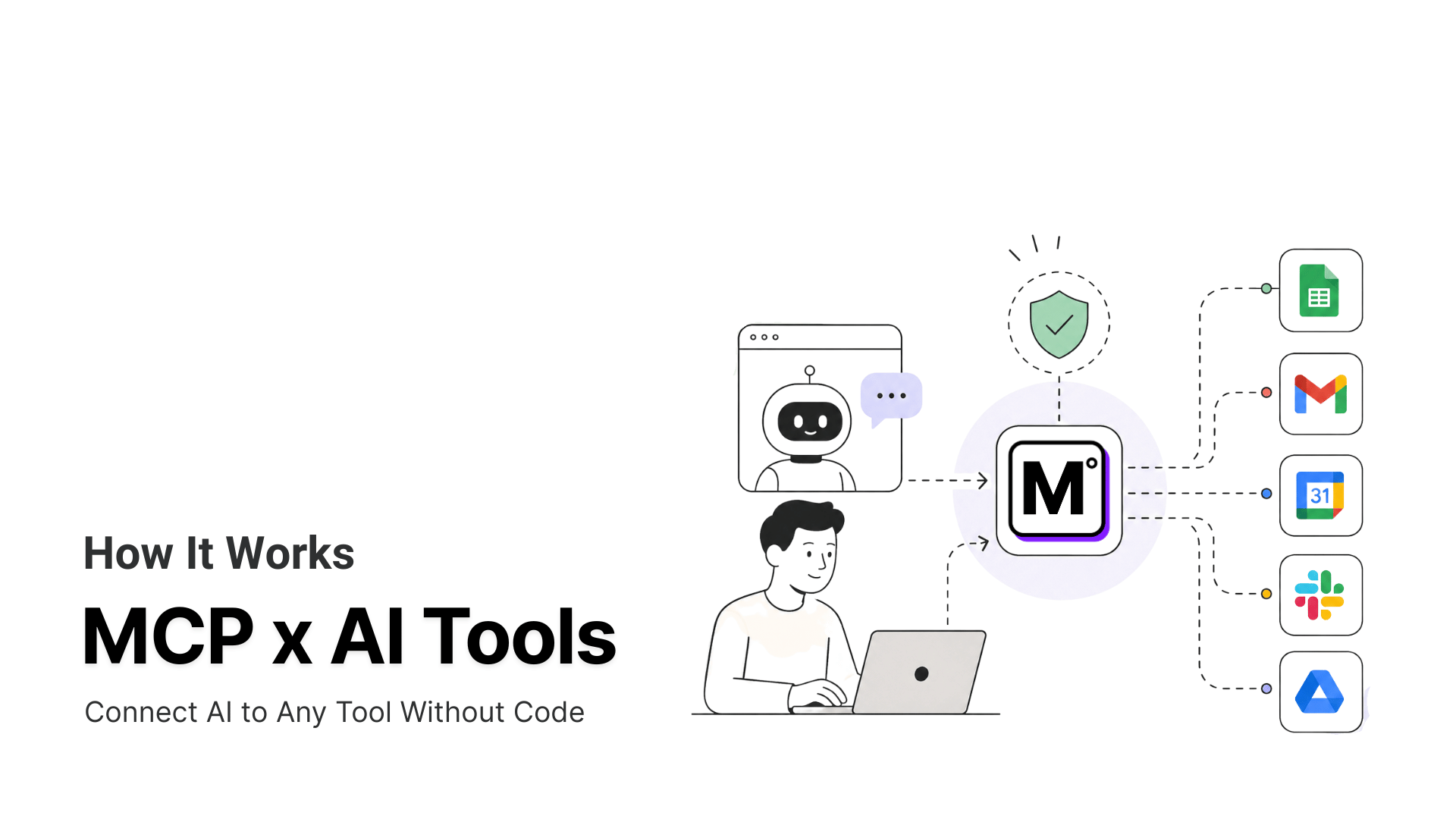
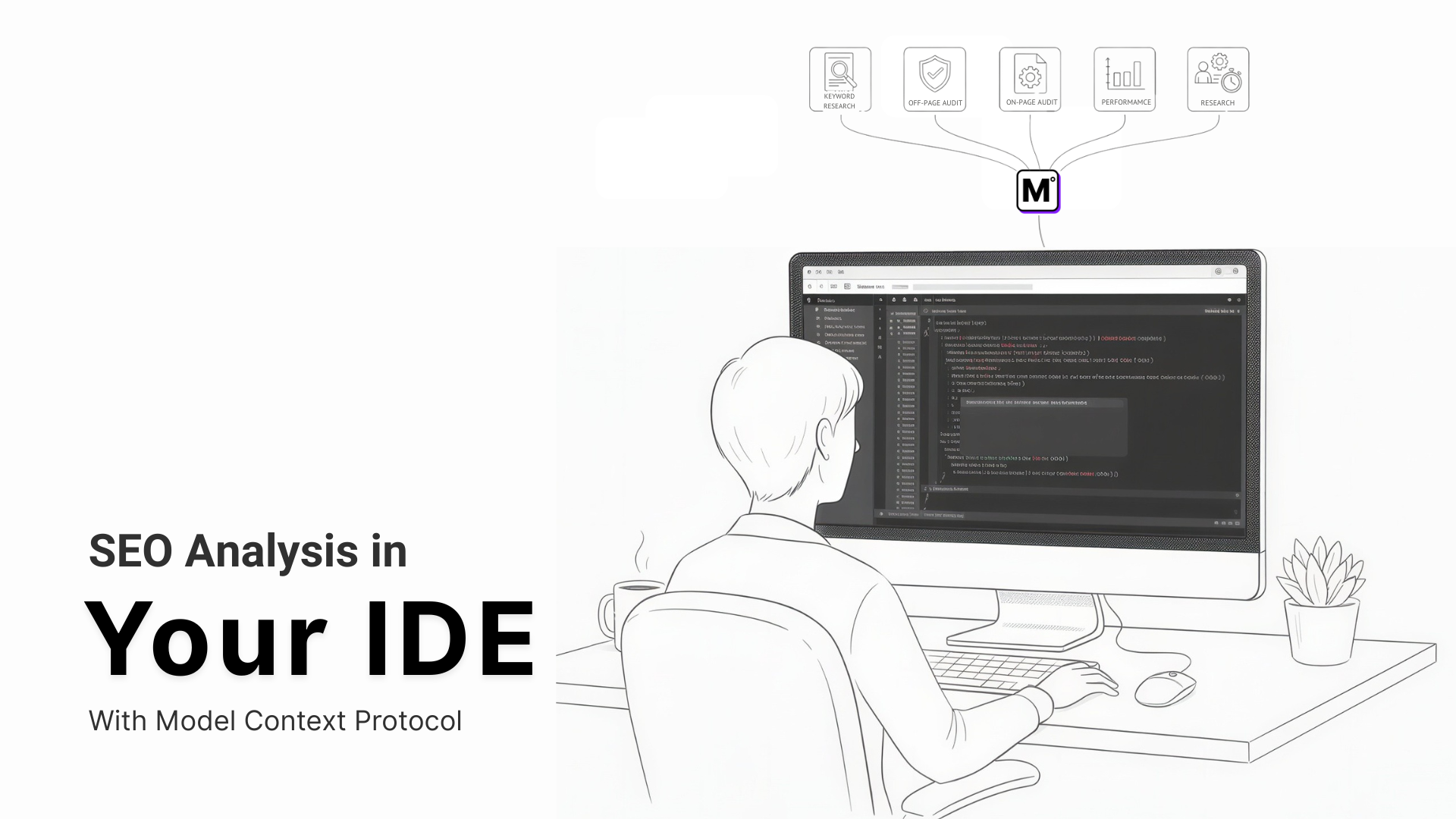
This workflow doesn’t break because SEO is complicated. It breaks because every tool transition destroys momentum. Model Context Protocol (MCP) fixes this by bringing tools you need into your editor. You can call a SEO tool to analyze pages, identify issues, and implement fixes without leaving Cursor, VS Code, or wherever you already work.
Why SEO Optimization Kills Developer Momentum
The problem isn’t SEO itself. The problem is how SEO work forces developers to operate.
Here’s the typical sequence: Marketing or a PM flags an SEO issue. You open an SEO audit tool in your browser. The tool runs its analysis and returns a report. You read through findings about meta descriptions, heading hierarchy, and schema markup. You document what needs changing. You switch back to your code editor. You locate the relevant files. You implement fixes. You commit and deploy. You return to the SEO tool to verify the changes worked.
Each transition between tools costs time and focus. You’re not just clicking between applications. You’re shifting between different mental models – from code structure to SEO concepts to tool interfaces and back to code. Every shift requires cognitive overhead.
For indie developers and small teams, this overhead compounds. You don’t have a dedicated SEO specialist who handles the required changes. You don’t have a technical writer who can audit results.
You’re handling feature development, bug fixes, deployment, and now SEO optimization. Each additional tool in your workflow is another system to learn, another interface to navigate, another potential bottleneck.
The worst part? SEO work accumulates in backlogs. When optimization requires leaving your development environment, it becomes a separate task that happens “later.” Later often means never, or only when someone specifically complains about search visibility.
MCP360 Connect Your Editor to SEO Services
MCP360 changes how this works by connecting AI assistants directly to SEO analysis tools. Instead of manually operating separate services, you ask your AI to analyze a page. The MCP handles the API calls, retrieves data from actual SEO services, and returns actionable findings.
This happens entirely within your development environment. In Cursor, VS Code, or your terminal with Claude Code, you’re working with the same AI assistant that helps you write code. Now that assistant can also call external SEO services, interpret the results, and suggest specific fixes based on your codebase.
The technical mechanism is straightforward. MCPs act as standardized connectors between AI assistants and external services. When you request SEO analysis, the MCP:
- Sends your page URL to an SEO scoring service
- Retrieves technical metrics about meta tags, heading structure, performance, and content optimization
- Formats the data so your AI can interpret it
- Returns specific recommendations based on your actual code
You’re not getting AI guesses about what might improve SEO. You’re getting real data from services that crawl pages, analyze content, and measure performance metrics – the same engines that power professional SEO tools.
What SEO Analysis Looks Like in Your Editor
When SEO tools integrate directly into your development environment, the workflow improves dramatically.
You’re modifying a landing page component. Before committing, you ask Claude to analyze the page for SEO issues. Within seconds, you get specific findings. These include missing meta description, adding schema, improving page speed, fixing sitemaps, heading hierarchy problems, and slow image loading. The AI identifies which files need changes and suggests specific implementations.
You make the fixes right there. Update the meta tags in your component. Adjust the heading structure. Optimize the image imports. The code changes happen in the same flow as your feature work, not as a separate task requiring different tools.
For keyword research, the process works similarly. You’re writing content for a documentation page. You ask your AI to research relevant keywords for your topic. The MCP connects to keyword research APIs. It retrieves search volume data and competition metrics. Then, it interprets that data in the context of what you’re building. You get actionable recommendations about which terms to target, based on real search data.
The critical difference from traditional workflows: everything happens in one environment. No browser tabs. No copying data between tools. No context switching that breaks your development rhythm.
MCPs Provide Real SEO Data (Not AI Fabrication)
The distinction between what AI can do independently and what MCPs enable matters for accuracy.
AI can write meta descriptions. It understands SEO concepts. It can suggest content improvements based on its training. But it cannot tell you how your live page actually scores for SEO metrics. It cannot provide current search volume data for keywords. It cannot measure your page’s real load time or Core Web Vitals scores.
MCP360 connects your AI to services that perform these measurements:
Page Scoring – Real crawling and analysis of your live pages. The MCP calls SEO scoring services that check technical factors: meta tags, heading structure, internal linking, content optimization, mobile responsiveness. You get the same data you’d see in a dedicated SEO tool, interpreted by AI in context of your code.

Keyword Metrics – Actual search volume, competition levels, and trend data from keyword research APIs. Your AI analyzes this data based on your content strategy and suggests which terms matter for your specific use case.

SERP Rankings – Current positioning data for your pages. The MCP queries search engines and returns where you actually rank for target keywords, giving you baseline metrics before optimization and verification after changes.

Performance Data – Real measurements from services that test live pages: load times, Core Web Vitals, mobile scores. Not estimated values, but actual performance metrics that affect both user experience and search rankings.

The AI’s role shifts from generating estimates to interpreting real data. It connects to specialized services, retrieves current metrics, and helps you act on that information without leaving your editor.
Traditional vs. MCP SEO Workflows
When SEO analysis moves into your development environment, the entire workflow transforms. Here’s how the traditional approach compares to working with MCPs:
| Step | Traditional Workflow | MCP Workflow |
|---|---|---|
| When SEO happens | After the feature is live | During development |
| How it works | Build → Ship → Audit → Fix → Re-deploy | Build → Check SEO in editor → Fix → Ship |
| Backlog | SEO fixes pile up over time | No backlog — handled immediately |
| Developer context | Issues fixed later, context lost | Fixed while coding, context fresh |
| Speed | Feedback takes hours or days | Feedback in minutes |
| Result | SEO improves after release | SEO ready before release |
Setting Up SEO MCPs in Cursor or VS Code
Implementation takes three steps:
1. Choose your environment – MCP works with development tools that support the protocol. Cursor has built-in MCP support. VS Code works with appropriate extensions. Claude Code runs in your terminal and integrates with any editor.
2. Connect SEO tools through MCP360 – Add the MCP360 universal gateway in your development environment. This single integration gives you immediate access to 100+ tools, including page scoring, keyword research, SERP analysis, and performance metrics.

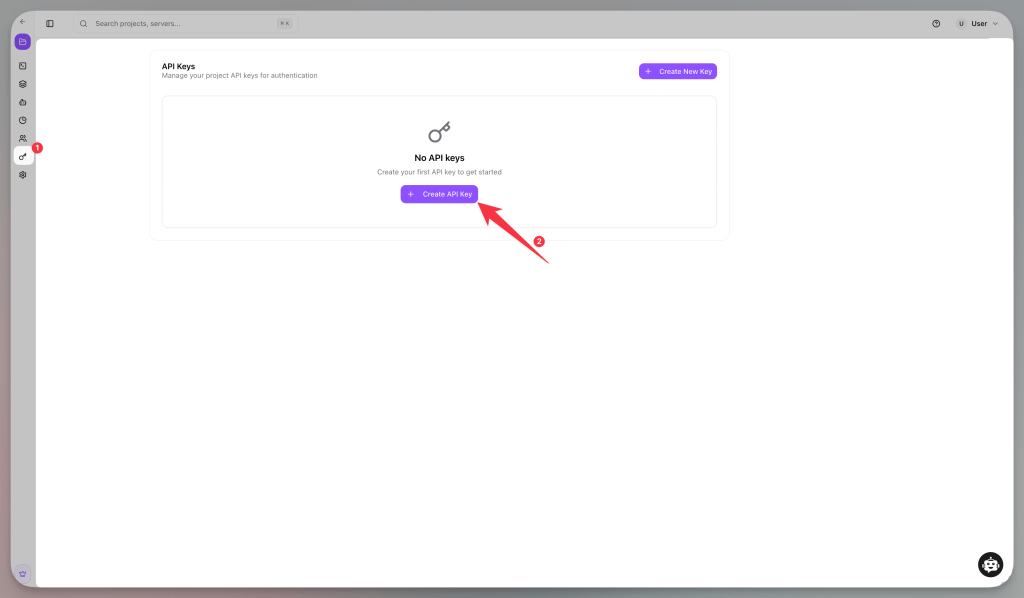
3. Create an API Key – Generate your MCP360 API key from the dashboard. This authenticates your editor’s connection to the gateway and enables access to all connected tools.
4. Add the configuration – Paste the MCP360 configuration block into your development tool’s settings file. The setup is straightforward – copy the provided JSON configuration and add it to your editor’s MCP settings.
5. Test the connection – Ask your AI to analyze a page. Verify that you’re receiving real data from external services, not AI-generated suggestions.
Configuration typically involves adding a JSON block to your development tool’s settings file. The MCP server handles authentication and data formatting automatically. Once configured, the integration persists across sessions.
For solo developers and small teams, aggregated platforms simplify setup. You connect once to access a complete set of SEO tools, rather than configuring several services. This approach saves time and usually makes it worthwhile for teams without dedicated DevOps resources.
Frequently Asked Questions
Can AI tools perform SEO audits directly inside a code editor?
Yes. When connected through MCP, AI assistants can access SEO analysis tools and retrieve real data about page structure, metadata, performance, and other SEO factors without requiring developers to leave their editor.
Is the SEO data generated by AI or retrieved from external tools?
The SEO metrics come from external services. MCP connects AI assistants to SEO tools that analyze live pages, keyword data, rankings, and performance metrics. The AI interprets the results and suggests improvements based on the data.
Can AI improve SEO during development?
Yes. AI can identify issues such as missing metadata, heading structure problems, schema markup gaps, and performance bottlenecks while you’re still building the page, making SEO part of the development process rather than a post-launch task.
What SEO tasks can be automated with MCP?
MCP can help automate page audits, keyword research, technical SEO checks, SERP analysis, metadata reviews, performance monitoring, and content optimization workflows.
Does MCP replace traditional SEO tools?
No. MCP does not replace SEO tools. Instead, it connects those tools directly to AI assistants, making their data and recommendations available inside your existing workflow.
How does MCP reduce context switching during SEO work?
Developers can analyze pages, review recommendations, and implement fixes without constantly moving between browsers, SEO platforms, documentation, and code editors. This helps maintain focus and speeds up execution.
Can MCP provide real keyword research and ranking data?
Yes. MCP can connect to SEO services that provide search volume, keyword difficulty, ranking positions, and trend data. The AI uses this information to generate recommendations based on real metrics rather than assumptions.
How can developers manage multiple SEO tools through a single integration?
Instead of configuring separate connections for every service, developers can use an MCP gateway to access multiple tools through one integration. Platforms like MCP360 follow this approach, helping teams centralize SEO workflows and tool management.
Conclusion
SEO analysis through MCPs changes when optimization happens. Instead of switching tools after deployment, you analyze and fix issues during development while the code is open and context is fresh.
For solo developers and small teams, this removes the friction that keeps SEO in backlogs. You get real metrics from external services and implement fixes without leaving your editor. The time previously spent managing tools goes into building features.
The protocol handles authentication, rate limiting, and data formatting automatically. Your editor connects to specialized services without becoming more complex.
Search is evolving towards both traditional algorithms and AI-powered discovery. With SEO analysis directly in your development environment, you can optimise for both. This happens without adding more tools to your workflow. Pages ship with proper meta structure, heading hierarchy, and performance optimisations already implemented.
Setup takes a few minutes. Connect MCP360, configure your editor, and start analyzing pages. The workflow improvement applies to every feature you ship afterwards.
Tags

Article by
HimanshuHead of Growth & Engineering
Himanshu is Head of Growth & Engineering, writing about AI agents, MCP, and no-code automation from a go-to-market view. He covers how teams evaluate, adopt, and get real value from AI tools, translating what the tech does into what it means for a business.