
The TL;DR
AI agents need a way to reach external tools. CLI and MCP solve that differently: CLI is lightweight and executes commands directly, while MCP provides structured, discoverable access to many tools. A gateway can combine the strengths of both.
-
• CLI vs. MCP
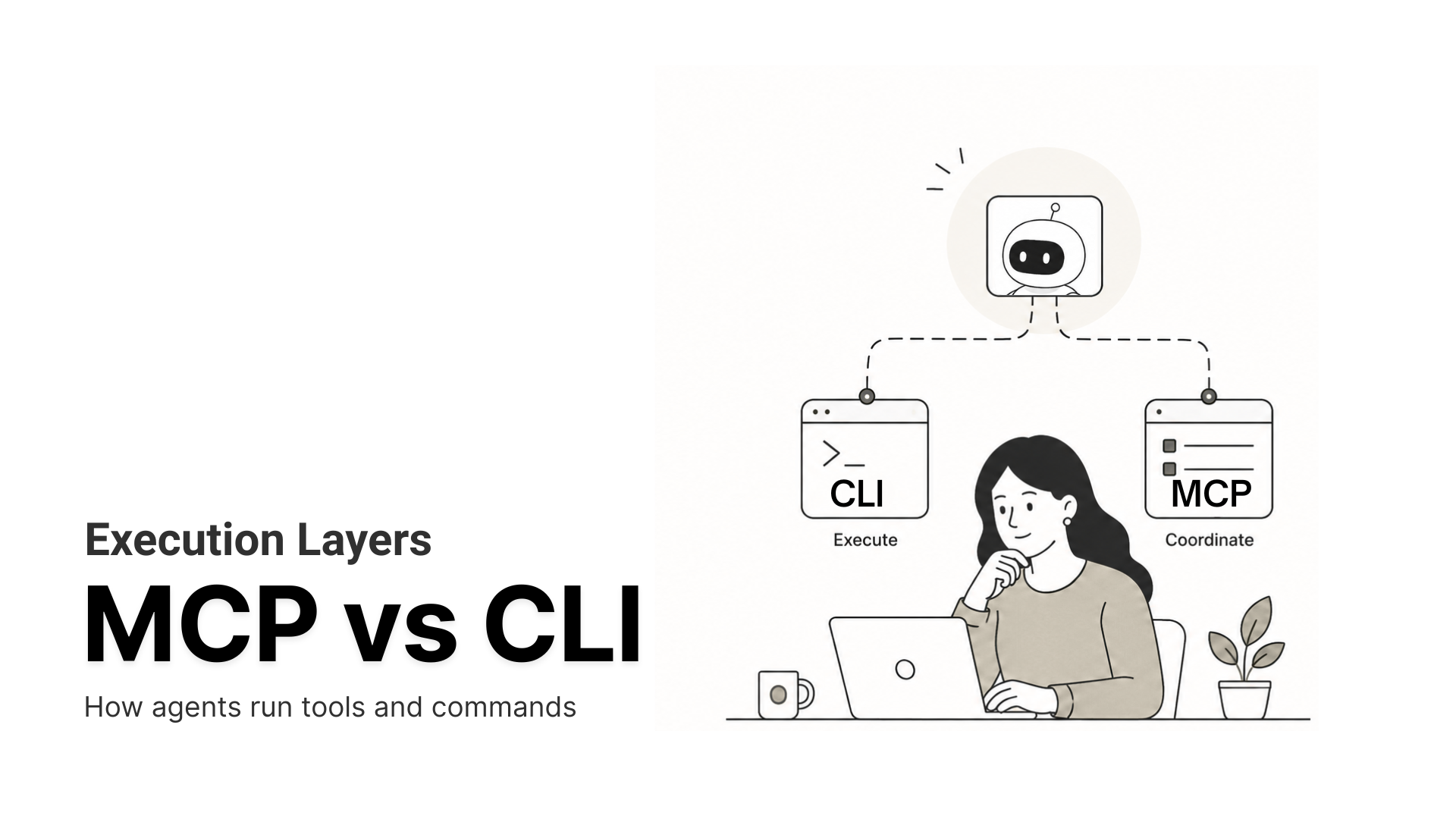
The CLI focuses on executing individual commands with minimal overhead, making it fast and inexpensive. MCP acts as a coordination layer, exposing multiple tools through a standardized interface with built-in discovery and per-user access.
-
• The Trade-off
Traditional MCP implementations load every tool schema during initialization, increasing token usage and reducing reliability as the number of tools grows. CLI avoids this cost but lacks MCP’s structured permissions and user-specific access model.
-
• The Gateway Solution
An MCP gateway loads tools only when they’re needed instead of all at once. MCP360 achieves this using two meta-tools—search to discover available capabilities and execute to invoke them—preserving MCP’s flexibility while dramatically reducing token overhead.
The industry is debating CLI versus MCP. It does not matter which startup raised more money or which AI model is smarter. What matters is how an AI agent actually interacts with the systems that carry out the work.
Most discussions skip what happens underneath when an agent schedules a meeting, writes code, or queries a database. Which tool does it call, and how is that exchange structured? Two answers dominate, MCP and CLI. Both let an AI system reach external tools, but they work differently. CLI runs commands in the environment directly. MCP defines structured interfaces for exposing and using tools.
We field a version of this question from teams constantly, and it is usually framed as winner-take-all. It is closer to a stack. The CLI and the Model Context Protocol sit at different points in how an agent gets work done, and the teams shipping reliable agents tend to use both. Picking well means knowing what each layer does, where it breaks, and what it costs.
This guide breaks down how AI systems execute commands through a CLI, how they coordinate tools through MCP, and how to decide which belongs where.
How AI Agents Execute Commands Through a CLI
The command-line interface is the execution layer. The model writes a command, the system runs it in the environment, and the output comes back as text. No schema, no tool registry, no negotiation. The command carries both the intent and the action.
Two things make this efficient for agents. The model already knows the commands, because LLMs trained on millions of git, curl, docker, and grep examples, so a request like gh pr list –state open needs zero setup tokens. There is also almost no overhead between intent and result, just one command in and one result out. How large that efficiency gets, in tokens and dollars, shows up in the benchmark section below.
The trade-off is structure. The shell returns plain text with no guaranteed shape, so anything downstream depends on parsing that can break between tool versions. Each command runs on its own, which leaves multi-step state to be tracked outside the interface. And the agent inherits whatever permissions the host shell holds, fine on your laptop and risky the moment someone else’s data is in scope. Those gaps are exactly what the Model Context Protocol was built to close.
What MCP Adds as a Structured Tool Layer
The Model Context Protocol, introduced by Anthropic in November 2024, is the coordination layer. Instead of free-form commands, the agent works through described interfaces. Each tool publishes a typed schema of its inputs and outputs, so the agent calls only operations that exist instead of guessing at formats. The server advertises what it can do the moment an agent connects, so new tools become usable with no code change. And because output comes back in a known shape, one tool’s result can feed the next without fragile parsing.
Under the hood, MCP uses a host, client, and server model and speaks JSON-RPC. That structured, discoverable surface is what makes it useful when many tools have to work together rather than run in isolation.
Adoption moved fast. Anthropic launched MCP in November 2024, and the community has since built thousands of servers, with the protocol becoming the de-facto way to connect agents to tools and data. For how this compares to request-response integration, our breakdown of MCP vs traditional APIs covers where each fits.
That same convenience, advertising every tool so the agent can discover it, is where the cost problem starts.
MCP vs CLI Token Cost in 2026 Benchmarks
An MCP server sends its full tool schema to the agent at the start of every conversation. GitHub’s Copilot MCP server exposes 43 tools, so even a one-line request carries definitions for managing webhooks, creating gists, and configuring pull request reviews, none of which the task touches. The agent pays for tools it never calls.
The effect is clean to measure, because the only variable is the interface.
| GitHub task (Claude Sonnet 4) | CLI tokens | MCP tokens | Multiplier |
| Repo language and license | 1,365 | 44,026 | 32x |
| PR details and review status | 1,648 | 32,279 | 20x |
| Repo metadata and install | 9,386 | 82,835 | 9x |
| Merged PRs by contributor | 5,010 | 33,712 | 7x |
| Latest release and dependencies | 8,750 | 37,402 | 4x |
Median tokens per run, Scalekit 2026 benchmark, Claude Sonnet 4.
At 10,000 operations a month, that comes to about $3.20 for the CLI against $55.20 for direct MCP, a 17x difference for identical results. The schema bloat is a loading choice, not a fixed cost. Scalekit estimates that routing the same workload through a gateway that filters schemas brings the bill back toward $5 a month.
Anthropic, which created MCP, reached the same point from the other direction. It published research showing that letting the model write code to call tools on demand, instead of loading every schema up front, cut one workflow from 150,000 tokens to 2,000. A 98.7% reduction. Cost is the loudest complaint about MCP. Reliability is the next one.
Reliability and Failure Rates in Production
In the same benchmark, MCP completed 72% of runs while the CLI completed 100%. The seven MCP failures were connection timeouts to a remote server, the kind of infrastructure fault an agent cannot reason its way around. A local gh command has no server to time out.
That gap is an infrastructure problem, not a protocol one. A gateway that pools connections and retries failed calls absorbs most of these timeouts, the same layer that trims the token cost. The expense and the flakiness both come from how raw MCP is deployed, not from the standard itself.
Cost and reliability both have engineering fixes. The next difference does not.
Security and Access Control in MCP vs CLI
A shell runs with the full permissions of its host. For one developer on their own machine, that is acceptable, because the only person exposed is you.
Production agents rarely act for you alone. A support assistant or a project-management bot acts as your customer’s employees, inside your customer’s accounts, touching data across services your customer controls. Every call has to do three things at once.
- Resolve identity. Know which user the agent is acting for on this request.
- Scope access. Stay inside that user’s data and permissions, not the whole tenant.
- Leave a record. Log the action so it can be audited later.
A raw shell offers none of that. MCP was built for this boundary, which is why it provides per-user OAuth, server-side input validation, and audit trails. The rule is easy to apply. If the agent acts only as you, on systems you own, the CLI’s coarse permissions are fine. The moment it acts for other people, you need the controls MCP provides, or you are one prompt away from an incident.
When to Use CLI vs MCP for Each Tool
The choice is per tool, not per system. Four questions settle most cases.
- Does the model already know the tool? Mature CLIs like git, gh, curl, and kubectl are in the training data, so they run reliably with almost no overhead. Favor the CLI.
- Does the service even have a CLI? Salesforce, Workday, and most SaaS platforms do not, and never will. That is MCP territory.
- Is the work local or remote? Inner-loop tasks like builds, tests, and file edits suit the CLI. Outer-loop work across hosted services, with discovery and structured hand-offs, suits MCP.
- Who is the agent acting for? You alone points to the CLI. Other people’s data and accounts point to MCP.
Claude Code and tools like it already work this way. They run shell commands for local work and call MCP servers for hosted services, with the agent routing each task to the right layer. The community is still arguing over a winner the products already stopped picking. To see that routing in practice, our guide to setting up an agent runtime with MCP tools walks through it.
How an MCP Gateway Cuts the Token Cost
The loudest argument against MCP, the token cost, comes entirely from loading every tool schema up front. Remove that step and most of the gap closes. That is the job of an MCP gateway, and it is the constraint we built MCP360 around.
MCP360 connects an agent to 100+ tools through one integration and exposes them through two meta-tools, search and execute, instead of loading every schema into context. The agent searches for the tool it needs, loads only that one definition, then executes it and reads the result. This is the same on-demand pattern Anthropic measured at a 98.7% saving, applied across a whole catalog rather than a single workflow.
The reliability and governance gaps close the same way. MCP360 adds automatic failover when an upstream API breaks, and it runs on OAuth 2.0 and API-key authentication with audit logs and rate limiting, the controls a bare shell cannot offer. It holds SOC 2 Type II, GDPR, and ISO 27001 compliance, with a free tier to start. The result is MCP’s structure and discovery without the context tax that sent people back to the CLI.
Frequently Asked Questions
What is the difference between MCP and CLI?
The CLI is the execution layer. An AI agent writes a command, the system runs it, and returns the output as text. MCP (Model Context Protocol) is the coordination layer, allowing agents to discover and call structured tools through a standard interface. The CLI executes individual commands, while MCP provides organized access to many tools through a single connection.
What is MCP for AI agents?
The Model Context Protocol (MCP) is an open standard introduced by Anthropic that connects AI agents to external tools through a single interface. Each tool publishes a schema that agents can discover and use, replacing custom integrations with a standardized approach.
Why does MCP use more tokens than the CLI?
MCP typically loads tool schemas into the model’s context at the beginning of a conversation, including tools that may never be used. The CLI does not require these definitions because models already understand common commands like git and curl. As a result, MCP-based workflows can consume more tokens unless tools are loaded on demand.
Is MCP less reliable than CLI?
Not inherently. Some benchmarks have shown lower completion rates because remote MCP servers can introduce network failures and timeouts, while local CLI commands avoid those issues. In most cases, the difference comes from the underlying infrastructure rather than the MCP protocol itself.
Is MCP more secure than using a CLI?
It depends on the use case. A CLI runs with the host machine’s permissions, making it suitable for local automation. MCP can add server-side authentication, authorization, and auditing, which are valuable when AI agents access shared services or operate across multiple users and accounts.
When should an AI agent use the CLI instead of MCP?
Use the CLI for local tools such as git, curl, or kubectl that already exist on the system. Use MCP when accessing hosted services, external APIs, or applications that require structured authentication, permissions, or standardized tool interfaces.
Is MCP dead?
No. Although some developers have criticized MCP for higher token usage compared to the CLI, it continues to solve problems the CLI cannot, including connecting to hosted services, enforcing per-user authorization, and exposing structured tool interfaces. In practice, many AI systems use both approaches together.
How does an MCP gateway reduce token costs?
An MCP gateway can reduce token usage by loading only the tools required for the current request instead of sending every available tool definition to the model. Platforms like MCP360 use this on-demand approach, keeping the context smaller even when hundreds of tools are available.
Conclusion
The MCP vs CLI debate reads like a fork in the road. It works better as a stack. The CLI executes, fast and cheap, on tools the model already knows. MCP coordinates, with structure and access control, across services it does not. The expensive version of MCP, every schema loaded on every call, is the one worth avoiding, and a gateway avoids it.
So stop choosing a side and start placing each tool. Put local, well-known commands on the CLI. Put hosted, multi-tenant, permission-sensitive services behind MCP, and run that through a gateway so the token cost stays flat as the catalog grows. The agents that hold up in production in 2026 are the ones that treat execution and coordination as two jobs and give each the right layer.

Article by
RajniAI & Tech | Senior Content Writer
Rajni is a senior content writer covering AI agents, automation, and no-code tools. She writes across the AI space, from chatbots and customer support to MCP and agent workflows, focused on how businesses actually put these tools to work.