
The TL;DR
Glama is a good MCP discovery platform, but it is only one approach. Depending on your needs, managed gateways, integration platforms, registries, or open directories may provide a better long-term fit.
-
• Why Look Beyond Glama
While Glama simplifies MCP discovery and routing, teams still need to host servers, evaluate community listings, and manage growing context as more tools are added. Those operational costs can outweigh the convenience at scale.
-
• What the Alternatives Offer
Alternatives generally focus on different layers of the ecosystem rather than replacing Glama outright. Some provide unified gateways and authentication, others specialize in managed integrations, large MCP registries, or open community directories.
-
• How to Choose the Right One
Start by identifying your biggest constraint. If authentication is the challenge, choose a managed gateway. If discovery is the priority, use a registry or directory. For enterprise deployments, prioritize platforms with governance, compliance, and scalable context management.
Adopting the Model Context Protocol is easy. Managing it at scale is not. Wire in a handful of MCP servers and within weeks you have credentials in scattered config files, tool definitions crowding the context window, and no clear view of what is running or whether it is healthy. That sprawl is the real cost of MCP adoption.
Glama is a common answer, a registry and gateway for finding servers and routing them through one proxy. It fits some teams and leaves gaps for others. You still run the servers yourself, vet every open listing, and watch large catalogs crowd context, which is when teams start weighing Glama alternatives.
This guide evaluates the eight strongest Glama alternatives for 2026. Each entry gives you a plain description, six core features, two honest drawbacks, annual pricing, and the team it fits best, so you can match the right tool to your bottleneck instead of the loudest feature list.
Why look for a Glama alternative
Glama is one of the better-known platforms in the Model Context Protocol ecosystem. It works as a searchable MCP server registry, an in-browser inspector for testing tools before installation, and a gateway that proxies requests to your MCP servers with logging, per-tool access control, managed OAuth credentials, and usage analytics.
For many teams, that combination is useful. But Glama still follows a registry-and-gateway model, which means it solves discovery and routing more than full integration management. The reasons to compare alternatives usually come down to fit, not failure.
- Self-hosting is still part of the setup: Glama helps route and manage MCP connections, but in most cases the actual servers still run locally or on infrastructure you maintain. Optional hosting is available, but the default workflow still leaves server operations with your team.
- Every call adds another network layer: When traffic passes through a proxy, you gain visibility and control, but you also introduce another hop. For latency-sensitive workflows, that extra layer can matter.
- Server quality varies across open listings: Glama’s open registry makes discovery easy, but listings often come from public GitHub submissions. That means maintenance, security, documentation, and reliability can differ from one server to another. Your team still needs to review each server before using it in production.
- Discovery is not the same as ready-made integration: Glama helps you find MCP servers and connect them through a gateway. It does not always provide a fully managed, auth-ready connector for each specific app or workflow. Teams that want prebuilt integrations may need a more managed alternative.
- Small setups may not need the extra layer: For solo developers or teams using only a few MCP servers, the gateway configuration, routing rules, and operational overhead may be more than the project requires.
In short, Glama is a better option for MCP discovery and gateway-based management. But teams that need hosted integrations, deeper authentication handling, lower operational overhead, or more curated tooling may find a better fit in a managed MCP platform or unified integration layer.
Glama alternatives at a glance
Use this quick comparison to see how the leading Glama alternatives differ and which platforms are worth exploring in more detail.
| Platform | What it is | Best for |
| MCP360 | Unified gateway, one key for 37 servers and 100+ tools, plus a custom builder | One reliable integration without context bloat |
| Composio | Managed integration platform, 500+ servers | Mainstream SaaS with auth handled |
| Smithery | Largest registry with hosting and a router | Discovery and one-click hosted endpoints |
| Klavis AI | Managed MCP-as-a-service with OAuth | Multi-tenant products and per-user logins |
| Zapier MCP | Automation bridge to 9,000+ apps | Broad, low-code app reach |
| MCP.so | Large open directory of servers and clients | Widest open discovery |
| MCP Market | Curated catalog with an organization layer | Curated discovery plus light team setup |
| Official MCP Registry | Vendor-neutral metadata index | A neutral source of truth to build on |
The best Glama alternatives in 2026
Each alternative is broken down in a consistent format, covering what it does, its core features, key drawbacks, pricing, and best-fit use case. The list starts with managed gateways and integration platforms, then moves toward lighter registries and directories, making it easier to compare options based on how much infrastructure you actually want to manage.
1. MCP360
MCP360 is a unified integration platform and marketplace that connects AI agents to more than 100 external tools and custom MCPs through a single integration. It acts as a central access layer, so agents reach a wide range of third-party services without a separate setup for each one. The platform standardizes how workflows run, letting an agent coordinate actions across multiple services. Because new marketplace tools reach existing integrations the moment they ship, teams can grow what their agents do without rebuilding anything.
Features
- One key, 37 servers: A single API key reaches 37 MCP servers and 100+ tools across search, SEO, e-commerce, media, maps, domain, finance, and verification.
- On-demand tool loading: The search_tools and execute_tool meta-tools surface only what a task needs, so a large catalog never floods the agent’s context window.
- No-code Custom MCP Builder: Wrap any REST API with its key, or run your own Python or JavaScript, and the result lives under the same key and billing.
- Four ways to connect: Use the unified gateway, a single focused server, a direct REST endpoint, or a drop-in markdown skill file for clients that do not speak MCP.
- Compliance and failover: SOC 2 Type II, GDPR, and ISO 27001, with automatic failover when an upstream API changes or breaks.
- Playground and analytics: Test tools in a built-in Chat Playground and track credit usage per project from the dashboard.
Limitations
- Curated, not exhaustive: A focused set of 37 servers will not match the thousands in an open registry, so a niche server may need the Custom MCP Builder to add yourself.
- The gateway is in your trust path: As a hosted gateway it touches many tools, so sensitive workloads need you to confirm permission scoping, logging, and data handling before launch.
Pricing
- Free plan: $0/mo, 100 credits per month, 1 project
- Starter plan: $16/mo if paid annually, 2,000 credits
- Professional plan: $83/mo if paid annually, 10,000 credits, priority support and analytics
- Advanced plan: $333/mo if paid annually, 100,000 credits, dedicated support and SLAs
Best for: Teams building research, SEO, scraping, or data-gathering agents that want broad, reliable tool access from one integration, without vetting and maintaining a dozen separate servers.
2. Composio
Composio is an integration platform for AI agents, positioned as infrastructure rather than a catalog. Its premise is that the hard part of agent tooling is reliable connection rather than discovery, so it owns each app connection from end to end and returns a clean, working result. It leans toward developers shipping agents to real users, which shows in its focus on authentication and scale over obscure breadth. Teams often treat it as the reference point when comparing managed gateways.
Features
- Large managed catalog: Reach 500+ MCP servers and thousands of tools spanning Slack, GitHub, Notion, Jira, HubSpot, and Salesforce.
- Built-in authentication: Managed OAuth handles token refresh and rotation, so a connection is set up once and stays working.
- Context-aware discovery: The Rube layer pulls the tools relevant to a task instead of exposing the whole catalog at once.
- Broad client support: Works with Claude, Cursor, and VS Code through Python and TypeScript SDKs.
- Credential and quota control: Manage keys, permissions, and usage limits from one interface.
- Execution monitoring: Watch tool calls and errors through real-time dashboards.
Limitations
- Cloud-only data path: Tool calls and credentials route through Composio’s cloud, which can rule it out for teams with strict data-residency requirements.
- Skewed to mainstream SaaS: Coverage is deepest for popular business apps, so niche or self-hosted services may not be available.
Pricing
- Totally cheap: $0/mo, 20,000 tool calls per month, community support
- Ridiculously cheap: $29/mo, 200,000 tool calls, email support
- Serious business: $229/mo, 2,000,000 tool calls
- Enterprise: custom pricing, SLA, SOC 2, VPC or on-prem options
Best for: Connecting agents to popular business apps when avoiding OAuth plumbing yourself is the priority.
3. Smithery
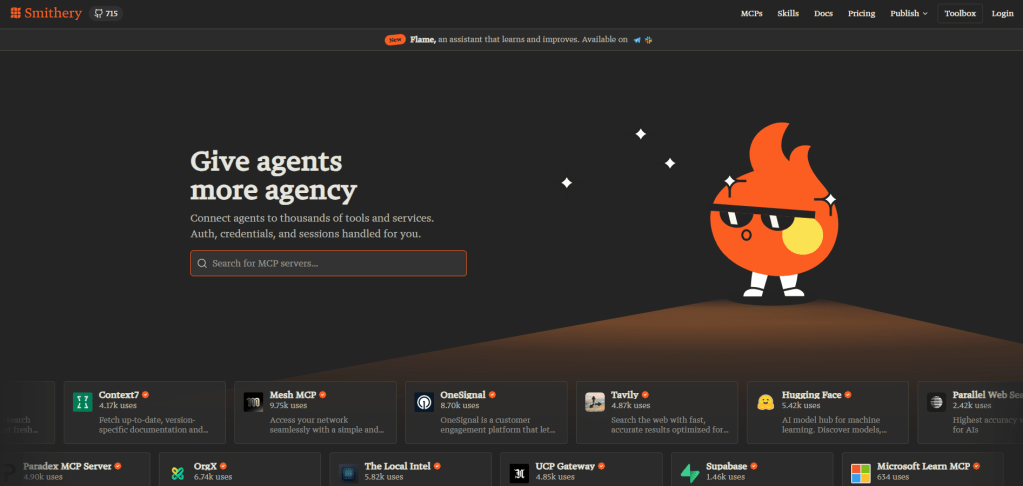
Smithery is the Docker Hub of the MCP world, a registry and hosting platform in one. Its model is open and bottom-up, optimizing for fast discovery and one-step deployment of anything the community submits. That openness drives both its reach and its main trade-off, since the door is open to servers of every quality level. It sits at the discovery-and-hosting layer, above a plain index and below the managed integration platforms.
Features
- Largest catalog: Search and compare 6,000+ community-submitted MCP servers spanning nearly every integration category.
- One-click hosted endpoints: Run servers on Smithery’s own infrastructure and reach them instantly as remote endpoints, no self-hosting required.
- CLI install: Install servers locally for Claude Desktop, Cursor, and Windsurf with a single terminal command, no manual config editing.
- Toolbox router: A meta-server automatically connects an agent to the right servers at runtime instead of hand-wiring each connection yourself.
- GitHub publishing: Publish and version your own servers straight from GitHub, with updates reflected in the registry automatically.
- Client-aware setup: Prefilled, client-specific config blocks cut down on manual JSON editing across Claude, Cursor, and other tools.
Limitations
- Open-submission registry: Quality and security vary widely across its 6,000+ servers since anyone can list one and Smithery doesn’t vet them.
- Real breach precedent: A path-traversal flaw in Smithery’s hosting infrastructure was patched in June 2025 and detailed publicly by researchers that October, after having exposed thousands of hosted servers and their credentials.
Pricing
- Free plan: $0, browse, install, and list servers
- Pay as you go: $10/mo
- Custom plans: hosting tiers billed by usage, published on the Smithery pricing page
Best for: Developers who want the widest selection and fast hosted deployment and accept doing their own due diligence on each server.
4. Klavis AI
Klavis AI is a managed MCP service built around production reliability. It targets the gap between an open-source server that technically runs and one that holds up under real load with real users, running the servers itself so you do not have to. That makes it a fit for software companies embedding agents into their own apps, where each end user brings separate credentials. It tends to win when multi-tenant authentication is the deciding factor.
Features
- Hosted, stable servers: Production-grade MCP servers run on dedicated cloud infrastructure.
- Built-in OAuth: OAuth 2.0 and multi-tenant authentication let each end user connect their own accounts.
- Progressive discovery: The Strata router guides a model from broad intent to a specific tool, improving selection accuracy on complex tasks.
- Prebuilt clients: Ready-made clients for VS Code, web chat, Slack, and Discord.
- REST API access: A standard REST interface for embedding MCP functionality in your own apps.
- Self-host and on-prem options: Open-source components and private deployment for stricter environments.
Limitations
- Cloud dependency by default: The standard model routes calls and credentials through Klavis, which some compliance teams will not accept without the on-prem path.
- Narrower catalog than registries: Coverage centers on popular integrations rather than the long tail found in open directories.
Pricing
- Custom plan: Custom pricing, on-prem deployment and SLAs
Best for: Multi-tenant products where each user authenticates their own accounts, such as an embedded assistant that connects individual Google Drive or Jira logins.
5. Zapier MCP
Zapier MCP is the MCP doorway into Zapier’s long-established automation network, built on top of connections that predate the protocol by close to a decade. It exposes Zapier’s existing app integrations to AI agents through MCP instead of shipping a purpose-built MCP product from scratch. Its strength is reach, since most mainstream software already ships a Zapier integration, but it inherits a task-based design meant for triggered workflows. It fits teams already living in Zapier and non-technical builders who want breadth without code. For a deeper comparison, see our full breakdown of Zapier MCP alternatives.
Features
- Massive app reach: 9,000+ apps and more than 30,000 actions available behind a single MCP endpoint.
- Single auth layer: Built-in authentication runs across every connected app, no separate credentials to manage.
- No custom backend: Expose your existing Zapier connections to an agent without writing any integration code.
- Multi-client support: Works out of the box with Claude, ChatGPT, and Cursor.
- Managed reliability: Zapier handles rate limits and retries behind the endpoint automatically.
- Shared task model: MCP tool calls draw from the same task quota as the rest of your Zapier account, two tasks per call.
Limitations
- Routed through Zapier’s cloud: You inherit its action model and rate limits, which adds latency compared with a direct or dedicated gateway.
- Built for automation, not deep tool use: The task-based design suits triggered workflows better than high-volume, fine-grained agent tool calls.
Pricing
- Free plan: $0/mo, 100 tasks per month, MCP included
- Professional plan: $19.99/mo if paid annually, 750 tasks
- Team plan: $69/mo if paid annually
- Enterprise: Custom pricing
Best for: Reaching a very large number of mainstream apps quickly, especially when non-technical teammates already work in Zapier.
6. MCP.so

MCP.so is a community-run directory and one of the largest open catalogs in the ecosystem. It’s a neutral place to find servers and clients. Running them is on you: install, authenticate, and operate whatever you pick, since MCP.so itself doesn’t run anything. Its role is the research step, where you compare options and read the details before committing to a server. Funded by ads and sponsorships, it stays free to browse.
Features
- Very large catalog: More than 22,000 community-submitted MCP servers indexed and searchable across every major category.
- Servers and clients: Lists MCP clients alongside servers, so you can quickly match a server to a compatible app.
- Category and tag browsing: Filter results by category, tag, featured status, latest additions, and official listings.
- Hosted and official views: Separate tabs split out ready-to-use hosted servers from first-party official listings.
- Built-in Playground: Try any server directly in a web playground before installing or adopting it locally.
- GitHub submission: Add your own server to the directory by opening a GitHub issue with its details.
Limitations
- Directory only, no management layer: It helps you find servers, but you still install, authenticate, run, and route them yourself. There is no gateway, access control, or credential handling.
- Open listings, uneven quality: Community submissions vary in maintenance and security, so every server needs your own review before production.
Pricing
- Free plan: $0, browse, search, and submit servers, ad and sponsor supported
Best for: Developers who want the widest open catalog to discover servers and clients and will handle setup and operation themselves.
7. MCP Market
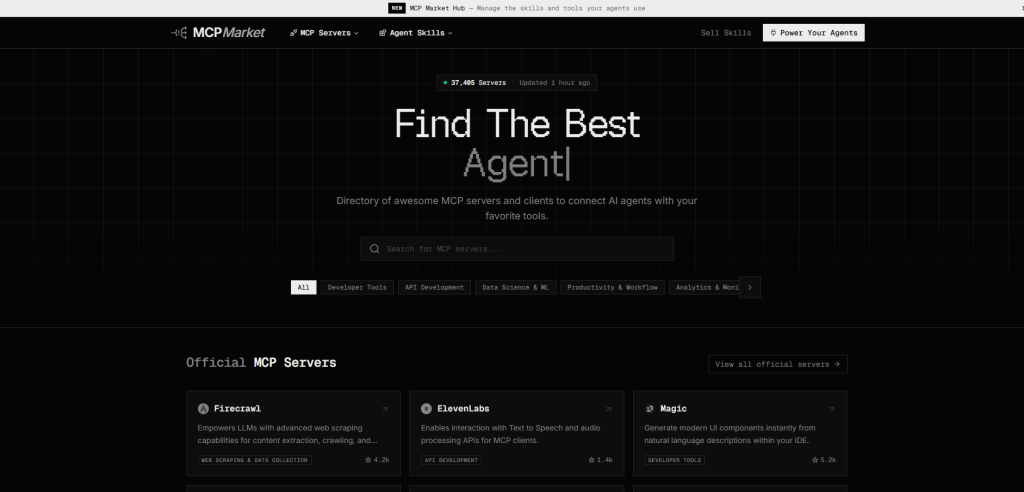
MCP Market is a curated catalog that has grown a light platform layer on top. It favors quality over quantity, hand-picking servers by category, and now adds accounts so teams can actually use what they find. That puts it between a pure directory and a full gateway, more managed than a list and lighter than a control plane. It suits small teams who want a tidy, trustworthy shelf rather than an exhaustive one.
Features
- Curated catalog: Browse categorized MCP servers, including a dedicated set of official, first-party listings.
- Organization accounts: Set up an org, add team members, and manage server access by role-based permissions.
- Bundle into one endpoint: Combine tools from several different servers behind a single unified endpoint.
- Agent skills: Author and share reusable skills that an agent can load on demand as needed.
- Bring your own server: Host a GitHub repo, an npm or PyPI package, or a Docker image directly.
- Usage tracking and API: Track tool calls and performance over time, with full programmatic API access.
Limitations
- Discovery-led, thinner runtime controls: Its strength is the catalog and basic team setup, so deep gateway features like fine-grained authorization and observability are lighter than dedicated gateways.
- Curation limits breadth: A curated catalog covers fewer servers than fully open directories, so some long-tail servers will not appear.
Pricing
- Free plan: $0, browse and discover the catalog
Best for: Small teams that want a curated catalog plus a light organization layer to connect servers, bundle tools, and share skills without standing up a full gateway.
8. Official MCP Registry

The Official MCP Registry is the protocol’s own vendor-neutral index of published servers. It stays deliberately minimal, storing metadata and pointing to where the code actually lives instead of hosting or running anything. The neutrality is the point, since it serves as plumbing for other registries and clients rather than a destination for end users. Platforms like Glama, Smithery, and MCP.so draw from it.
Features
- Vendor-neutral index: A canonical catalog of public MCP server metadata, maintained without favoring any single company or provider.
- Metadata, not code: Points to packages hosted on npm, PyPI, and Docker Hub instead of hosting the binaries itself.
- REST API: Built for programmatic use by client applications and downstream registries that build on top of it.
- Open governance: Maintained by the registry working group under the broader MCP steering group, spanning several organizations.
- Upstream source: Feeds data into private sub-registries and third-party marketplaces that reference it.
- Free and open: No account, API key, or fee required to read or query the registry.
Limitations
- Discovery only. It has no hosting, routing, or runtime layer, so you still run every server yourself.
- No curation or controls. There are no ratings, security checks, or access controls built in.
Pricing
- Open plan: $0, free and open source
Best for: Teams standing up their own tooling or a private internal registry that needs a clean, neutral metadata source to build on.
Side-by-side comparison
With each option covered individually, this table sets the same attributes next to each other for a faster comparison.
| Platform | Model | Catalog | Auth Handling | Context Routing | Compliance | Entry Price |
|---|---|---|---|---|---|---|
| Glama | Registry, inspector, gateway | Very large, open | Managed OAuth at gateway | Per-tool access control | Self-vetted | Free listing |
| MCP360 | Unified gateway and builder | Dozens of servers, 100+ tools, curated | Single API key | On-demand meta-tools | SOC 2 II, GDPR, ISO 27001 | Free, 100 credits |
| Composio | Managed integrations | 500+ servers | Managed OAuth | Rube discovery | Vendor-managed | Free, 20K calls |
| Smithery | Registry and hosting | 6,000+ servers, open | Tokens injected by you | Toolbox router | Self-vetted | Free to browse |
| Klavis AI | MCP-as-a-service | Popular tools, managed | OAuth 2.0, multi-tenant | Strata router | Cloud and on-prem | Free tier |
| Zapier MCP | Automation bridge | 9,000+ apps | Zapier-managed | Action-level | Vendor-managed | Free, 100 tasks |
| MCP.so | Open directory | 22,000+ servers | None | None | Self-vetted | Free |
| MCP Market | Curated catalog plus org layer | Curated, with bundling | Account-level | Endpoint bundling | Self-vetted | Free to browse |
| Official MCP Registry | Metadata index | Vendor-neutral, public | None | None | Neutral | Free |
Seeing what each option is rarely settles the decision on its own. The choice comes down to your own constraints, which the next section works through.
How to choose the right Glama alternative
Start from the problem you are solving, not the longest feature list. A few questions narrow the field quickly. If you want a running list of individual servers worth wiring up once you’ve picked a platform, our roundup of essential MCP servers is a reasonable next stop.
- Count your servers: A handful across one client rarely needs a management layer. Once servers and clients multiply, a gateway that centralizes routing and credentials starts to earn its place.
- Check your context budget: When tool definitions crowd the model and weaken its choices, prioritize runtime tool routing that loads only what a task needs.
- Decide who owns authentication: If token refresh, rotation, and per-user logins are the burden, a managed platform that handles OAuth saves the most time.
- Weigh breadth against curation: A large open catalog maximizes choice but pushes vetting onto you, while a curated set trades coverage for reliability.
- Confirm compliance needs: Regulated data calls for a named vendor with certifications in the request path, not an open registry.
- Match the deployment model: Cloud-routed services are fastest to adopt, while strict data-residency rules point toward self-hosted or on-prem options.
If your current setup already covers a few servers without friction, there is no need to switch. Move when you have outgrown simple discovery and routing, not before.
Frequently Asked Questions
What are the biggest advantages of MCP?
MCP simplifies AI integrations, enables dynamic tool discovery, reduces custom development work, and helps AI systems access live information from multiple sources.
Is a separate MCP server required for every tool?
Not always. MCP360 allows multiple tools to be accessed through a unified gateway, reducing the need to configure and manage individual server connections.
Are traditional APIs being replaced by MCP?
No. MCP is not replacing APIs. Traditional APIs remain the standard for application-to-application communication, while MCP provides a way for AI models and agents to discover and interact with tools dynamically. Most organisations use both together.
How does MCP improve AI agent efficiency?
MCP gives AI agents a standard way to access tools, data, and services without requiring separate custom integrations for each system. This reduces integration overhead, improves workflow flexibility, and makes scaling easier.
Does MCP work with existing APIs?
Yes. MCP complements existing APIs rather than replacing them. Many MCP servers use REST, GraphQL, or internal APIs behind the scenes and expose them through a common interface for AI applications.
Can MCP access real time data?
Yes. MCP allows AI applications to retrieve current information from connected systems instead of relying only on training data or static context.
Is MCP suitable for enterprise applications?
Yes. MCP can be used in enterprise environments, especially for AI assistants and agent workflows that need access to multiple business systems.
Conclusion
MCP server management is not just a small setup detail. It is becoming a core infrastructure choice that affects how fast your agents can connect to tools, how safely they can act, and how much maintenance your team has to carry as workflows grow.
The main question is not only which registry has the most servers. It is whether your team wants to keep managing auth, routing, hosting, compliance, and custom tool creation across separate MCP servers, or move that work into one dependable layer.
For most teams building production workflows, a unified gateway is the cleaner path. It gives agents one place to access tools, loads context only when needed, handles credentials more safely, and reduces the operational drag that comes with adding every new server by hand. When the catalog does not cover a use case, a built-in builder helps teams create the missing tool without rebuilding the whole integration stack.
The right Glama alternative should make tool access feel like part of your infrastructure, not another project to maintain. spin up the MCP360 free tier, connect it to your client, and run one real task through it before you commit.

Article by
MitaliAI & Automation | Content Writer
Mitali is a content writer covering AI agents, automation, and no-code tools. Her writing spans the AI landscape, from support and sales automation to MCP integrations and agent workflows, with a focus on practical business use.